App updates can sometimes shift puzzle order. If this level 97 walkthrough doesn’t match what you see, no stress! Use our All Levels index to locate your exact puzzle by screenshot.
Ignore the numbers 1, 6, 7, and 8 completely; leave them blue.
Level Overview
What Makes This Puzzle Tricky
You’re greeted with a grid full of digits and a cryptic phrase: “these grids need a repaint!” It feels like a math test disguised as an art project. At first glance, it’s easy to assume hidden arithmetic or pattern logic—but tapping tiles only changes colors, not values, and soon you’re staring at a chaotic mix of red, green, and blue with zero obvious logic.
Your Goal
Your goal is to recolor specific numbers based on a subtle visual key—not a written rule. That key isn’t spelled out in text; it’s hiding in plain sight at the bottom of the screen, disguised as decorative elements.
How the Game Responds
- Visual Logic: Interpreting a color-and-quantity legend.
- Counting: Matching pile sizes to grid numbers.
- Tapping: Cycling through colors on individual tiles.
- Strategic Omission: Knowing which numbers not to tap is just as vital as knowing which ones to change. This isn’t trial-and-error—it’s decoding.
What Appears on Your Screen
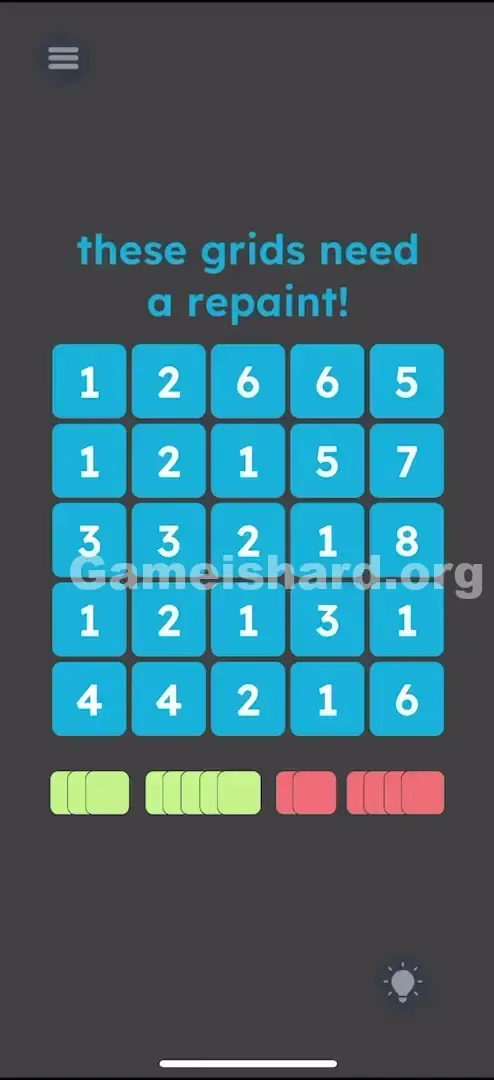
When level 97 loads, you’ll see a clean 5×5 grid of blue squares, each holding a white number from 1 to 8. Above it, the prompt reads: “these grids need a repaint!”
Beneath the grid sits a row of four compact, stacked color blocks—like miniature paint swatches.
- Far left: A stack of 3 Green squares.
- Middle-left: A stack of 5 Green squares.
- Middle-right: A stack of 2 Red squares.
- Far right: A stack of 4 Red squares. The background is dark grey, and the lightbulb hint icon glows quietly in the bottom-right corner.
Common Mistakes to Avoid
The Trap
The biggest mental roadblock is overcomplicating it. Players instinctively search for equations, sequences, or positional patterns—assuming the numbers themselves carry mathematical weight. In reality, they’re just labels. The real logic lives in the visual count and color pairing below.
First Instincts That Fail
- Drawing shapes: Attempting to form letters, symbols, or symmetrical designs with colored tiles.
- Neighbor effects: Assuming taps influence adjacent tiles (like Lights Out), when each tile operates independently.
- Overlooking the bottom row: Dismissing the colored stacks as UI flair instead of the core instruction set.
Player Reactions
I wasted nearly three minutes trying to build a diagonal stripe pattern, then tested ascending-number taps (1 → 2 → 3…). Nothing clicked—until I actually counted the little green and red stacks. The solution was visible the whole time. I just wasn’t looking for it.
Step-by-Step Solution
Preparing the Move
Start by examining the four color stacks beneath the main grid. Count the squares in each:
The first stack contains 3 Green squares.
The second stack contains 5 Green squares.
The third stack contains 2 Red squares.
The fourth stack contains 4 Red squares. That gives you your mapping:
Number 3 needs to be Green .
Number 5 needs to be Green .
Number 2 needs to be Red .
Number 4 needs to be Red .
Executing the Solution
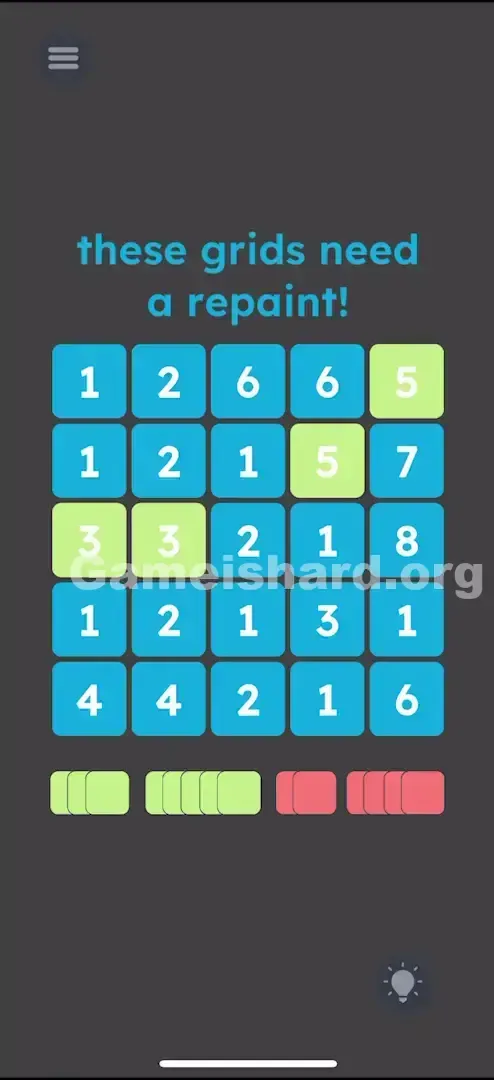
- Scan the entire grid for every instance of the number 3. Tap each one until it turns Green .
- Repeat for all 5s—tap each until it turns Green .
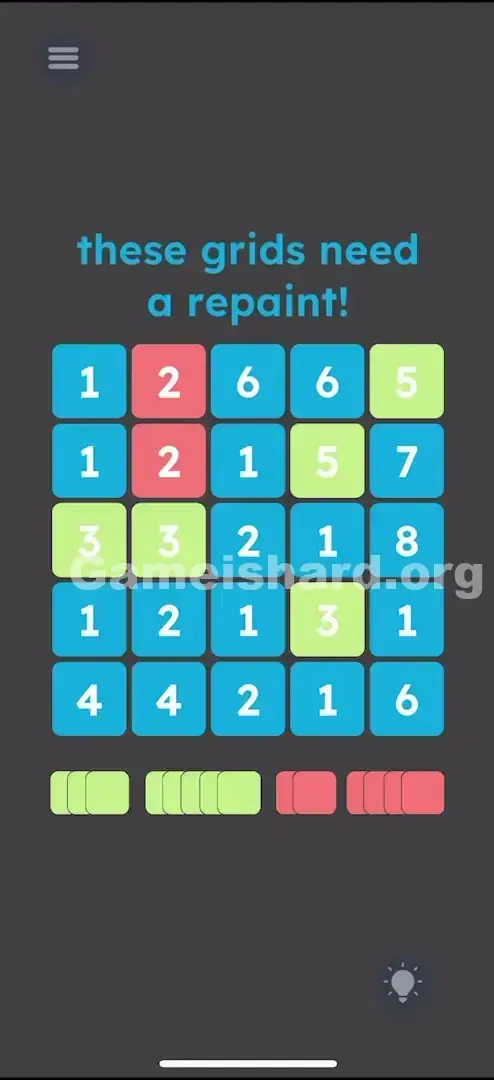
- Then locate every 2 and tap until it turns Red .
- Next, find every 4 and tap until it turns Red .
- Pause. Leave all 1s, 6s, 7s, and 8s untouched—they must stay blue.
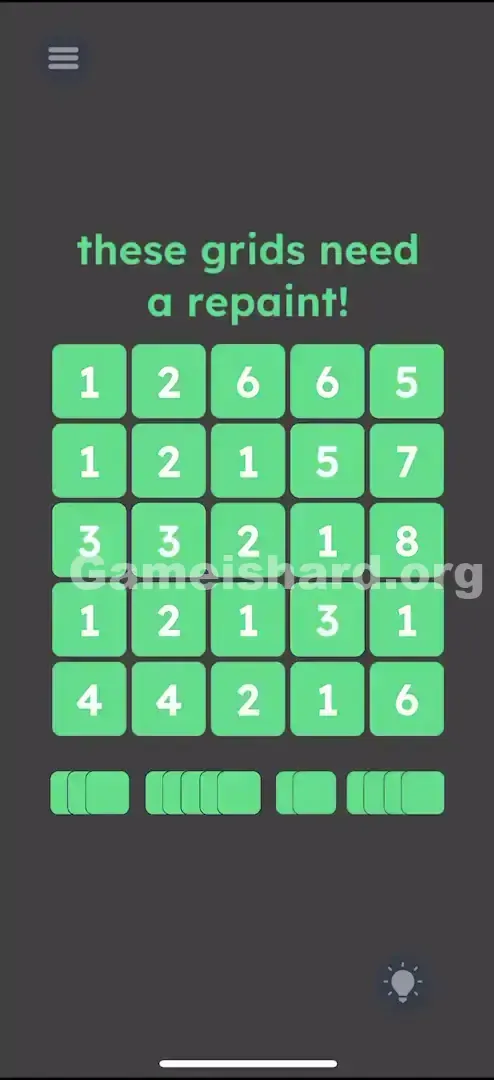
Confirming It Worked
As soon as the final required tile hits its correct color, the level completes automatically. If nothing happens, double-check your grid—you likely missed a single 2 tucked in a corner or accidentally tapped a 1.
If It Did Not Work
If completion doesn’t trigger:
- Check the 1s: Did you tap any? Cycle them back to blue with additional taps.
- Check the 6s/7s/8s: Same rule—any deviation breaks the solution.
- Color check: Confirm 2 and 4 are RED, and 3 and 5 are GREEN. Swapping them will stall progress.
Small Details That Matter
Tile hitboxes are forgiving, but color cycling can trip you up. Most tiles rotate through Blue → Green → Red → Blue (or similar).
If you overshoot—say, aiming for Red but cycling past to Blue—you’ll need two more taps to loop back. Go slower. Tap, confirm, tap again if needed.
Precision Tip: Work number-by-number, not row-by-row. Finish all 2s first, then all 4s, then 3s, then 5s. Jumping around invites fatigue and errors.
Why This Solution Works
This is a pure data visualization challenge: raw input (numbered grid) + abstract legend (colored stacks) = actionable instruction. The game avoids text clues entirely—instead, it encodes meaning in quantity: how many colored items equals which number gets that color.
It’s a signature Game is hard design philosophy—the instructions aren’t separate from the puzzle; they’re embedded in its layout.
Bonus Tip
For speed runs or replays:
- Skip re-counting. Memorize the pairing: Evens (2, 4) → Red . Odds (3, 5) → Green .
- Scan methodically: Hunt all 2s first, then all 4s (both Red), then shift focus to 3s and 5s (both Green).
- Speed advantage: Use two fingers. Spot two 2s side-by-side? Tap them simultaneously—the game supports multi-touch.
Alternative Attempts on Game Is Hard Level 97 (What Doesn’t Work, and Why)
Here’s what I tried—and why it failed—so you don’t waste time:
- Dragging bottom stacks: Tried dragging red blocks onto number 2s. They’re static images—no interactivity.
- Tapping 1/6/7/8: Assumed full repainting was needed. Doing so corrupts your solution state.
- Row-based coloring: Tested coloring entire rows red/green. Numbers are scattered—no positional logic applies.
- Shaking the device: Hoped for a reset or “paint shake” effect. No response.
- Tapping the “repaint” text: Sometimes text is interactive. Not here—it’s purely thematic.
Common Mistakes for Game Is Hard Level 97
- Missing a tile: 2s and 5s look nearly identical at a glance—especially under time pressure.
- Flipped mapping: Accidentally coloring 3/5 red and 2/4 green (the reverse of the correct rule).
- Leaving a required tile blue: One uncolored 2 or 4 halts completion.
- Over-tapping: Cycling past the target color without noticing.
- Tapping 1s reflexively: With so many 1s on screen, it’s easy to tap them out of habit or frustration.
Pattern Recognition: How to Spot This Trick in Future Game Is Hard Levels
The Tell
Anytime you see numbered items plus grouped visual elements (dots, blocks, icons) at the top or bottom—pause. Don’t default to math. Look for a direct count-to-number link.
The Habit
Always count the items in those groups. Three apples? Look for the number 3. Five dots? Match to number 5. Quantity-as-identity is a consistent Game is hard signature.
Game Is Hard Level 97 FAQ
Q: Why doesn't the level end when I color the numbers? A: You likely missed one tile or colored a tile that should have remained blue (like a 1 or a 6). Check every single square again.
Q: Do I need to color the numbers 1, 6, 7, or 8 in Game is hard Level 97? A: No. Leave them alone. If you colored them, tap them until they turn blue again.
Q: What do the piles at the bottom mean in Game is hard Level 97? A: Count the items in the pile. The count equals the target number on the grid. The color of the pile is the target color.
Q: Can I reset the grid if I messed up too much in Game is hard Level 97? A: There isn't a dedicated "reset grid" button inside the level usually, but you can restart the level from the pause menu to clear all colors instantly.
More Game Is Hard Solutions
If you found this guide helpful, we have the solutions for the next 100 levels ready to go. Our guides cut the fluff and get straight to the solution so you can keep your win streak alive. Share this with your friends who are stuck on Game is hard Level 97 !