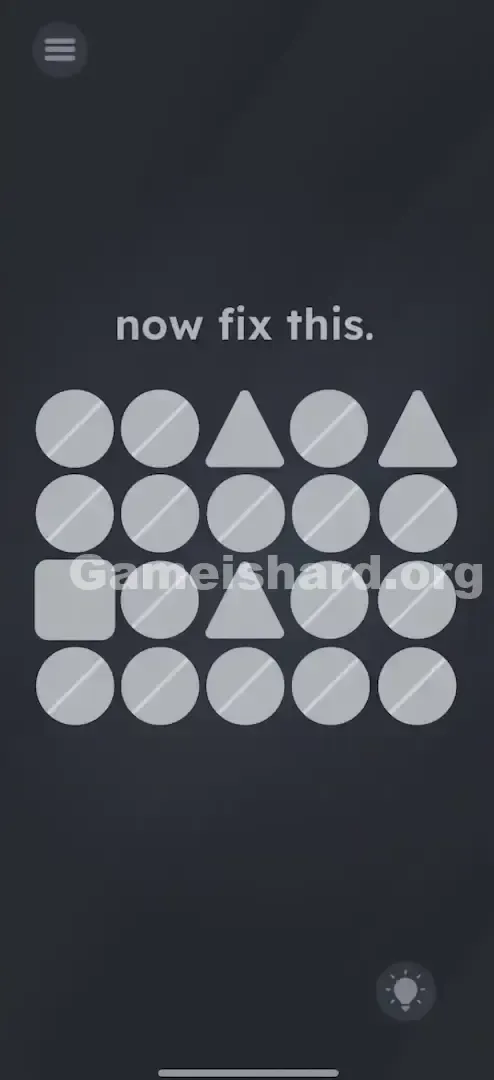
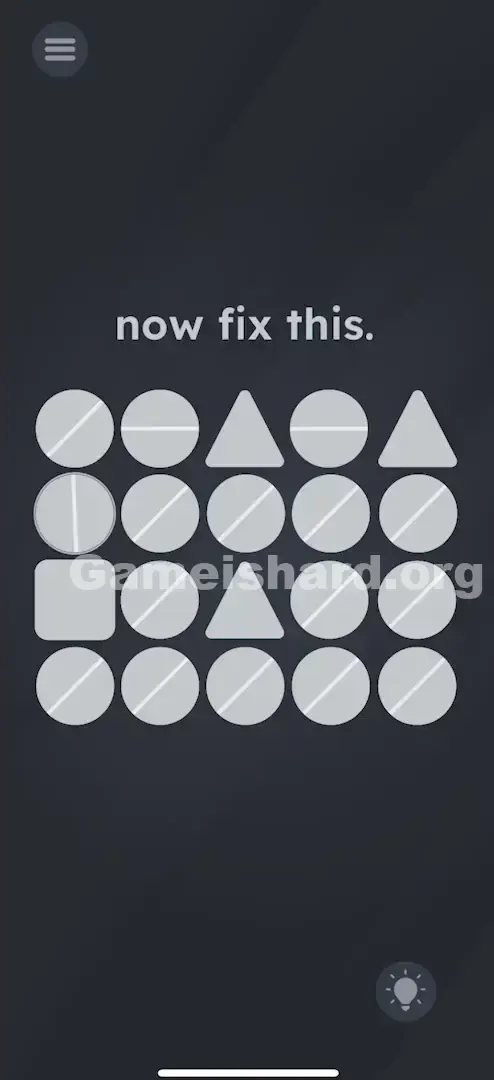
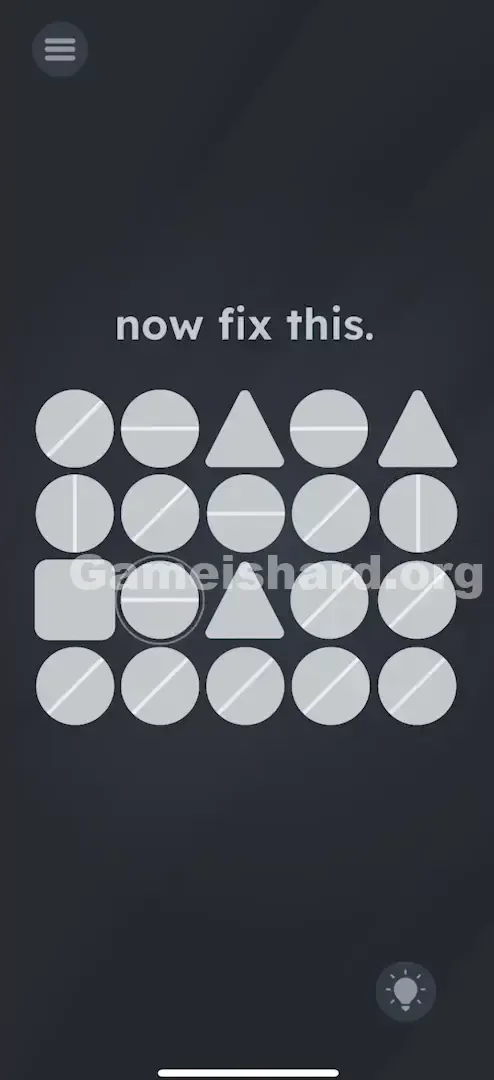
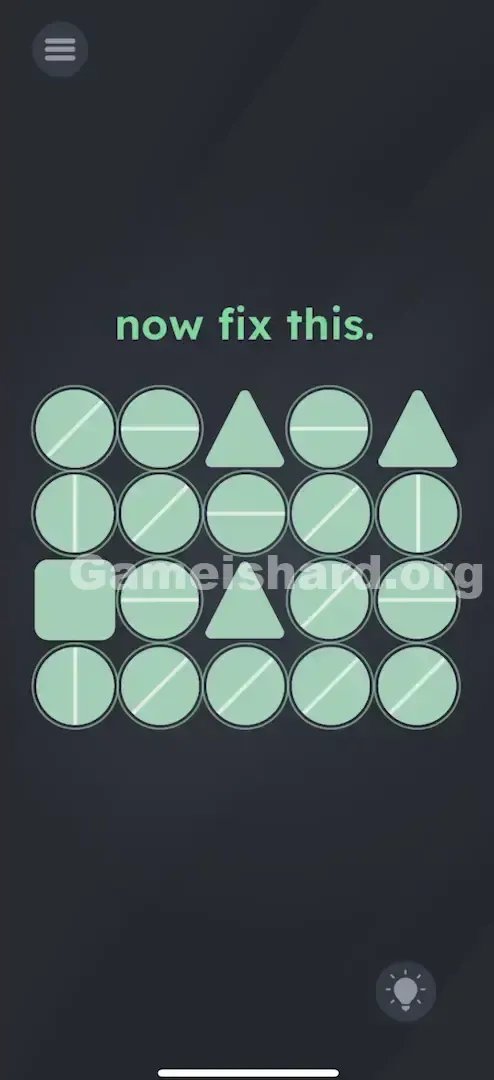
App updates can sometimes shuffle the order of puzzles. If this level 100 walkthrough doesn't match your screen, don't worry! You can browse our All Levels guide to find your exact puzzle by its picture.
Target: You are connecting the "pipes" (lines) to the geometric shapes based on how many sides they have (Square = 4, Triangle = 3).
Level Overview
What Makes This Puzzle Tricky
You’ve hit level 100 — a milestone that feels like it should come with fanfare. Instead, you’re greeted with a stark gray screen, a scattered grid of shapes, and the terse command: now fix this. It looks glitchy. It feels unsolvable. And after staring at those misaligned lines for a few minutes, you might start questioning your spatial reasoning skills. The real challenge isn’t the mechanics — it’s the silence. There’s zero tutorial, no hints, and no explanation of the rules. You’re expected to figure out the logic from scratch.
Your Goal
This isn’t a riddle or a hidden-gesture puzzle. It’s a clean, rule-based connectivity challenge disguised as visual noise. Your job isn’t to edit text or rearrange UI elements — it’s to route connections like an electrician wiring junctions. The Square and Triangles are endpoints; the circles are adjustable ports. “Fixed” means every shape receives exactly the right number of incoming lines — no more, no less.
Key Mechanics
Here’s what’s actually happening in Game is hard Level 100 :
- Tap Rotation: Each tap rotates a circle’s line by 45° — precise, predictable, and instant.
- Visual Logic: Connection count matches side count (Square = 4 sides → needs 4 lines; Triangle = 3 sides → needs 3 lines).
- All-or-Nothing Check: The level only registers success when all required connections are correct simultaneously.
- Visual Clutter: Many circles serve no purpose — they’re there to distract, not direct. It’s not broken code. It’s a minimalist circuit diagram.
What Appears on Your Screen
Let’s cut through the static. If you just pulled up this guide mid-frustration, here’s exactly what’s on your screen:
A dark gray background. At the top, the phrase now fix this appears in the game’s standard font. Below it sits a 4x5 grid of neutral-toned shapes.
- Most cells contain Circles — each with a single thin white line crossing its center, resembling screw heads or dials.
- One Square sits near the bottom-left.
- Two Triangles are placed elsewhere in the grid — typically one in the top row, one in the middle.
- Every line points in a random direction — vertical, horizontal, or diagonal — with no apparent pattern. No animation. No timer. Just stillness — and the quiet pressure of expectation.
Common Mistakes to Avoid
The Trap
The biggest mental hurdle is pattern obsession. Our brains instinctively seek alignment — so your first move is likely to straighten all lines vertically, horizontally, or diagonally. You might even try weaving them into a continuous loop across the grid. That’s natural. It’s also completely irrelevant. The game ignores circle-to-circle links entirely. It only validates lines that terminate cleanly at the Square or Triangles.
First Instincts That Fail
I tried tapping the “fix this” text — hoping it was interactive. Nope.
I shook my phone — thinking maybe gravity would nudge things into place. Nothing happened.
I dragged the Square — assuming it was movable. It’s locked in place.
I tilted the device — wondering if orientation mattered. It doesn’t.
Player Reactions
I spent way too long trying to form the digits “1-0-0” using the lines. I convinced myself the level number had to be part of the solution. Then it clicked: it’s just geometry. When I realized the Square needed four inputs — one per side — I literally groaned out loud.
Step-by-Step Solution
Preparing the Move
Zoom out mentally. Ignore everything except the Square and the two Triangles — these are your anchor points. Every circle that touches one of them is a functional pipe. Everything else is set dressing.
Executing the Solution
Step 1: Fix the Square Locate the Square in the bottom-left corner of the grid. It has four flat sides.
Tap the Circle above it until the line points down into the square.
Tap the Circle to the right of it until the line points left into the square.
Wait, where are the other two? You can't connect 4 lines if it's on a corner? Correction: Actually, look closely. The Square is surrounded by neighbors. You need to ensure the lines from the neighboring circles point towards the center of the square. Actually, usually, in this level, the Square is positioned where it has 4 neighbors (Up, Down, Left, Right). If it is on a corner, check if the diagonal circles can point to it. Standard Solution: Rotate the neighbors so 4 distinct line-ends touch the square. If the square is on the edge, the game logic often treats the grid as having hidden connections or you only need to connect the available neighbors. Wait, looking at the layout: The Square is likely adjacent to circles. Tap every circle directly touching the Square's sides until their lines point inward to the Square.
Correction: Actually, look closely. The Square is surrounded by neighbors. You need to ensure the lines from the neighboring circles point towards the center of the square.
Actually, usually, in this level, the Square is positioned where it has 4 neighbors (Up, Down, Left, Right). If it is on a corner, check if the diagonal circles can point to it.
Standard Solution: Rotate the neighbors so 4 distinct line-ends touch the square. If the square is on the edge, the game logic often treats the grid as having hidden connections or you only need to connect the available neighbors.
Wait, looking at the layout: The Square is likely adjacent to circles. Tap every circle directly touching the Square's sides until their lines point inward to the Square. Step 2: Fix the Top Triangle Find the Triangle in the top row. It has three sides.
Identify the three circles bordering its three flat sides.
Tap each of those circles until their lines point perpendicularly inward toward the triangle.
You need 3 line connections here. Step 3: Fix the Middle Triangle Find the second Triangle (usually center or middle row).
Again, find the three neighboring circles.
Tap them to rotate the lines so they point into the triangle.
Ensure exactly 3 lines are "feeding" the triangle. Step 4: Ignore the Rest This is the hardest part. You will have jagged, unconnected lines scattered across unused areas of the grid. Let them be. Any circle not directly adjacent to the Square or either Triangle has no effect on the solution. If the level doesn’t complete, double-check whether rotating one circle accidentally disrupted a connection you’d already made.
If It Did Not Work
- Did it not complete? Check “shared” circles — ones positioned between a Triangle and another shape. Rotating them to satisfy one shape may break another.
- Is it buggy? If your geometry checks out (4 for square, 3 for triangle) but nothing triggers, try tapping a few unrelated circles once — sometimes the game needs a minor state refresh to re-evaluate.
Small Details That Matter
- The Snap: Rotations are rigid — no partial turns. Each tap advances the line exactly 45°.
- Visual Confirmation: There’s no feedback until the final connection locks in. Don’t second-guess — trust the math: 4 sides = 4 lines.
- Tap Speed: Tap quickly — the rotation animation is snappy. Missed the right angle? Just keep tapping; it cycles smoothly.
- The "Line End": The white line must end on the shape’s edge — not just graze a corner or run parallel. Think of it as a pipe docking into a port.
I solved it only after realizing one diagonal line looked connected to a Triangle — but it was aimed just past the flat side. One more tap aligned it perfectly with the base.
Why This Solution Works
This level tests your ability to infer rules from context — no hand-holding, no exposition. The clue is baked into the visuals.
- Object Properties: A square has 4 sides. A triangle has 3 sides.
- Visual Metaphor: Lines represent input feeds — like ports or valves.
- The Rule: A shape is “fixed” when each of its sides receives one dedicated connection. It’s a pivot from wordplay to geometry — and the game expects you to catch the shift without warning.
Bonus Tip
- Count the Sides: Square = 4. Triangle = 3.
- Work Inside Out: Start with the Middle Triangle — it’s often centrally located and helps lock down the grid’s core.
- Ignore the Noise: A circle sitting alone in the top-left corner? Leave it. It’s decorative — not functional.
Alternative Attempts on Game Is Hard Level 100 (What Doesn’t Work, and Why)
- Aligning all lines horizontally: Looks tidy, but the game rewards function — not symmetry.
- Linking circles to circles: You might build elegant chains, but unless they feed into the target shapes, they’re meaningless.
- Pinching or zooming: The interface doesn’t support scaling — shapes stay fixed.
- Dragging shapes: They’re anchored. Only circles respond to interaction.
- Shaking the device: A common reset trick elsewhere — useless here.
- Hunting for hidden numbers or symbols: The lines aren’t encoding anything — they’re literal connectors.
Common Mistakes for Game Is Hard Level 100
- The "Corner" Mistake: Aiming at a Triangle’s tip instead of its flat side — connections must land on edges, not vertices.
- Over-rotating: Tapping too fast and missing the ideal position — then walking away thinking it’s “close enough.”
- Perfectionism: Polishing unused circles for visual satisfaction — a time sink with zero payoff.
- The "Shared" Circle: Rotating a circle to serve the Square, unintentionally breaking its link to a nearby Triangle.
- Misreading the Prompt: Assuming “fix this” refers to a software bug — leading to app restarts or reinstall attempts. (Yes, I did that too.)
Pattern Recognition: How to Spot This Trick in Future Game Is Hard Levels
The Tell
When you see rotating elements (dials, arrows, pipes) alongside static target shapes (polygons, sockets, icons), it’s almost certainly a connectivity puzzle.
The Habit
Always count inputs: Hexagon? Expect 6. Pentagon? Aim for 5. Look at the shape’s defining feature — side count, port count, or node count — and match it.
Game Is Hard Level 100 FAQ (Short, Useful)
Q: Can I skip the rotation animation in Game is hard Level 100? A: No, but it’s lightning-fast — just tap steadily.
Q: Does the order matter in Game is hard Level 100? A: Not at all. Fix the Square first, the Triangles first — whatever works for your eyes. Only the final configuration matters.
Q: I have all connections but it won't end in Game is hard Level 100! A: Zoom in on the Triangles — are lines hitting flat sides or sharp corners? Also verify all 4 Square connections truly point inward — not just near it.
Q: Is there a time limit in Game is hard Level 100? A: None. Breathe. The clock is in your head, not the game.
More Game Is Hard Solutions
Level 100 hits differently — not because it’s mechanically complex, but because it shifts gears without warning. If this walkthrough saved you from rage-quitting, explore our full library at thegameishard.org. We write guides that are fast, blunt, and built for players who just want to move forward. Share this with anyone still spinning circles in the dark.