App updates can occasionally reorder puzzles. If this level 94 walkthrough doesn’t match what you’re seeing, no stress! Jump over to our All Levels directory and locate your exact puzzle by image.
Level Overview
What Makes This Puzzle Tricky
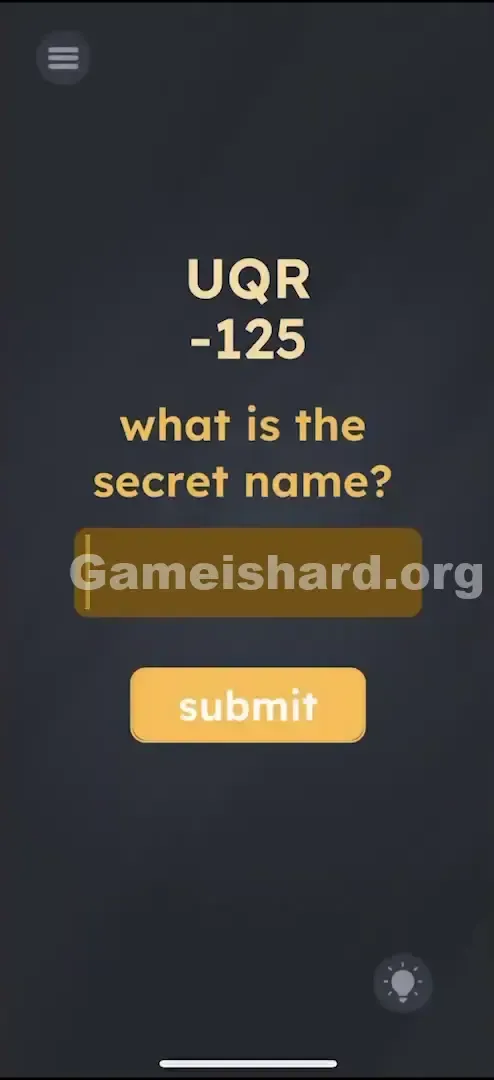
You’re staring at “UQR” and “-125”—like a cipher dropped into a logic test. Most Game is hard levels rely on gestures: dragging text, tilting your device, or tapping hidden spots. But here, the keyboard appears out of nowhere—a rare signal that typing matters. That alone throws players off. Is it a red herring? Should you just enter “UQR”? No—this one demands decoding.
Your Goal
Crack the encoded name. You’ve got ciphertext (“UQR”) and a numeric key (“-125”). Your job is to decode the hidden name and enter it correctly.
How the Game Responds
- Cryptography / Cipher Logic: Shift each letter backward in the alphabet by its corresponding digit.
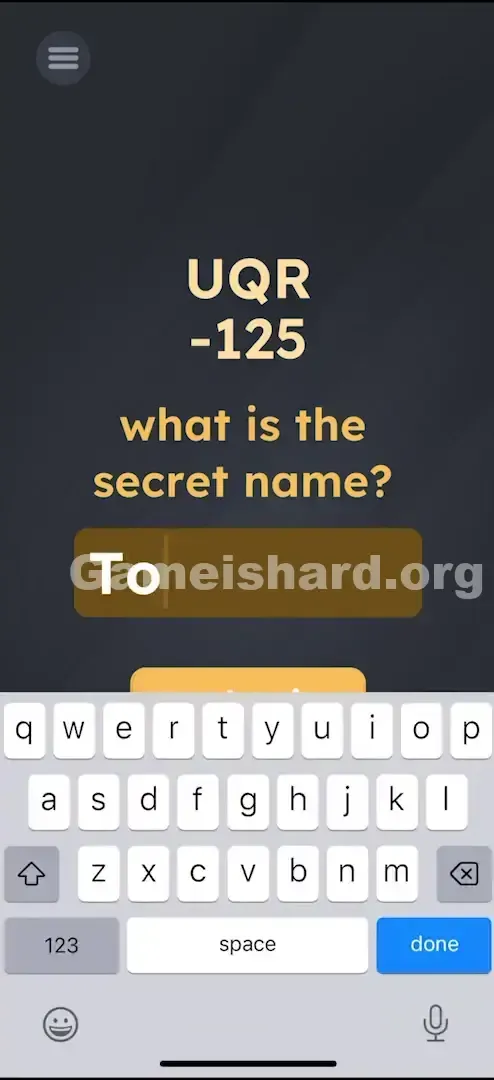
- Standard Typing: Unlike many levels where the keyboard is decorative, here it’s essential.
- Visual Alignment: The digits 1, 2, and 5 line up with U, Q, and R—telling you exactly which letter gets which shift. It’s not a typo—it’s intentional encoding.
What Appears on Your Screen
The interface stays clean and stark: dark grey background, minimal elements.
- Large beige letters at the top: UQR .
- Directly beneath them, smaller numerals: -125 .
- Centered question: what is the secret name?
- A brown rectangular input field with an active cursor.
- Below it, a bright yellow button labeled submit .
- Zero distractions—no icons, no animations, no hidden toggles. Just the code.
Common Mistakes to Avoid
The Trap
The biggest pitfall? Assuming Game is hard always breaks real-world logic—and ignoring plain math because “this game hates arithmetic.” Players instinctively reach for drag gestures or phone shakes instead of stepping back and reading the clue like a puzzle.
First Instincts That Fail
- Dragging: Trying to move “-125” onto “UQR” to trigger automatic calculation. Nothing happens.
- Literal Answers: Entering “UQR” verbatim—mistaking the prompt for the answer.
- Misapplied Math: Treating “-125” as one number to subtract from something, or misreading letters as Roman numerals.
- Random Guesses: Typing common names like “BOB” or “JIM” hoping for luck.
Player Reactions
I wasted nearly 90 seconds trying to drag the minus sign around. Thought maybe I had to “attach” it physically. Then I tapped the input box by accident—and the keyboard popped up. That’s when I paused, looked at U – 1 = T… and realized it was just a layered Caesar cipher. Felt silly—but satisfying once it clicked.
Step-by-Step Solution
Preparing the Move
The clue is vertically aligned—each digit maps to the letter above it.
- First letter: U . First shift value: -1 .
- Second letter: Q . Second shift value: -2 .
- Third letter: R . Third shift value: -5 .
Executing the Solution
- Decode the first letter: U → go back 1 → T .
- Decode the second letter: Q → go back 2 → O .
- Decode the third letter: R → go back 5 → M .
- Tap the brown input box to activate your device’s keyboard.
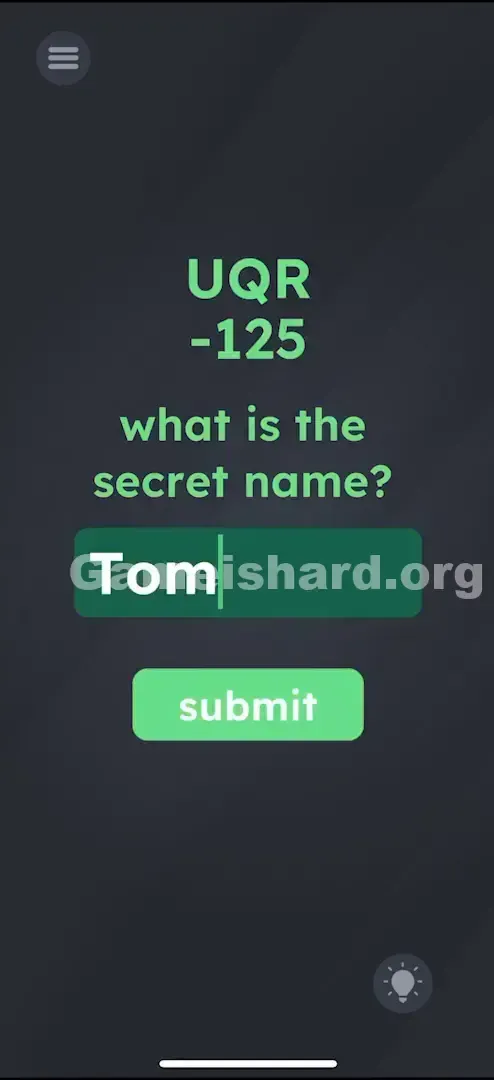
- Type TOM .
- Tap the yellow submit button.
If It Did Not Work
- Nothing happens when I type? Make sure you tap the game’s on-screen submit button—not your keyboard’s “Enter” or “Go” key. The game often ignores hardware keyboard submissions.
- I typed Tom and it failed? Check for trailing spaces. “TOM ” (with space) won’t register. Backspace once after typing to be safe.
Why This Solution Works
This is a variation of a Caesar cipher—but instead of one uniform shift, each letter moves by its own offset.
- Classic Caesar: Every letter shifts +3 (A→D, B→E, etc.).
- This Level: Custom per-letter shifts (U−1, Q−2, R−5). The challenge isn’t the cipher itself—it’s the mental pivot. You’ve spent dozens of levels treating text as draggable objects. Now, you must treat it as data to process. That context switch is what makes it tough—not the math.
Bonus Tip
If you’re replaying or speed-running:
- Skip analysis entirely if you recall the answer.
- Tap the input box right away.
- Type TOM .
- Hit submit . No need to re-calculate—just deliver the result.
Alternative Attempts on Game Is Hard Level 94 (What Doesn’t Work, and Why)
- Typing "SECRET NAME" — Too literal. The question hints the answer is inside the code, not the phrase itself.
- Typing "-125" — The input expects letters, not the cipher key.
- Dragging "-125" onto "UQR" — Text elements are static clues, not interactive pieces.
- Shaking the phone — No motion-based triggers exist here.
- Typing "SUBMIT" — A frequent riddle trope, but irrelevant in this case.
- Typing "UQR" — That’s the encoded prompt—not the decoded answer.
Common Mistakes for Game Is Hard Level 94
- Off-by-one alphabet errors: Counting R → M incorrectly (R-Q-P-O-N-M = 5 steps). Use finger-tapping or write it down if needed.
- Case sensitivity (rare): “tom” usually works—but “TOM” matches the clue’s capitalization and is safest.
- Hidden spaces: Autocorrect sometimes adds a trailing space after “Tom.” Always delete once after typing.
- Overlooking the minus sign: Some try U+1 = V, yielding “VSW”—but the negative sign means backwards.
- Reading “125” as a single value: It’s three separate shifts—one per letter.
Pattern Recognition: How to Spot This Trick in Future Game Is Hard Levels
The Tell
When digits appear directly under individual letters—and especially when they’re prefixed with + or −—assume a letter-shift cipher.
The Habit
If the keyboard appears and stays functional, treat it as a strong hint: the solution is logic-based, not physics-based. Put the dragging aside—start decoding.
Game Is Hard Level 94 FAQ (Short, Useful)
Q: Why is the answer TOM in Game is hard Level 94? A: U minus 1 = T, Q minus 2 = O, R minus 5 = M—giving you TOM.
Q: Can I skip the math in Game is hard Level 94? A: Absolutely. Just type TOM and tap submit—the game only validates the final answer.
Q: My keyboard won’t open in Game is hard Level 94? A: Tap deliberately inside the brown input box. If it still won’t respond, restart the app—older devices sometimes glitch the keyboard overlay.
Q: Is it case sensitive in Game is hard Level 94? A: Usually not—but since “UQR” is uppercase, “TOM” is the most reliable format.
More Game Is Hard Solutions
Stuck on the next puzzle? Our guides are built for speed, clarity, and zero filler. Bookmark us for those moments when the game swaps logic for circus tricks—like asking you to balance your phone on your forehead. Share this with friends still wrestling with dragging numbers!