App updates can sometimes shuffle the order of puzzles. If this level 95 walkthrough doesn't match your screen, don't worry! You can browse our All Levels guide to find your exact puzzle by its picture.
Level Overview
What Makes This Puzzle Tricky
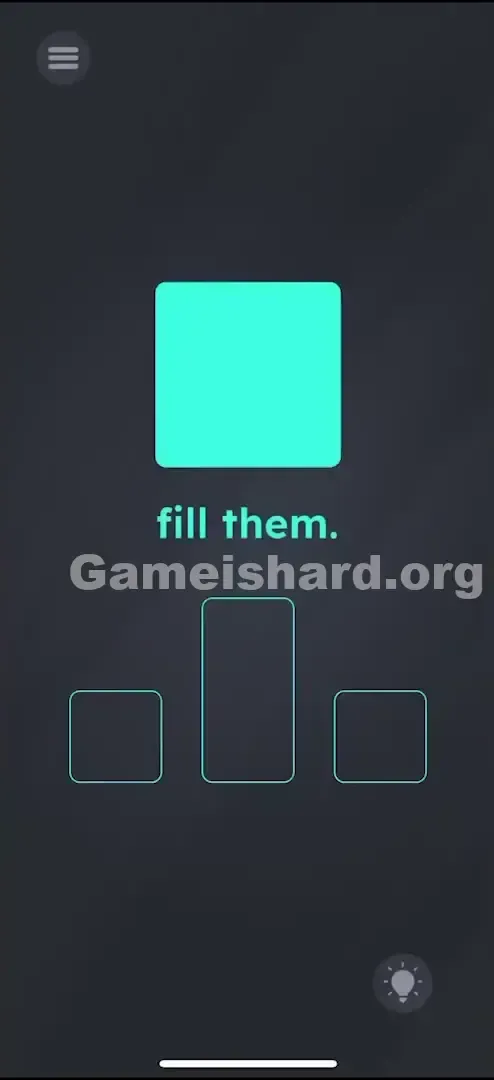
You’re faced with a large cyan square and three empty outlines beneath it. The only instruction? “fill them.” It’s instantly frustrating—you clearly don’t have enough pieces. Dragging the big square gets you nowhere: it’s too wide for the center slot and too tall for the side ones. The game leans hard into that signature “Game is hard” irony—your starting inventory is deliberately incomplete.
Your Goal
You must fill three distinct outlines: a small square on the left, a tall vertical rectangle in the center, and another small square on the right. You begin with just one oversized square. To succeed, you’ll need to use your device’s motion sensors to split it apart—not place it. This isn’t about positioning; it’s about controlled fragmentation.
How the Game Responds
- Shake Sensor (Accelerometer): Your main tool for splitting objects.
- Multi-touch / Holding: Essential for protecting one piece while breaking another.
- Drag and Drop: Used only after breaking—to place completed shapes.
- Physics simulation: Objects respond realistically to movement, subtly hinting they’re designed to fracture. This isn’t testing geometry—it’s testing your willingness to treat the screen like a physical object.
What Appears on Your Screen
Let’s map out exactly what’s visible:
- Top Center: A large, solid cyan square — visually dense and unyielding.
- Middle Text: The command “fill them.” in clean green font.
- Bottom Area: Three target outlines waiting to be filled. Left: A small square outline. Center: A tall, vertical rectangle outline. Right: Another small square outline.
- Left: A small square outline.
- Center: A tall, vertical rectangle outline.
- Right: A another small square outline.
- Background: The familiar dark grey “Game is hard” void. No tools. No buttons. No hints. Just one stubborn square and three mismatched slots.
Common Mistakes to Avoid
The Trap
The biggest mental block is assuming the square is immutable. Most games treat shapes as fixed units—but here, it’s fragile. Players waste time dragging, rotating, or tapping, expecting the game to auto-adjust. It won’t. The real clue is in how the square moves when you tilt or shake—it’s not locked down; it’s waiting to crack.
First Instincts That Fail
- Pinching the square: We instinctively pinch to scale, but this square resists resizing completely.
- Tapping repeatedly: Taps register—but they don’t trigger any change.
- Tilting slowly: Tilting may shift the square slightly, but won’t alter its structure.
Player Reactions
I spent nearly three minutes trying to drag individual letters from “fill them” into the slots—convinced the “l” might stretch into the rectangle. When that failed, I shook my phone in pure frustration—and watched the square split cleanly. Sometimes the best strategy is accidental physics.
Step-by-Step Solution
Preparing the Move
Keep your phone steady and accessible. You’ll need one hand free to tap and hold, and the ability to shake confidently—either with both hands or by gripping the edges firmly. Focus on the big cyan square .
Executing the Solution
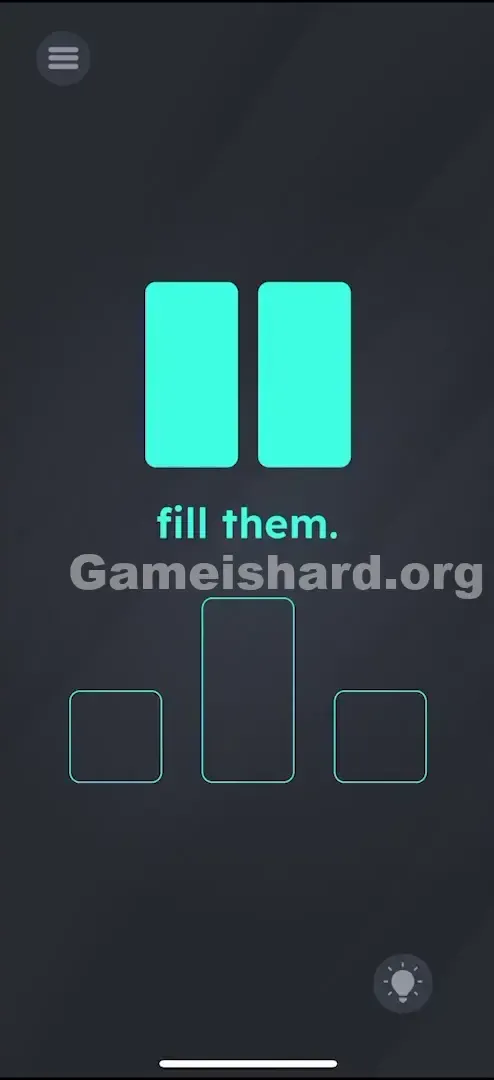
- First Break: Shake your phone sharply—no holding required. The big square will split vertically into two tall rectangles .
- Second Break (The Tricky Part): Now you have two rectangles. To get the small squares needed for the side slots, press and hold one rectangle firmly with your finger.
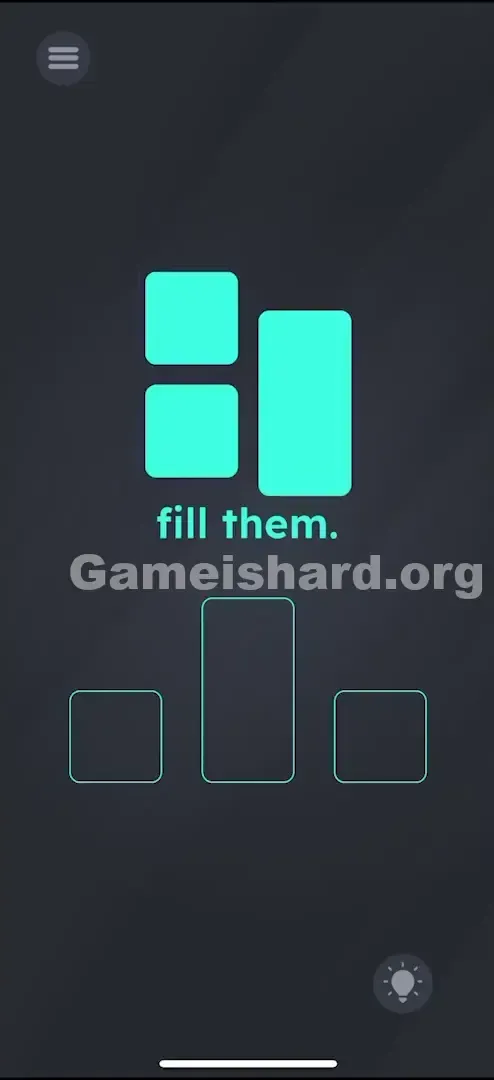
- Shake Again: While keeping that rectangle anchored, shake the device once more . The unheld rectangle will snap into two small squares .
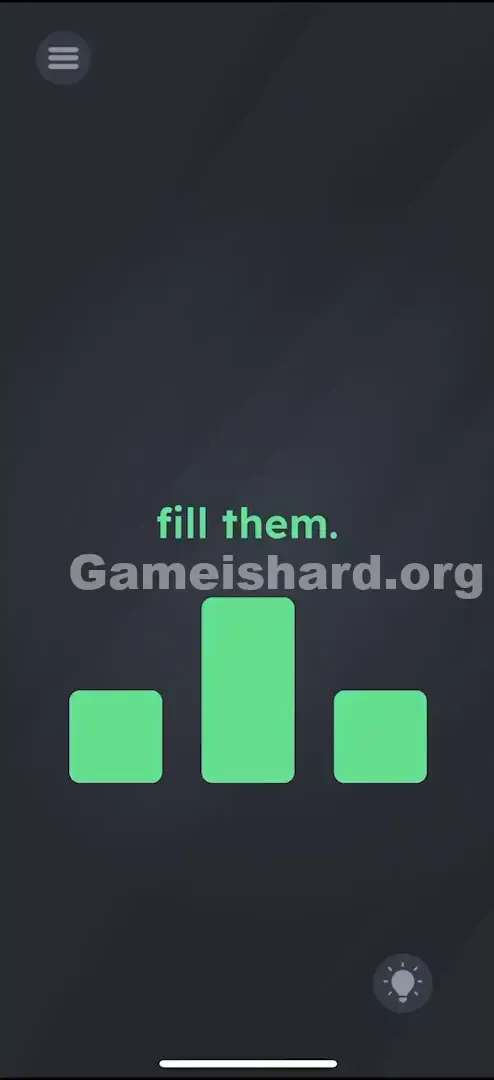
- Placement: You now have exactly what you need: Drag the tall rectangle (the one you held) into the middle slot. Drag the two small squares into the left and right slots.
- Drag the tall rectangle (the one you held) into the middle slot.
- Drag the two small squares into the left and right slots.
Confirming It Worked
Each shape snaps into place with visual feedback—a soft glow or subtle lock animation—as soon as it lands correctly in its designated outline. Complete all three, and the level ends immediately.
If It Did Not Work
- It won't split: You likely need a faster, sharper shake—not a slow wiggle. Think of snapping a rubber band.
- Both rectangles broke: If you shook the second time without anchoring one, both shattered. That leaves you with four tiny squares and no tall rectangle for the center slot. Restart and reattempt.
- My finger slips: Even a momentary lift during the second shake triggers full fragmentation. Keep steady pressure until the break completes.
Small Details That Matter
This level depends entirely on accelerometer sensitivity—and small adjustments matter.
- The "Hold": Holding a rectangle tells the game to exclude it from shake physics. But if your finger lifts—even slightly—the system treats it as released and applies the break.
- The Shake Threshold: A sudden start-and-stop motion works best. Jerk the phone forward, then halt abruptly. Continuous shaking often fails to register.
- Snap Zones: Alignment isn’t pixel-perfect. As long as the center of your shape overlaps the center of the outline, it’ll lock in place. I found success by resting the phone flat, pressing my thumb firmly on the left rectangle, then lifting and shaking only the phone’s edges—awkward, but foolproof.
Why This Solution Works
This puzzle teaches sensor-based state transitions: whole → halves → quarters. The developers are checking whether you recognize that interaction goes beyond taps and drags—you’re meant to use your device as a tool, not just a display.
It also introduces selective protection: holding one object shields it from global actions like shaking. This “hold + act” pattern appears repeatedly in later levels—it’s foundational logic, not a one-off trick. And “fill them”? Just flavor text. The real puzzle is inventory creation through controlled destruction.
Bonus Tip
For speed or consistency:
- Shake the instant the level loads—no hesitation.
- Immediately anchor the left rectangle with your thumb.
- Shake again without pause.
- Drag-drop-drag-drop in one smooth sequence. Don’t try to merge broken pieces—they’re permanent. If your break goes wrong, restart instantly.
Alternative Attempts on Game Is Hard Level 95 (What Doesn’t Work, and Why)
- Swiping across the square like a knife: No response. The game only reads shakes—not gestures.
- Pinching to shrink: Shapes are rigid. Scaling is disabled.
- Dragging the word “fill” or “them”: Text is static UI—untouchable and non-interactive.
- Flipping the phone upside down: Gravity shifts position, but won’t fracture shapes.
- Pressing volume buttons: These have no effect on object integrity in this level.
Common Mistakes for Game Is Hard Level 95
- Shaking too softly: The most frequent error. Waving the phone gently won’t cut it—you need a crisp, decisive jolt.
- Over-shaking: One excited follow-up shake can turn your rectangle into confetti. Stop after the second break.
- Skipping the hold: Not realizing you can shield one piece mid-shake is the core logic hurdle.
- Forcing mismatched fits: Trying to shove the rectangle into a square slot achieves nothing—it won’t compress or break on impact.
Pattern Recognition: How to Spot This Trick in Future Game Is Hard Levels
The Tell
Spot a single large shape paired with multiple smaller target outlines that clearly represent subdivisions (e.g., one circle and two half-circle slots)? That’s your cue: break it.
The Habit
When dragging fails, shake first. It’s the default “action” command in mobile puzzle design. If shaking affects everything, test holding one item—this “protect + trigger” method unlocks dozens of later levels.
Game Is Hard Level 95 FAQ (Short, Useful)
Q: I broke everything into small squares in Game is hard Level 95! How do I fix it? A: You can’t reassemble them. Restart the level—you need one intact rectangle for the center slot.
Q: Does it matter which rectangle I hold in Game is hard Level 95? A: No. They’re identical. Choose whichever feels most comfortable under your thumb while shaking.
Q: Why won't the big square break in Game is hard Level 95? A: Your shake may lack force or speed. Try a quick wrist snap instead of a sway. Also check that screen rotation lock isn’t interfering—though accelerometer input usually works regardless.
Q: Can I use the "fill them" text for the slots in Game is hard Level 95? A: No. The phrase is purely instructional. The solution is strictly shape-based.
More Game Is Hard Solutions
That’s how you conquer Game is hard Level 95 . This game thrives on making you laugh at yourself for overlooking the simplest physical interaction. If you’re stuck on Level 94 or Level 96—or any other puzzle—we’ve got concise, spoiler-free guides for every level. Straight answers, zero filler. Share this with anyone who’s currently shaking their phone in despair!