App updates can sometimes shift puzzle order. If this level 93 walkthrough doesn’t match what’s on your screen, no stress! Browse our All Levels hub to locate your exact puzzle by image.
Target Area: Move each plain ball into the grey "mixing tray" first, then tap Red, Blue, or Yellow to blend colors before placing the finished ball on its matching line.
Level Overview
What Makes This Puzzle Tricky
You see “painting time!” and five colorful lines—but tapping balls does nothing but make them jiggle, and tapping color buttons has zero effect. It’s maddening—like your touchscreen froze. It hasn’t. The game simply leaves out the most vital detail: where the painting actually happens.
Your Goal
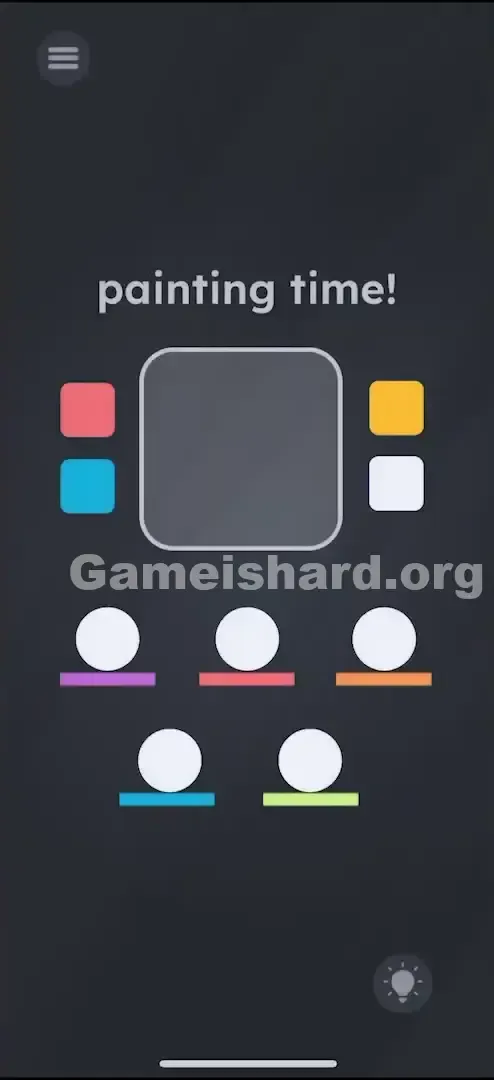
Five white balls sit on five colored platforms: Purple, Red, Orange, Blue, and Green. Your job is to tint each ball to perfectly match its platform. But here’s the twist—you can’t paint them where they are. You must use the environment as your studio.
Key Mechanics
- Drag and Drop: Objects only change when moved into a designated zone.
- Color Theory: Combine primary colors (Red, Blue, Yellow) to build secondaries (Purple, Orange, Green).
- Hidden Action Zones: That big grey square isn’t scenery—it’s an active “color lab.” It’s not a mistake. It’s a production line.
What Appears on Your Screen
Let’s unpack the layout—it’s deceptively busy.
- Top Text: "painting time!"
- Center: A large, rounded Grey Square (your interactive workspace).
- Sides of the Square: Four small colored squares acting as controls—Red and Blue on the left; Yellow and White on the right.
- Bottom: Five white balls resting on horizontal colored lines (platforms). Left to right, top to bottom: Purple, Red, Orange, Blue, Green. The interface looks like a standard puzzle—but the missing “paint” button is exactly what trips up most players.
Common Mistakes to Avoid
The Trap
The biggest mental block is “object permanence.” We assume the balls belong where they start—and try to bring color to them. In reality, you must bring the balls to the color. That grey square looks like background art or a display panel—but it’s actually your mixing bowl.
First Instincts That Fail
- Tapping everything repeatedly: I tapped Red, then tapped a ball—expecting instant coloring like a digital brush. Nothing happened.
- Dragging color swatches onto balls: Tried dragging the red square down onto a white ball. It stays fixed in place.
- Shaking the device: Figured maybe physics would trigger mixing. Spoiler: it just made me look awkward on public transit.
Player Reactions
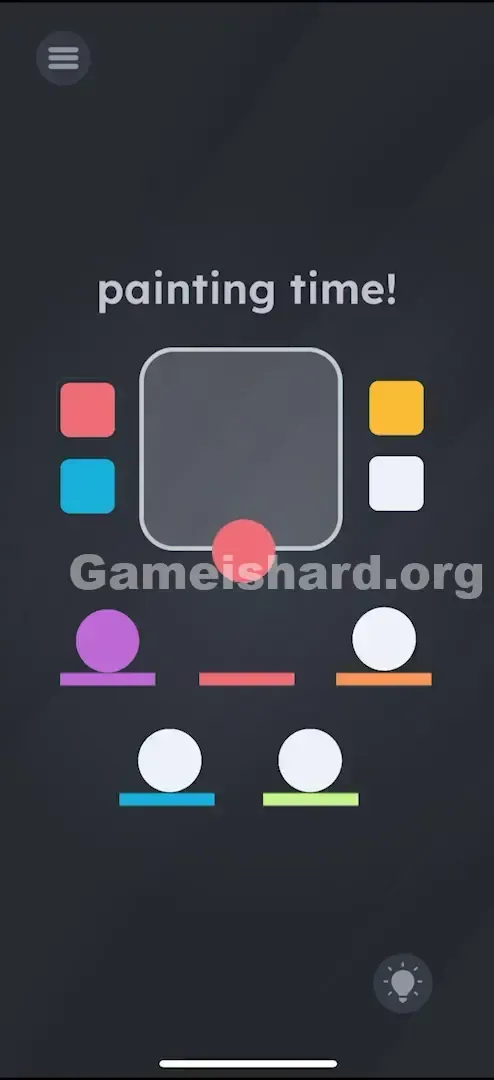
I spent over a minute jabbing at the color buttons, convinced the app was frozen. Then I accidentally dragged a white ball upward—and it dropped neatly into the grey box. Instant facepalm. This is literally a drag-and-drop paint studio.
Step-by-Step Solution
Preparing the Move
Pause and ignore the platforms for now. Your central focus is the Big Grey Square—the “Paint Lab.”
Executing the Solution
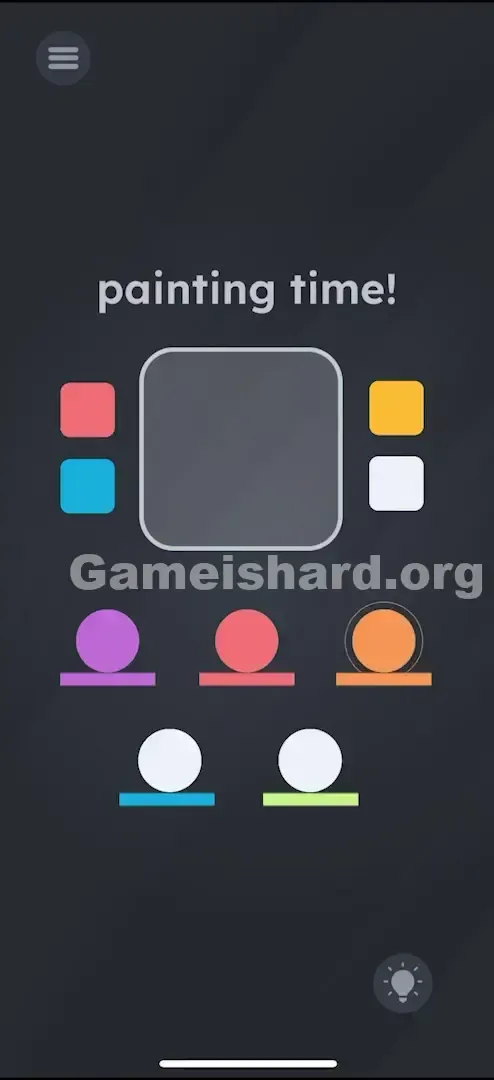
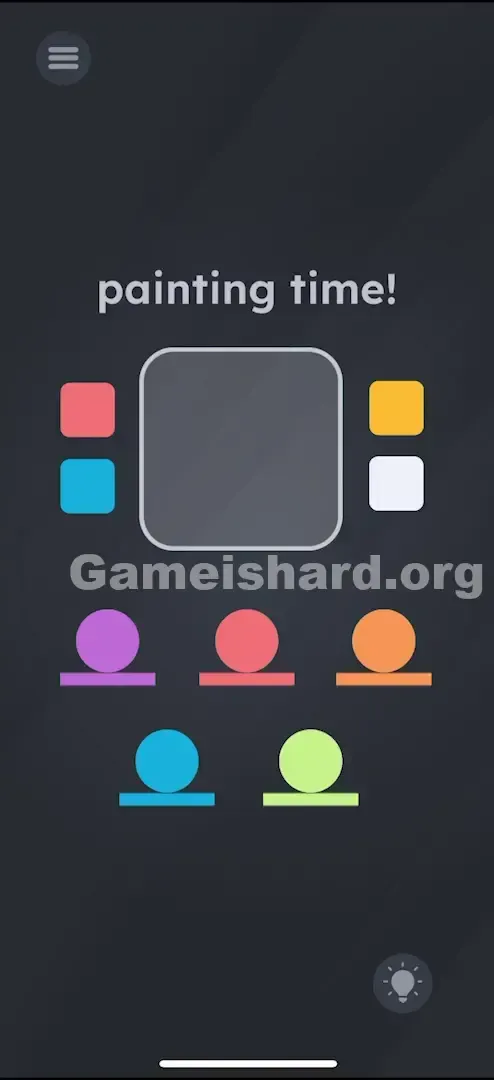
You’ll craft five uniquely colored balls. Order isn’t locked—but we’ll follow the platform layout left to right.
- Create the Purple Ball:
- Drag the first white ball (far left) into the Grey Square .
- Tap the Red Square (ball turns red).
- Tap the Blue Square (red + blue mixes to purple).
- Drag the now Purple Ball back onto the Purple Platform .
- Create the Red Ball:
- Drag the second white ball into the Grey Square .
- Tap the Red Square .
- Drag the Red Ball onto the Red Platform .
- Create the Orange Ball:
- Drag the third white ball (far right, top row) into the Grey Square .
- Tap the Red Square .
- Tap the Yellow Square (red + yellow mixes to orange).
- Drag the Orange Ball onto the Orange Platform .
- Create the Blue Ball:
- Drag the fourth white ball (bottom left) into the Grey Square .
- Tap the Blue Square .
- Drag the Blue Ball onto the Blue Platform .
- Create the Green Ball:
- Drag the last white ball (bottom right) into the Grey Square .
- Tap the Blue Square .
- Tap the Yellow Square (blue + yellow mixes to green).
- Drag the Green Ball onto the Green Platform .
If It Did Not Work
- Mixed the wrong shade? Tap the White Square on the right side of the board to reset the ball to white and restart.
- Ball won’t lock in place? Make sure you drop it directly onto the colored line—not empty space above it. Otherwise, it may snap back to the grey square or misalign.
Small Details That Matter
Precision helps—but isn’t extreme. Getting the ball fully inside the grey square’s borders is enough.
When moving the finished ball out to its platform:
- Target the Line: Aim for the colored line itself—not the blank area above it. The game detects placement via platform collision.
- One at a Time: The grey square holds only one ball. Finish, place, then bring in the next.
- I fixed it by… slowing down. I’d been flicking balls too fast—they’d bounce off instead of sticking. A brief pause over the line before releasing did the trick.
Why This Solution Works
This level tests foundational Color Theory paired with Container-Based Interaction.
- Color Theory: Assumes knowledge that Red+Blue=Purple, Red+Yellow=Orange, and Blue+Yellow=Green—a classic puzzle staple.
- Container Logic: This is the “Game is Hard” signature twist. The UI hides the action verb (“paint”) inside a specific zone—not as a global tool. It pushes you to test object physics instead of relying on button clicks.
Bonus Tip
For speedruns or replays:
- Skip memorizing positions—focus on color recipes.
- Platform Color = Recipe.
- Purple = Red/Blue.
- Orange = Red/Yellow.
- Green = Blue/Yellow.
- Single-color platforms (Red/Blue) need just one tap.
- Don’t batch-mix—only one ball processes at a time.
Alternative Attempts on Game Is Hard Level 93 (What Doesn’t Work, and Why)
Here’s what flopped so you don’t waste time:
- Dragging color squares onto balls. (They’re static buttons—not draggable elements.)
- Stacking balls on top of each other. (They collide but never blend colors.)
- Tapping the “painting time!” text. (It’s decorative—not interactive.)
- Random color combos. (Red + Yellow + Blue = muddy brown—no platform accepts it. Use White to reset.)
- Leaving balls in the grey square. (Level won’t complete until all five sit correctly on their lines.)
Common Mistakes for Game Is Hard Level 93
- Overlooking the White Button: Players get stuck with a murky ball and restart the whole app—when the White square acts as an instant reset.
- Color visibility issues: Orange and Red can blur together on dimmed or Night Mode screens. Boost brightness if distinguishing them feels tough.
- Misplacing balls: Platforms are narrow—aim carefully.
- Assuming sequence matters: You can tackle Green first, Purple last—the game only validates final alignment.
- Over-tapping: Tapping Red twice keeps it red. Red → Blue = purple. Red → Blue → Yellow = unusable sludge.
Pattern Recognition: How to Spot This Trick in Future Game Is Hard Levels
The Tell
Spot a large, empty container (box, circle, jar) centered on screen, surrounded by smaller interactive elements? Treat it as a Processing Zone.
The Habit
In upcoming levels, if clicking buttons yields nothing—try dragging the puzzle’s subject (here, the balls) into the center. “Drag to Edit” is far more common than “Click to Edit” in this game.
Game Is Hard Level 93 FAQ
Q: How do I make the Green ball in Game is hard Level 93? A: Drag a white ball into the grey box. Tap the Blue square, then tap the Yellow square. Drag the green ball to the green line.
Q: I messed up a color, how do I fix it in Game is hard Level 93? A: Tap the White square on the right side of the grey board. This bleaches the ball back to plain white so you can start over.
Q: Can I put multiple balls in the box in Game is hard Level 93? A: No. The machine only fits one ball at a time. Process them individually.
Q: Nothing happens when I tap the colors in Game is hard Level 93! A: You must have a ball inside the grey square first. The colors only apply to objects inside that specific zone.
More Game Is Hard Solutions
That’s how you beat Game is hard Level 93. If this guide kept your streak alive, explore our full walkthrough library at thegameishard.org—we write these to be quick, clear, and clutter-free because we know you just want to jump back into gameplay. Share it with friends wrestling with the painting puzzle!
Good luck on the next challenge!