App updates can occasionally shift puzzle order. If this level 98 walkthrough doesn’t match what you see, no problem! Use our All Levels page to locate your exact puzzle by image.
Stick to this precise sequence—deviating risks removing a shape you’ll need later to eliminate another.
Level Overview
What Makes This Puzzle Tricky
You launch Game is hard Level 98 and land in a minimalist scene: five orange geometric shapes scattered across a dark background. A bold “destroy them all!” command greets you. At first glance, it feels like a simple matching game—or maybe a test of brute force. You tap. You swipe. You try flicking shapes offscreen. Nothing responds. They sit there, calm and unbothered. This level isn’t about speed or strength—it’s about uncovering a hidden dominance order.
Your Goal
Your goal is straightforward: clear every shape from the board. But tapping won’t cut it. Instead, you must use each shape to eliminate others—like a geometry-based predator-prey system. You’re not the attacker; the shapes themselves are your tools. Figure out which one dominates which—and follow the chain.
The Mechanics
Here’s what’s actually happening behind the scenes in Game is hard Level 98 :
- Drag and Drop Interaction: Movement is your only tool—you place one shape directly over another.
- Hidden Hierarchy: Each shape has a fixed rank that determines who eats whom—not based on size, sides, or appearance.
- Collision Detection: Overlap must be substantial for the elimination to register.
- Sequence Logic: Order is critical. Kill the wrong shape first, and you’ll lock yourself into an unsolvable state. This isn’t a math quiz—it’s a logic puzzle disguised as a shape-sorting challenge.
What Appears on Your Screen
The interface is intentionally bare—no menus, no hints, no clutter. That simplicity is part of the trick.
- Top Center: The instruction “destroy them all!” appears in bright orange. That exclamation point adds pressure—but don’t let it rush you.
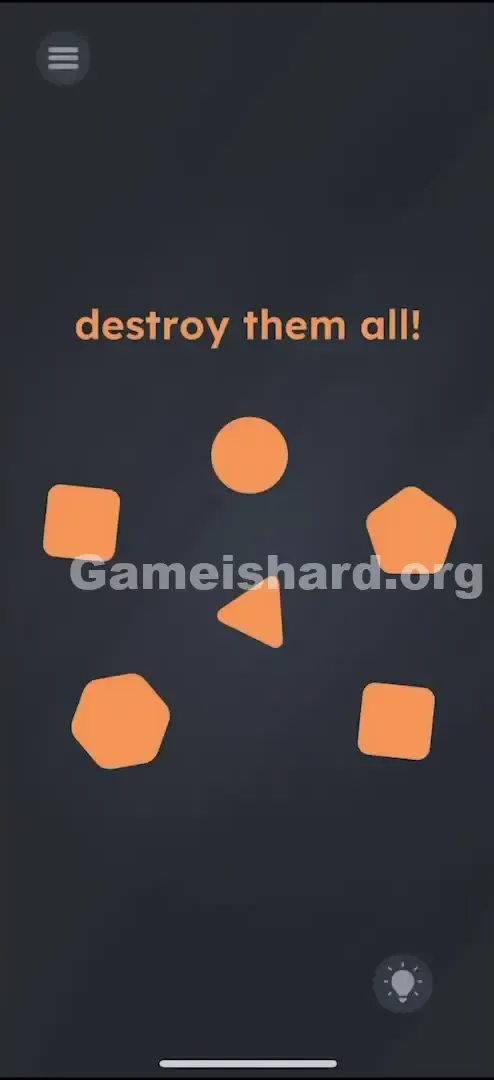
- The Field: Five distinct orange shapes sit on a black backdrop:
- 1 Hexagon: Six-sided, solid-looking.
- 1 Pentagon: Five-sided, slightly smaller than the hexagon.
- 1 Circle: Perfectly round, smooth and compact.
- 1 Triangle: Sharp, three-pointed, unmistakable.
- 2 Squares/Rectangles: Identical four-sided shapes.
- The Trap: There are zero buttons, no inventory panel, no visible weapons. The emptiness tempts you to try motion controls—but visually, it’s just shapes waiting for the right interaction.
Common Mistakes to Avoid
The Trap
The biggest mental hurdle is assuming all shapes are equal players. You see them as objects—not as links in a chain. It looks like open-ended play, but it’s actually a rigid, single-path puzzle. The game hides its structure behind minimalism.
First Instincts That Fail
Most players—including me—jump straight into trial-and-error:
- “Two squares? Must go together first.” (It is the final move—but doing it early breaks everything.)
- “Triangle on square = house? Let’s build!”
- “Shake the phone to shatter them?”
- “Drag ‘destroy’ onto a shape?” None work. Try dragging a circle onto a square? They just overlap—no effect. That false feedback makes you doubt the drag mechanic entirely, sending you down dead ends like tilting, shouting, or frantic swiping.
Player Reactions
I wasted nearly three minutes trying to fling shapes off the screen—convinced “destroy” meant literal ejection. When they bounced back, I felt ridiculous. Then, by accident, I dragged the Triangle onto the Circle—and poof. The circle vanished. That tiny success cracked it wide open: this was a geometric food chain. My “aha!” moment came with an instant facepalm.
Step-by-Step Solution
Preparing the Move
Pause. Stop tapping. Stop shaking. Treat these shapes like predators and prey. One wrong elimination—and you’ll be stuck with an unkillable survivor.
Executing the Solution
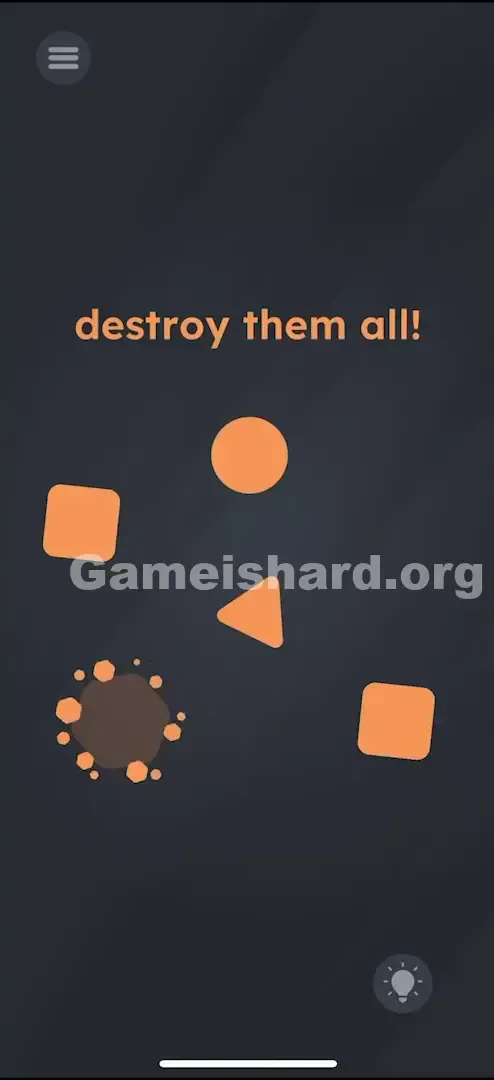
Feed the Pentagon to the Hexagon. Target the Hexagon (6 sides). Drag it directly on top of the Pentagon (5 sides). The Pentagon will vanish. Feed the Pentagon to the Hexagon. Target the Hexagon (6 sides). Drag it directly on top of the Pentagon (5 sides). The Pentagon will vanish.
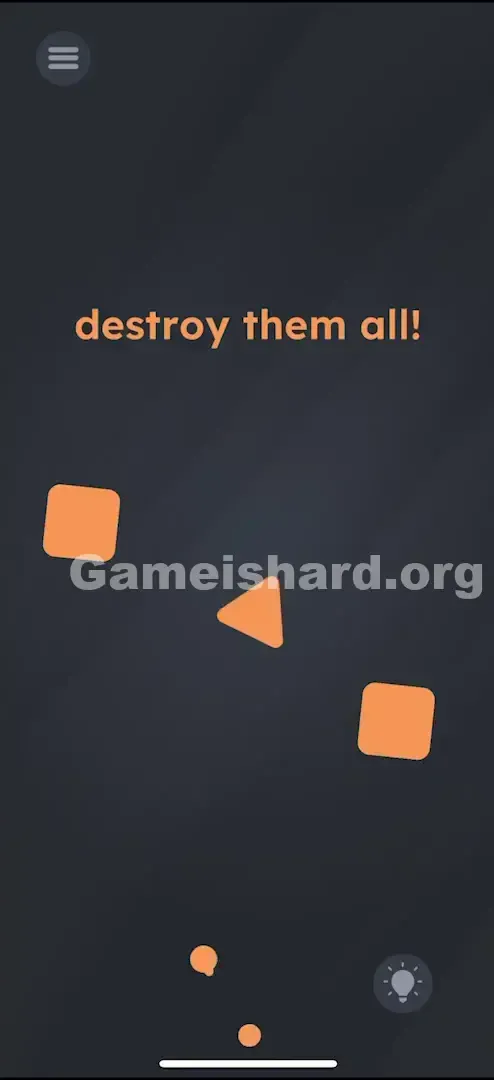
Feed the Hexagon to the Circle. Now, drag the Circle on top of the Hexagon . The Hexagon disappears. (Yes, it’s counterintuitive—a smooth circle overpowering a sharp hexagon—but trust the pattern.) Feed the Hexagon to the Circle. Now, drag the Circle on top of the Hexagon . The Hexagon disappears. (This feels weird, right? A smooth circle beating a sharp hexagon? Just go with it).
Feed the Circle to the Triangle. Grab the Triangle . Drag and drop it onto the Circle . The Circle is gone. Now you are left with a Triangle and two Squares. Feed the Circle to the Triangle. Grab the Triangle . Drag and drop it onto the Circle . The Circle is gone. Now you are left with a Triangle and two Squares.
Feed the Triangle to a Square. Take one of the Squares (it doesn't matter which one). Drag it onto the Triangle . The Triangle vanishes. Feed the Triangle to a Square. Take one of the Squares (it doesn't matter which one). Drag it onto the Triangle . The Triangle vanishes.
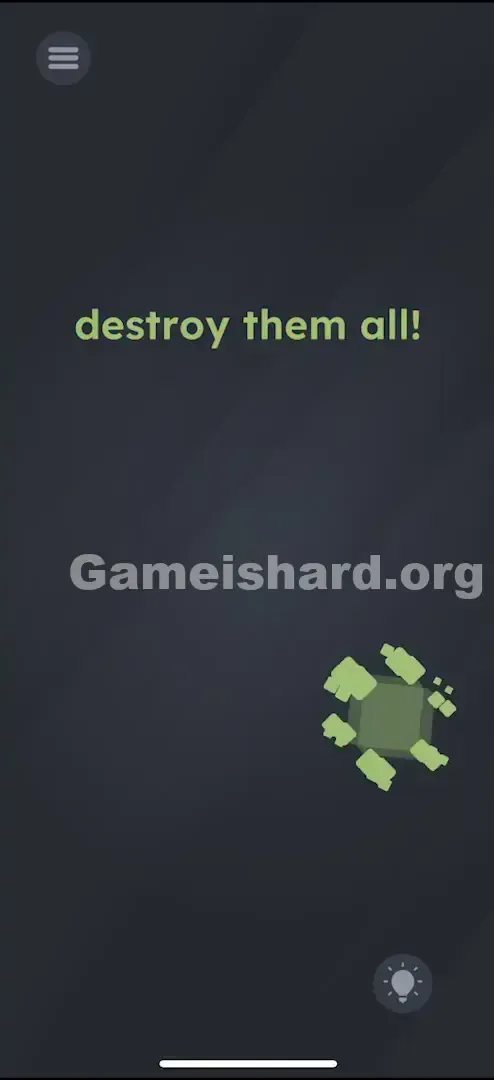
The Final Showdown. You are now left with exactly two Squares . Drag one Square onto the other Square . They will obliterate each other, clearing the screen completely. Level complete. The Final Showdown. You are now left with exactly two Squares . Drag one Square onto the other Square . They will obliterate each other, clearing the screen completely. Level complete.
If It Did Not Work
- Nothing happened when I dragged? You likely didn’t overlap enough. Aim for center-to-center coverage—the game checks core alignment.
- I have one shape left and nothing to kill it with! You disrupted the chain. Example: if you used a Square to kill the Triangle before letting the Triangle eliminate the Circle, the Circle becomes unstoppable. Restart.
- The shapes are stuck together? Fast dragging can glitch physics. Lift your finger fully and retry with steady motion.
Small Details That Matter
Logic drives this level—but execution needs precision.
- The Snap Zone: No magnetic snap here. Success depends on detecting full overlap—center your “attacker” shape over the “target.”
- The Hold: No need to pause mid-drag. Just place and release cleanly.
- Speed: Slow, deliberate drags work best. Flinging often registers as a toss—not a merge. Pause briefly over the target to confirm the action triggers. If things feel buggy after repeated missteps, restart. A fresh attempt usually resets collision detection for smoother responses.
Why This Solution Works
This level uses a classic directed hierarchy—wrapped in playful visuals. The ranking goes:
Rank 1: Square (top predator)
Rank 2: Triangle
Rank 3: Circle
Rank 4: Hexagon
Rank 5: Pentagon (bottom prey) Rule: Each shape eliminates the one directly below it.
Square beats Triangle.
Triangle beats Circle.
Circle beats Hexagon.
Hexagon beats Pentagon. The twist? Two Squares exist because nothing else can eliminate a Square—so they cancel each other out. It’s a self-contained loop at the top. Game is hard loves embedding relational logic—not physical rules—into its puzzles.
Bonus Tip
For quick recall or speed runs, use this mental shortcut:
- Work Backwards: Duplicates tip you off. Two Squares? They’re the final pair.
- Spot the Weakest Link: The Pentagon stands out—it’s the only 5-sided shape and gets eliminated first.
- Never Isolate: Don’t remove a shape until it’s fulfilled its role in the chain. Golden Rule: Only destroy a shape after it’s done its job.
Alternative Attempts on Game Is Hard Level 98 (What Doesn’t Work, and Why)
Here’s what won’t solve it—so you skip the frustration:
- Dragging the word “destroy” onto shapes. Why: Text is purely instructional here—not interactive.
- Why: In some levels, the text is an object. Here, it is just instructions.
- Pinching to shrink shapes. Why: Multi-touch gestures aren’t active in this level.
- Why: Multi-touch gestures aren’t active in this level.
- Dragging shapes off-screen. Why: Boundaries are locked—you can’t discard them.
- Why: The game boundaries are solid. You can't trash them.
- Shaking the device. Why: Level 98 ignores motion sensors entirely.
- Why: No accelerometer input is coded for Level 98.
- Tapping shapes in sequence. Why: Tap does nothing. Only overlapping triggers elimination.
- Why: Tapping does nothing. The trigger is overlap (collision), not selection.
- Merging the two squares first. Why: Yes, they’ll vanish—but then the Triangle has no killer left. Game over.
- Why: While they will destroy each other, you are then left with a Triangle that cannot be killed. Game over.
Common Mistakes for Game Is Hard Level 98
- Killing the Triangle too soon. Most frequent error—if it’s gone before the Circle, the Circle stays forever.
- Killing the Hexagon prematurely. If it vanishes before consuming the Pentagon, the Pentagon remains.
- Assuming bigger = stronger. The Circle is small; the Hexagon is large—but the Circle beats the Hexagon. Follow the chain, not intuition.
- Rushing through drags. No timer exists—but haste causes misalignment and missed triggers.
- Reversing the hierarchy. Dragging Triangle onto Square does nothing. Only Square onto Triangle works—the chain is strictly one-way.
Pattern Recognition: How to Spot This Trick in Future Game Is Hard Levels
The Tell
When you see multiple unique objects, zero UI elements (no buttons, slots, or prompts), and a command like “clear,” “clean,” or “destroy”—treat it as an interaction puzzle. Especially watch for duplicates—they almost always signal the final mutual-elimination step.
The Habit
Always map relationships methodically:
- Does A affect B? No.
- Does B affect A? Yes!
- So B is dominant. Test every pairing before committing. In Game is hard, shapes are never decoration—they’re functional pieces in a logical system.
Game Is Hard Level 98 FAQ (Short, Useful)
Q: I have one circle left and nothing else in Game is hard Level 98. What do I do? A: Restart. You removed the Triangle—the Circle’s only predator—too early.
Q: Can I combine the squares at the beginning of Game is hard Level 98? A: Technically yes—but doing so leaves you defenseless against the Triangle. Avoid it.
Q: Does it matter which Square I use to kill the Triangle in Game is hard Level 98? A: No. Both function identically—pick either.
Q: Why doesn't the Triangle kill the Pentagon in Game is hard Level 98? A: The hierarchy is linear and strict. Triangle only interacts with Circle—not lower-ranked shapes.
More Game Is Hard Solutions
If this guide kept your phone safely in your hand, explore our full Game is hard walkthrough library. We write for players who want answers—not filler. No storytelling detours, no fluff—just clean, reliable solutions. Share this with anyone grinding on Level 98 before they lose their cool.
Good luck on Level 99!