App updates can sometimes shuffle the order of puzzles. If this level 92 walkthrough doesn't match your screen, don't worry! You can browse our All Levels guide to find your exact puzzle by its picture.
You are using the visible ball as a scanner to physically bump into the invisible ball hiding deep in that corner.
Level Overview
What Makes This Puzzle Tricky
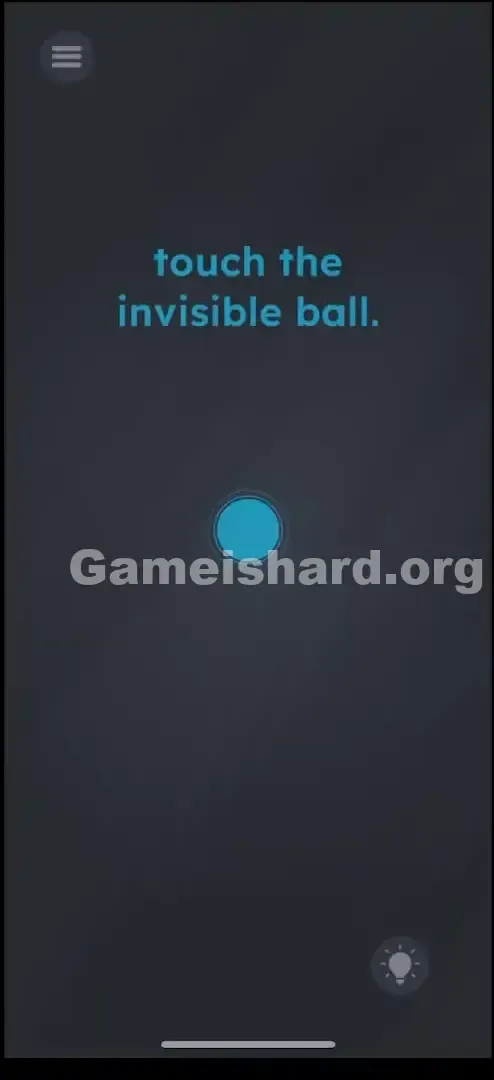
You’re staring at a near-empty screen. The prompt says “touch the invisible ball,” yet all you see is a dark gray background and one bright blue ball front and center. You tap around—nothing responds. You tap the void—still nothing. It’s easy to wonder if something’s broken—or if the game is quietly laughing at you. This is the classic “empty room” trap designed to make you second-guess your display settings.
Your Goal
Your mission is to locate and interact with an object that has no visual presence whatsoever. No sprite. No outline. No glow. You must make physical contact—using another object—to trigger its reveal.
Mechanics at Play
- Object Dragging: The blue ball isn’t just decoration—it’s your only tool.
- Collision Detection: The engine detects contact between objects—even when one is fully transparent.
- Screen Boundaries: The corner acts like a funnel, compressing space so the two objects inevitably meet.
- Hidden Object: The target exists in full 3D space but renders with zero opacity. It’s not a bug. It’s blindfolded physics.
What Appears on Your Screen
Let's break down the layout like we’re inspecting the UI frame-by-frame.
- Top Center: The instruction “touch the invisible ball.” appears in crisp blue text.
- Center Stage: A single luminous blue circle sits perfectly centered, pulsing faintly—clearly interactive.
- Background: A muted, grainy gray backdrop—like fog over concrete or chalk dust on slate. No other elements stand out.
- UI Elements: A hamburger menu icon in the top-left corner and a lightbulb hint button in the bottom-right.
- The Trap: That wide expanse of empty space looks like fair game for tapping—but it’s completely inert.
Common Mistakes to Avoid
The Trap
We’re conditioned to hunt by tapping. In most hidden-object games, you scan pixels until something reacts. Here, tapping does nothing—because your finger isn’t a physical entity in the game world. It’s just an input signal. To find the invisible object, you need something with mass and collision properties: your blue ball.
First Instincts That Fail
- Tapping randomly: Most players frantically tap every inch of screen, hoping for a lucky hit.
- Overlooking the blue ball: Many assume it’s just part of the scenery—or the “player”—not a probe to wield.
- Interacting with the text: Past levels rewarded dragging words. So players try dragging “invisible” or “ball”—but here, the text is static UI.
Player Reactions
I tapped all four corners for nearly three minutes. I even tried dragging the word “invisible” onto the blue ball, thinking maybe it’d vanish into it. Then, out of pure frustration, I dragged the ball hard into the bottom-right corner—and felt it catch, stutter, and resist against something unseen. Instant “aha.” And instant embarrassment.
Step-by-Step Solution
Preparing the Move
Skip the text. Zero in on the glowing blue ball in the middle. That’s your probe—your only way to map the invisible terrain.
Executing the Solution
- Grab the Ball: Press and hold the visible blue ball at the screen’s center.
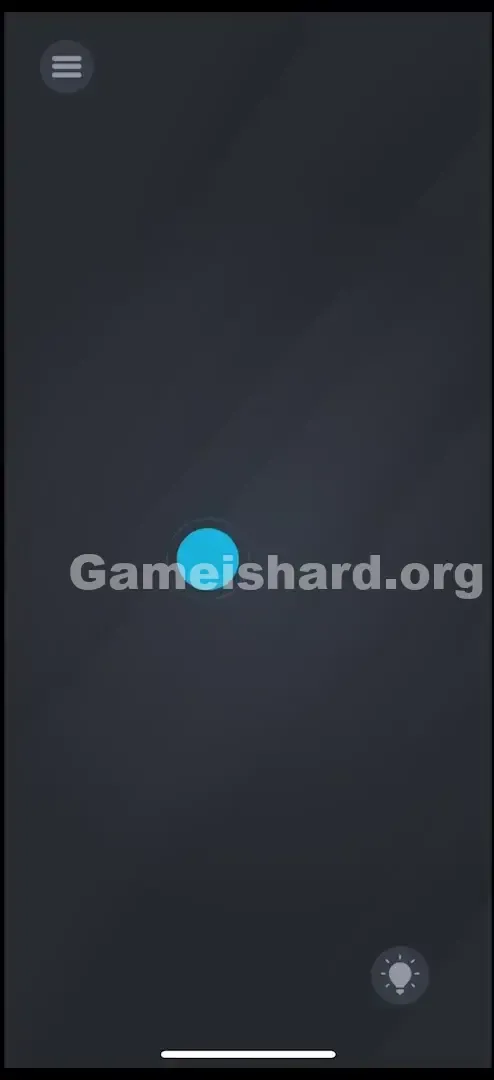
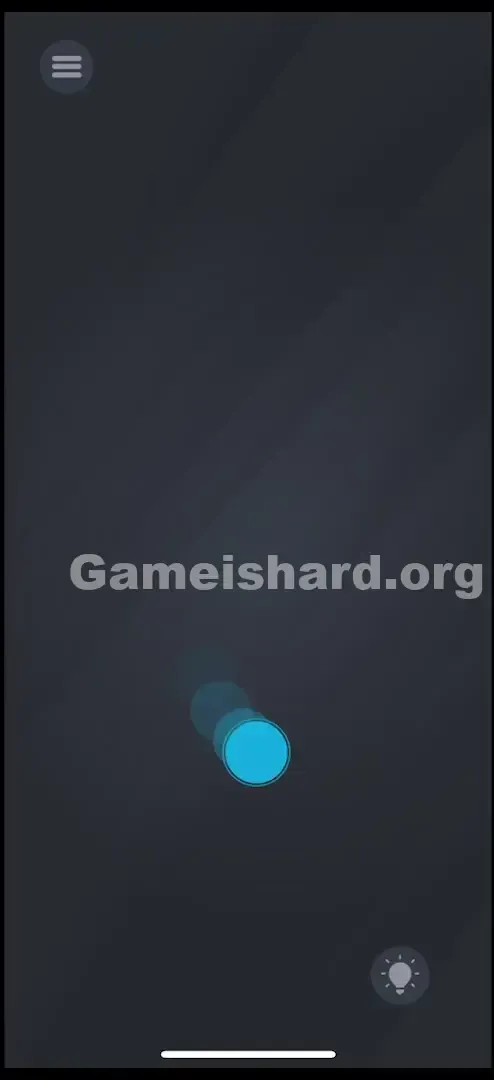
- Drag to Corner: Move it deliberately toward the bottom-right corner —don’t stop short; push it into the seam where the edges meet.
- The Wiggle: Once lodged there, keep your finger down and nudge the ball in tight, small circles—pressing it firmly against both walls.
- The Bump: You’ll feel resistance—the blue ball will jerk, slide sideways, or halt abruptly against an unseen shape.
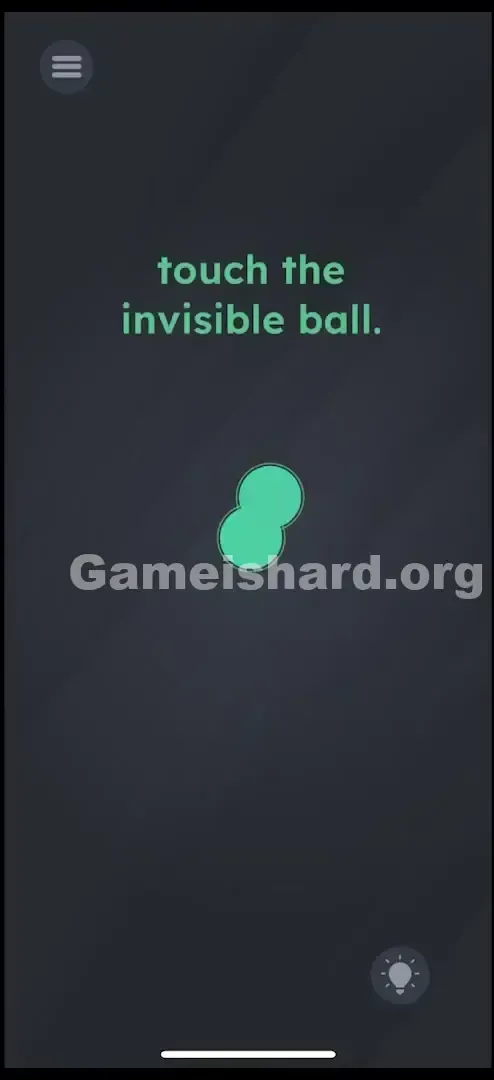
- Reveal: Hold contact and keep nudging until the hidden ball materializes (often changing color or popping into view), completing the level.
If It Did Not Work
- "I'm in the corner but nothing happened": Confirm it’s the bottom-right corner—not any other. The others are truly empty.
- "I let go and it reset": Don’t lift your finger until the “Level Passed” message appears. Sustained contact is required.
- Ball stuck? Gently pull it back toward center, then slam it again into the corner—this re-triggers physics and improves collision detection.
Small Details That Matter
Precision matters—but not visually. It’s about persistence and pressure.
- The Snap Zone: The invisible ball occupies roughly the same footprint as the blue one—no smaller, no larger.
- Friction: The simulation includes realistic drag. A light tap won’t get you there—you must drag and hold.
- Overlap: Victory triggers only when the edges or surfaces of the two circles intersect—not just when they’re close.
- My fix: I was being too tentative. Hovering near the corner didn’t cut it. You’ve got to force the blue ball into that corner like you’re trying to shove it off-screen.
Why This Solution Works
This level tests your grasp of how game engines separate logic from visuals.
In development terms, an object can have a “Collider” (its physical hitbox) without a “Renderer” (what you actually see). The puzzle asks you to locate a Collider with its Renderer disabled.
It also reinforces Game is hard’s core philosophy: The screen is a physical space. Walls, gravity, and boundaries exist—even when invisible. Corners naturally collect unanchored objects in physics sims—so start there.
Bonus Tip
For speedruns or replays:
- Grab the blue ball immediately.
- Swipe decisively to the bottom-right .
- Scrub the corner aggressively—like erasing stubborn grime.
- Don’t watch for the ball—feel for the obstruction. Skip rereading the prompt or shaking your device. This is 100% a drag-and-hold challenge.
Alternative Attempts on Game Is Hard Level 92 (What Doesn’t Work, and Why)
Here’s a list of dead ends I tested—so you don’t waste time on them:
- Tapping empty space: Touch input alone doesn’t register with invisible colliders—only active game objects do.
- Shaking the phone: Gravity isn’t active for the hidden ball until it’s revealed—so no falling, no bouncing.
- Dragging the word “invisible”: The text is non-interactive UI here—not a physics-enabled element.
- Cranking up brightness: “Invisible” means alpha = 0—not low contrast. It’s literally not drawn.
- Waiting it out: No auto-hints appear. The level stays silent until you act.
- Tapping the lightbulb: Yes, it offers help—but costs coins. You don’t need it. You’ve got this guide.
Common Mistakes for Game Is Hard Level 92
- Checking the wrong corner: Top-left or top-right are common first guesses—but the hidden ball lives only in the bottom-right.
- Lifting too early: A quick tap-and-release makes the ball recoil. You must maintain drag to confirm contact.
- Hunting for toggles: No “invisibility mode” switch exists—this isn’t a settings puzzle.
- Assuming a crash: The silence feels glitchy, but it’s intentional. Trust the physics engine.
- Being too soft: Gentle nudges rarely register. You need assertive, sustained pressure.
Pattern Recognition: How to Spot This Trick in Future Game Is Hard Levels
The Tell
When you see one movable item and vast empty space, treat the emptiness as occupied, not empty. If the prompt hints at something “hidden,” “gone,” or “invisible,” treat the movable object as your detection tool.
The Habit
Make sweeping motions part of your instinct. In any seemingly barren level, grab the available object—a ball, a block, a letter—and drag it methodically across the screen, starting with corners. Physical interaction uncovers what sight cannot.
Game Is Hard Level 92 FAQ (Short, Useful)
Q: Is the invisible ball always in the bottom right in Game is hard Level 92? A: Yes, for Level 92, the position is fixed in the bottom-right corner. It does not randomize.
Q: Can I use the text to hit the ball in Game is hard Level 92? A: No. In this specific level, the text is locked. Only the blue circle has physics enabled.
Q: Why doesn't tapping the corner work in Game is hard Level 92? A: Your finger is a cursor, not a game object. The game code checks for Ball_A colliding with Ball_B . It does not check for Touch_Input colliding with Ball_B .
Q: Do I need to shake my phone in Game is hard Level 92? A: No. Sensors are not used here. This is purely a touch-drag puzzle.
More Game Is Hard Solutions
If this guide saved your streak, check out the rest of our Game is hard walkthroughs. We cut the fluff and give you the raw solution logic so you can get back to feeling smart. Bookmark us for when the game inevitably lies to you again in Level 93. Keep playing!