App updates can sometimes shuffle the order of puzzles. If this level 70 walkthrough doesn't match your screen, don't worry! You can browse our All Levels guide to find your exact puzzle by its picture.
Target the microphone hole on your device; short bursts won't work, you need one long, sustained breath.
Level Overview
What Makes This Puzzle Tricky
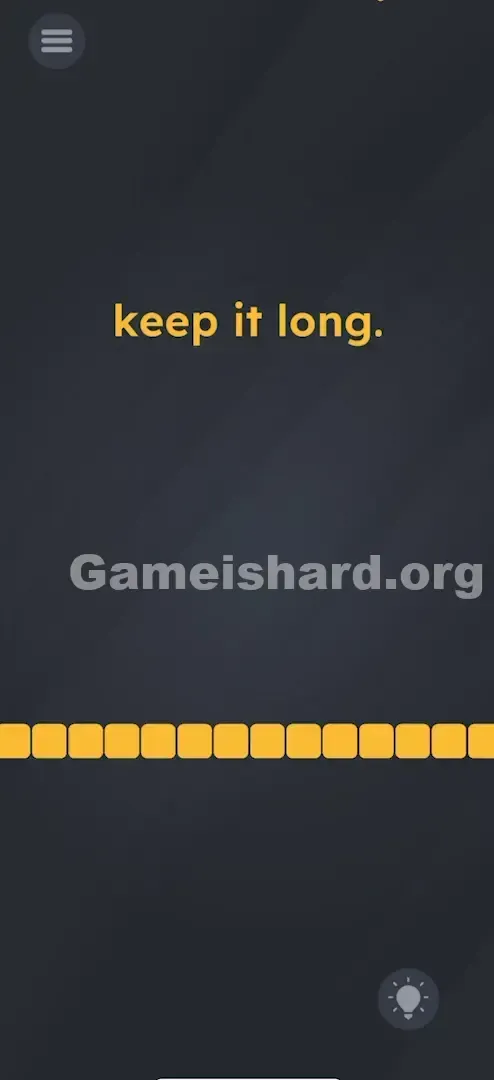
Level 70 loads with just the phrase "keep it long." centered at the top—and a row of yellow blocks beneath it. No buttons. No obvious interactive elements. The blocks twitch when you make noise, then instantly collapse. It feels like the game is testing how long you can hold your breath—not your brainpower. Tapping? Nothing. Dragging the text? Nothing. This isn’t about logic or reflexes—it’s about breath control.
Your Goal
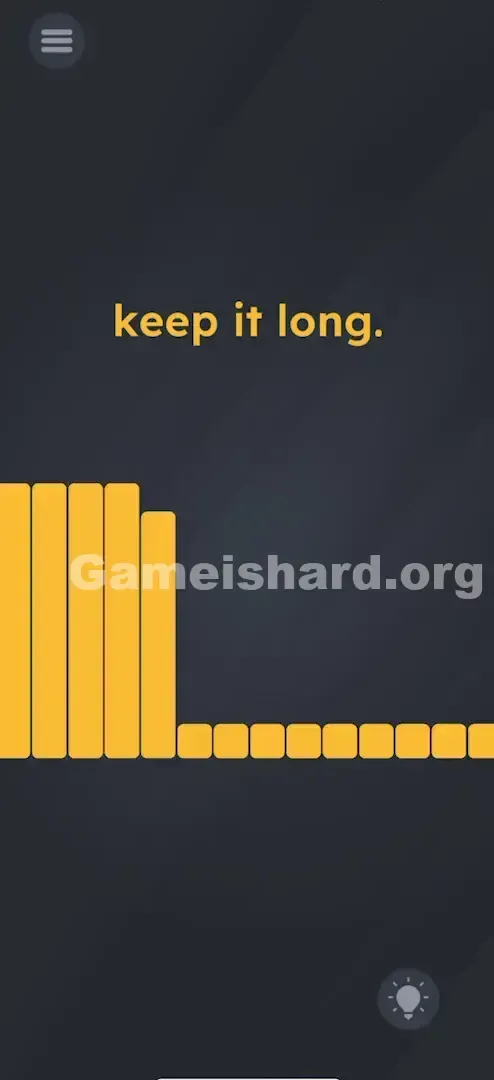
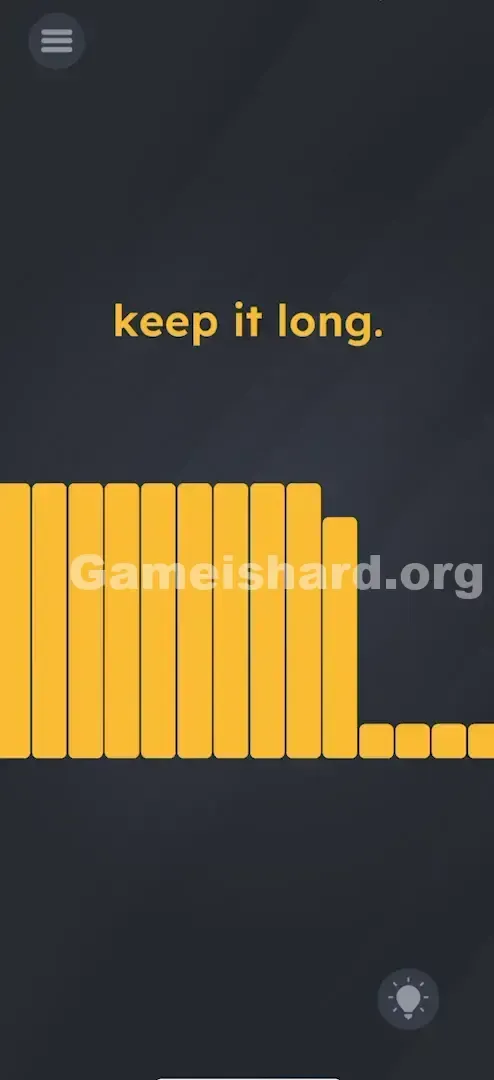
There’s no riddle to decode or object to move. Your only goal is to fill the gauge. That row of yellow blocks acts like a real-time volume meter. To pass, you must push it all the way to maximum—and hold it there until the game confirms success. Think of it as a breath-holding challenge.
Key Mechanics involved
- Microphone Input: The game monitors ambient audio input.
- Sustained Action: Unlike taps or swipes, this demands continuous sound over several seconds.
- Visual Feedback: The yellow bar responds instantly to sound intensity.
- Threshold Trigger: You must reach peak volume and maintain it. It’s not a spelling error—it’s a breath test disguised as a puzzle.
What Appears on Your Screen
The interface is minimal on purpose—designed to misdirect your attention.
- Top Center: Bold, yellow text reads simply "keep it long."
- Bottom Quarter: A horizontal line of yellow squares—functioning as a unified progress meter.
- Background: Standard dark grey gradient.
- Interactivity: Tapping the blocks causes a brief flicker but no progress. Shaking does nothing. But speak, cough, or whistle—and you’ll see the yellow bars react immediately.
Common Mistakes to Avoid
The Trap
The word “long” trips most players up. We instinctively think of length as physical—dragging something longer, stretching a shape, extending time visually. You might try dragging the word “long” across the screen (a trick that worked earlier). Or attempt to pull the yellow bar outward. But here, “long” means duration of sound. The trap is forgetting your phone has a microphone—and that it’s part of the puzzle.
First Instincts That Fail
- Dragging: Swiping the phrase "keep it long." around frantically.
- Tapping: Rapidly poking the yellow blocks hoping they’ll stack up.
- Shouting: Yelling a sharp “HEY!” gives a flash of progress—but the bar drops right away. Short bursts fail.
- Tilting: Rotating the phone sideways, expecting the bar to “slide” into place.
Player Reactions
I wasted nearly two minutes trying to stretch the period at the end of the sentence. When I finally groaned in defeat, the bar jumped. That sigh was my breakthrough—and also the moment I realized I looked totally absurd blowing into my phone mid-commute.
Step-by-Step Solution
Preparing the Move
Find your phone’s microphone—usually at the bottom edge near the charging port. Make sure you’re somewhere you can sustain a steady sound without interruption.
Executing the Solution
- Prepare: Take a full breath—you’ll need airflow for roughly 3–5 seconds straight.
- The Input: Blow steadily and directly into the mic. Don’t force it—just maintain consistent pressure, like keeping a feather floating. Or hum a low, unwavering tone (“Hmmmmmm…”).
- The Visual: Watch the yellow blocks—they’ll light up left to right as your sound builds.
- The Sustain: Don’t stop once they reach the end. Keep going—hold the full bar for a solid second or two.
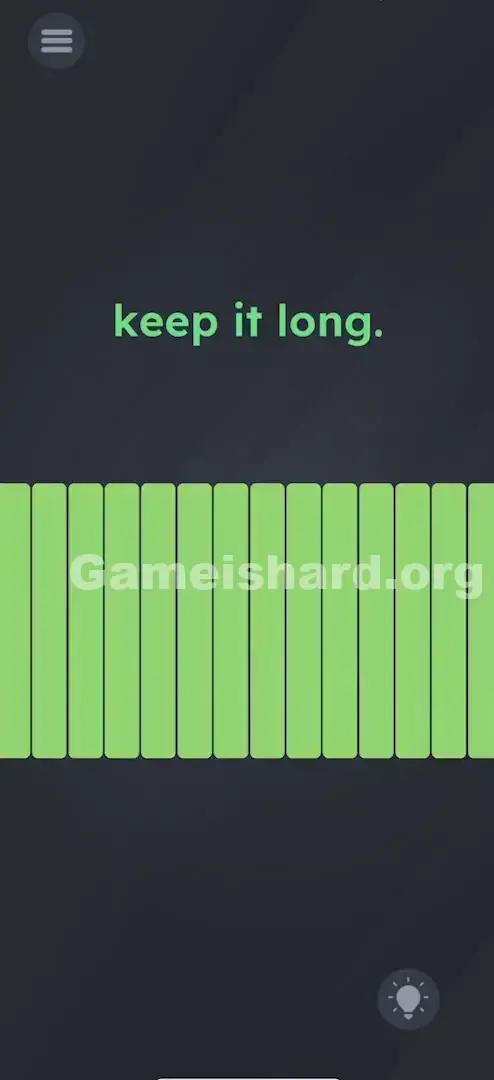
- Verification: The yellow blocks will shift to green. That’s your win signal.
If It Did Not Work
- If the bar flickers: Your airflow is uneven. Smooth it out—steady wins.
- If the bar won’t fill: Check if your hand or case is muffling the mic. Remove your case if needed.
- Cheat: Out of breath? Hold your phone near a fan, running water, or play white noise from another device.
Small Details That Matter
Success hinges on consistency—not accuracy.
- The Drop-off Rate: The meter resets instantly if you pause. One uninterrupted breath is required.
- Audio Sensitivity: The game sets a volume floor. Background noise may nudge it halfway—but you need to rise well above that threshold.
- Distance: Get close—your mouth should be 2–3 inches from the mic.
- I fixed it by: Switching from blowing (which creates gusty, inconsistent noise) to humming a smooth, low-pitched “Oooooo.” The mic picks up steady vocal tones more reliably than wind.
Why This Solution Works
This level exploits hardware sensors—specifically, microphone amplitude. The game constantly reads mic_volume and maps it to progress_bar.width.
The win condition is simple: IF (volume > 90%) AND (duration > 3 seconds) THEN Level_Complete = TRUE.
The difficulty lies in the vague clue. “Keep it long” works as both a time-based hint and a red herring—suggesting spatial manipulation or wordplay. It forces you to recognize that the puzzle lives beyond the screen—in your phone’s sensors.
Bonus Tip
Playing in public and want to skip the awkwardness?
- Pull up a YouTube video of “Pink Noise” or “Fan Sound” on another device.
- Press your phone’s mic against the speaker.
- The bar fills instantly—and stays full—no breathing required.
- Avoid tapping the mic: That creates spikes, not the steady input the level demands.
Alternative Attempts on Game Is Hard Level 70 (What Doesn’t Work, and Why)
- Dragging the text "long": It’s static UI—not a draggable element.
- Pinching the screen: Zooming has zero effect on the meter.
- Shaking the phone: Accelerometer input isn’t active here—only mic matters.
- Tapping the yellow blocks: They’re visual feedback only—not interactive buttons.
- Holding the volume up button: Hardware keys don’t influence the in-game gauge.
- Screaming "AHH!": Too brief—you’ll run out of air before the timer locks in.
- Rubbing the mic: Creates erratic static—bar jumps instead of holding steady.
Common Mistakes for Game Is Hard Level 70
- Stopping too soon: Players quit the moment the bar hits full—yet the level requires holding it there for an extra beat.
- Blowing too softly: If the bar stalls at 80%, you’re not hitting the volume threshold—move closer.
- Covering the Mic: Gripping the phone in landscape mode often blocks the mic with your palm.
- Misinterpreting "Long": Spending minutes searching for hidden objects or stretchable UI elements.
- Ignoring the Mic permission: If you denied microphone access during install, this level is impossible. Go to Settings > Apps > Game is Hard > Permissions and enable Microphone.
Pattern Recognition: How to Spot This Trick in Future Game Is Hard Levels
The tell
Any time you see a gauge, meter, or fillable bar—and tapping does nothing—immediately suspect microphone or gyroscope input. If touch yields zero response, stop touching. Start speaking, tilting, or rotating.
The habit
When a level feels completely unresponsive:
- Double-check permissions (did the app ask for mic/camera access?).
- Make a soft sound—watch for even the tiniest pixel reaction.
- Tilt slowly—look for gravity-based movement.
- Rotate the device—see if orientation changes anything. Hardware sensors are the invisible interface.
Game Is Hard Level 70 FAQ (Short, Useful)
Q: Why isn't the bar moving at all in Game is hard Level 70? A: Check your app permissions. You likely denied microphone access. The game cannot "hear" you without it.
Q: Can I beat this level without making noise in Game is hard Level 70? A: Generally, no. Unless you have an external sound source (like a fan) to hold near the phone, you must provide audio input.
Q: I'm blowing hard but it stops at 90% in Game is hard Level 70. A: Try humming a low-pitched sound instead of blowing air. Sometimes the "wind" sound cuts out, but a voice tone is constant.
Q: Does headphone usage affect this in Game is hard Level 70? A: Yes. If you have headphones plugged in, you must blow into the headphone's microphone, not the phone's.
More Game Is Hard Solutions
Stuck on another brain-twister? We’ve got fast, no-nonsense guides for every single level. Don't let the game troll you—check out the full list of solutions at thegameishard.org . Share this with your friends who are still stuck dragging text around the screen!