App updates can sometimes shuffle the order of puzzles. If this level 68 walkthrough doesn't match your screen, don't worry! You can browse our All Levels guide to find your exact puzzle by its picture.
(Make sure your device is on a stable, flat surface; holding it steady in your hand usually isn't enough.)
Level Overview
What Makes This Puzzle Tricky
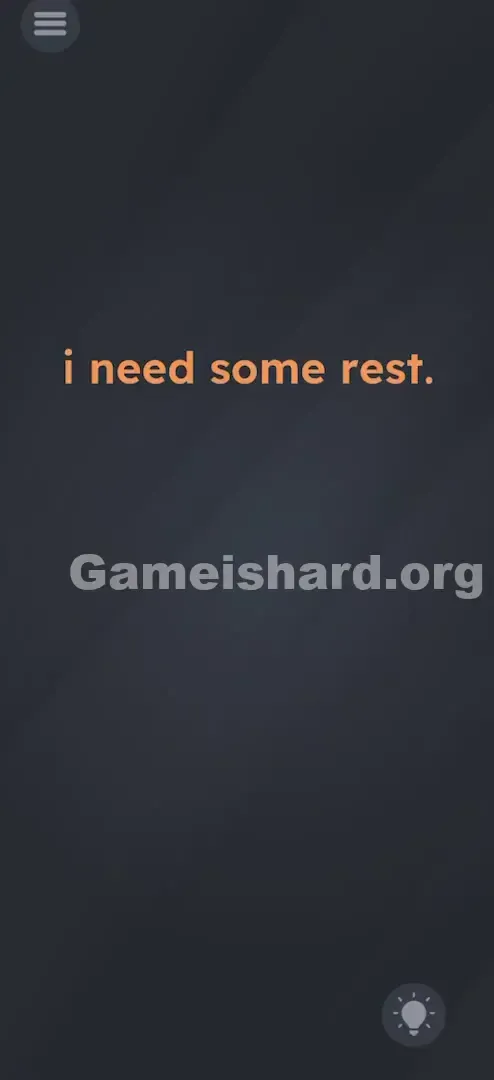
You open Game is hard Level 68, and it feels like the game is giving you attitude. The screen is bare—just dark background and the phrase "i need some rest." in bold orange letters. No buttons. No hints. No obvious interaction. It’s not just minimal—it’s deliberately passive. Most players instinctively tap or swipe, but here, action is the enemy. The real challenge? Learning to do nothing—and do it perfectly.
Your Goal
This level isn’t about solving a logic puzzle or moving objects. Instead, it asks you to use your phone’s physical state as part of the solution. Think of your device as the character—the text isn’t asking you to rest, it’s asking the phone to rest. Your job is to create that stillness—not through willpower, but by placing the hardware in the right position.
Key Mechanics involved
- Gyroscope / Accelerometer: The game monitors your phone’s orientation in real time.
- Timing / Waiting: The system waits for sustained stillness—not a split second, but a solid 2–3 seconds.
- State Change: Only when flatness is confirmed does the interface update.
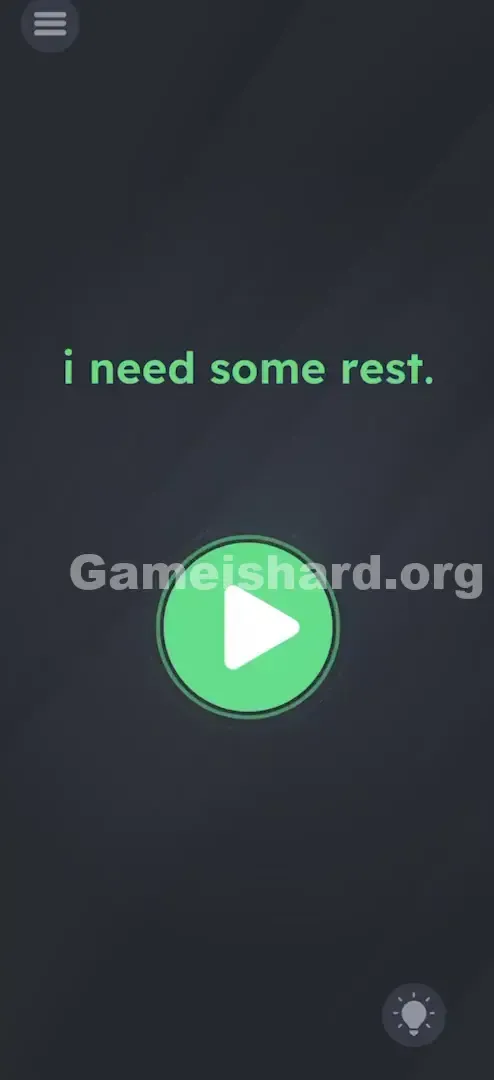
- Hidden UI: The green Play button stays invisible until the condition is met. It’s not a glitch—it’s a sensor-based trigger.
What Appears on Your Screen
Game is hard Level 68 keeps things brutally simple—a design choice that trips up many players.
- Center Text: A single line—"i need some rest."—centered on a dark gray background, rendered in bold orange.
- Top Left: Standard three-line hamburger menu icon.
- Bottom Right: Lightbulb icon for hints.
- Nothing Else: No buttons, no hidden elements, no animations. Just that sentence, quietly waiting. The orange font is your only visual cue that something can change—and it’s the first sign the level is live and responsive.
Common Mistakes to Avoid
The Trap
The biggest pitfall? Assuming gameplay means doing something. We’re wired to interact—to tap, drag, shake, or tilt. But here, every action works against you. Players try dragging the word “rest,” swiping the text away, or even tapping repeatedly hoping for feedback. The trap isn’t hidden—it’s built into how we naturally respond to screens.
First Instincts That Fail
Common missteps include:
- Lowering volume (thinking silence = rest).
- Dimming screen brightness (mistaking visual calm for physical stillness).
- Pressing the power button (which locks the screen—but doesn’t satisfy the sensor check).
- Shaking the phone (trying to “wake it up” instead of letting it “sleep”). None of these affect the accelerometer reading—so none of them solve the level.
Player Reactions
My first attempt? I held my phone rock-still in my palm—eyes locked, breath held—for nearly half a minute. Nothing changed. Frustrated, I dropped it onto my desk… and bam, the text flipped green. Turns out, human hands—even relaxed ones—introduce tiny vibrations the sensors detect instantly. The lesson? True rest means removing yourself entirely from the equation.
Step-by-Step Solution
Preparing the Move
Grab a firm, level surface—a wooden table, laminate floor, or sturdy desk works best. Avoid soft or uneven surfaces like couches or rugs unless absolutely necessary.
Executing the Solution
- Place the Device: Set your phone down gently, screen-up, centered on the surface.
- Hands Off: Lift your fingers fully—no hovering, no light touches, no accidental nudges.
- Wait: Keep watching the phrase "i need some rest."
- The Trigger: After 2–3 seconds of absolute stillness, the orange text shifts to Green .
- The Finish: As soon as it turns green, a Green Play Button (triangle icon) appears directly beneath the text. Tap it to complete Game is hard Level 68 .
If It Did Not Work
- It won't turn green: Your surface may be slightly tilted. Try a different table—or go straight to the floor.
- It flickers green then orange: A wobbly case, PopSocket, or even a slight vibration (like a passing footstep) breaks the stillness. Remove accessories if needed.
- I'm holding it perfectly still: You’re not—your pulse, breathing, and muscle micro-tremors register. Put it down. Seriously.
Why This Solution Works
This level is textbook Hardware Deconstruction: the puzzle lives outside the app, inside your device.
It poses a simple question: “Can you translate metaphor into machine language?”
- Metaphor: “I need rest.”
- Machine Translation: “Set acceleration values to X=0, Y=0, Z=−1 (flat, screen-up).” That’s the pattern across Game is hard—many levels demand you stop treating your phone as a screen and start treating it as an object. It breaks immersion on purpose, reminding you that the device itself is part of the game world—not just the window into it.
Bonus Tip
For speed or replay runs, streamline your approach:
- Spot the “Rest” text immediately.
- Skip all taps, swipes, or settings adjustments.
- Place phone flat—fast.
- Hover your finger near the center-bottom area where the Play button will appear, ready to tap the instant it shows up. Skip sound or brightness tweaks—they’re distractions, not solutions.
Game Is Hard Level 68 FAQ (Short, Useful)
Q: I put my phone on the table but the text stays orange in Game is hard Level 68. Why? A: Your table might not be perfectly level, or your phone case is bumpy. Try taking the case off or putting the phone on the floor.
Q: Does the sound need to be on for Game is hard Level 68? A: No. Sound and volume settings have no impact on this level. It is purely based on the gyroscope/accelerometer.
Q: Can I solve this by holding the phone against a wall in Game is hard Level 68? A: Usually, no. The game checks for the phone being flat (screen pointing to the ceiling), not just stable against a vertical surface.
Q: The button appeared but I missed it and picked up the phone. Do I have to restart? A: No, just put the phone back down. The text will turn green again, and the button will reappear.
More Game Is Hard Solutions
If you’re stuck on another puzzle, don’t waste time guessing. We deliver clean, direct guides for every level—no filler, no fluff, just what you need to move forward and keep your streak going. Share this guide with anyone still wrestling with the “Rest” level!
Good luck, and stay flat!