
App updates can occasionally reorder puzzles. If this level 69 walkthrough doesn’t match what you see, no problem! Just check our All Levels directory to locate your exact puzzle using its visual layout.
You must drag the balls manually into the spikes; tapping the balls alone does nothing.
Level Overview
What Makes This Puzzle Tricky
You’re staring at the screen—and nothing happens. You tap a red ball. Still nothing. You tap again, harder. Still silent. You swipe them around freely, but they bounce without bursting. That’s the signature “Game is hard” tension: it gives you a simple command—“pop the balls”—but removes the usual method (like tapping or poking) to make it happen. The game isn’t broken—it’s waiting for you to build the trap first.
Your Goal
The goal is straightforward: pop the balls. But these balls won’t burst on their own. The tight cluster of red triangles in the center looks sharp—but it’s inactive until you unlock it. Your job isn’t just to pop balloons; it’s to activate and operate a mechanical device.
Key Mechanics
- Object State Change: The central triangle cluster switches between closed (harmless) and open (active).
- Drag & Drop: Balls behave as physical objects—you must guide each one into position.
- Tap to Activate: The triangle group functions like a machine that needs a trigger tap to act.
- Repetition: Each ball requires its own full cycle—no shortcuts. It’s not a mistake. It’s intentional design.
What Appears on Your Screen
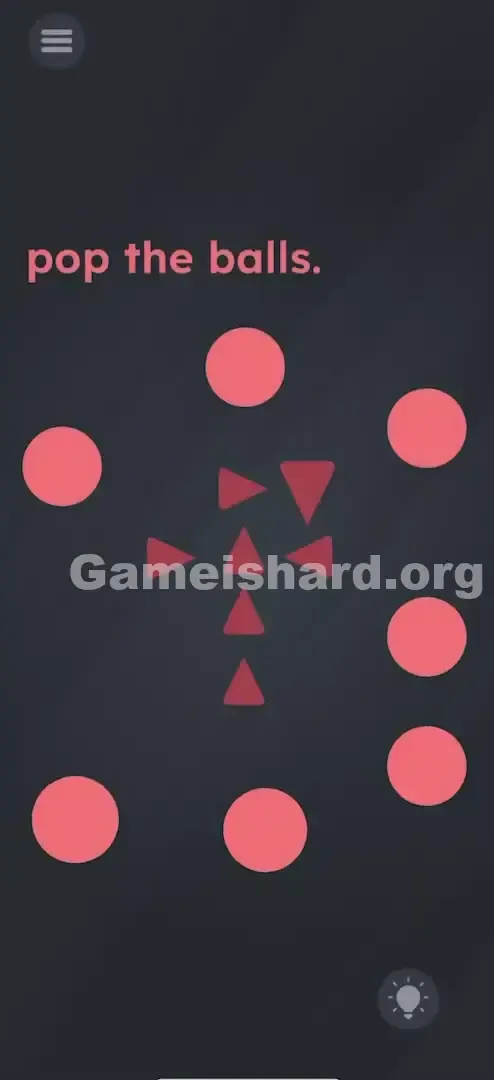
When the level loads, the background is dark gray. At the top, pinkish-red text reads: pop the balls.
Below it, seven or eight soft pinkish-red balls float loosely in a circular arrangement.
Dead center sits a compact cluster of darker red triangles—shaped like a shuriken or starburst—with a vertical column and several pointing rightward. At first glance, it appears solid and decorative—no obvious control point.
Common Mistakes to Avoid
The Trap
The biggest mental hurdle is expecting direct interaction. In most mobile games, popping a balloon means tapping it. Here, tapping does nothing—creating the illusion of a bug or unresponsive UI. Players often assume the triangles are just scenery, not the active tool needed to solve the puzzle.
First Instincts That Fail
Common missteps include:
- Smashing balls together.
- Trying to move the fixed triangles toward the balls.
- Swiping wildly across the screen hoping to slice them like in Fruit Ninja.
- Shaking the device—though physics respond, collisions alone won’t trigger a pop without activation.
Player Reactions
I spent nearly a minute dragging balls around, bouncing them off edges, wondering if alignment mattered. Then I tapped the center shape out of curiosity—and saw it shift slightly. That’s when it clicked: “It’s not decoration. It’s a mouth.”
Step-by-Step Solution
Preparing the Move
Pause before touching any ball. Focus solely on the central triangle cluster—you need to “prime” it before it can function.
Executing the Solution
- Tap the top-right triangle in the center cluster exactly three times .
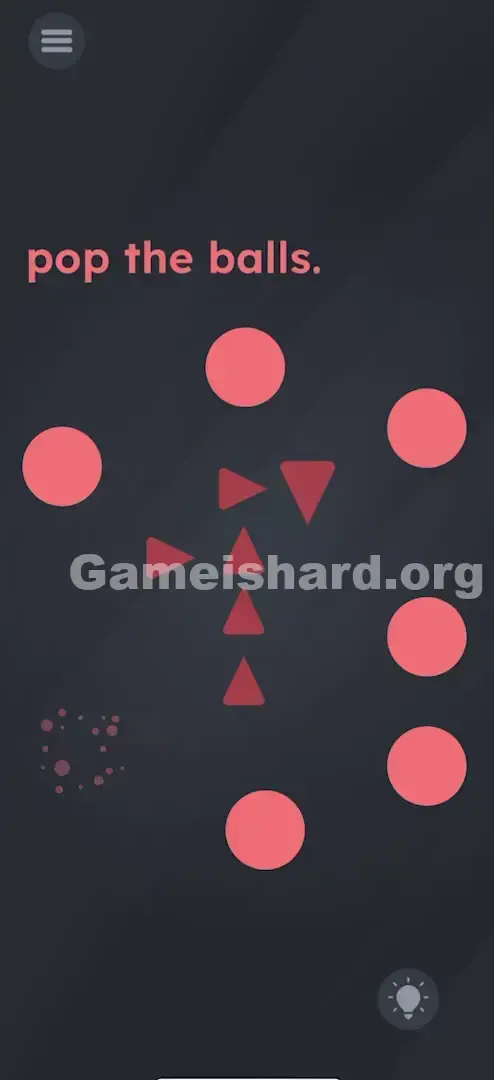
- Watch closely: With each tap, the bottom triangle shifts downward, gradually forming a visible gap in the center—like a mouth opening.
- Drag one red ball directly into that newly formed opening at the heart of the triangle cluster.
- Once the ball is fully inside, tap the triangle cluster again.
- The spikes snap shut—or activate—and the ball pops instantly.
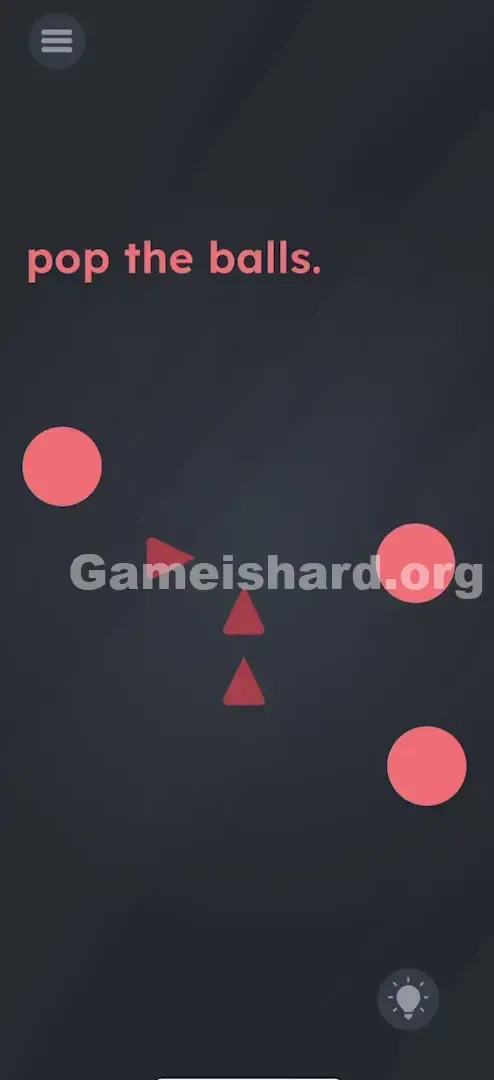
- Repeat this sequence for every ball: Drag ball in → Tap triangles → Pop → Move to next.
If It Did Not Work
- The gap isn't opening: Ensure you’re tapping the correct lever—the top-right triangle. If no movement occurs, try adjacent triangles until you see the bottom one descend.
- The ball won't pop: Confirm the ball is centered within the cluster—not hovering near the edge. It must be inside the “kill zone.”
- Level won’t end despite missing balls: Check screen edges—sometimes a ball drifts partially off-screen. Drag it back into view.
Small Details That Matter
This level rewards rhythm and awareness—not just logic.
- Precision Dropping: Pixel-perfect placement isn’t required, but the ball must overlap the cluster’s center. Too far left or right, and the closing animation won’t register.
- The "Lever" Triangle: The top-right triangle acts like a firing pin—each tap “cocks” the mechanism.
- Speed: Advanced players can drag with one finger while tapping the lever with another—almost simultaneously—for faster pacing. I solved it by slowing down. I’d tried dragging multiple balls in at once—but the system only processes one pop per activation. One ball. One tap. That’s the rule.
Why This Solution Works
This level challenges how we assign interactivity.
Normally, the target (the ball) is interactive. Here, it’s passive—and the background element (the spikes) holds all the power. That role reversal throws off instinctive play. It also relies on multi-state objects: the triangles aren’t static art—they toggle between open and closed modes you control.
The message is clear: “No button? Look closer—the tool is hidden in plain sight.”
Bonus Tip
To breeze through without frustration:
- Open the trap first: Tap that top-right triangle three times right away.
- Gather the balls: Pull them all nearer the center to minimize drag distance.
- Build a rhythm: Drag → drop → tap. Treat it like an assembly line.
- Don’t move the spikes—they’re fixed. Bring the ball to the machine. Not the other way around.
Alternative Attempts on Game Is Hard Level 69 (What Doesn’t Work, and Why)
- Tapping the balls directly: Why: Balls lack tap-triggered pop logic—they’re purely physics-based objects.
- Shaking the phone: Why: Gravity may nudge balls, but contact with spikes alone won’t trigger a pop—it requires the scripted tap event.
- Dragging the text "pop": Why: Though text sometimes doubles as a tool (e.g., “pin”), here it’s purely descriptive.
- Pinching the balls: Why: Multitouch gestures like pinch-to-zoom aren’t supported for ball interaction.
- Waiting: Why: No timer or auto-activation exists—the balls will drift endlessly unless you intervene.
Common Mistakes for Game Is Hard Level 69
- Quitting after one tap: A single tap may cause subtle movement—but three taps are mandatory to fully open the gap.
- Overloading the cluster: Stuffing multiple balls in triggers no response—the system only registers one pop per activation.
- Tapping the wrong triangle: Only specific ones serve as levers. Bottom or center taps rarely work—stick to top/right.
- Skipping the final tap: Placing the ball inside isn’t enough—you must tap the cluster again to trigger the pop.
Pattern Recognition: How to Spot This Trick in Future Game Is Hard Levels
The Tell
If you spot a “sharp” object beside “soft” ones—and dragging them together causes harmless bouncing—search for a hidden trigger. When objects don’t interact naturally, one likely has a hidden state change.
The Habit
Tap every unique on-screen element rapidly—5+ times. If anything moves, rotates, or reshapes (like that triangle sliding down), that’s your mechanic. Keep tapping until the transformation completes.
Game Is Hard Level 69 FAQ (Short, Useful)
Q: Why won't the balls pop when I drag them to the spikes in Game is hard Level 69? A: You must tap the triangle cluster again while the ball is fully inside. The spikes are a machine—it needs manual activation—not passive sharpness.
Q: I tapped the triangle but nothing moved in Game is hard Level 69? A: Focus on the top-right triangle. Tap it quickly and firmly—three taps are needed to fully open the gap.
Q: Can I pop them all at once in Game is hard Level 69? A: No. The engine processes one ball per activation. Drag, pop, repeat—every time.
Q: Is there a hidden object I'm missing in Game is hard Level 69? A: No hidden elements. Everything required is visible center-screen—the puzzle lies in understanding the triangle cluster’s function.
More Game Is Hard Solutions
Stuck on the next challenge? Our Level 70 walkthrough is ready and waiting. We skip the filler and deliver clean, actionable solutions—so you can stop grinding and start winning. Bookmark us and keep your streak going!
Good luck popping!