App updates can sometimes shuffle the order of puzzles. If this level 66 walkthrough doesn't match your screen, don't worry! You can browse our All Levels guide to find your exact puzzle by its picture.
Level Overview
What Makes This Puzzle Tricky
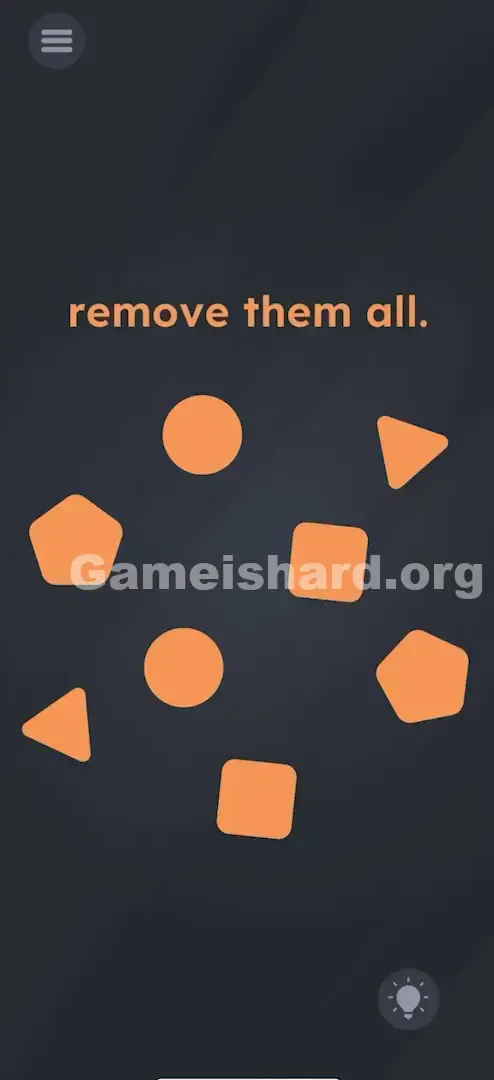
You’re greeted with a clean, dark screen filled with eight orange geometric shapes and the simple prompt: "remove them all." Your first reaction? Tap one. Nothing happens. Try dragging — they just slide around. Fling them off-screen? They bounce back. It feels unresponsive — even broken — until you realize the game isn’t broken… it’s waiting for something else entirely.
Your Goal
Clear every shape from the board — but not the way you’d expect. This isn’t about tapping or swiping individually. It’s about spotting relationships: each shape appears exactly twice, and only paired taps will trigger removal.
How the Game Responds
This level challenges both coordination and perception.
- Multi-touch: The system only registers action when two touches land simultaneously.
- Pattern Recognition: You need to scan for duplicates—not isolated objects.
- Synchronization: Timing trumps placement. Even distant shapes vanish if tapped together.
It’s not a bug. It’s intentional design testing your ability to break habitual single-finger habits.
What Appears on Your Screen
The layout is intentionally sparse — no distractions, no hints beyond the shapes themselves.
- Top Center: The instruction “remove them all.” appears in crisp orange font.
- The Field: Eight identical-orange shapes float across a black background.
- The Shapes: Four mirrored pairs:
- Two Circles
- Two Triangles
- Two Squares
- Two Pentagons
- The Interface: No buttons, no zones, no animations — just shapes suspended in silence.
Common Mistakes to Avoid
The Trap
Most mobile games train us to interact with one finger — scrolling, tapping, swiping. So when faced with “remove them all,” your brain defaults to solo taps. And because nothing happens on single input, frustration builds — not realizing you’re halfway there. The silence isn’t failure; it’s feedback telling you to try two.
First Instincts That Fail
I tried dragging shapes into each other. Nope. I attempted flinging them past screen edges — they rebounded cleanly. I even shook my phone, hoping physics would kick in. Nothing. The lack of response is the real red herring — the game isn’t broken, it’s just waiting for dual input.
Player Reactions
I spent over a minute trying to stack a triangle onto a square, convinced some hidden interaction was hiding in proximity. Then, mid-frustration, my second finger landed on the screen — and both circles vanished. Instant clarity. The solution wasn’t hidden — it was literally resting on my hand.
Step-by-Step Solution
Preparing the Move
Set your phone down flat or grip it firmly with both hands. Free up two fingers — index fingers offer the most control and precision. Scan the board and group shapes visually: start with the easiest pair to spot (usually the circles).
Executing the Solution
- Identify a Pair: Locate the two circles.
- The Double Tap: Position one finger over each circle, then tap at the exact same instant.
- Verification: Success means both vanish instantly — no delay, no animation lag.
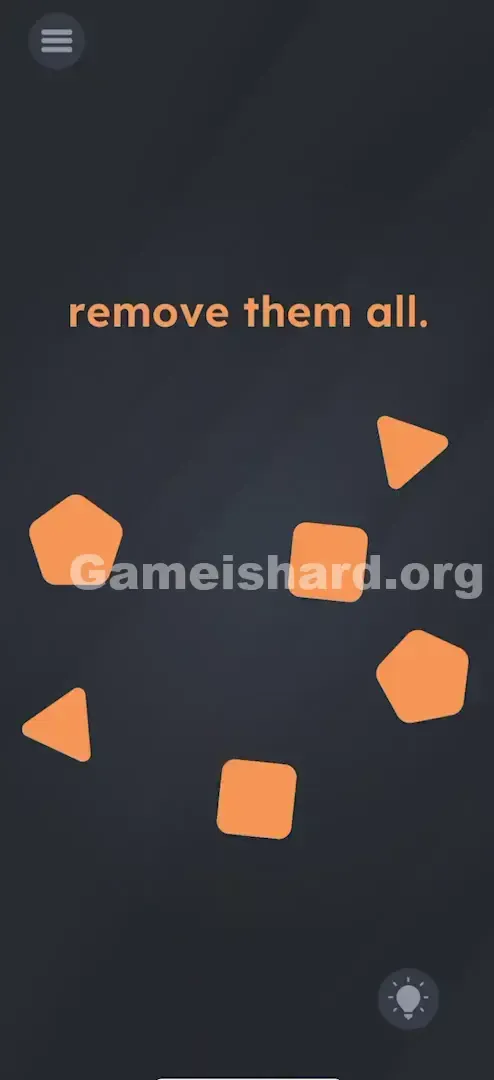
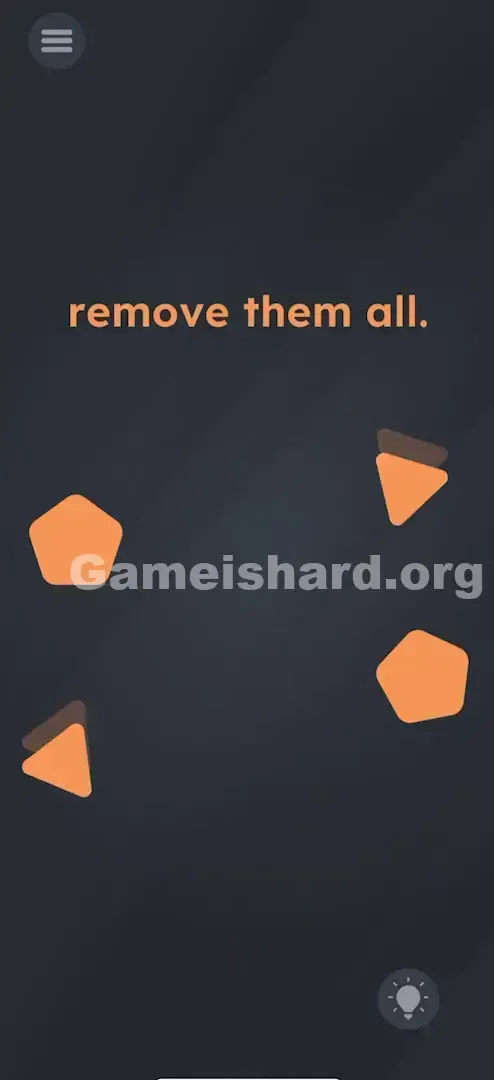
- Repeat: Apply the same synchronized tap to the two squares, the two triangles, and the two pentagons.
If It Did Not Work
- "They aren't disappearing!" You’re likely tapping sequentially — even a split-second gap breaks the mechanic. True simultaneity is required.
- "I tried to drag them together." Dragging won’t work. This level responds only to dual taps — no movement, no merging.
- "The last pair won't go." Reset your touch: lift both fingers fully off the screen, then attempt a clean, confident double-tap.
Small Details That Matter
Multi-touch sensitivity varies — here’s how to guarantee success:
- Snap tapping: Light, quick taps beat pressing or holding. Think drumstick strike — not slow press.
- Distance: Placement doesn’t matter. Tap a pentagon top-left and its twin bottom-right — timing is the only variable.
- Finger placement: Aim for the center of each shape. Edge taps may register as background touches.
- I fixed it by… placing the phone on a table and using both index fingers. Thumbs strain; precise fingers sync better.
Why This Solution Works
This level introduces multi-touch as core gameplay — a deliberate shift from linear, step-by-step puzzles. Under the hood, it’s checking for three conditions:
If (Touch 1 = Shape X) AND (Touch 2 = Shape X) AND (Time Difference < 0.1 seconds) → Delete both.
You’re seeing eight items — but the code sees four linked pairs. It’s a UI blind spot turned into a puzzle: perception vs. programming.
Bonus Tip
For speed or replay:
- Four-finger option: Technically possible to clear two pairs at once — but high-risk. Stick with pairs unless you're confident.
- Start wide: Begin with the farthest-apart pair to avoid accidental mis-taps on clustered shapes.
- Chain reactions: Don’t wait for vanish animations — move straight to the next pair.
- Ignore the text: “remove them all” is purely descriptive — tapping it does nothing.
Alternative Attempts on Game Is Hard Level 66 (What Doesn’t Work, and Why)
- Dragging off-screen: Shapes are confined — no escape zone exists.
- Rubbing the screen: Not an eraser-based mechanic — no visual or functional feedback.
- Shaking the device: Gravity logic is disabled here — no physics involved.
- Rapid single taps: Even lightning-fast tapping fails — the engine requires true simultaneity.
- Pinching: Zoom gestures are ignored — this isn’t a scaling interface.
- Tapping the instruction text: Static copy — zero interactivity.
- Waiting: No timer, no auto-solve — action is mandatory.
Common Mistakes for Game Is Hard Level 66
- Mismatched taps: Circle + square = no response. Only identical pairs count.
- The “rolling” tap: One finger landing milliseconds before the other — too slow for the sync window.
- Holding one tap: Press-and-hold breaks the clean input requirement — both must be fresh taps.
- Tunnel vision: Fixating on one shape leads to poor aim on its pair — keep your eyes wide.
- Quitting early: Sync takes practice. Try at least 3–4 attempts with focused timing before switching tactics.
Pattern Recognition: How to Spot This Trick in Future Game Is Hard Levels
The Tell
Multiple identical objects + no response to solo interaction = strong signal for multi-touch pairing. Especially if counts are even and symmetrical.
The Habit
When stuck on any level with repeated elements:
- First, test movement — do they slide or rotate?
- If not, try dual taps — especially on mirrored items.
- Count duplicates: Two of everything? Twinning is almost certainly the key.
Game Is Hard Level 66 FAQ (Short, Useful)
Q: Do I have to clear them in a specific order in Game is hard Level 66? A: No. Pairs vanish independently — clear squares first, circles last — order doesn’t matter.
Q: Can I use two hands in Game is hard Level 66? A: Yes — and it’s strongly advised. One-hand thumb taps often lack precision. Set the phone down and use both index fingers.
Q: What if I tap three shapes at once in Game is hard Level 66? A: The engine usually ignores extra inputs. For reliability, stick strictly to two.
Q: My screen is cracked/unresponsive in spots, can I still beat Game is hard Level 66? A: Yes — but aim carefully. If part of the screen doesn’t register, rotate your device (if auto-rotate is enabled) or target the edge of the shape that falls within a working zone.
More Game Is Hard Solutions
Stuck on another puzzle? We’ve got clear, no-fluff guides for every level — designed to get you past the wall and moving forward. Share this walkthrough if your friends are still frantically tapping circles alone. Good luck on Game is hard Level 67 !