
App updates can sometimes shuffle the order of puzzles. If this level 64 walkthrough doesn't match your screen, don't worry! You can browse our All Levels guide to find your exact puzzle by its picture.
Level Overview
What Makes This Puzzle Tricky
You launch Game is hard Level 64—and instead of chaos, you’re greeted with quiet simplicity. Two tidy columns of words sit side by side, no animations, no surprises. It feels oddly nostalgic—like a vocabulary quiz from elementary school. In a game known for wild mechanics, this calm setup feels suspiciously deliberate.
Your Goal
Your mission is to clear all words by pairing left-column starters with right-column completers to form real compound nouns. This isn’t about synonyms or definitions—it’s about recognizing how English blends words into single, meaningful units.
Key Mechanics
- Vocabulary Logic: You must identify which word combinations produce valid, commonly used compound nouns.
- Tapping Sequence: It’s a strict two-tap process—select the first word, then select its correct partner.
- Elimination: Each successful pair vanishes or visually confirms, reducing the board step by step. It’s not a glitch. It’s a vocabulary check.
What Appears on Your Screen
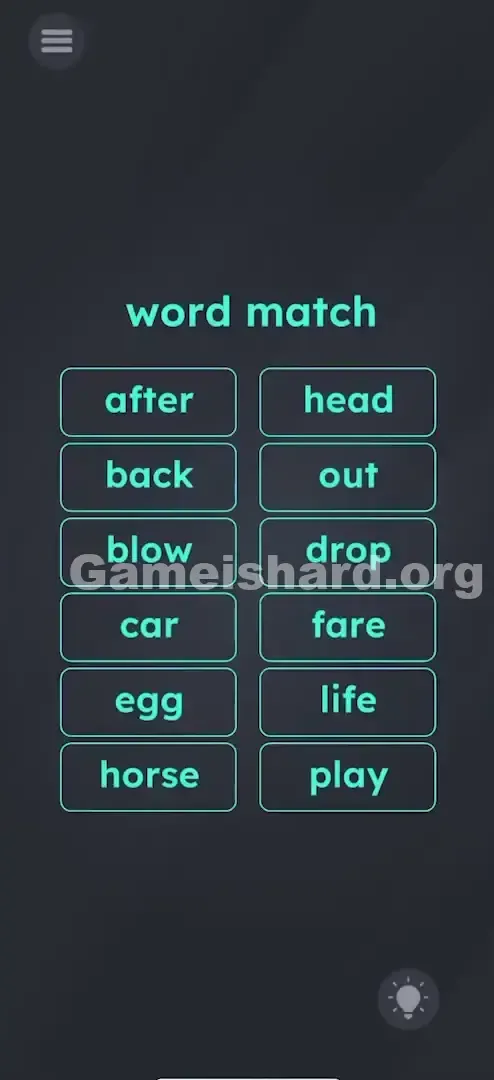
The layout is clean and minimal. At the top, the instruction “word match” appears in the game’s signature teal font. Below it, two aligned columns of rounded buttons—six on the left, six on the right—fill the screen.
Left Column Words:
after
back
blow
car
egg
horse Right Column Words:
head
out
drop
fare
life
play Nothing moves. No effects animate. The background stays its familiar dark grey. Visually, it mimics a classic matching game—but without hidden cards or flips.
Common Mistakes to Avoid
The Trap
The real challenge here is unlearning past habits. Game is hard has conditioned players to expect gimmicks—dragging, tilting, tapping rapidly. So when faced with something so straightforward, many overcomplicate it: trying to drag words, shaking the device, scanning for invisible clues. The “trick” is that there is no trick—just pure word logic.
First Instincts That Fail
- Rhyming: Matching “car” with non-existent rhymes like “far” leads nowhere.
- Synonyms: Looking for animal-themed matches for “horse” ignores the compound requirement.
- Dragging: Attempting to slide “after” onto “life” yields no response—the interface only registers taps.
Player Reactions
I spent nearly 90 seconds rotating my phone, convinced the words needed to slide together. Then I tapped “blow,” tapped “out,” and watched it vanish. Sometimes the hardest level is the one that just asks you to trust the basics.
Step-by-Step Solution
Preparing the Move
Put away the dragging reflexes. Lay your phone flat. Treat the left column as your “prefix” list and the right as your “suffix” list—even though some are standalone nouns.
Executing the Solution
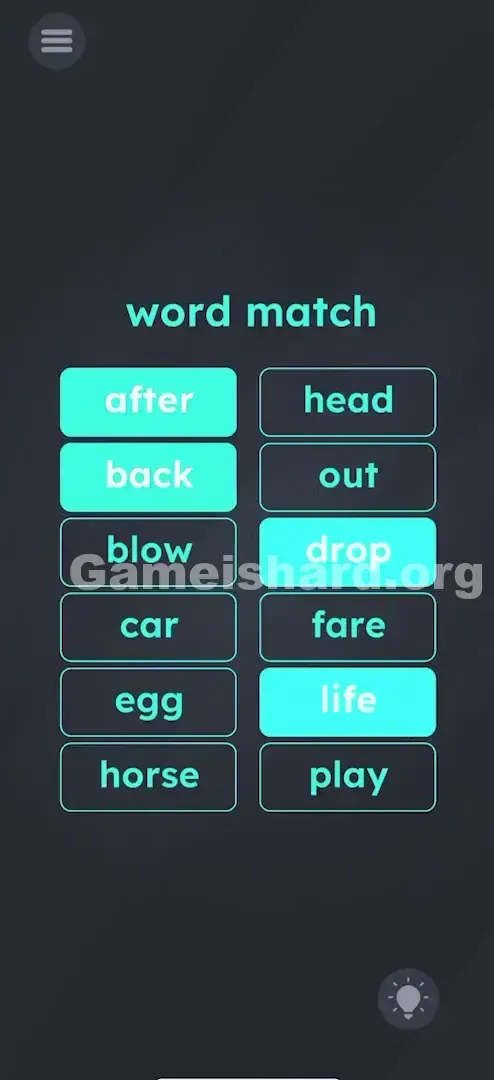
- after + life: Tap after , then tap life . (Forms "afterlife")
- back + drop: Tap back , then tap drop . (Forms "backdrop")
- horse + play: Tap horse , then tap play . (Forms "horseplay")
- car + fare: Tap car , then tap fare . (Forms "carfare")
- egg + head: Tap egg , then tap head . (Forms "egghead")
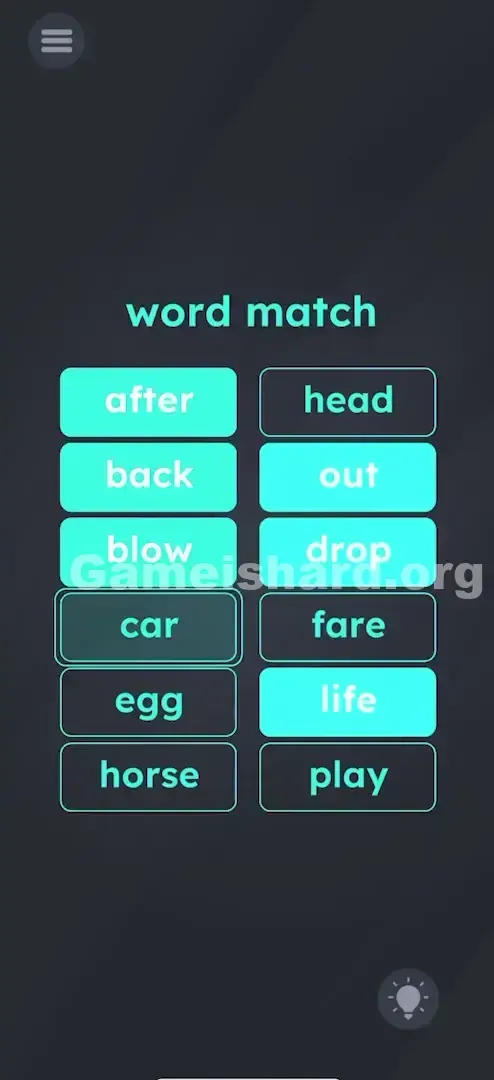
- blow + out: Tap blow , then tap out . (Forms "blowout")
If It Did Not Work
- If it doesn't register: Make sure your taps are precise. Accidentally tapping “after” then “head” registers as an invalid pair and clears your selection.
- Order matters (sometimes): While the game often accepts either order, starting with the left-column word keeps your workflow consistent.
- Visual cues: A tapped word usually highlights or dims slightly—confirming selection. If nothing changes, try tapping again with a firmer press.
Small Details That Matter
- Tap Duration: Light, quick taps work perfectly—no need to hold.
- Selection Reset: Tap “after” then “drop”, and the game reads it as “afterdrop”—a fail. Buttons will shake or flash red, and both selections clear automatically.
- Personal Fix: I tackled “blowout” and “egghead” first—they’re high-frequency phrases. Clearing them early cut down visual clutter and made less common combos like “carfare” easier to spot.
Why This Solution Works
Think of this level as a mental reset. After layers of physics-based chaos, Game is Hard inserts a clean linguistic puzzle to shift gears. It engages verbal reasoning—not hand-eye coordination—giving your brain a different kind of workout.
It specifically tests knowledge of compound nouns: two or more words fused into a single concept. “After” (preposition) + “life” (noun) = “afterlife” (a new noun). The game checks whether you recognize these fused units—not just individual definitions.
Bonus Tip
- Hunt for “head”: “Egghead” stands out as unusual—solve it early to remove ambiguity.
- Spot “out”: “Blow” only logically pairs with “out” here—no other option fits.
- Use elimination: If “carfare” stumps you (it means transit fare), leave it last—it’ll be the only remaining pair.
Alternative Attempts on Game Is Hard Level 64 (What Doesn’t Work, and Why)
- Dragging the words together: These aren’t draggable objects—just interactive buttons.
- Matching by color: Every button uses identical teal styling—zero color hints.
- Shaking the device: No effect. Just wastes time and draws attention on public transit.
- Multitouch: Simultaneous taps confuse the input system—always tap one, release, then tap the next.
- Words that almost work: “Horse-head” sounds plausible, but “horseplay” is the correct, standardized compound.
Common Mistakes for Game Is Hard Level 64
- Matching “Car” with “Drop”: “Cardrop” isn’t a recognized word.
- Matching “Back” with “Out”: “Backout” functions as a verb phrase—not a solid compound noun like “backdrop.”
- Matching “After” with “Play”: “Afterplay” isn’t standard usage—“afterlife” is the intended match.
- Rushing taps: Hasty, imprecise tapping triggers repeated error feedback.
- Forgetting the compound rule: You’re not building phrases—you’re forming single-word nouns.
Pattern Recognition: How to Spot This Trick in Future Game Is Hard Levels
The tell
When you see two clearly separated groups—words, icons, or shapes—lined up in parallel columns or grids, treat it as a matching logic puzzle until proven otherwise.
The habit
Before instinctively dragging or tilting, test interactivity: tap one item. If it highlights, you’re in a tap-based matching level. If it moves or responds physically, it’s a physics puzzle. Confirm the interaction type first—it saves minutes.
Game Is Hard Level 64 FAQ (Short, Useful)
Q: What is carfare in Game is hard Level 64? A: It’s a dated but valid term for the cost of public transportation—bus, train, or taxi fare—and pairs with “Car.”
Q: Why isn't "Back" matching with "Head" in Game is hard Level 64? A: “Backhead” isn’t a word. “Backdrop” (a stage background) is the correct, dictionary-recognized compound.
Q: Can I match them in any order in Game is hard Level 64? A: Yes—you can solve pairs in any sequence (e.g., “egghead” last)—but each pair must be tapped in order: starter first, then complement.
Q: Do I drag or tap in Game is hard Level 64? A: Tap only. This level uses simple button interaction—not drag-and-drop mechanics.
More Game Is Hard Solutions
Stuck on the next puzzle? We’ve got the solution ready. Our guides cut straight to the answer and the reasoning—no filler, just clarity so you can jump back into gameplay. Share this with friends wrestling with “carfare” and remind them: sometimes spelling counts more than speed!
Good luck with Game is hard Level 65 !