App updates can sometimes shuffle the order of puzzles. If this level 44 walkthrough doesn't match your screen, don't worry! You can browse our All Levels guide to find your exact puzzle by its picture.
Target: You are not guessing a secret code; you are typing the two words exactly as requested by the prompt.
Level Overview
What Makes This Puzzle Tricky
You’re faced with a plain password field — instantly familiar from real-world logins. Your instinct kicks in: tap the box, then scramble for a plausible code. “Is it ‘1234’? ‘password’? The game’s title?” But no hints appear — no hidden numbers, no visual clues, no background secrets. It feels like hitting a wall with zero feedback.
Your Goal
Your only job is to follow the instruction exactly — not to crack a code, but to obey the wording. Game is hard prioritizes precise language over security logic. This level tests whether you read the phrase literally — and it means exactly what it says.
How the Game Responds
- Literal Interpretation: The phrase isn’t a request for credentials — it’s a direct command telling you what to type.
- Keyboard Input: Unlike levels where the keyboard is decorative or disabled, here your device’s native keyboard is required and fully functional.
- Logic Trap: The challenge lies in resisting overanalysis. There’s no hidden layer — just pure, unfiltered word-for-word compliance. It’s not about authentication — it’s about attention to detail.
What Appears on Your Screen
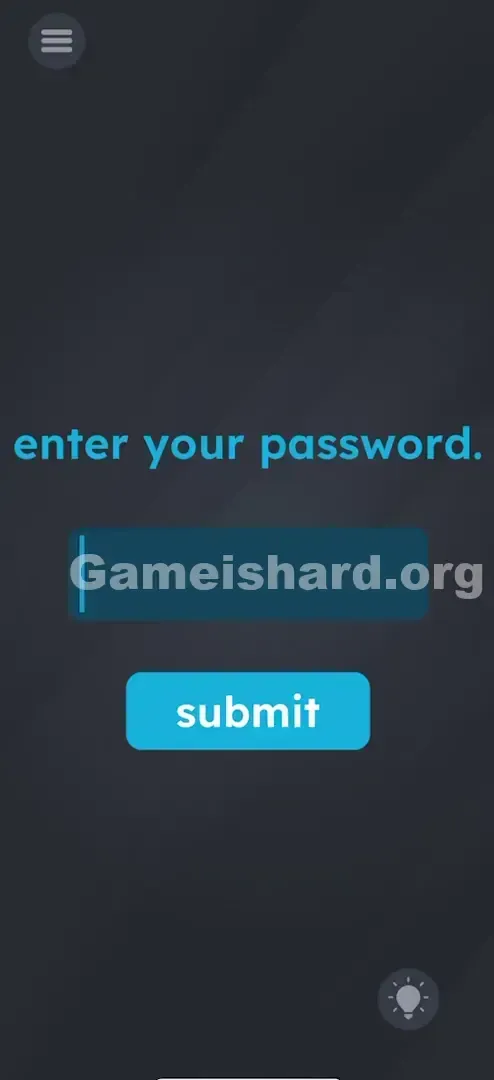
The interface mimics a minimal login page — clean, uncluttered, and deceptively straightforward.
- Top: A blue sentence in all lowercase: “enter your password.”
- Middle: A dark blue rectangular input field with a blinking cursor on the left — clearly active and ready for text.
- Bottom: A bright blue, rounded “submit” button.
- Background: The game’s signature dark grey gradient.
- Interactive Elements: Only the input field (triggers keyboard) and the submit button respond to taps. Its simplicity is the trap — you assume something must be hidden, but the puzzle lives entirely in the wording.
Common Mistakes to Avoid
The Trap
This level exploits learned behavior. Years of online logins have wired us to treat “enter your password” as a cue to recall a private string — never the actual words. Typing “your password” into a real login field almost always fails, so your brain rejects it instantly. The game flips that reflex on its head.
First Instincts That Fail
- Typing "Game is hard": Makes sense contextually — but misses the prompt’s exact phrasing.
- Typing "password": Close, but incomplete — the instruction specifies “your” password.
- Hunting for hidden numbers: Players scan edges, zoom in, or tilt the screen looking for subtle digits. Nothing’s there.
- Shaking the phone: A common fallback move in tricky levels — but no sensors trigger here.
Player Reactions
I spent nearly three minutes cycling through guesses: “admin”, “letmein”, even copying the prompt letter-by-letter — only to realize I’d skipped the simplest step. When I finally typed exactly what was asked, it clicked instantly — and I laughed at how obvious it was. That’s the hallmark of a great literal-puzzle riddle.
Step-by-Step Solution
Preparing the Move
Re-read the prompt: “enter your password.” Don’t translate it — treat it like raw text. The game wants those six letters, space, and eight more letters — nothing more, nothing less.
Executing the Solution
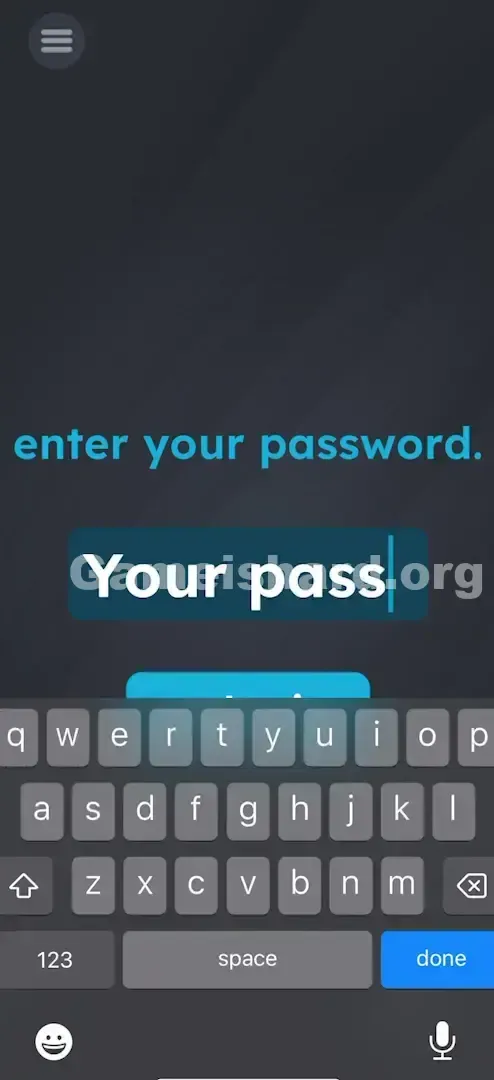
- Tap the Input Field: Tap the dark blue box center-screen. Your device’s keyboard should appear automatically.
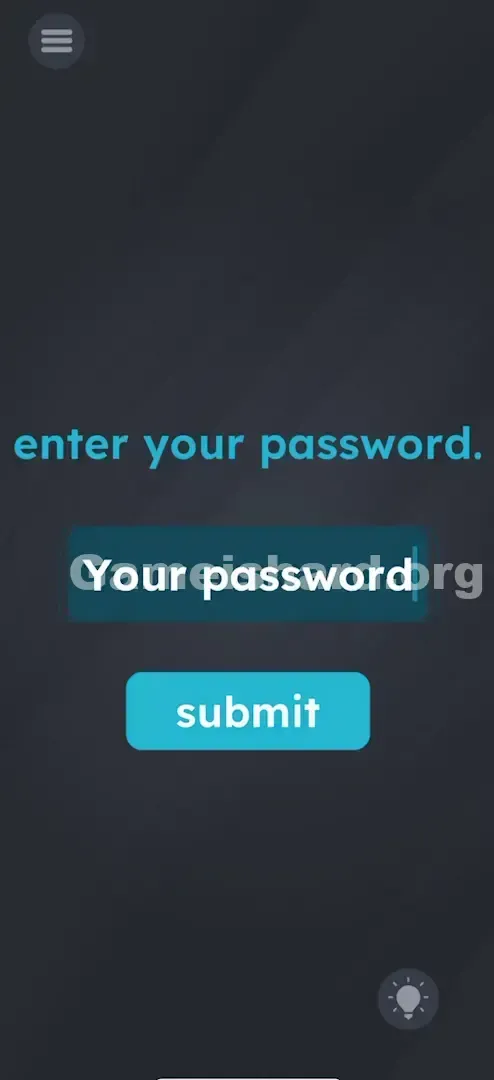
- Type the Phrase: Enter the words your password (with one space between them). Capitalization usually isn’t enforced, but matching the prompt’s lowercase style avoids issues.
- Note: Capitalization usually doesn't matter, but sticking to lowercase like the prompt is safer.
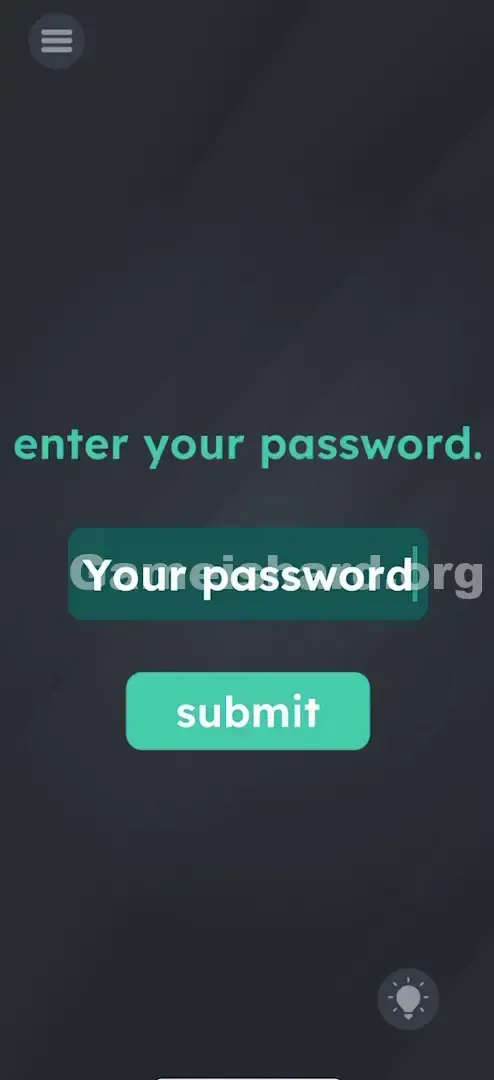
- Tap Submit: Press the bright blue “submit” button — not the keyboard’s return key.
Confirming It Worked
Success triggers an immediate “Correct” or “Success” animation. If nothing happens, double-check spelling and spacing.
If It Did Not Work
- Keyboard not appearing? Try tapping the input field 2–3 times — touch sensitivity can vary.
- Still failing? Confirm there’s exactly one space between “your” and “password” — no extra spaces before or after.
- Auto-correct meddling? Disable auto-capitalize or manually correct “Your” → “your” and “Password” → “password”.
Small Details That Matter
Precision matters — especially with small formatting choices.
- The Space Bar: Omitting the space (“yourpassword”) is the most frequent failure. Two separate words = one mandatory space.
- Punctuation: Skip the period at the end of the prompt (“password.”). The parser typically ignores it — though if your answer fails, try adding the dot as a last resort.
- The "Enter" Key: Hitting “Enter” or “Go” on your keyboard may dismiss the keyboard without submitting. Always use the on-screen “submit” button to confirm.
I once failed because of a trailing space — make sure your cursor lands directly after the “d” in “password”.
Why This Solution Works
This level leans into the classic “Literal Genie” puzzle pattern — like the joke:
- Person A: “Call me a taxi.”
- Person B: “Okay — you’re a taxi.”
Game is hard constantly resets expectations. Text might be draggable in one level, symbolic in another — and here, it’s purely instructional. Real-world context tells you “password” means secrecy; puzzle logic says “password” means those letters. It forces you to silence real-world assumptions and engage with language as pure input.
Bonus Tip
For speed runs or replays:
- Tap the box.
- Type your password .
- Tap submit .
- Skip everything else.
No need to:
- Hunt for invisible elements.
- Count characters in the prompt.
- Drag or copy any on-screen text.
Alternative Attempts (What Doesn’t Work, and Why)
Here’s why common guesses fail level 44:
- Typing “Gameishard”: The game doesn’t reward self-reference here.
- Leaving the field blank and tapping Submit: Not a “no password” loophole — it expects input.
- Dragging “password” from the prompt: Works in other games (like Brain Test), but this level requires typed input.
- Entering your actual device password: Unsafe, unnecessary, and rejected.
- Shaking the phone: No hidden mechanics — just static UI.
- Using voice-to-text: Often inserts unwanted capitalization or punctuation, breaking the exact match.
Common Mistakes for Game Is Hard Level 44
- Overcomplicating it: Assuming complexity when the answer is surface-level.
- Misspelling “password”: Easy to mistype under pressure — verify each letter.
- Case mismatches: Uppercase (“YOUR PASSWORD”) may fail depending on version — stick to lowercase.
- Missing the space: “yourpassword” is treated as one word — and it’s wrong.
- Quitting too early: Frustration builds fast — but the solution works every time, if typed correctly.
- Skimming the prompt: Typing just “password” ignores the critical word “your.”
Pattern Recognition: How to Spot This Trick in Future Game Is Hard Levels
The Tell
When a level shows a text input field, pause and ask: Is this a question or a command? Commands (“Enter your password”, “Click the red button”) demand literal action first. Questions (“What color is the sky?”) often hide a twist.
The Habit
Default to literal execution:
- If told “Click the Red Button”, tap the text “Red Button” — not the red-colored object.
- If told “Enter your password”, type those exact words.
- Treat every instruction as absolute until proven otherwise. Complexity comes second — clarity comes first.
Frequently Asked Questions
Q: Does capitalization matter in Game is hard Level 44? A: Usually, yes. The prompt is all lowercase, so type your password in lowercase to be safe.
Q: Can I drag the text instead of typing in Game is hard Level 44? A: No. In Level 44, the mechanic is strictly typing via the keyboard. Dragging the text "your password" from the prompt usually doesn't snap into the box.
Q: My keyboard isn't opening when I tap the box in Game is hard Level 44. A: This is likely a glitch. Force close the app and restart Level 44. The hit-box for the text field can sometimes bug out.
Q: Is there a hidden button in Game is hard Level 44? A: No hidden buttons. The solution relies entirely on the text input.
More Game Is Hard Solutions
If you found this guide helpful, we have the complete list of solutions for every level. Our guides cut through the noise and give you the direct answer immediately so you can get back to playing. Don't let a trick question ruin your streak. Check out the rest of our walkthroughs and keep gaming!