App updates occasionally reorder puzzles. If this level 42 walkthrough doesn’t match what you’re seeing, no stress! Just head to our All Levels page and match your puzzle visually to find the right guide.
It’s all about recall—you must place it precisely where the blue box appeared in Level 41.
Level Overview
What Makes This Puzzle Tricky
This level feels deceptively barren. You see only two boxes—a yellow one and a purple one—and wide stretches of blank gray. The line “the purple box wants to be a blue box” instantly triggers thoughts of color mixing or hidden tools. But there’s no paint, no palette, no interaction hints—just silence and space. The real clue isn’t visible now—it vanished with Level 41.
Your Goal
Your task is to turn the purple box blue. No dyes, no buttons, no animations—just movement. The transformation happens only when you position the box over a specific, unmarked location tied to memory, not mechanics.
Key Mechanics
- Drag & Drop: Move colored squares freely across the screen.
- Invisible UI Elements: The trigger zone has zero visual indicator.
- Meta-Memory: Success hinges entirely on remembering Level 41’s layout.
- Position Sensitivity: The activation area is narrow—precision matters. This isn’t logic—it’s a spatial memory test disguised as a color puzzle.
What Appears on Your Screen
Let’s map the layout clearly. When you first load Level 42, here’s what’s present:
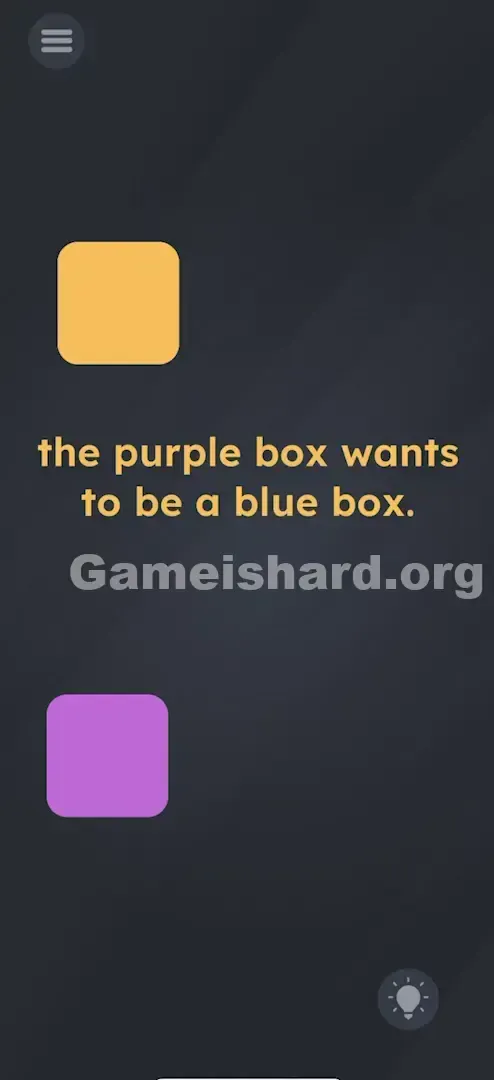
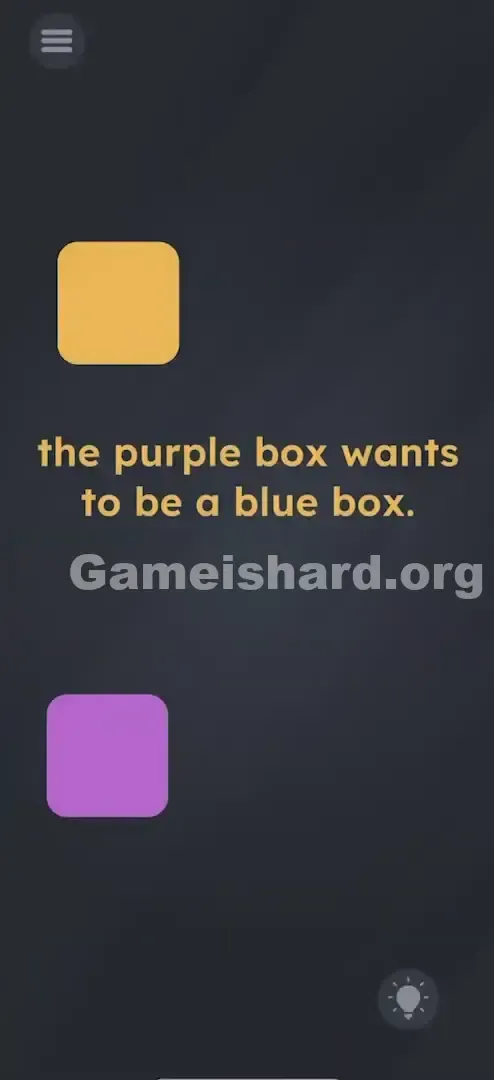
- Top Left: A Yellow Box sits motionless—pure misdirection.
- Center Text: The phrase " the purple box wants to be a blue box. " dominates the middle.
- Bottom Left: A Purple Box waits for your input—the only interactive element.
- The Void: The entire right half of the screen is empty dark gray. It mimics a basic sorting challenge—but the missing piece isn’t missing at all. It’s hiding in plain sight… just not on-screen.
Common Mistakes to Avoid
The Trap
The biggest mental roadblock is assuming color blending rules apply. Seeing yellow + purple + “blue” makes your brain reach for mixing logic—dragging one onto the other, overlapping, stacking. But nothing reacts. That instinct leads straight to frustration—not progress.
First Instincts That Fail
- Tapping repeatedly: Players tap the purple box hoping for a color cycle. It stays stubbornly purple.
- Shaking the device: A familiar reflex in this series—but shaking won’t change hues here.
- Searching for hidden objects: Some scan edges or try dragging the word “blue” from the prompt. While text manipulation works elsewhere, it’s inactive here.
Player Reactions
I wasted nearly three minutes rubbing the yellow box against the purple one like I was trying to spark a reaction. Friction? Heat? Nope. Then it clicked—the game wasn’t asking me to create blue. It was asking me to return blue to its old home.
Step-by-Step Solution
Preparing the Move
Treat the Yellow Box as scenery—ignore it completely. Your focus belongs solely to the Purple Box resting in the bottom-left.
Executing the Solution
- Touch and hold the Purple Box .
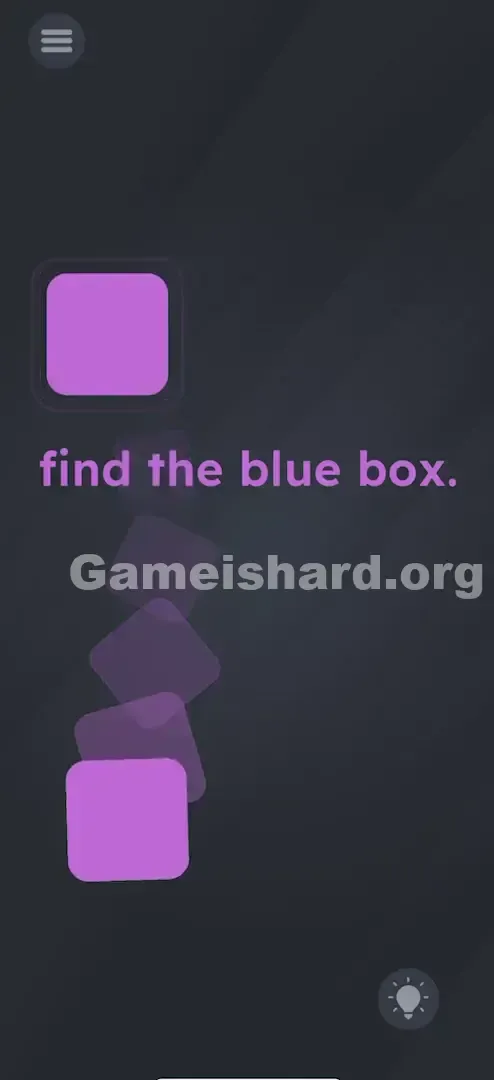
- Gently drag it upward and rightward toward the top-right quadrant.
- Target the blank area directly across from the yellow box—think symmetry, not guesswork.
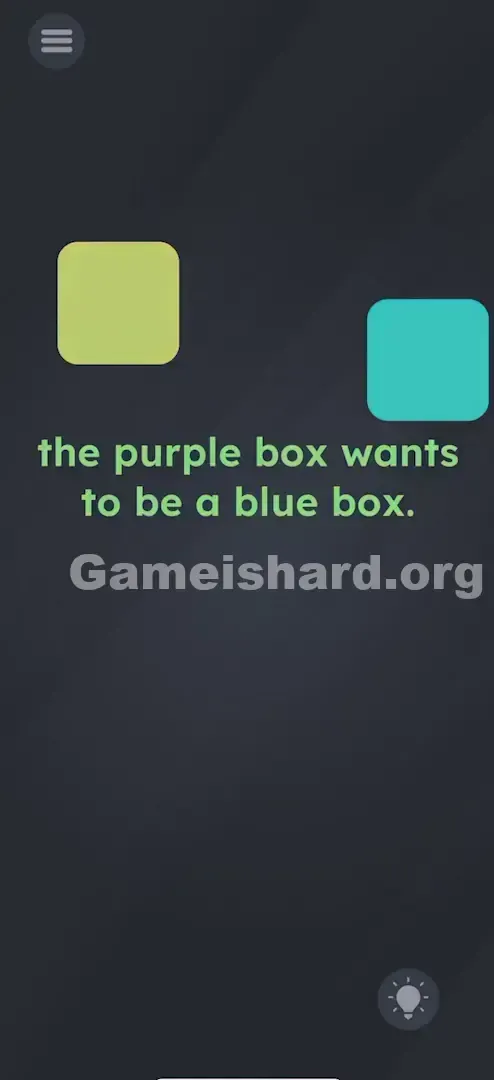
- Hold it steady in that zone. As soon as it crosses into the invisible trigger point (the exact spot where Level 41’s blue box lived), it flips to blue instantly.
Confirming It Worked
Success is immediate and unmistakable—the purple box shifts to blue the moment it enters the correct coordinates. If it stays purple, adjust slightly—fine-tune within that top-right region.
If It Did Not Work
- It won’t turn blue: You may be too close to the screen edge or too low near the center text. The active zone matches the box’s size—aim for clean alignment.
- I forgot where the blue box was: Mirror the yellow box’s top-left position diagonally to the top-right. That’s your target.
Small Details That Matter
The game checks for a precise positional trigger—not physics or animation. Nail it with these tips:
- Symmetry is your compass: The yellow box anchors the left side; its mirrored counterpart defines the right-side hotspot.
- Release isn’t required: Keep your finger down and sweep the box slowly through the top-right area. The color change fires the instant the collider activates.
- No magnetic snap: Unlike grid-based puzzles, this zone doesn’t pull or lock the box—it only responds when manually guided into place.
- Reset if stuck: Occasionally, the trigger misses detection. Try re-grabbing the box and dragging it cleanly from start to target.
Why This Solution Works
This level tests object permanence and rule persistence.
Level 41 trained you to associate a specific on-screen location with a function—turning things blue. Level 42 removes the visual cue but keeps the underlying behavior active. The puzzle shifts from “what do I see?” to “what did I learn?”—a deliberate break from visual logic into memory-driven interaction.
It’s a quiet fourth-wall nudge: the code remembers even when the graphics don’t. In Game is Hard, empty space often means active space—not dead air.
Bonus Tip
For speed or replay runs, use the “sweep method”:
- Grab the purple box the second the level loads.
- Skip aiming—just glide it rapidly across the entire top-right quarter.
- The trigger usually fires faster than careful placement.
- Tune out the text—it’s flavor, not function.
Alternative Attempts (What Doesn’t Work, and Why)
Here’s what players try—and why each fails:
- Mixing Yellow and Purple: Why: The game ignores real-world pigment rules. Yellow + Purple = brown, not blue—and the engine doesn’t process overlaps at all.
- Dragging the word "Blue": Why: Text is static decoration here. It can’t act as a tool or container.
- Tapping the text: Why: The instruction is purely narrative—no interactivity baked in.
- Tilting the phone upside down: Why: Level 42 disables orientation sensors entirely.
- Waiting for a timer: Why: Nothing changes passively. The level stays frozen until you move the box correctly.
Common Mistakes for Game Is Hard Level 42
- Moving the Yellow Box: Many shift the yellow box right—wasting time. Only the purple box matters.
- Over-analyzing “why”: There’s no internal justification in Level 42 itself—it relies entirely on carryover logic from Level 41.
- ** giving up on the empty space:** Players drag right, miss the pixel-perfect zone by millimeters, see no result, and abandon the idea—when they’re actually inches away from success.
- Flicking instead of holding: Throwing the box rarely registers. The trigger needs sustained presence—not momentum.
Pattern Recognition: How to Spot This Trick in Future Game Is Hard Levels
The Tell
When layout feels lopsided—an object anchored on one side with identical space on the other—that void is almost certainly a “ghost zone.” Unbalanced symmetry is the game’s subtle hint.
The Habit
Stuck on a level with movable pieces and blank areas? Try these steps:
- Drag the key object into the emptiness.
- Mirror positions of existing elements.
- Revisit corners or zones where prior levels placed functional objects—even if those objects are gone. The logic persists.
Frequently Asked Questions of Game Is Hard Level 42 (Short, Useful)
Q: Does it matter where exactly I place the purple box in Game is hard Level 42? A: Yes. It must land in the upper-right quadrant, aligned with the yellow box’s mirrored position.
Q: Can I move the yellow box? in Game is hard Level 42 A: Technically yes—but it serves no purpose. It’s pure visual noise.
Q: Do I need to have played the previous level to solve this in Game is hard Level 42? A: Not strictly—you could brute-force the spot—but knowing Level 41’s layout explains why it works.
Q: I’m colorblind. How do I know which is purple in Game is hard Level 42? A: Move the box in the bottom-left corner. The top-left box is irrelevant.
Q: Why isn't the box turning blue in Game is hard Level 42? A: Hold it steadily in the top-right corner and gently nudge it around until the color shifts.
More Game Is Hard Solutions
That’s the complete fix for Game is hard Level 42. We build these guides to be quick, keyword-optimized, and free of filler—no long intros, no fluff. If this saved you from smashing your screen, pass it along to friends grinding through the same puzzle. Onward to Game is hard Level 43—it only gets more delightfully strange.