App updates can occasionally shift puzzle order. If this level 45 guide doesn’t match what you see, no problem! Just head to our All Levels page and locate your exact puzzle by image.
Keep tapping until the strange alien-like symbols resolve into clean, readable English — orientation matters for every single piece.
Level Overview
What Makes This Puzzle Tricky
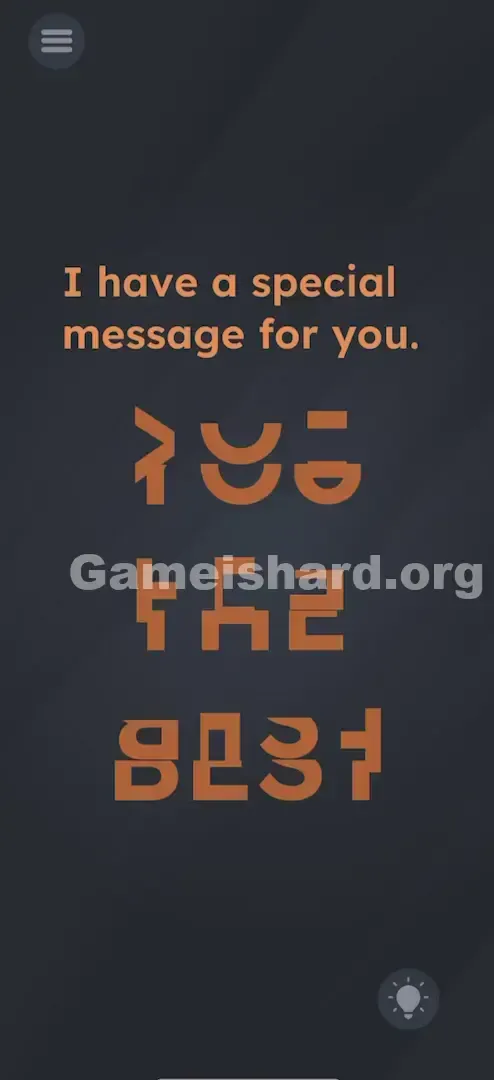
You launch the level and it seems broken — the prompt reads “I have a special message for you,” but underneath sits a jumble of orange glyphs. It resembles corrupted text or an alien script. Your first reaction might be to shake the device or drag the shapes like puzzle tiles. Neither works. This is actually a clever visual perception challenge disguised as a UI glitch.
Your Goal
Your task is to decode the scrambled forms. You’re not assembling words from scratch — the letters are already present, just rotated out of alignment. Rotate each fragment until the full phrase emerges legibly. It’s a classic rotation-based puzzle.
Key Mechanics
- Rotation on Tap: Each tap spins a shape 90 degrees — that’s your only interaction.
- Visual Alignment: You’ll need to mentally stitch together top and bottom halves of letters.
- Segmented Text: Words are split across separate, fixed-position blocks — not one continuous string.
- UI Interaction: Those “glitched” orange shapes aren’t background art — they’re interactive elements waiting to be tapped. It’s not a bug. It’s intentional design.
What Appears on Your Screen
Picture a ransom note made from magazine clippings — then imagine someone blew on it and scattered the pieces. That’s exactly what you’re looking at.
- Top Text: Clean white text says: "I have a special message for you."
- The Puzzle Area: Below the prompt sit three rows of orange shapes. Row one holds three distinct symbols. Row two has three more blocky forms. Row three contains four.
- The top line has three distinct shapes.
- The middle line has three more blocky shapes.
- The bottom line has four shapes.
- The Shapes: They resemble cut-off halves of bold, uppercase letters (like E, H, S, T), but many are sideways or inverted. Some resemble brackets ], others mirror the number 3, and a few look like abstract geometric shapes.
Common Mistakes to Avoid
The Trap
The biggest hurdle is misreading rotated letters due to disrupted pattern recognition. Since letters are sliced horizontally and turned, your brain struggles to identify them. A sideways “E” may read as an “M” or “W”; a rotated “T” looks more like a nail than a letter. The level banks on you overlooking their true identity.
First Instincts That Fail
Most players instinctively try dragging — assuming it’s a jigsaw-style arrangement where pieces must be repositioned. You’ll likely drag one shape toward another, expecting them to snap together. But nothing moves — each stays locked in its grid cell.
Player Reactions
I spent nearly a minute tilting my phone, convinced gravity would help slide the pieces into place. Felt pretty embarrassed when I accidentally tapped one and watched it spin — suddenly realizing the solution was just twenty quick taps. Simpler than it first appeared.
Step-by-Step Solution
Preparing the Move
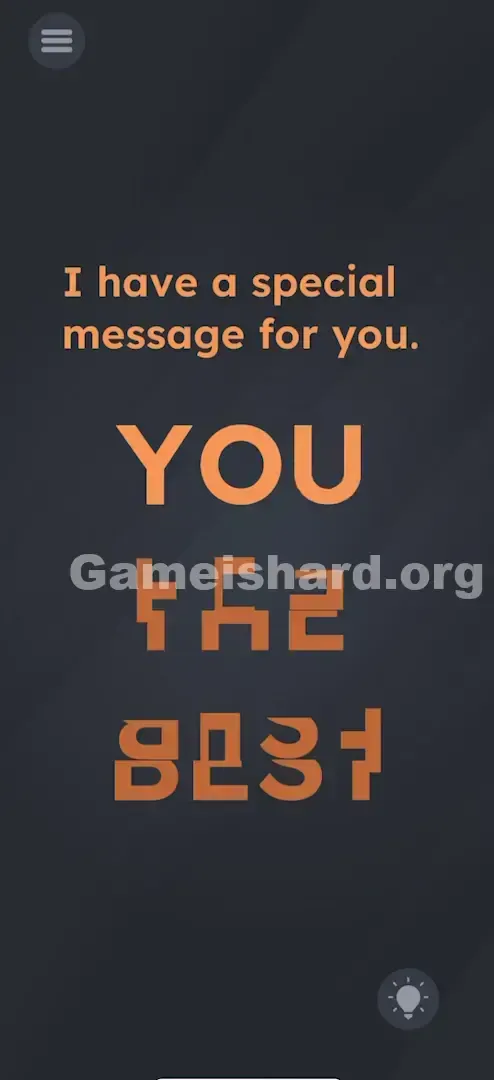
Start with the top row of orange symbols only. Ignore the other rows for now. You’re aiming to form the word "YOU".
Executing the Solution
- Identify the first letter: Focus on the top-left shape — it resembles a distorted bracket. Tap it once or twice. Each tap rotates it 90°. Keep tapping until it resolves into a clear "Y".
- Fix the rest of the top line: Tap the second shape until it becomes an "O". Tap the third until it becomes a "U".
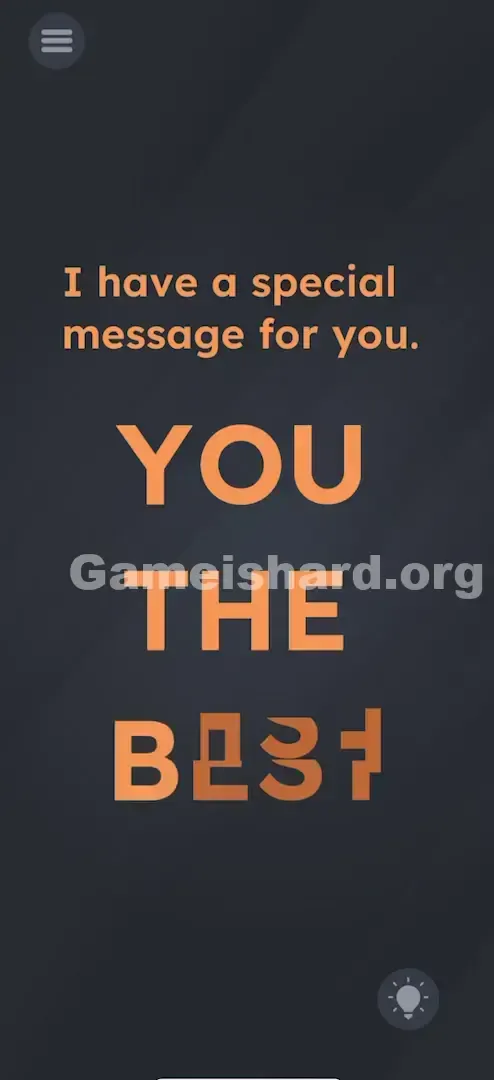
- Move to the second line: This spells "THE". Tap the first shape to form a "T", the middle for "H", and the last for "E".
- Finish the bottom line: This spells "BEST". Tap each shape left-to-right until you unmistakably see B, E, S, and T.
If It Did Not Work
- It won't clear: If the phrase looks correct but the level won’t advance, double-check symmetrical letters like "H", "O", "S", and "E". They often appear correct even upside down — but the game requires proper orientation. If unsure, tap that letter twice more (a full 180° turn).
Small Details That Matter
Accuracy here isn’t about tap placement — it’s about tap count.
- The 180-Degree Trap: Letters such as H, I, O, S, X, and Z look identical when flipped 180°, but the game expects them upright (0° rotation). If a letter seems right but fails validation, give it two extra taps.
- Visual Snapping: There’s no animation, sound, or highlight when a shape lands in the correct position — you rely solely on visual confirmation.
- I fixed it by… rotating the "O" in "YOU" two additional times. Though circular in appearance, the game needed its texture’s invisible “top” edge aligned upward.
Why This Solution Works
This level tests spatial reasoning and environmental interaction — shifting from riddle-style logic to hands-on mechanical solving.
- UI as Physical Objects: The game reinforces that on-screen elements aren’t just visuals — they’re manipulable components.
- Hidden Interactions: No “Rotate” button exists — you discover the mechanic by experimenting.
- Optical Illusions: By fracturing familiar letterforms, the puzzle forces you to rebuild meaning from visual noise.
Bonus Tip
For speedrunners or repeat players, here’s the quickest path:
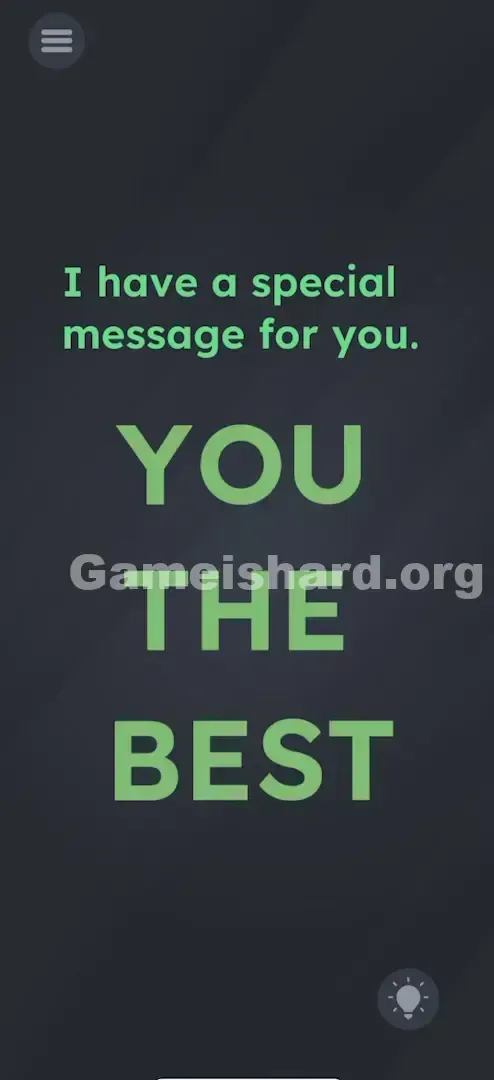
- Mentally rehearse “YOU THE BEST” so the target phrase is fresh in mind.
- Use multi-touch: Tap two letters simultaneously with different fingers.
- Start with the final word (“BEST”) — its B and S shapes are more distinctive and help anchor your sense of orientation faster than symmetrical letters like “O” or “H”.
- Don’t stop tapping until each shape sits perfectly upright.
Alternative Attempts on Game Is Hard Level 45 (What Doesn’t Work, and Why)
Here’s what I tried — and why it failed — so you don’t waste time:
- Dragging pieces together: Shapes are fixed in a grid — they rotate, but never move positions.
- Shaking the phone: Often resets puzzles, but does nothing here.
- Pinching to zoom: I suspected tiny details were hidden — but pinch gestures are ignored.
- Tapping the white text: The prompt “I have a special message…” is decorative only — no response.
- Waiting: No auto-solve timer exists — active input is required.
- Volume Keys: Hardware buttons play no role in this level.
Common Mistakes for Game Is Hard Level 45
- Accepting upside-down symmetry letters: An “O” looks round either way — but the game checks orientation, not shape.
- Rotating the “E” incorrectly: It appears twice — avoid turning it so prongs face up (like a W) or down (like an M); they must point right.
- Mixing up “S” and “Z”: In “BEST”, a 90°-rotated “S” mimics a “Z”. Ensure its curves flow correctly.
- Overlooking the “Y”: In “YOU”, the “Y” can resemble Greek lambda (λ) or a stick figure if not rotated properly.
- Quitting after dragging fails: One unsuccessful drag often leads players to assume the level froze — but tapping is the real key.
Pattern Recognition: How to Spot This Trick in Future Game Is Hard Levels
The Tell
When you see disjointed, blocky, or fragmented graphics that vaguely echo letters or icons — especially arranged in rows or grids — suspect a rotation puzzle. Fixed positioning + stylized shapes = tap-and-rotate.
The Habit
Tap everything once before overthinking. Before dragging, shaking, or searching for hints, simply tap each odd-looking element. If it rotates, changes color, or reacts, you’ve found the core mechanic. If tapping yields nothing, then consider other interactions.
Game Is Hard Level 45 FAQ
Q: I spelled YOU THE BEST but the level won't end in Game is hard Level 45. A: Check the symmetrical letters like "O", "H", and "S". Even if they look right, they might be upside down according to the game code. Tap them twice to flip them 180 degrees.
Q: Can I move the letters in Game is hard Level 45? A: No. The letters are glued to their spots. You can only rotate them in place.
Q: What is the message supposed to say in Game is hard Level 45? A: "YOU THE BEST."
Q: Does the "I have a special message" text matter in Game is hard Level 45? A: No, that is just flavor text to set up the puzzle. Ignore it and focus on the orange shapes.
More Game Is Hard Solutions
If this guide saved your streak, you're welcome. We craft these walkthroughs to be quick, precise, and free of filler — because we know you just want to get back to playing. Explore our full Game is hard walkthrough library if the next level throws you off. Share this with friends who can’t tell their Ys from their Zs!