App updates can sometimes shuffle the order of puzzles. If this level 48 walkthrough doesn't match your screen, don't worry! You can browse our All Levels guide to find your exact puzzle by its picture.
Make sure you drag the "X" from the button itself into the letter sequence to finish the order.
Level Overview
What Makes This Puzzle Tricky
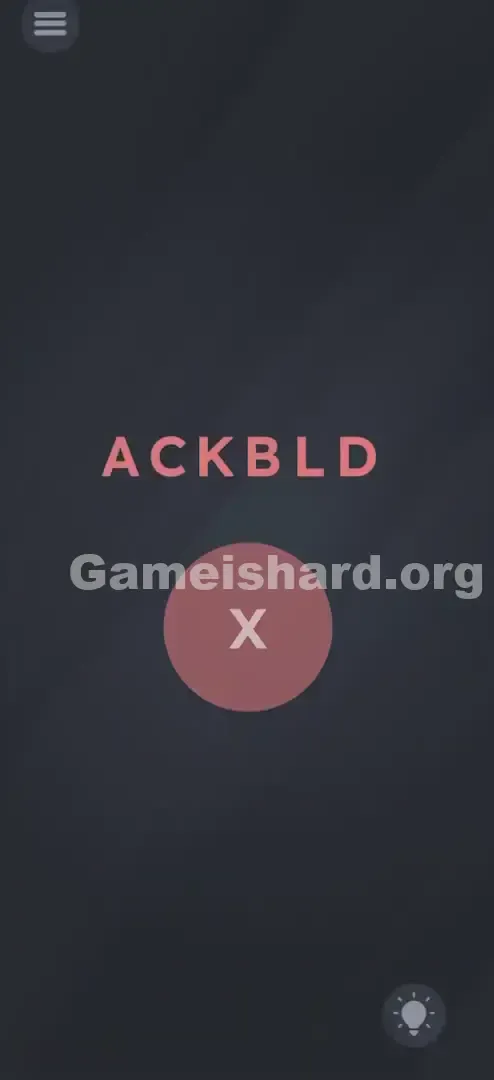
You land on a sparse screen — just six scrambled letters (A C K B L D) and a bold red circular button with a white X in the center. Nothing responds to tapping. No instructions. No hints beyond what’s visible. It feels broken — or worse, intentionally misleading. But in Game is Hard, that blankness isn’t emptiness — it’s invitation.
Your Goal
This isn’t about vocabulary or wordplay. Your only job is to impose order: sort all available letters alphabetically. The catch? One essential letter isn’t in the top row — it’s embedded right in the interface, disguised as a function.
Key Mechanics
This level rewards observation over intuition.
- Text Dragging: Every letter is interactive — tap and hold to move them freely.
- UI Deconstruction: That red button isn’t just for submitting — its X is part of the puzzle set.
- Alphabetical Logic: There’s no hidden meaning — just A-Z progression.
- State Change: The button only transforms (red → green + ▶) once the full correct sequence is built. It’s not a glitch. It’s the point.
What Appears on Your Screen
Level 48 greets you with stark minimalism — no distractions, no fluff.
- Top Center: Six spaced-out pinkish-red letters: A C K B L D, laid out like loose tiles.
- Center: A large, solid red circular button — clean, bold, and holding a single white X.
- Background: Uniform dark grey, unbroken and neutral.
- Bottom Right: The hint bulb (skip it — we’ve got you covered). No verbs. No prompts. Just raw elements waiting for you to reinterpret them.
Common Mistakes to Avoid
The Trap
Your brain instantly labels the X as “cancel” — a UI convention drilled into us across every app and game. So you ignore it as decoration or function, focusing only on the six letters above. That assumption blinds you to the seventh piece hiding in plain sight.
First Instincts That Fail
- Chasing real words: Trying “BLACK,” “BACK,” or “LACKED” wastes time — none use all letters cleanly.
- Tapping letters hoping for feedback: They won’t light up, rotate, or react — dragging is required.
- Hammering the red button: It won’t budge until the sequence is fully assembled — including the X.
Player Reactions
I spent nearly three minutes hunting for missing letters or hidden clues — convinced “ACKBLD” was shorthand for something. Then I dragged the A, realized they moved, and paused. “Wait… where’s the X in alphabet?” — and there it was, sitting smugly inside the button.
Step-by-Step Solution
Preparing the Move
Forget dictionary logic. Treat each character as raw data. Your target is pure alphabetical order — and you’ll need all seven letters to get there.
Executing the Solution
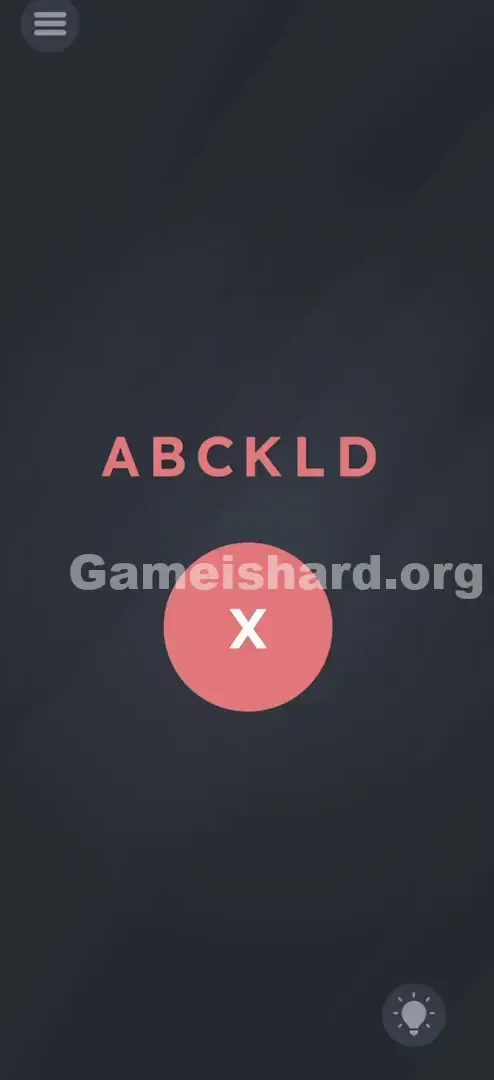
- Arrange the Top Row: Tap and hold any letter in the ACKBLD string. Drag left or right to reposition it freely.
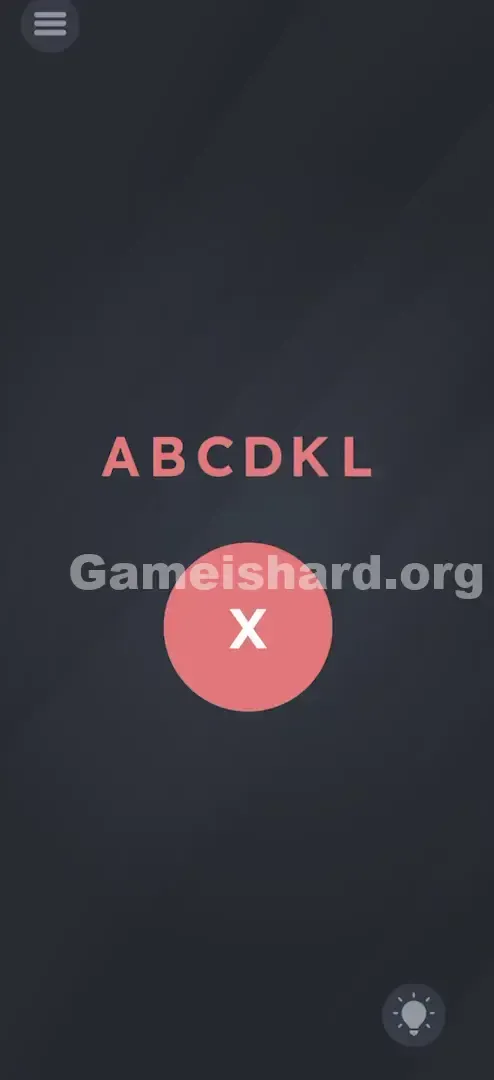
- Sort Alphabetically: Line them up as A – B – C – D – K – L.
- Steal the X: Tap and hold the white X inside the red button. Pull it upward and drop it at the far right end of your letter row.
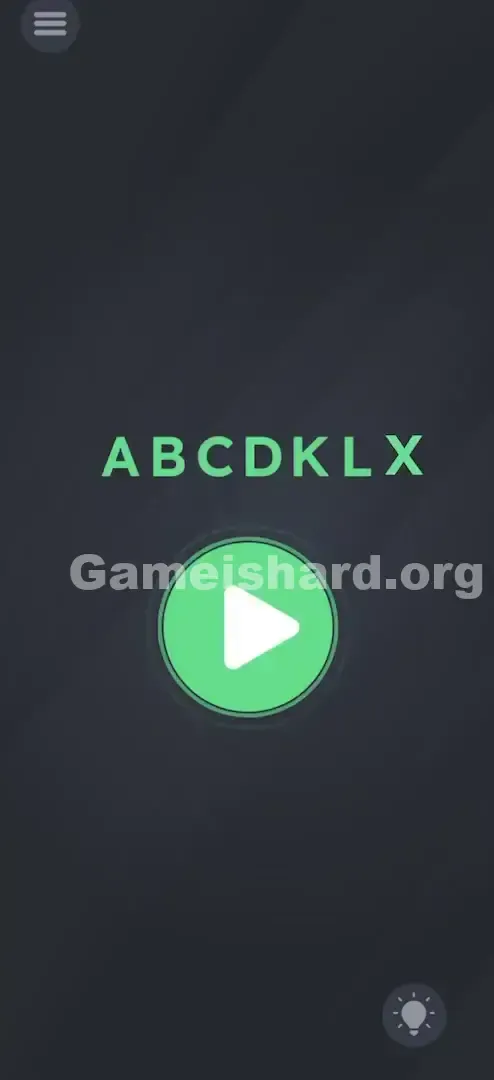
- Finalize: Your full sequence must read A B C D K L X, matching alphabetical position (A=1, B=2… X=24).
- Tap to Win: Once ordered, the red button becomes a glowing green Play ▶ icon. Tap it to advance.
If It Did Not Work
- The X won’t stay placed: Drop it cleanly to the right of L, not overlapping — letters auto-adjust to accommodate.
- Button stays red: Double-check order — K comes before L, and X must be last.
- Letters won’t move: Touch the letter itself, not the gap between — dragging empty space scrolls the background instead.
Small Details That Matter
Precision matters — but not pixel-perfection.
- The Drag Zone: Letters need clear visual separation. Overlapping two too tightly may confuse the ordering logic.
- The "X" Extraction: Drag the X decisively out of the button — halfway drops often snap it back. Aim for the text line.
- I fixed it by… slowing down. Rushing made letters snap back mid-move. I slid B gently past C, waited for space, then released.
Why This Solution Works
This level teaches interface literacy: every element on screen is fair game — even buttons, headers, and icons.
It also leans on pattern inference. With no instructions, you’re expected to spot that A, B, C, D, K, L, X are all valid alphabetical positions — and that their natural order is the solution. It tests perception, not memorization.
By making you dismantle the “submit” button to win, Level 48 breaks expectation — proving the UI isn’t just framing. It’s fuel.
Bonus Tip
For speed or replay:
- Grab the X first — drag it straight to the far right.
- Shift A and B to the front immediately.
- Slot C and D next.
- K and L usually fall into place as space opens.
- Tap the green button the instant it appears — no pause needed.
Skip the anagram hunt. These letters aren’t spelling anything — they’re lining up.
Alternative Attempts of Game Is Hard Level 48 (What Doesn’t Work, and Why)
Here’s what won’t get you anywhere — so you can skip straight to what does:
- Tapping letters in sequence: No response. Movement is mandatory — not timing.
- Shaking your device: Accelerometer is inactive here. Save your wrist.
- Using the hint bulb: It just says “Order them.” Not worth coins or ads.
- Spelling “BLACK”: Leaves D unused.
- Spelling “LACKED”: Leaves B unused.
- Swiping letters off-screen: They bounce back. All seven must be used — and placed visibly.
Common Mistakes for Game Is Hard Level 48
- Skipping the X: Sorting ABCDKL perfectly and waiting for victory? The X is non-negotiable.
- Mixing up K and L: Easy under pressure — remember: J, K, L, M.
- Missing the final tap: Button turns green — but you must tap it to exit.
- Trying to move the red circle: Only the X inside moves — the button itself is static.
- Assuming sliding-puzzle rules: No grid. No locked positions. Drag freely.
Pattern Recognition: How to Spot This Trick in Future Game Is Hard Levels
The Tell
When letters or objects appear random and wordless, default to alphabetical or numerical order. If the set feels incomplete, scan every UI element — buttons, titles, icons — for the missing piece.
The Habit
Touch everything on load. Tap the level number. Drag the score. Pull at menu icons. If it moves, it’s part of the answer.
Frequently Asked Questions of Game Is Hard Level 48 (Short, Useful)
Q: Why isn't the button turning green in Game is hard Level 48? A: You are likely missing the "X" or your alphabetical order is slightly off. Ensure the X is pulled from the button and placed at the end of the line.
Q: Is there a hidden word in Game is hard Level 48? A: No. The letters ABCDKLX do not spell a word. The only pattern is the alphabet.
Q: Can I skip the X in Game is hard Level 48? A: No. The trigger for the win state is specifically the sequence of all 7 letters including the X.
Q: Does the "Game is hard" title count? A: Not in Level 48. In some levels, the title text is interactive, but here the puzzle is contained to the center of the screen.
More Game Is Hard Solutions
Stuck on the next puzzle? We have streamlined guides for every single stage. We cut out the fluff and give you the answer straight up so you can get back to feeling smart. Share this with your friends if they are stuck on Game is hard Level 48, and keep checking back for updates!