App updates can occasionally shift puzzle order. If this level 29 walkthrough doesn’t match what you’re seeing, no problem! Flip through our All Levels directory to locate your exact puzzle by image.
Level Overview
What Makes This Puzzle Tricky
You stare at the screen. You tap the dot—nothing happens. You try dragging it with your finger—it snaps back or just stays put, almost smirking at you. The phrase “let’s move!” feels like a taunt because nothing responds to touch. It looks straightforward—just guide the ball into the ring—but every standard mobile interaction fails here.
Your Goal
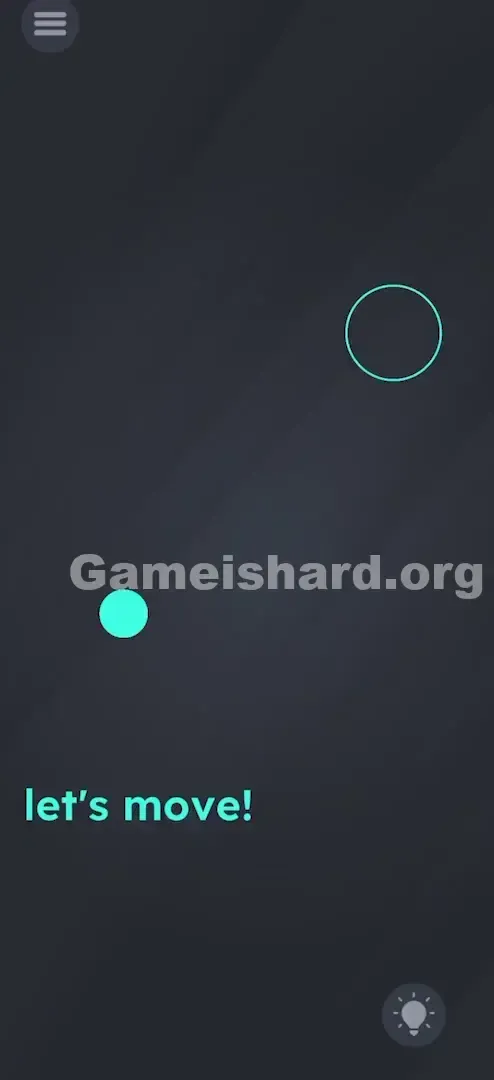
The goal seems effortless: get the solid blue dot inside the outlined circle. But unlike earlier levels that rely on dragging, tapping, or logic, this one flips the script entirely. You’re not controlling a character on-screen—you’re manipulating the device itself. This isn’t a touch game anymore; it’s a motion-based challenge.
How the Game Responds
- Tilt Sensors (Gyroscope/Accelerometer): The game detects your phone’s real-world orientation.
- Gravity Physics: The dot behaves like a physical object rolling under gravity based on how you hold your device.
- Precision Steering: Success hinges on smooth, subtle adjustments—not quick swipes.
- Patience: Speed causes overshoots; control comes from calm, deliberate movement. This isn’t a bug—it’s intentional. Your phone is the controller—and the playing field.
What Appears on Your Screen
Here’s exactly what appears when you’re stuck and staring blankly:
- Background: Clean, dark gray canvas.
- The Actor: A compact, vibrant blue dot anchored near the bottom-left center.
- The Target: A larger, hollow circular outline placed in the upper-right area.
- The Prompt: The words “let’s move!” sit calmly near the bottom edge.
- The UI: Standard menu icon (top left) and Hint Lightbulb (bottom right). No arrows, no sliders, no drag zones—just minimalism designed to push you beyond the screen.
Common Mistakes to Avoid
The Trap
It’s the Touch Reflex Trap. Nearly every mobile game trains us to solve puzzles with taps and drags. When something needs moving, we instinctively swipe. But here, touch input is completely disabled for the dot. The more you jab or drag, the more confused you get—because the feedback loop is silent. The game isn’t ignoring your fingers—it’s waiting for your wrist.
First Instincts That Fail
- Swiping the dot: Like launching an Angry Bird—won’t budge.
- Dragging the text: Sometimes moving words shifts objects. Not here—the phrase is purely decorative.
- Tapping the target circle: Hoping for instant teleportation? Nope.
- Shaking the phone: Too abrupt. This level rewards gentle tilting—not jostling.
Player Reactions
I spent over a minute dragging that dot with every finger I could spare—even tried two-finger pinching. Frustrated, I set my phone down on the table… and watched the dot glide halfway across the screen on its own. That’s when I realized: the game had me exactly where it wanted me.
Step-by-Step Solution
Preparing the Move
Get into position. If you’re lounging in bed, sit upright. You need full wrist mobility. Hold your phone flat and level—like a miniature marble maze where the screen is the surface.
Executing the Solution
- Tilt Up and Right: Gently lower the top-right corner of your phone. Picture liquid flowing across the display—guide it toward the empty circle.
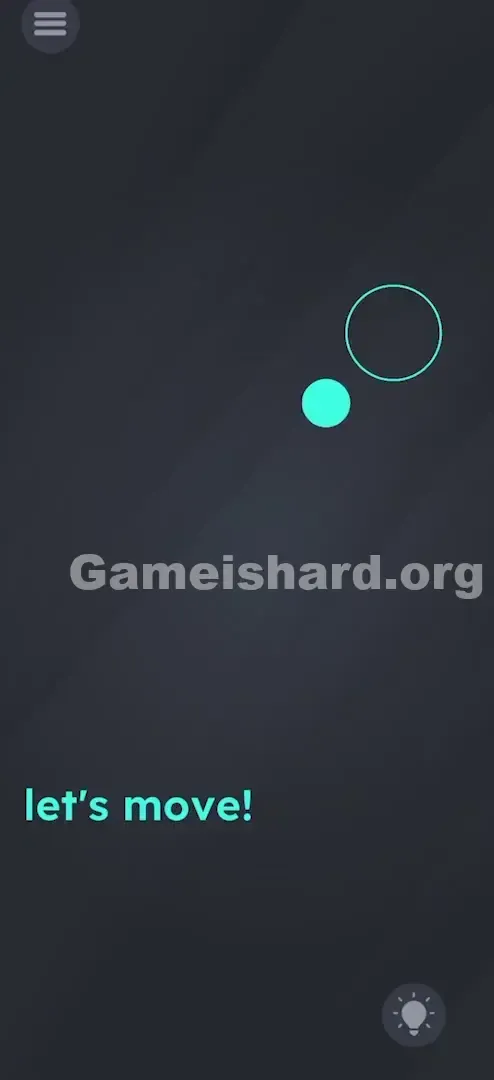
- Watch the Roll: The blue dot begins sliding. It carries momentum, so avoid sharp or steep tilts—or it’ll rocket past the target.
- Brake and Adjust: As the dot nears the circle, ease your tilt to slow its pace. Aim to settle it cleanly inside the outline.
- Hold Steady: Once fully enclosed, freeze your phone in place—no wobbling, no micro-movements.
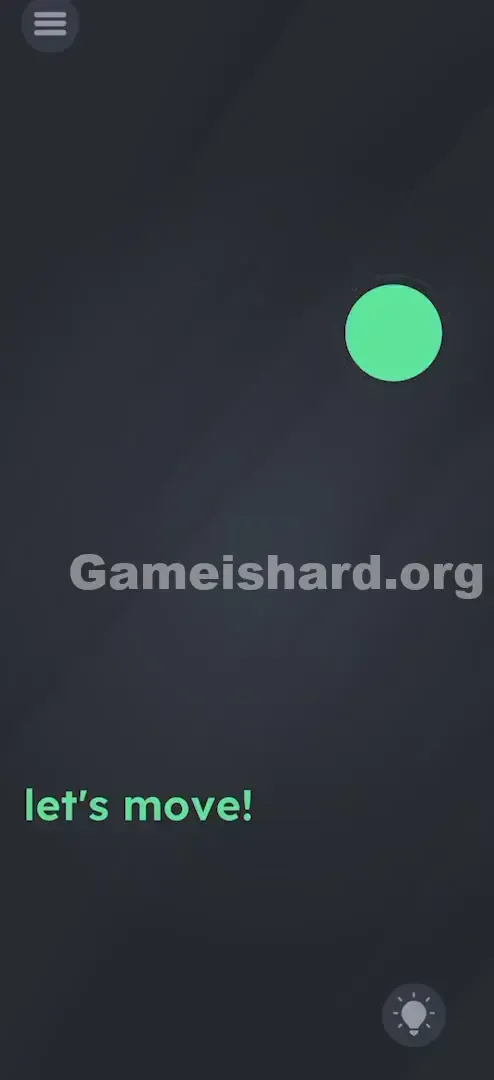
- Verification: The circle “locks” the dot (often glowing green or pulsing), and the level completes instantly.
If It Did Not Work
- Dot stuck in corner: Over-tilted? Tip the opposite direction to recenter it.
- Sensors not responding: If the dot never moves, check if your phone’s gyroscope permissions are restricted (rare, but possible). Screen rotation lock usually doesn’t interfere—but confirm it’s not causing confusion.
- Overshooting: Too steep an angle. Use shallow, controlled tilts instead.
Small Details That Matter
Physics engines in 2D puzzlers can be sensitive. Here’s what makes Level 29 click:
- The “Dead Zone”: Pixel-perfect placement isn’t required—but the dot’s center must land within the circle’s boundary.
- Velocity Matters: Slamming into the circle at full speed often skips the win detection. Slow, smooth entry is key.
- I fixed it by: Treating my phone like a waiter balancing a full glass—tiny, fluid motions kept the dot on track and avoided erratic bounces.
Why This Solution Works
This is a textbook Hardware Interaction Puzzle. The real test isn’t your brainpower alone—it’s your awareness of the device holding the game.
- Breaking the Fourth Wall: The puzzle lives in your hardware—not just on screen.
- Recurring Pattern: Game Is Hard loves switching input methods without warning. Level 28 may have been pure logic, Level 29 demands motion control, and Level 30 could involve sound or timing. It keeps autopilot players constantly adapting.
Bonus Tip
For smoother, faster success:
- Place your phone flat on a stable surface.
- Rest your fingertip lightly on the top-left edge of the case (not the screen).
- Lift the bottom-left corner just slightly.
- The table acts as an anchor—eliminating shaky hands and delivering ultra-smooth movement.
Alternative Attempts of Game Is Hard Level 29 (What Doesn’t Work, and Why)
Here’s what I tested—and why it failed:
- Dragging the word “move”: Assumed the prompt was interactive. It’s just flavor text—no function.
- Drawing a path: Tried sketching a line from dot to circle. Drawing tools aren’t active here.
- Blowing into the mic: Hoped for wind physics. Mic input is ignored.
- Volume buttons: Sometimes they nudge objects. Not in Level 29.
- Clicking the Lightbulb: Only triggers an ad. Skip unless you truly need the hint (you don’t—this guide covers it all).
- Multi-touch pinching: Attempted to resize the circle or dot. No effect.
Common Mistakes for Game Is Hard Level 29
- Assuming it’s broken: Many restart the app thinking touch froze. It didn’t—it’s simply not the right tool.
- Tilting too aggressively: The physics feel “floaty.” Fast tilts create rapid acceleration.
- Playing while lying down: Awkward angles confuse the gyroscope about true “down.” Sit up straight.
- Ignoring momentum: The dot keeps gliding after you level out—anticipate that slide.
- Touching the screen mid-tilt: While often harmless, stray contact can sometimes pause physics or obscure vision. Keep hands off the glass!
Pattern Recognition: How to Spot This Trick in Future Game Is Hard Levels
The Tell
How do you know when to stop tapping and start tilting?
- Minimalist layout: Just a ball + a hole? Physics are likely involved.
- Zero touch response: If tapping or dragging yields no visual feedback—not even a wiggle—drop touch immediately.
- Motion-trigger words: Phrases like “Roll,” “Slide,” “Gravity,” or “Move” are red flags for sensor-based play.
The Habit
When any Game Is Hard level feels unresponsive to touch, your go-to move should be tilting. It’s the genre’s universal fallback:
- Try dragging.
- Try tapping.
- Try tilting.
- Try shaking.
Game Is Hard Level 29 FAQ (Short, Useful)
Q: Why isn’t the ball moving when I tilt in Game is hard Level 29?
A: Double-check screen rotation lock (though gyro usually works regardless). More likely, you need a steeper tilt—or background apps are slowing things down.
Q: Can I use my finger to stop the ball in Game is hard Level 29?
A: Nope. Your finger has zero interaction with the dot here—it’s invisible to the physics engine.
Q: The ball vanished off-screen in Game is hard Level 29!
A: Tilt the opposite way to bring it back. It doesn’t disappear—it just scrolls out of view.
Q: Do I need to keep the phone flat in Game is hard Level 29?
A: Starting flat gives you a neutral reference point—but experienced players can succeed holding it upright if they mentally adjust orientation.
More Game Is Hard Solutions
Stuck on the next puzzle? Our guides cut straight to the solution—no filler, no fluff. Designed to get you unstuck fast and back to feeling clever. Share this with friends still frantically swiping at that stubborn blue dot.
Good luck on Game is hard Level 30 !