App updates can sometimes shuffle the order of puzzles. If this level 33 walkthrough doesn't match your screen, don't worry! You can browse our All Levels guide to find your exact puzzle by its picture.
Note: The specific colors don't matter as much as using three DISTINCT colors for the three different sections (center, main cross, diagonal cross).
Level Overview
What Makes This Puzzle Tricky
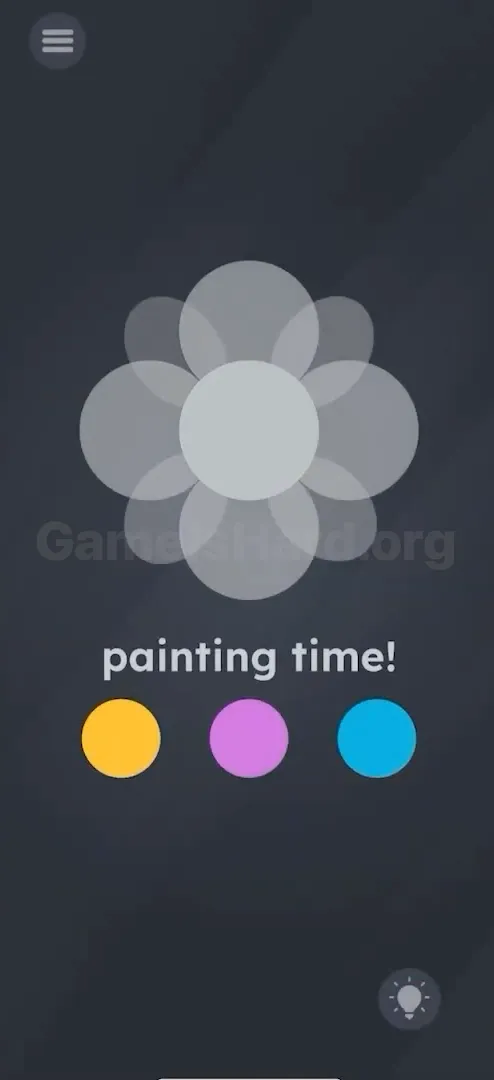
You launch Game is hard Level 33 and land on a dull, grey flower shape — barely more than a silhouette. The prompt “painting time!” feels ironic, since nothing responds to taps. Tap the dots? Nothing. Tap the flower? Still nothing. Tap the text? No reaction. It’s easy to assume the screen’s broken — but the real issue is that the game expects movement, not clicks.
Your Goal
Your job is to fully color the flower — but not how you’d expect. Instead of selecting a color and tapping an area, you’re moving actual paint sources onto their designated zones. Spot the three visual layers: the center circle, the straight-axis petals (like a +), and the diagonal petals (like an X). Each layer needs its own dedicated color.
- Mechanic 1: Drag and Drop UI. The colored circles aren’t buttons — they’re draggable objects.
- Mechanic 2: Region Detection. Placement must land precisely on the correct petal type — dropping near it won’t count.
- Mechanic 3: Logic Puzzle. Recognize that the flower isn’t one solid shape, but three overlapping geometric layers.
It’s not a bug. It’s intentional design. Stop clicking — start dragging.
What Appears on Your Screen
Let’s map out the layout clearly. When the level loads, you’re looking at a dark grey background.
- The Flower: Positioned upper-center, it’s a semi-transparent grey bloom with a central circle, four large petals aligned at 12, 3, 6, and 9 o’clock, and four smaller petals nestled between them at the diagonals.
- The Text: Just below the flower, crisp white letters read "painting time!"
- The Palette: Three evenly spaced colored circles sit across the bottom: Yellow , Purple , and Blue .
- The Tools: Standard menu icon top left, hint bulb bottom right. No brushes appear. No outlines define the petals. Visually flat — but functionally layered.
Common Mistakes to Avoid
The Trap
The biggest hurdle is interface expectation — we’ve all used dozens of coloring apps where “tap color, tap zone” is second nature. Game is hard Level 33 breaks that convention silently. Players tap the yellow dot, see it briefly highlight, and assume selection is confirmed — then tap the flower and get no result.
First Instincts That Fail
- Rapid Tapping: One tester tapped over 50 times in under 10 seconds, convinced the touch sensitivity was off.
- Mixing Colors: Some try dragging yellow onto blue, hoping for green — but the palette doesn’t blend.
- Shaking the Phone: Since earlier levels used motion controls, players instinctively shake the device, expecting paint to splash.
Player Reactions
My first attempt felt like a glitch: I tapped yellow, tapped the center — nothing. Tapped harder. Still nothing. Frustrated, I grabbed the yellow dot and dragged it up — and suddenly the center lit up yellow. I laughed out loud. The answer wasn’t hidden — it was just waiting for the right gesture.
Step-by-Step Solution
Preparing the Move
Pause the tapping habit. Place your finger on any colored dot at the bottom — treat it like a sticker you’ll peel and place directly onto the flower.
Executing the Solution
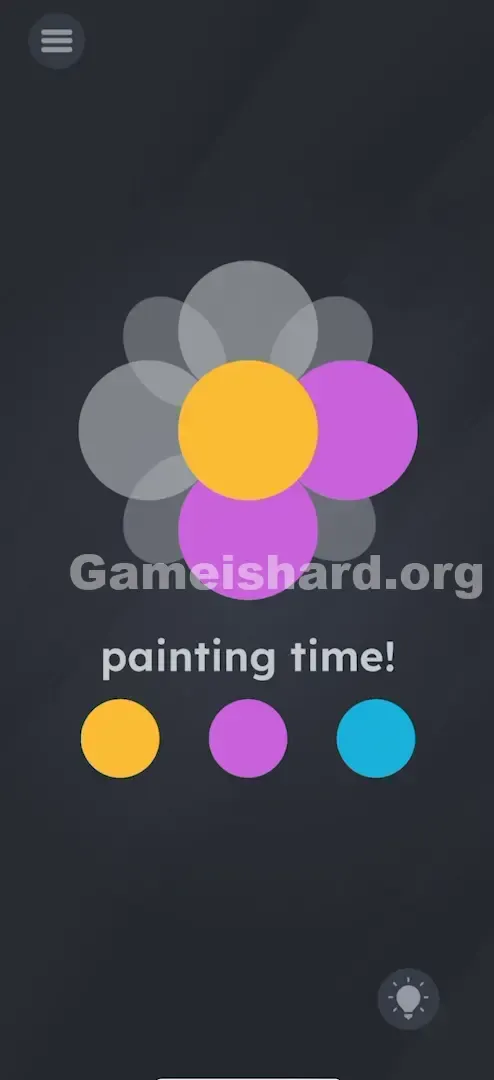
- Color the Center: Tap and hold the Yellow dot . Drag it upward and release it directly on top of the center circle of the flower. The center should turn solid yellow.
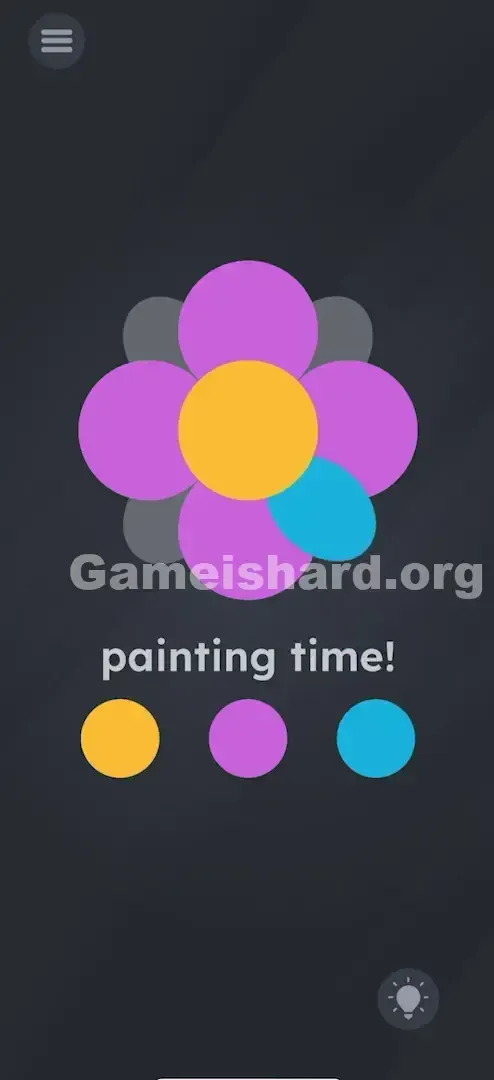
- Color the "Plus" Sign: Tap and hold the Purple dot . Drag it up and drop it onto the top petal . Notice that the top, bottom, left, and right petals all turn purple instantly. (You only need to drag it to one of them, and the game fills all four).
- Color the "X" Sign: Tap and hold the Blue dot . Drag it to one of the diagonal petals (the ones pointing to the corners). Drop it there. The remaining four diagonal petals will turn blue. Note: You can swap these colors around (e.g., Blue center, Yellow petals). The game just checks that all three regions are colored.
Confirming It Worked
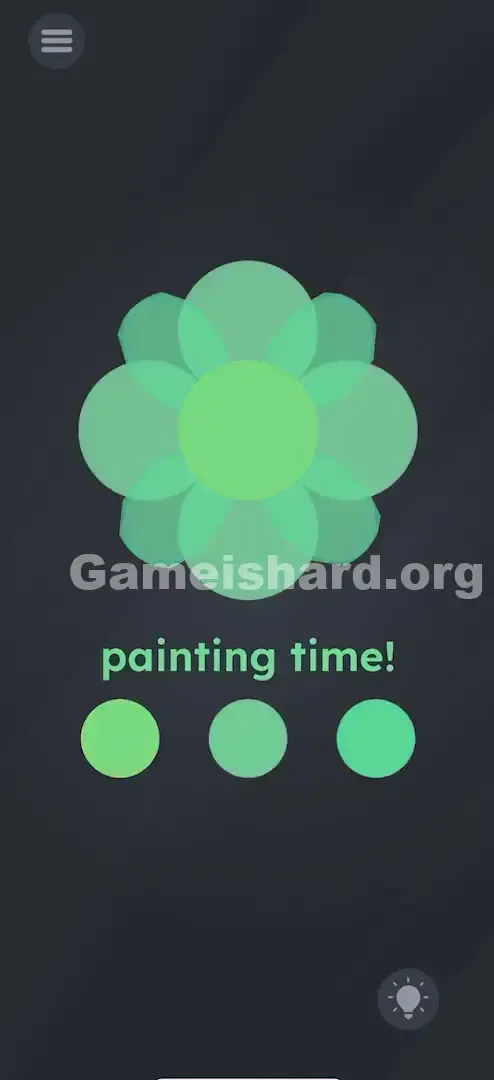
Once the final color lands, the flower becomes fully vibrant and opaque. The “Success” screen appears immediately. If any part remains grey, recheck your placement.
If It Did Not Work
- "It won't color!" Make sure you are dropping the color on the shape, not near it.
- "I colored the whole thing one color!" If you drag the same color to all sections, the game might not register it as "complete" depending on the version. Try to use all three colors to be safe.
- "The dot snaps back." If you let go too early or miss the hitbox, the colored dot snaps back to the bottom. Drag it again, but move slower and watch for the fill.
Small Details That Matter
Accuracy matters — the petal hitboxes are tighter than they appear.
- The Center is Small: The central circle is the tiniest target. With larger fingers, aim slightly above the visible center so you can see underneath your fingertip.
- The "Plus" vs. "X" Petals: These petals overlap heavily. Dropping near the base of a diagonal petal may register as the main vertical petal instead. Aim for the outer tip to guarantee correct layer detection.
- I fixed it by... dragging the color to the topmost petal for the "Plus" shape and the bottom-right petal for the diagonal shape. These spots offered the cleanest response — farthest from the crowded center.
Why This Solution Works
This level teaches two subtle but powerful concepts: Object Permanence and Pattern Interruption.
- Pattern Interruption: The game knows you expect a paint-bucket tool — and deliberately removes it to push you toward physical interaction.
- Object layering: The flower isn’t a single graphic; it’s built from three independent vector layers (Center, Cross, Diagonal). Solving means recognizing those layers as separate entities.
- Drag-and-Drop: A core theme across Game is Hard. When tapping fails, dragging almost always unlocks the next step. The UI treats every element — text, icons, colors — as tangible and movable.
Bonus Tip
For speed or replay runs, follow this sequence to avoid misplacement:
- Center First: Place the middle color in the center before other petals fill the screen — it’s easiest to hit while uncluttered.
- Cardinals Second: Drag the left color to the top petal.
- Diagonals Last: Drag the right color to a corner petal.
- Ignore the Text: “painting time!” is purely thematic — tapping or dragging it does nothing here.
Alternative Attempts of Game Is Hard Level 33 (What Doesn’t Work, and Why)
- Tapping the colors: This triggers no action. Interaction is drag-based, not click-based.
- Tapping the flower: It’s a target, not a control.
- Dragging the text onto the flower: Works in other levels — not here. The text is static decoration.
- Mixing colors on the palette: Dragging Blue onto Yellow won’t create green — dots simply overlap or reset.
- Using one color for everything: While some versions may accept it, the intended logic requires distinct coloring per layer.
- Rubbing the screen: There’s no crayon-style motion mechanic — only precise drop placement.
Common Mistakes for Game Is Hard Level 33
- Assuming the flower is one piece: Trying to fill it all with a single drop won’t work.
- Dragging to the gaps: Placing color in empty space between petals has zero effect.
- Releasing too early: Letting go before reaching the target resets the dot.
- Ignoring the diagonal petals: They’re easy to overlook — especially if main petals are dark-colored and visually dominate.
- Waiting for a brush: No tool appears — the dots are your tools.
- Overlapping mistakes: Dropping diagonal-color paint onto already-colored main petals may overwrite previous work.
Pattern Recognition: How to Spot This Trick in Future Game Is Hard Levels
The Tell
If a level shows multiple standalone items at the bottom (like these color dots) and a central object that looks unfinished or blank, it’s likely a drag-and-drop challenge. A subtle pulse or highlight on tap? That’s your cue — “I’m draggable, not clickable.”
The Habit
“Tap fails? Drag it.” That’s Game is Hard’s golden rule. If tapping yields nothing, immediately try dragging everything: numbers, words, images, even the background. One of them moves — and that movement solves the puzzle.
Game Is Hard Level 33 FAQ (Short, Useful)
Q: Does the order of colors matter in Game is hard Level 33? A: No. You can put Blue in the center and Yellow on the petals. As long as all three sections (Center, Plus, Cross) are colored, you win.
Q: I dragged the color but it snapped back in Game is hard Level 33! A: You likely missed the "hitbox" of the petal. Try dragging it to the very tip of the petal rather than the base near the center.
Q: Can I mix colors to make green or orange in Game is hard Level 33? A: No. This level does not support color mixing. Stick to the three primary colors provided.
Q: Why isn't the Game is hard Level 33 finishing after I colored it? A: Look closely at the diagonal petals. Are they colored? Sometimes the grey background makes it look like they are colored when they are actually empty.
More Game Is Hard Solutions
That’s the breakdown for Game is hard Level 33 . We write these guides to be fast, searchable, and fluff-free because we know you just want to clear the level and move on. If this helped you unstick your brain, share the link with a friend who is probably stuck on the same screen right now. Good luck with Game is hard Level 51 !