App updates can sometimes shuffle the order of puzzles. If this level 28 walkthrough doesn't match your screen, don't worry! You can browse our All Levels guide to find your exact puzzle by its picture.
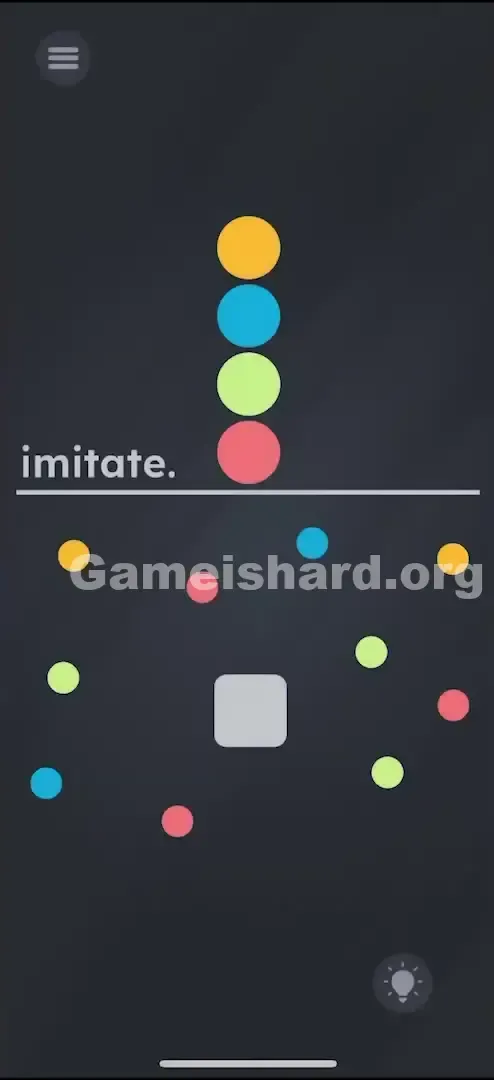
Target: You are mimicking the vertical stack shown at the top of the screen; avoid touching any wrong colors while navigating between targets.
Level Overview
What Makes This Puzzle Tricky
You’re greeted with a neat column of colored balls — and then chaos below it. A grey square sits front and center, motionless. At first glance, it feels like a simple sorting task — until you try to tap or drag something and nothing responds. The only clue? The word “imitate.” It’s minimal, ambiguous, and intentionally disorienting — until you notice the clean split between instruction zone (top) and action zone (bottom).
Your Goal
Your job isn’t to rearrange the balls — it’s to guide the grey square through a precise color sequence. That top stack isn’t decorative; it’s your roadmap. You must “collect” each color in order by moving the square over matching balls in the cluttered play area.
Key Mechanics involved
- Drag & Drop Navigation: The grey square moves only when you drag it — no taps, no swipes, just steady finger control.
- Collision Detection: Even a light brush against the wrong color triggers failure. Hitboxes are tight and unforgiving.
- Sequencing: Order matters absolutely. Yellow must come first — hitting Blue before Yellow resets or fails the attempt.
- Visual Matching: Your eyes must constantly shift between the top reference stack and the bottom maze, holding the sequence in memory while guiding precisely. It’s not a logic puzzle — it’s a hand-eye coordination test disguised as a pattern-matching challenge.
What Appears on Your Screen
Let’s decode the layout — because what looks like random clutter is actually carefully engineered misdirection.
The "Imitate" Stack (Top Half): Four circles stacked vertically: Yellow on top, then Blue, Green, and Red at the bottom. A horizontal line separates this from the rest of the screen, with the word imitate. centered on it. This is your only instruction — treat it like a code you must execute. The "Imitate" Stack (Top Half): There is a neat, vertical pile of four circles. From top to bottom, they are Yellow , Blue , Green , and Red . There is a horizontal line separating this stack from the rest of the screen. The word imitate. sits on this line. This is your map. This is the code you need to crack.
The Minefield (Bottom Half): Below the line lies pure visual noise — duplicate balls of every color scattered without rhyme or reason. There’s no hidden grid, no symmetry — just deliberate distraction. The Minefield (Bottom Half): Below the line, it’s a mess. There are duplicates of every color scattered randomly. There is no pattern here. It is just noise designed to get in your way.
The Avatar (The Grey Square): Positioned centrally in the chaos, this rounded grey square stands out instantly — it’s the sole non-circular, non-colored element, and the only object you can move. The Avatar (The Grey Square): Right in the middle of the chaos is a rounded grey square . It stands out because it’s the only shape that isn’t a circle. It’s the only thing that looks "interactive."
The Spacing: Gaps between balls vary wildly — some wide enough to slip through, others so narrow they force wide detours. Red and Green balls often nestle dangerously close to Yellow or Blue targets, making direct paths impossible. The Spacing: Notice the gaps between the balls in the bottom half. Some are wide, some are narrow. The game has deliberately placed "trap" colors near the "target" colors to force you to make wide, looping movements rather than straight lines.
Common Mistakes to Avoid
The Trap
The real hurdle isn’t the puzzle — it’s your own finger. On touchscreen devices, your thumb or index covers critical parts of the screen mid-drag. You might nudge a Red ball without seeing it — and suddenly, “Level Failed.” The game banks on occlusion — your input method literally blocks your view.
First Instincts That Fail
- Tapping the balls: Many instinctively tap Yellow, then Blue, etc. But taps register zero input — only dragging counts.
- Dragging the balls: The colored balls aren’t interactive objects — they’re static background elements, locked in place.
- The "Top-Down" Confusion: A few players read the stack bottom-up (starting with Red), assuming it’s a countdown. But standard UI convention applies here: top-to-bottom = sequence order.
Player Reactions
My first attempt? I tried dragging the top Yellow ball down onto the grey square. Nothing happened. Then I tried dragging the word “imitate.” Still nothing. It took a moment to realize: the grey square is the tool — and everything else is set dressing.
Step-by-Step Solution
Preparing the Move
Stabilize your device on a flat surface. Shaky hands will cost you accuracy. Glance up — lock Yellow → Blue → Green → Red into memory. That’s your only script.
Executing the Solution
- Step 1: Tap and hold the grey square . Do not let go. It should snap to your finger movement.
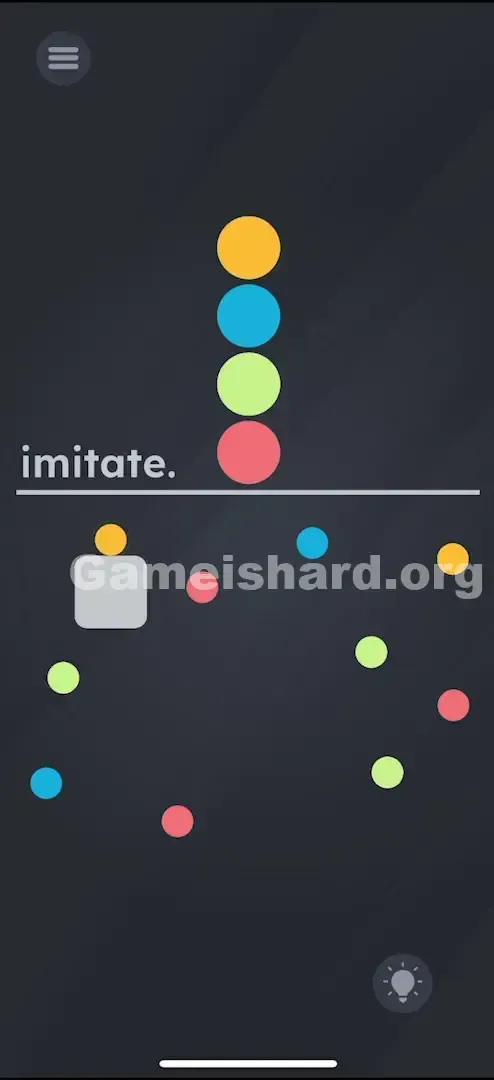
- Step 2: Drag the square carefully towards a Yellow ball. Any yellow ball will do, but pick the one that is easiest to reach without brushing against other colors.
- Step 3: Once you touch the Yellow ball, the game registers step one. Now, without lifting your finger, scan for the nearest Blue ball.
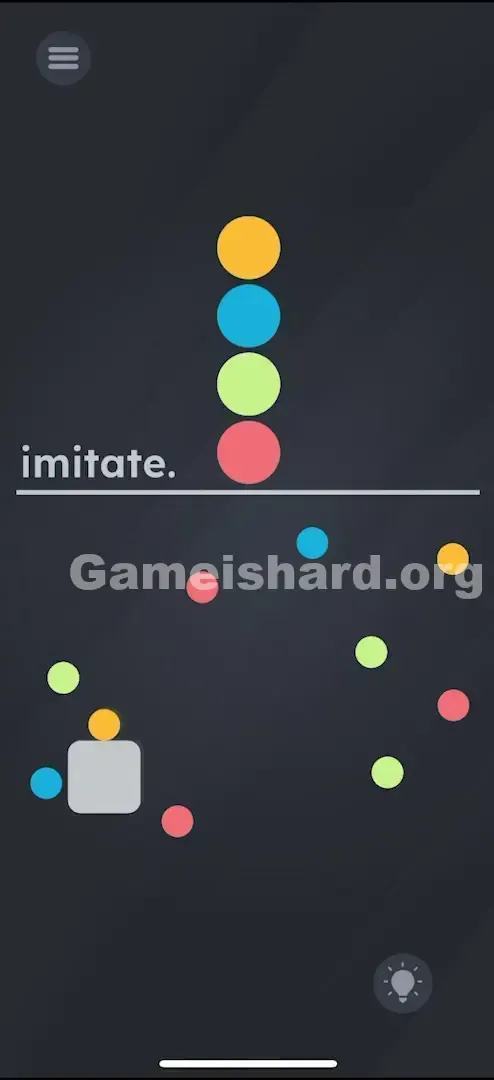
- Step 4: Navigate the grey square to the Blue ball. Crucial: You must path around any Green or Red balls in your way. Do not move in a straight line if the path isn't clear. Loop around the edges of the screen if you have to.
- Step 5: Touch the Blue ball. Next is Green . Locate an accessible Green ball. Drag the square to it, avoiding the remaining Red and Yellow decoys.
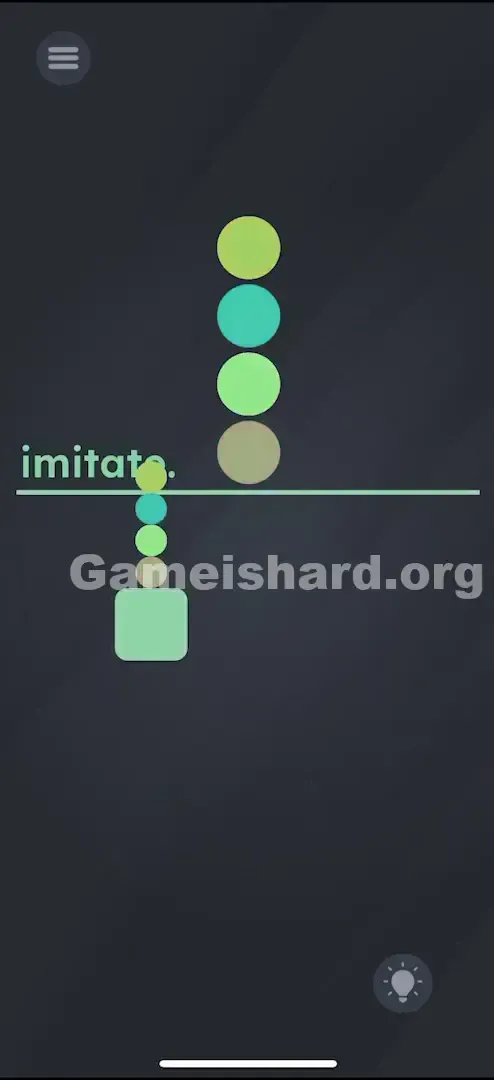
- Step 6: Finally, drag the square to a Red ball.
Confirming It Worked
As soon as the grey square touches the final Red ball (assuming you hit Yellow, Blue, and Green previously in that continuous streak), the level will clear.
If It Did Not Work
- "I touched the right color but it failed!" You likely clipped the edge of a different color slightly before or after. The hitboxes are squares, not circles. They are bigger than they look.
- "Nothing happens when I touch Yellow." You might be dragging too fast. Hover over the color for a millisecond to ensure the collision registers.
Small Details That Matter
The physics in Game is hard Level 28 are a bit sticky. Here is the nuance:
- The "Stickiness": The grey square doesn't have momentum. It stops instantly when you stop moving. This is good for precision.
- The Hitbox: The trigger point is the center of the grey square interacting with the edge of the colored ball. You don't need to overlap them perfectly. Just a "kiss" between the shapes is enough to register the hit.
- Lift vs. Drag: You technically can lift your finger between touches in some versions of this puzzle type, but it is safer to do it in one continuous stroke. Lifting your finger risks dropping the square on top of a wrong color if your tap accuracy isn't perfect. Keep the drag continuous. I fixed it by: Switching to my index finger instead of my thumb. My thumb was too thick and obscured the balls I was trying to avoid. Using an index finger gave me a better view of the gap between the grey square and the "danger" balls.
Why This Solution Works
This level masquerades as a matching puzzle — but it’s really a spatial memory challenge wrapped in a maze.
What’s being tested is Visual-Motor Integration : holding Y-B-G-R in working memory while simultaneously plotting a safe route through visual clutter. It’s cognitive multitasking — thinking “next color” while also calculating clearance margins.
Unlike earlier levels where answers were textual or conceptual, here the solution is purely physical — echoing classic arcade-style precision games where one misstep ends everything.
Bonus Tip
- Map the route first: Before you move the square, look at the bottom field. Find a Yellow, Blue, Green, and Red that are relatively close to each other or have clear paths between them.
- Ignore the Decoys: You don't need to clear all the balls. You only need one of each. Pick the "safest" Yellow, not necessarily the closest one.
- Go Wide: The edges of the screen are usually safer. If you need to get from the bottom-left to the top-right, go around the perimeter of the chaos rather than through the center.
- Slow Down: There is no timer on Game is hard Level 28 . Speed is your enemy. Move painfully slowly.
Alternative Attempts (What Doesn’t Work, and Why)
Here is a graveyard of failed ideas so you don’t have to waste your time:
- Dragging the stack colors down: The top colors are strictly for show. They are painted onto the UI layer and cannot be interacted with.
- Tapping the colors in rhythm: Rhythm doesn't matter. This isn't a music game.
- Dragging the word "imitate": In many levels, the text is moveable. Here, it is static. Dragging it does nothing.
- Shaking the phone: Shaking usually resets positions or drops items. Here, gravity is turned off. Shaking achieves nothing.
- Combining colors: Trying to drag a Yellow ball onto a Blue ball to make Green. This is overthinking it. The game physics aren't that complex.
Common Mistakes for Game Is Hard Level 28
- Rushing the Blue-to-Green transition: The Blue and Green balls are often clustered with Red balls. Players get confident after hitting the first two and swipe too fast for the third.
- Misinterpreting the order: Swapping Blue and Green is the most common memory error. Check the stack again. Yellow -> Blue -> Green -> Red.
- Fat-fingering: Touching a "trap" ball because you thought your finger was clear of it.
- Assuming the balls move: You might flinch thinking a ball is going to drift into you. They are stationary (in most updates of this level). Trust the layout.
- Starting with Red: Because it's at the bottom of the stack, people think it's the "start" point. It is the end point.
Pattern Recognition: How to Spot This Trick in Future Game Is Hard Levels
The Tell
When you see a specific order of items separated from a chaotic group of the same items, the mechanic is almost always Sequential Collection .
The Habit
Whenever you see a "Master List" and a "Play Area," stop. Do not tap. Look for a movable "cursor" object (like the grey square). If there is no cursor, the cursor is usually you (tapping in order). If there is a cursor, the game is a maze. Always verify if the instruction list is top-to-bottom or left-to-right before making your first move.
Game Is Hard Level 28 FAQ (Short, Useful)
Q: Can I lift my finger between colors in Game is hard Level 28? A: Usually, yes. But it’s risky. If you tap down slightly off-center, the game might register a tap on a nearby wrong color. Dragging is safer.
Q: What happens if I touch a wrong color in Game is hard Level 28? A: The level usually fails immediately, or the grey square flashes red and you have to start the sequence over from Yellow.
Q: Do I have to touch specific balls in Game is hard Level 28? A: No. Any ball of the correct color works. Pick the ones with the most space around them.
Q: Why isn't the level ending after I touched Red in Game is hard Level 28? A: You likely missed one of the intermediate colors (Blue or Green) without realizing it. You must restart the sequence from Yellow.
More Game Is Hard Solutions
Stuck on the next puzzle? We’ve got guides that cut through the nonsense and get you straight to the solution. No life stories, just answers. Check out the rest of our Game is hard walkthroughs to keep your win streak alive. Share this with your friends who are still tapping the screen like maniacs. Good luck!