App updates can sometimes shuffle the order of puzzles. If this level 27 walkthrough doesn't match your screen, don't worry! You can browse our All Levels guide to find your exact puzzle by its picture.
Use the moving square as a bridge so the ball doesn't miss the cup entirely.
Level Overview
What Makes This Puzzle Tricky
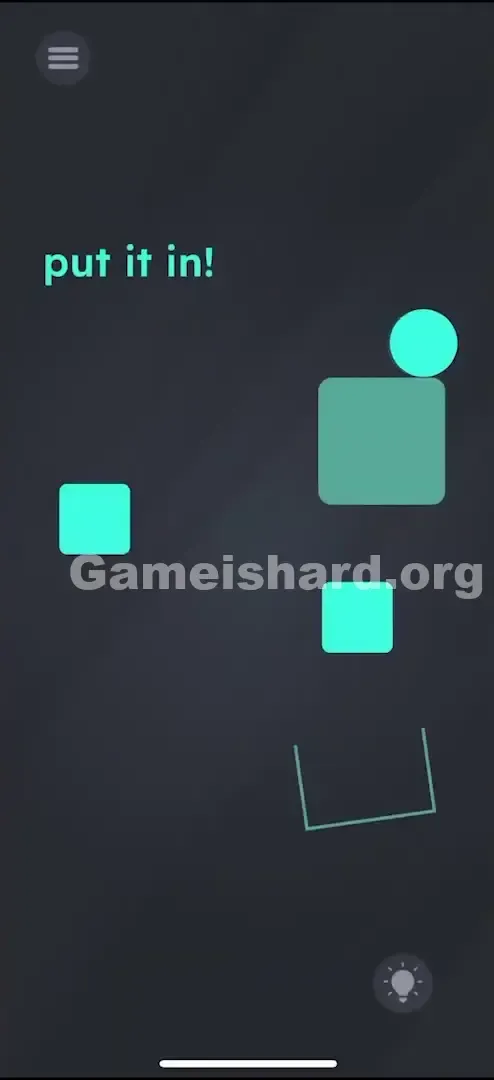
You’re staring at a deceptively simple scene: a green ball balanced high up on a block, with a U-shaped target waiting far below. The command “put it in!” feels like a taunt—because tapping, swiping, or prodding the ball does absolutely nothing. It’s frozen in place… until you realize this isn’t a tap-based puzzle at all. It’s a motion-controlled one.
Your Goal
Your mission is straightforward but physics-driven: get the ball from its starting perch into the U-shaped cup at the bottom-right corner. A direct drop won’t cut it—the layout blocks clean paths, and gravity alone won’t steer it true. You need to become the force that guides it.
Mechanics at Play
- Tilt Control / Gyroscope: The ball responds to how you angle your device—not your finger.
- Draggable Objects: Certain squares aren’t scenery—they’re tools you can reposition.
- Physics Puzzle: Every bounce and roll depends on placement and timing.
- Timing: Once the ball starts moving, quick, controlled adjustments are key. This level blends environment design with real-world motion—your phone is the playing field.
What Appears on Your Screen
Let’s map out what’s visible:
- Top Left: Green text reads “put it in!”
- Top Right: A green ball rests atop a large green square.
- Middle Left: A small, unanchored green square floats mid-air.
- Middle Right: Another small green square sits just below the large top block—this one’s movable and critical.
- Bottom Right: A U-shaped outline (the goal) waits silently.
- Background: Clean, dark grey void. It looks like an incomplete staircase—drop the ball straight down, and it’ll likely bounce off-target or get snagged.
Common Mistakes to Avoid
The Trap
The biggest mental roadblock? “Tap-first” reflexes. Most mobile games train us to poke things into action—but here, tapping the ball, the cup, or even the instruction text does nothing. Players waste time trying to interact directly instead of shifting their perspective to motion.
First Instincts That Fail
- Dragging the ball: The ball isn’t draggable—it’s governed solely by physics.
- Dragging the cup: The U-shape is fixed in place; no amount of dragging will move it.
- Shaking the phone: Over-aggressive shaking sends the ball flying off-screen, triggering a restart.
Player Reactions
I tried sliding the cup upward for nearly a minute—convinced I just needed to align it better. When that failed, I tilted my phone slightly while checking a message—and the ball rolled right off its ledge. That tiny movement was the clue: this level listens to angles, not taps.
Step-by-Step Solution
Preparing the Move
Before tilting, take a breath and locate the small square directly above the cup (below the big top block). That’s your lever—move it first. Without adjusting it, the ball often bounces away or misses entirely.
Executing the Solution
- Move the Bridge: Tap and drag the lowest small square (the one just above the U-shaped cup) gently to the left. This creates a landing zone and smooths the ball’s descent path.
- Why? You are widening the platform so the ball has something to bounce off or roll across. If you leave it there, it sometimes acts as a blocker. Moving it creates a better path.
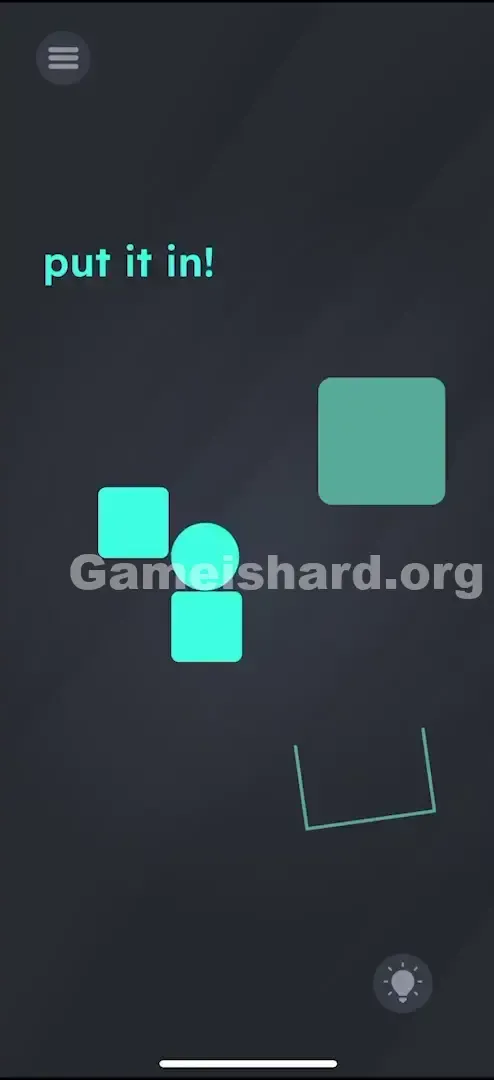
- Tilt Left: Lean your phone slightly left. Watch the ball roll off the top block and begin its descent—ideally toward the square you just moved or the floating square on the left.
- Watch the ball roll off the large top square. It should drop down towards the square you just moved or the other floating square on the left.
- Tilt Right (The Correction): As the ball falls past obstacles, tilt right to nudge it downward and into the cup’s opening.
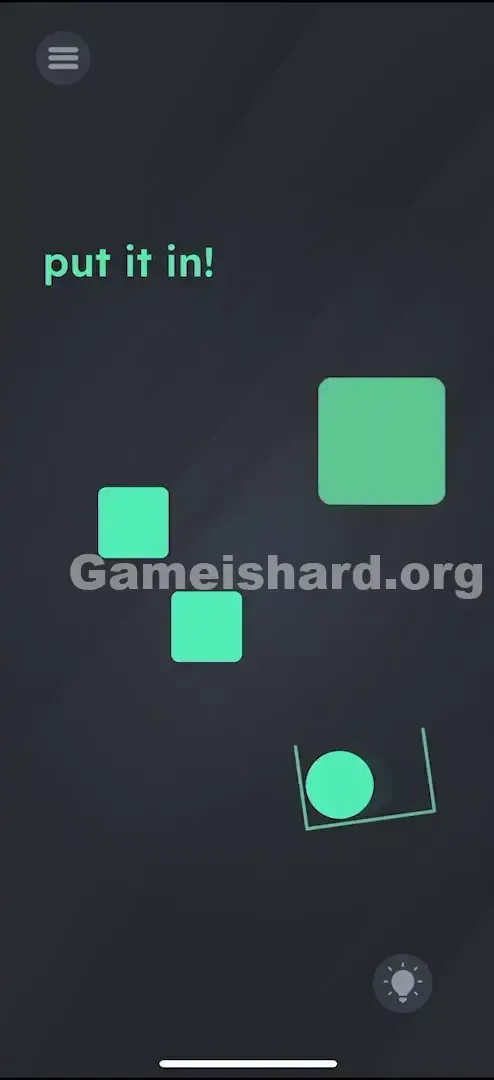
- You are guiding it mid-air. You want it to swoop down and land inside the U-shaped cup.
- Verification: When the ball settles fully inside the cup, the level completes.
If It Did Not Work
- Ball flew off screen? You tilted too aggressively. Gentle, subtle movements work best—think “tilt,” not “flip.”
- Ball stuck on a square? Try tilting upside-down briefly or giving your phone a light shake to reset its position. If it’s truly stuck, restart.
- Did nothing happen when tilting? Check if screen rotation lock is active—even though most games override it, some devices interfere. Also try laying your phone flat and picking it up again to recalibrate the gyroscope.
Small Details That Matter
Precision matters more than speed here. While elite players might skip the square move, it’s essential for reliable success.
- The Sweet Spot: Shift that third square about an inch left—just enough to form a gentle ramp, not a cliff.
- The Tilt Angle: Aim for 20–30 degrees of tilt. Think of guiding a marble through a wooden maze—not steering a race car.
- I fixed it by... switching to two-handed control. One hand made tilting inconsistent; two hands gave me the fine-tuned left-then-right motion the level demands.
Why This Solution Works
Level 27 merges two interaction styles: touch-based setup and motion-based execution. Most puzzles lean into one or the other—but this one forces you to build the stage before performing. You prep the environment (drag the square), then conduct the physics (tilt the device). It’s a deliberate lesson: control the world around the ball—not just the ball itself.
Bonus Tip
For a fast, repeatable solve:
- Drag the lower-right square all the way left—clear it from the path completely.
- Tilt sharply left to start the fall.
- Tilt sharply right as the ball descends to steer it cleanly into the cup.
- Don’t wait for perfect settling—the ball registers success the moment it touches the cup’s interior zone.
Do NOT waste time:
- Trying to move the large top square (it’s locked in place).
- Attempting to drag or swipe the ball (it has no touch input).
Alternative Attempts on Game Is Hard Level 27 (What Doesn’t Work, and Why)
Here’s what won’t help—so you can skip the trial-and-error:
- Tapping the “put it in!” text: It’s decorative, not interactive.
- Flipping the phone upside down: Sends the ball flying “up” off-screen—restart required.
- Dragging the left square rightward: Blocks the cup’s entry point instead of helping.
- Swiping the ball like a throw: The ball ignores touch input entirely—it only obeys gravity.
- Waiting for something to happen: Nothing triggers automatically. Motion is your only trigger.
Common Mistakes for Game Is Hard Level 27
- Skipping the square move: Leads to unpredictable bounces—often over the cup’s edge.
- Tilting too hard: Causes runaway speed and loss of control.
- Tilting right first: Slams the ball into the right screen edge instead of guiding it down.
- Forgetting orientation lock: Even if sensors work, a locked screen can confuse your spatial sense.
- Restarting too fast after a near-miss: Sometimes the ball bounces out—but a gentle back-and-forth tilt can coax it back in before failure triggers.
Pattern Recognition: How to Spot This Trick in Future Game Is Hard Levels
The Tell
If you see a round object perched on flat terrain with no buttons or obvious triggers, assume tilt controls are active. When tapping yields zero response, reach for motion next.
The Habit
Always scan for movable objects before attempting motion. In physics levels, rearranging the environment is rarely optional—it’s the foundation of the solution.
Game Is Hard Level 27 FAQ (Short, Useful)
Q: Why isn't the ball moving when I tilt in Game is Hard Level 27? A: Your gyroscope may need waking up—try a quick shake, or confirm you're not using an emulator without motion support.
Q: Can I move the cup in Game is Hard Level 27? A: No. The cup and top block are static. Only the smaller squares respond to drag.
Q: Do I have to move the square in Game is Hard Level 27? A: Not strictly—but skipping it makes success far less consistent. It’s the easiest way to guarantee a clean drop.
Q: My ball keeps bouncing out of the cup in Game is Hard Level 27! A: You’re entering too fast. Use shallower tilts to encourage rolling over falling—gravity accelerates, friction stabilizes.
More Game Is Hard Solutions
Stuck on another brain-twisting level? We’ve got fast, no-fluff guides for every single stage of the game. We break down the logic so you don't have to rage-quit. Share this with your friends if they’re stuck tilting their phones like crazy people!
Good luck with Game is hard Level 78 ! Go crush it.