
App updates can sometimes shuffle the order of puzzles. If this level 87 walkthrough doesn't match your screen, don't worry! You can browse our All Levels guide to find your exact puzzle by its picture.
You must hold the volume level for a second until the bar lights up fully purple before moving to the next one.
Level Overview
What Makes This Puzzle Tricky
You’re staring at the screen—and all you see is a baffling "huh?" and three oddly proportioned purple towers. No instructions. No buttons. No obvious way to interact. You tap, drag, tilt, swipe—nothing responds. It’s frustrating because the game stays completely silent until you accidentally trigger its hidden audio sensor. That’s pure “Game is hard” design: zero feedback until you stumble upon the unspoken rule.
Your Goal
This isn’t about solving a riddle or dragging objects across the screen. Your real-world voice is the controller. The three towers visually represent volume thresholds—and you need to hit each one precisely with your voice to advance.
Key Mechanics
- Microphone Sensor: The app is actively listening through your device’s mic.
- Audio-Visual Sync: Each bar reacts in real time to sound intensity.
- Sequence Logic: While order isn’t strictly enforced, accuracy matters more than sequence.
- Sustained Input: Quick sounds (like claps or snaps) rarely register—you need steady, held audio. It’s not broken—it’s just waiting for you to make noise.
What Appears on Your Screen
Let’s clarify the layout so we’re aligned. The background is the familiar dark grey.
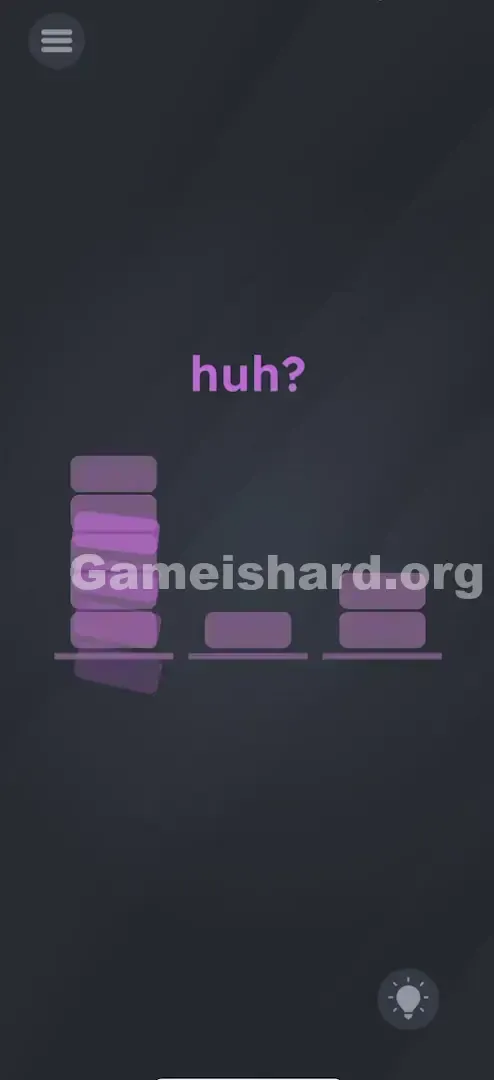
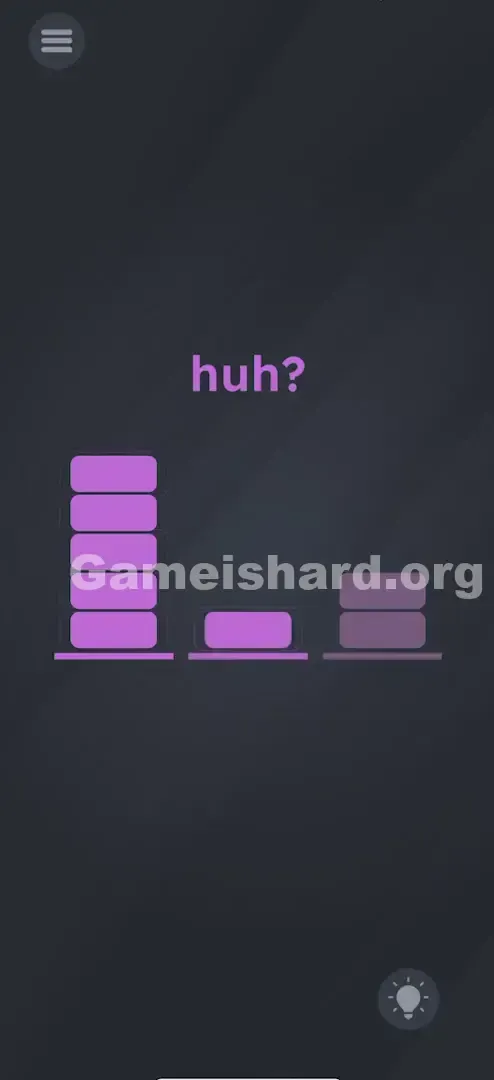
- Top Center: The word "huh?" in purple. This isn’t random—it’s a subtle nudge toward sound-based interaction. “Huh?” suggests confusion, miscommunication, or needing to be heard.
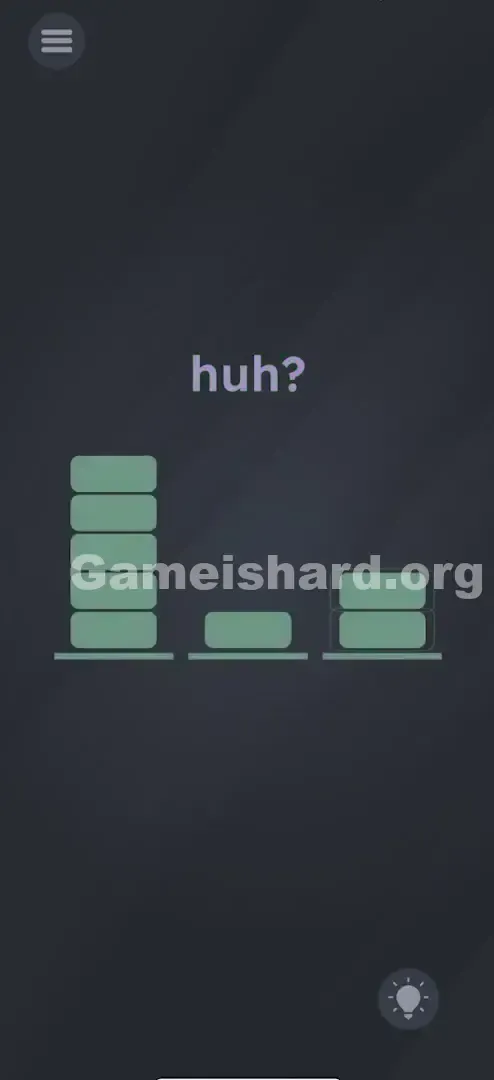
- The Three Towers: Three vertical bars sit side-by-side on a shared baseline.
- Left Bar: Tallest—5 segments high.
- Middle Bar: Shortest—just one block tall.
- Right Bar: Medium height—2 segments tall.
- Visual Feedback: As you produce sound, faint purple “ghost” segments may briefly appear inside the bars—your first sign the mic is working. Everything seems frozen—until a cough, laugh, or sigh makes those bars jump. That’s your only true interface.
Common Mistakes to Avoid
The Trap
The biggest trap is “touch-first thinking.” We instinctively tap, swipe, and pinch—but here, your fingers do nothing. The second trap is inconsistent calibration: many players quickly figure out shouting works for the tall bar, but struggle to replicate that control at low volumes—leading them to shout at everything or tap while yelling, which throws off detection.
First Instincts That Fail
- Tapping the Bars: It’s natural to assume tapping activates them—like a carnival strength tester—but it has zero effect.
- Shaking the Phone: Their stacked appearance makes them look unstable, tempting users to shake the device hoping they’ll “fall” into place.
- System Volume Buttons: Some users crank their phone’s speaker volume up and down, mistakenly believing output volume controls input response. It doesn’t—the mic only hears what you say.
Player Reactions
I looked ridiculous playing this on public transit. I cracked the loud part fast—I groaned in frustration and the tall bar lit right up. But the tiny middle bar took me five minutes. I hummed, tapped my mic, even mouthed words silently… until I realized I needed to whisper like I was sharing a secret. Embarrassing? Yes. Effective? Absolutely.
Step-by-Step Solution
Preparing the Move
First, confirm the app has microphone access. If you previously denied permission, this level won’t respond at all. Head to your phone’s Settings > Apps > Game is Hard > Permissions and enable Microphone. Once granted, hold your phone comfortably—you won’t need to touch the screen at all.
Executing the Solution
- Target the Tall Bar (Left): Take a breath and let out a sustained, loud “AHHHHH!” or shout. Keep it steady and strong until the full left bar glows solid purple.
- Target the Short Bar (Middle): Go ultra-quiet. Try a soft “psst,” gentle exhale, or whispered “shhh.” Hold it steadily—distance helps. The single block should light up cleanly.
- Target the Medium Bar (Right): Speak naturally—like you’re answering a question. Say something simple like “Game is hard Level 87” at regular conversation volume. The right bar should fill exactly two segments.
- Verification: Each bar will brighten or lock in purple when correctly triggered. When all three glow steadily, the level completes.
If It Did Not Work
- The bars are jittery: Background noise (TV, traffic, chatter) creates interference. Try a quieter space or mute ambient sound.
- It won't register the whisper: Move the phone farther from your mouth—distance naturally dampens volume without changing how you speak.
- It won't register the shout: Bring the mic (usually bottom edge) closer to your mouth—or try speaking directly into it.
Small Details That Matter
This level reads amplitude—not just presence—so precision counts.
- Sustain is key: A quick clap spikes volume but fades too fast. Aim for a steady tone—like holding an “Oooooo” for a full second.
- The "Goldilocks" Zone: The medium bar is vague by design. If unsure, start quiet and gradually raise your voice until the bar hits the right height—then hold that level.
- I fixed it by… adjusting pitch. A low, steady hum worked better for the medium bar than my normal speaking voice. If speech fails, try humming a consistent note.
Why This Solution Works
This is a textbook hardware-driven puzzle—it breaks past the touchscreen illusion.
- Sensor Mapping: Raw mic input maps directly to bar height—no interpretation, just decibel-to-pixel scaling.
- Puzzle Archetype: It follows the “Three Bears” structure—Papa Bear (Loud), Mama Bear (Medium), Baby Bear (Quiet).
- Recurring Theme: Game is hard consistently reminds you your phone has sensors beyond touch—camera, mic, gyro—all fair game for puzzles.
Bonus Tip
Stuck in a quiet spot (library, office, bus) and can’t yell?
- Use headphones with a mic: Cup the mic with your hand to simulate quiet; blow gently into it for loud input—no one notices.
- Manual muffing: Cover the mic hole lightly with your thumb to reduce sensitivity for whisper/medium steps, then uncover and tap near it for the loud bar.
- Rubbing trick: Vigorously rub your thumb over the mic opening—it generates loud, stable static that instantly triggers the tall bar.
Alternative Attempts of Game Is Hard Level 87 (What Doesn’t Work, and Why)
- Turning up phone volume: Speakers don’t feed into the mic—this does nothing.
- Tapping the "Huh?": It’s a clue, not a button.
- Typing or using keyboard: No text field exists—don’t waste time hunting for one.
- Shaking the device: Gyro isn’t used here—shaking is irrelevant.
- Dragging or multi-touching bars: They’re visual-only—no physical interaction possible.
- Waiting silently: This level won’t progress without sound input.
- Playing music: Songs fluctuate too much. Constant tones (humming, sustained vowels) work best.
Common Mistakes for Game Is Hard Level 87
- Being too brief: A sharp shout spikes the bar but won’t “lock” unless held steady for ~1 second.
- Background noise: Trying this with loud ambient sound raises the volume floor—making whispers impossible to detect.
- Mic obstruction: Holding the phone so your finger blocks the mic hole disrupts all input.
- Over-shouting: Distorted or clipped audio can confuse the app—sometimes registering as silence instead of max volume.
- Skipping the medium bar: Many nail loud + quiet but forget the middle bar needs deliberate, neutral-volume speech.
Pattern Recognition: How to Spot This Trick in Future Game Is Hard Levels
The tell
If a level has no buttons, features waveforms/equalizer-style visuals, or uses phrases like “Speak up,” “Huh?”, “Silence,” or “Listen”—assume the mic is involved.
The habit
When tapping fails, try sound. Start with a soft breath into the mic, then a light tap on the case. If bars or elements react rhythmically to your noise, you’ve confirmed it’s a mic level. Always double-check microphone permissions—if it feels unresponsive, that’s likely the culprit.
Frequently Asked Questions of Game Is Hard Level 87 (Short, Useful)
Q: I am shouting but the bar won't go up in Game is hard Level 87? A: Check your phone case—thick cases muffle the mic. Also verify Settings > Apps > Game is Hard > Permissions has “Microphone” enabled.
Q: Can I skip this level if my mic is broken in Game is hard Level 87? A: Not easily. Try plugging in wired headphones with a built-in mic—it bypasses the internal mic entirely.
Q: Do I have to do them in order in Game is hard Level 87? A: No strict order required—you can trigger short → tall → medium. But going left-to-right helps track progress reliably.
Q: Why is the middle bar so hard in Game is hard Level 87? A: Its sensitivity threshold is extremely fine-tuned. Even heavy breathing registers as “medium.” Try holding the phone at arm’s length—it often makes whispering easier.
More Game Is Hard Solutions
If this guide saved you from yelling at your phone in line at Starbucks, you’ll love our other no-nonsense walkthroughs. We decode every logic twist and sensor quirk so you breeze through the frustration—not fight it. Share this with anyone stuck on Game is hard Level 87 !
Good luck—and maybe close the bedroom door first.