

App updates can sometimes shuffle the order of puzzles. If this level 52 walkthrough doesn't match your screen, don't worry! You can browse our All Levels guide to find your exact puzzle by its picture.
Target the boxes quickly as they move, ensuring you hit that specific order to freeze them one by one.
Level Overview
What Makes This Puzzle Tricky
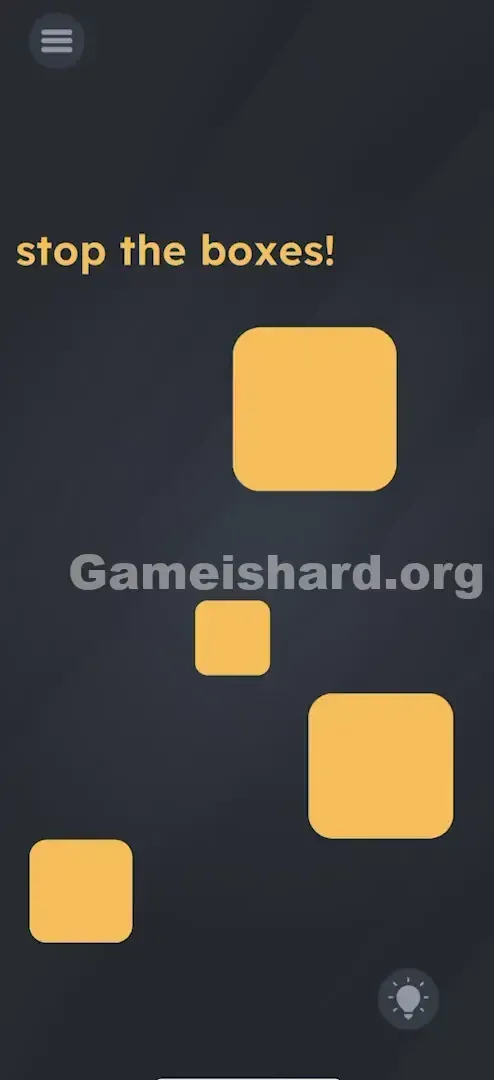
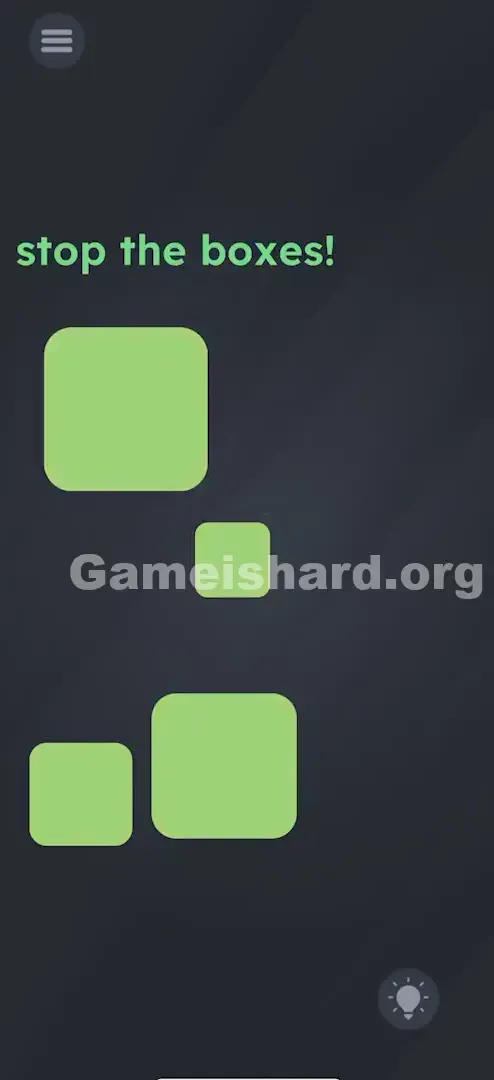
You’re greeted with four erratic squares bouncing around the screen—like digital static given life. The bold yellow command “stop the boxes!” flashes at the top, tempting you to tap wildly. But every random tap just makes things more chaotic. Boxes freeze briefly—then restart. It feels unpredictable… until you spot the pattern.
Your Goal
This isn’t about reflexes—it’s about precision sequencing. Your goal is to lock all four boxes in place permanently. But here’s the catch: each tap only sticks if it follows the correct order. Tap out of turn, and earlier boxes snap back to motion.
Key Mechanics
- Sequence Logic: Order is everything—action alone won’t cut it.
- Trial and Error: No hints are given. You’ll need to test combinations until the logic clicks.
- Memory Test: Once you land Step 1, you must hold that in mind while confirming Step 2—and so on.
- Moving Targets: You need to aim carefully—not just tap fast. It’s not broken. It’s a sequence puzzle cleverly disguised as a reaction challenge.
What Appears on Your Screen
When you launch Game is hard Level 52 , the interface is minimal but dynamic.
- The Text: Bold yellow “stop the boxes!” sits at the top—no extra instructions, no hidden clues.
- The Objects: Four distinct floating squares:
- One small square hovering near the center.
- One medium square towards the bottom left.
- One large square drifting in the bottom right area.
- Another large, slightly darker square (or just shadowed) floating in the upper right.
- The Background: Clean, dark gray—no distractions, no UI clutter. Just pure spatial awareness.
Common Mistakes to Avoid
The Trap
Most players assume independence—that tapping any box locks it forever. But here, the boxes behave like linked switches. Tap the wrong one, and the chain breaks. That illusion of randomness is the real obstacle.
First Instincts That Fail
- The "Whac-A-Mole" Approach: Frantically tapping everything hoping something sticks. This scrambles the state instead of solving it.
- The "Hold to Stop" Theory: Pressing and holding a box, expecting it to freeze on contact. Nope—the moment you lift or shift focus, it resumes movement.
- Shaking the Phone: A common knee-jerk move for physics-based puzzles. These boxes ignore gravity entirely—they follow fixed paths.
Player Reactions
I tried using both thumbs and three fingers at once—like conducting an orchestra of chaos. Total failure. Then, completely by accident, I tapped them slowly and deliberately in one particular flow… and everything froze. Instant lightbulb moment.
Step-by-Step Solution
Preparing the Move
Use one finger—precision beats speed here. Pause for half a second to observe their motion patterns. They drift predictably, not randomly.
Executing the Solution
Follow this sequence exactly. One misstep resets part or all of your progress.
- Step 1: Locate the Smallest Box in the very center of the formation. Tap it once. Verification: It should stop moving immediately.
- Verification: It should stop moving immediately.
- Step 2: Locate the box in the Bottom Left corner. Tap it. Verification: Now both the center and bottom-left boxes should be frozen. If the center one starts moving again, you tapped the wrong one. Start over.
- Verification: Now both the center and bottom-left boxes should be frozen. If the center one starts moving again, you tapped the wrong one. Start over.
- Step 3: Locate the Big Box in the Bottom Right . Tap it. Verification: You should now have three frozen boxes.
- Verification: You should now have three frozen boxes.
- Step 4: Locate the final Big Box in the Top Right . Tap it. Verification: The level should complete immediately.
- Verification: The level should complete immediately.
If It Did Not Work
- If a box starts moving again: You broke the sequence. The puzzle partially or fully resets—go back to Step 1.
- If nothing stops: Make sure you’re tapping squarely on the box. Since they’re moving, hitting the edge may not register—aim for the center.
Small Details That Matter
- Hitboxes: They’re forgiving—but lead your tap slightly to account for motion. Tap where the box is, not where it was.
- Speed: There’s zero time pressure. You can pause between taps as long as the order stays intact. Rushing causes missed targets.
- Visual Cues: A truly frozen box halts instantly—no easing, no wobble. If it’s still drifting—even a pixel—it’s not locked.
- I fixed it by... slowing down. Ditching the panic-tap habit and focusing on clean, centered taps made all the difference.
Why This Solution Works
This is a classic sequential logic puzzle—stripped bare. Think of ancient temple doors that only open when torches are lit in order, or retro RPG switches that must be flipped left-to-right. Game is hard removes the setting and leaves only the core rule: step one, then two, then three, then four.
It’s teaching you that when brute-force clicking fails, the answer lies in hierarchy—not dexterity. Here, position and size combine to define the sequence.
Bonus Tip
If you're replaying or guiding someone else, remember this simple anchor: Center → Left → Bottom → Top.
- Ignore their motion paths.
- Tap Center first.
- Tap Bottom-Left second.
- Tap Bottom-Right third.
- Tap Top-Right last. Wait for each box to drift into a comfortable spot—don’t chase them.
Alternative Attempts of Game Is Hard Level 52 (What Doesn’t Work, and Why)
Here is a graveyard of bad ideas I tried so you don’t waste time:
- Dragging the boxes together: No collision detection—nothing happens.
- Swiping: Fruit Ninja-style swipes register zero input. Only individual taps count.
- Tapping the word "Stop": In earlier levels, instruction text was interactive. Here, it’s purely decorative.
- Pinching the screen: Zoom gestures do nothing—the boxes stay on their rails.
- Turning the phone upside down: Gravity has no effect. Their movement is scripted, not physical.
Common Mistakes for Game Is Hard Level 52
- Tapping Top-Right first: It’s the final step—starting here usually resets progress or does nothing.
- Double Tapping: A second tap often reverses the freeze or triggers a reset—stick to single, confident taps.
- Assuming Size Order: Small → Medium → Large → Largest seems logical—but position overrides pure size sorting here.
- Rage Tapping: Frustration leads to random taps, scrambling the state and hiding the real sequence.
Pattern Recognition: How to Spot This Trick in Future Game Is Hard Levels
The Tell
See multiple identical or similar elements (shapes, lights, buttons) that toggle on/off with taps? Assume a hidden sequence is at play.
The Habit
Don’t guess—test methodically. Tap Object A. Does it stay? Great. Now tap Object B. Did A react? If yes, B isn’t Step 2. Try A → C instead. Treat it like unlocking a safe—not playing arcade whack-a-mole.
Game Is Hard Level 52 FAQ (Short, Useful)
Q: Do I have to be fast in Game is hard Level 52? A: No. Speed is irrelevant. Only the order matters. Take your time aiming.
Q: Why do the boxes start moving again in Game is hard Level 52? A: You tapped the wrong box in the sequence. The puzzle resets if you deviate from the correct order (Center -> Left -> Bottom -> Top).
Q: Is the order random every time in Game is hard Level 52? A: No. The order is hardcoded. It will always be Center, Bottom-Left, Bottom-Right, Top-Right.
Q: Can I use multiple fingers in Game is hard Level 52? A: You can, but it risks registering taps out of order. One finger is safer and more precise.
More Game Is Hard Solutions
That’s how you bring order to the chaos in Game is hard Level 52. We craft these guides to skip the guesswork and deliver the solution—clean, accurate, and instantly usable. If this helped you finally freeze those boxes, share it with friends still shaking their phones in frustration. Keep gaming—and good luck tackling Game is hard Level 53 !