App updates sometimes reorder puzzles. If this level 296 walkthrough doesn’t match what you see, don’t panic! Use our All Levels directory to locate your exact puzzle by image.
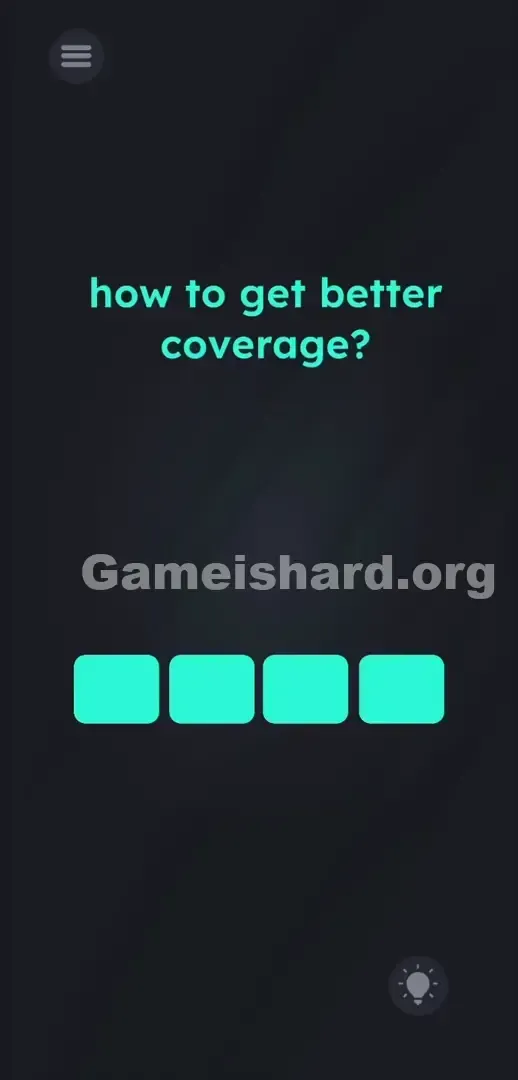
Target the row of squares directly under the text and stretch them vertically to draw the answer.
Level Overview
What Makes This Puzzle Tricky
You’re staring at a deceptively simple screen. The prompt asks about improving cell service—but there’s no antenna, no phone icon, no toggle to flip. Just four identical cyan squares lined up below the question. Level 296 tricks you by disguising raw building materials as passive interface elements. You assume they’re buttons. They’re actually clay.
Your Goal
This isn’t about locating hidden hardware or rewiring circuits. Your job is to construct the visual answer using only what’s on screen. “Better coverage” has a universal symbol—and you’ll build it from scratch.
- UI drag: Those static-looking squares are fully stretchable.
- Visual puzzle logic: The solution is drawn—not typed.
- Proportional scaling: Relative heights define success.
- Button trick: It breaks standard mobile design expectations. It’s not a glitch. It’s intentional design.
What Appears on Your Screen
Let’s map the layout. A deep gray background sets the tone. Centered in bright teal font: how to get better coverage?
Directly beneath that line sit four identical cyan blocks—perfectly aligned, evenly spaced, and eerily button-like. They resemble empty input fields or unresponsive menu options.
Top-left holds the standard hamburger menu icon. Bottom-right features the hint bulb. The wide open space above the text—and between the prompt and the blocks—isn’t empty. It’s the drawing area waiting for your input.
Common Mistakes to Avoid
The Trap
UI conditioning works against you. Years of smartphone use train your brain to tap colored rectangles expecting action. Level 296 weaponizes that reflex—it gives you blocks that look like buttons but behave like sliders. You tap; nothing happens. You swipe; nothing responds. The game knows exactly what you’ll try—and blocks it.
First Instincts That Fail
Tapping the cyan squares repeatedly yields zero feedback. Swiping blank areas won’t reveal hidden signals. Tilting your phone won’t boost reception. Shouting “5G!” into your mic? Just earns you weird looks. None of those shortcuts work—because the solution isn’t hidden. It’s literal.
Player Reactions
I wasted five minutes tapping, swiping, and sighing. I tried dragging the prompt down onto the blocks. I tapped the hint bulb out of frustration, then rage-quit twice. Then—by accident—I dragged one square upward and watched it stretch like taffy. Lightbulb moment: these aren’t buttons. They’re signal bars.
Step-by-Step Solution
Preparing the Move
Stop tapping. Ignore the text completely. Focus solely on the four cyan blocks arranged horizontally across the lower center of your screen.
Executing the Solution
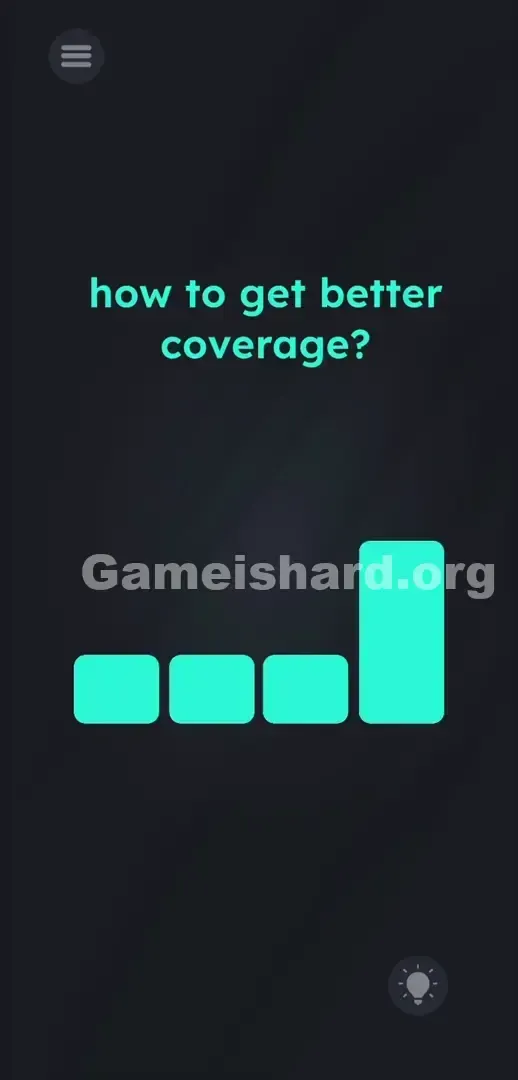
- Press and hold your finger on the 4th cyan block (the one furthest to the right).
- Drag it straight up toward the text until it forms a tall vertical bar. Stop just below the words.
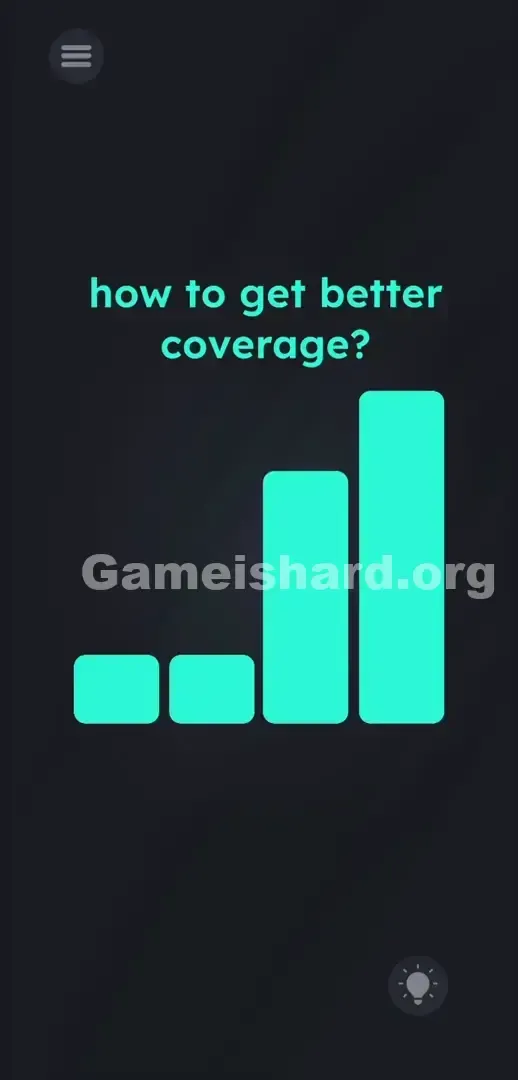
- Grab the 3rd cyan block and drag it up. Stop dragging when it is distinctly lower than the 4th block .
- Press and drag the 2nd cyan block upward. Keep this one shorter than the 3rd block .
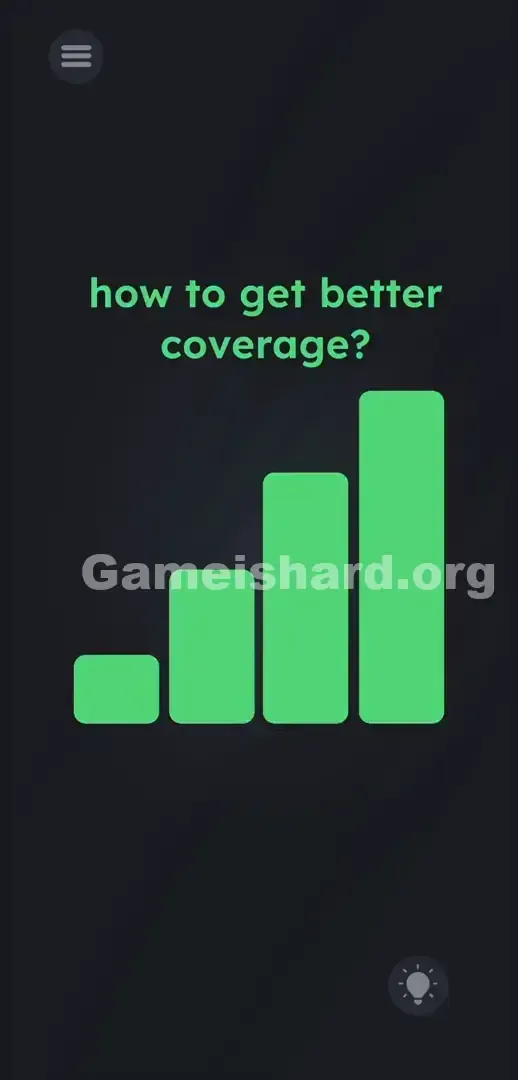
- Leave the 1st cyan block exactly where it is. It serves as your baseline lowest signal bar.
- Release your finger. The game will register the classic "four-bar" cell signal shape and pass you.
If It Did Not Work
If the level doesn’t advance, your proportions need fine-tuning. The game checks for a clear, recognizable ascending pattern.
- Make sure the 4th block is distinctly the tallest. If it’s too close in height to the third, the game reads it as a mistake.
- Ensure the 1st block is distinctly the shortest. If you accidentally dragged it up earlier, drag it back down to a perfect square.
- Verify the slope is a steady, recognizable staircase pattern from left to right. Force close the app if the blocks freeze or the UI bugs out from too much frantic swiping.
Why This Solution Works
This puzzle demands a total mental reset. It shatters assumptions about how apps behave—turning inert shapes into malleable objects. The question hints at telecom, but the answer lives in visual language, not vocabulary.
Think of your phone’s status bar: stronger signal = taller bars, left to right. Level 296 challenges you to stop seeing the screen as a set of controls—and start seeing it as a sketchpad. The prompt misdirects; the UI is the puzzle. You’re not answering a question—you’re illustrating the concept. These blocks aren’t choices. They’re components—and you assemble the symbol yourself.
Bonus Tip
Build right-to-left—not left-to-right. Guessing max height from the left leads to inconsistency. Follow this sequence for instant success:
- Start on the far right. Drag the 4th block as high as possible without touching the text. This locks your scale.
- Move left to the 3rd block and pull it up to roughly 75% of the fourth’s height.
- Pull the 2nd block to about 50% height.
- Leave the 1st block untouched. This reverse-order method guarantees the clean, ascending staircase every time—no trial and error.
Frequently Asked Questions (Short, Useful)
Why aren't my cyan blocks moving when I touch them? You must press, hold, and drag—not tap. Think of each block like a physical slider: press firmly and move your finger straight up or down.
Does the exact height of each block matter? Yes. The game expects a clear, stepwise increase in height. If blocks two and three appear nearly equal, the shape won’t register. Emphasize the difference.
Do I need to interact with the prompt text at all? No. The line how to get better coverage? is purely decorative here. Your entire focus stays on the four bottom blocks.
Can I make the first block tall and the last block short? No. That would form a descending pattern—symbolizing worse coverage. The puzzle explicitly asks how to get better coverage, which means bars must rise left to right.
More Game Is Hard Solutions
Stuck on the next challenge? Our guides cut straight to the point—fast, precise, and totally free of fluff. You want the answer—we give you the exact moves to win. Share this page with your Discord squad so they skip the rage-quitting phase on UI-based traps. Keep grinding. You’re closer than you think.