App updates can sometimes shuffle the order of puzzles. If this level 293 walkthrough doesn't match your screen, don't worry! You can browse our All Levels guide to find your exact puzzle by its picture.
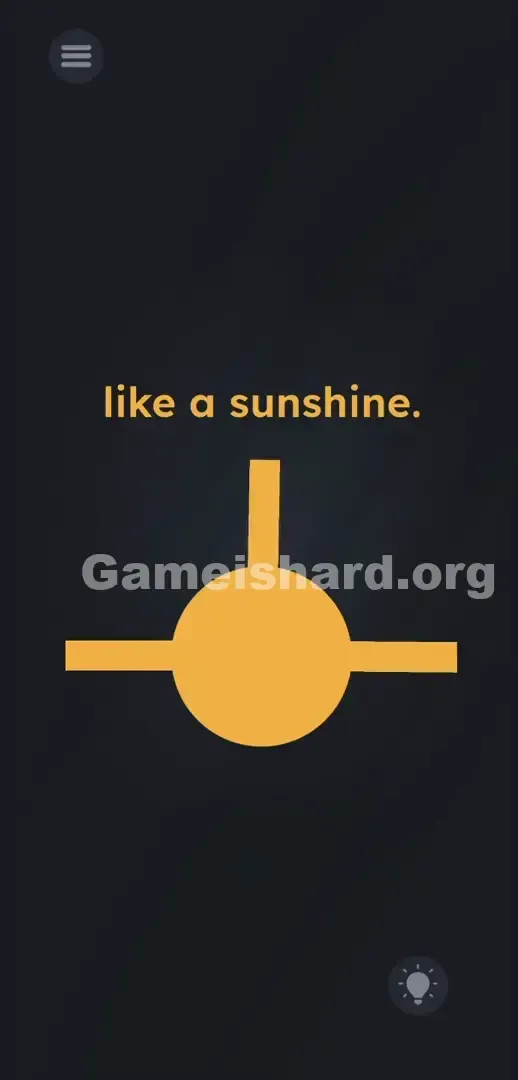
Stop dragging when you have positioned the cloned sticks evenly at the top, right, and bottom of the circle to match the text prompt.
Level Overview
What Makes This Puzzle Tricky
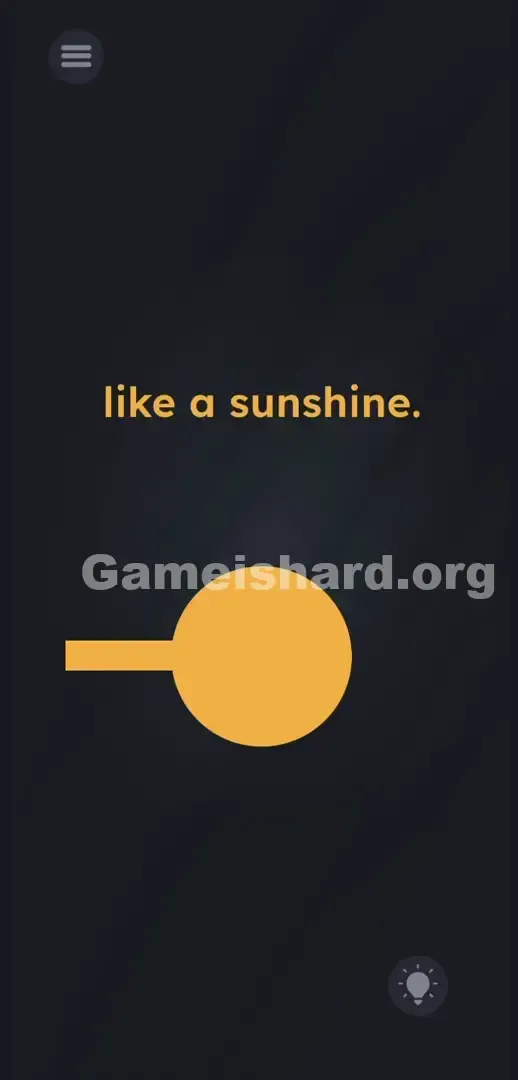
You’re staring at a minimalist scene: just one yellow shape jutting sideways from a plain circle. The prompt says “like a sunshine” — but tapping, swiping, or zooming does nothing. Your brain scrambles for hidden objects or drawing tools in the dark background. The truth? Everything you need is already there — not as decoration, but as a functional tool waiting to be used.
Your Goal
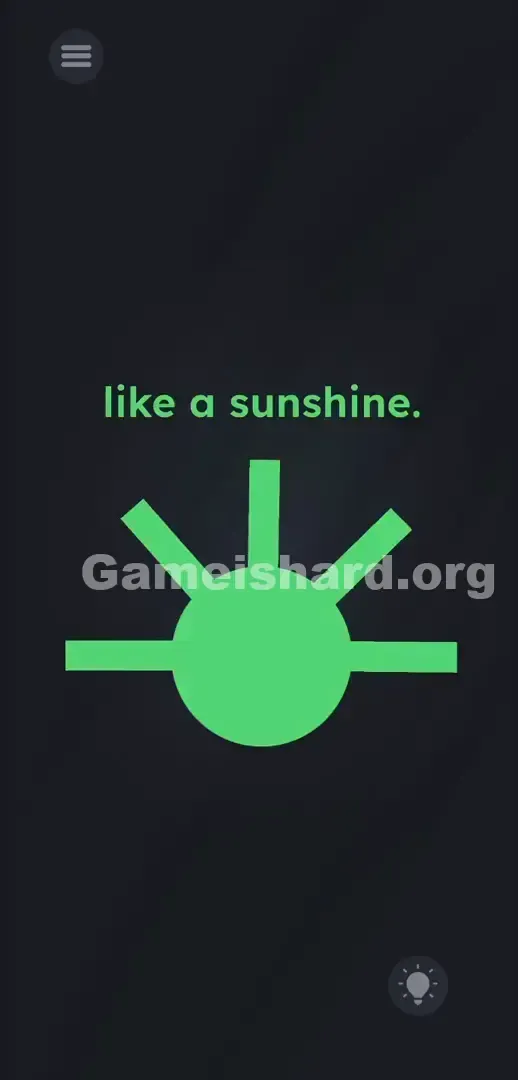
This isn’t about guessing or typing — it’s about building. You’re meant to construct a sun using only what’s visible. That lone yellow stick isn’t static art — it’s a physical lever. Pull it correctly, and it stamps out new rays. Your job is to generate exactly four evenly spaced arms radiating from the center.
- UI object manipulation
- Radial drag mechanics
- Object cloning
- Hidden physical physics It’s not a typo. It’s ammo.
What Appears on Your Screen
Let’s map the layout precisely. The screen is filled with deep gray — nearly black — offering zero visual noise. At the very top, plain yellow text reads: like a sunshine.
Centered is a large, flat yellow circle. From its left side extends a single yellow rectangle — clean, simple, and slightly longer than it is tall. Think of it as a stylized lollipop stem or a tiny ruler laid horizontally.
Top-left holds the standard hamburger menu icon; bottom-right features the lightbulb-shaped hint button.
Most notably, the right half of the screen is completely empty — no UI, no elements, no clues. That intentional void isn’t accidental. It’s an invitation: this space is yours to fill.
Common Mistakes to Avoid
The Trap
Players get stuck because they assume everything on screen is locked in place — unless clearly interactive. Years of mobile gaming have trained us to ignore static-looking objects. Here, that yellow stick is the interaction point — not a prop, but a physical stamp. No hidden items exist in the darkness. The tool is front and center — you just haven’t realized it’s meant to be pulled yet.
First Instincts That Fail
First instinct? Tap the black area hoping to reveal more sticks — no response. Next, try dragging the word “sunshine” into the circle — logical, but ineffective. Then pinch to zoom, searching for off-screen parts of the sun — still nothing. Some even rub the circle trying to “ignite” it — fun idea, zero payoff.
Player Reactions
I spent over ten minutes wildly swiping across the blank right side, convinced I’d missed a drawing mechanic. My screen was smudged with fingerprints. The breakthrough came purely by accident — my thumb grazed the very tip of the yellow stick while swiping, and pop — a second stick peeled off like tape unspooling. Instant facepalm. Instant progress.
Step-by-Step Solution
Preparing the Move
Zero in on the yellow rectangle sticking out from the left side of the circle. Forget the text. Ignore the empty space. Your target is the flat, blunt end — the outermost left edge of that stick. That’s where your finger needs to land.
Executing the Solution
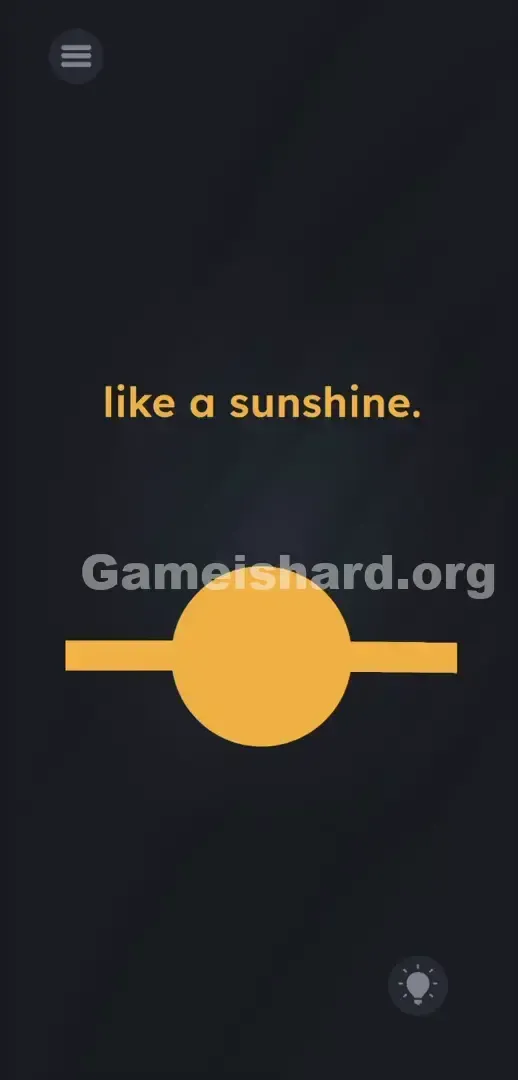
- Press and hold your finger directly on the flat left end of the yellow stick. Do not lift.
- Drag your finger smoothly along a circular path around the outside rim of the central yellow ball — clockwise or counterclockwise works equally well.
- As you trace the curve, new sticks will detach and lock into place at key positions. Stop deliberately at the top (12 o’clock), right (3 o’clock), and bottom (6 o’clock) points. You’ll now have four rays forming a perfect cross — and the level will instantly complete.
If It Did Not Work
- If the whole circle moves, you grabbed the ball itself. Release, then re-target only the far-left tip of the stick.
- If the stick spins without cloning, you’re dragging vertically or horizontally — not following the ball’s curve. Stay glued to its outer edge.
- If extra sticks appear crooked or scattered, close and restart the level. Focus on clean, controlled stops at the three cardinal points: top, right, bottom.
Why This Solution Works
This level challenges how you interpret digital objects — not as flat images, but as tangible tools. That yellow stick behaves like a stamp roller: rotate it around the circle, and it leaves precise copies behind. It’s a recurring theme in this game: the instructions mislead; the interface is the puzzle. Don’t overthink the phrase — just start pulling. The physics engine is hiding in plain sight beneath minimal design.
Bonus Tip
Keep it mechanical, not mental. You’re unwinding a spool — no finesse needed.
- Place your thumb firmly on the blunt left tip of the stick.
- Sweep it tightly over the top of the circle, curving smoothly to the right.
- Continue the arc downward to the bottom edge.
- Lift once you see four clean, symmetrical rays — one pointing up, right, down, and left.
Skip the text entirely. It’s decorative here — all action happens in the yellow geometry.
Frequently Asked Questions (Short, Useful)
Why is my stick just spinning without cloning? You’re dragging too far from the ball’s surface. Stay close — follow its exact curvature. Pulling into empty space breaks the cloning trigger.
Can I draw extra lines manually? No. Freehand drawing isn’t active on this level. Cloning only happens when you pull the existing stick along the ball’s perimeter.
Do I need exactly four sticks? Yes — and they must align precisely at 12, 3, 6, and 9 o’clock. Sloppy angles or uneven spacing won’t register as a sun.
What if I accidentally drag the text? The top text is fully locked. If swipes do nothing, double-check that you’re touching the yellow stick — not the words.
Is speed important? Not at all. There’s no timer. Move slowly and deliberately to nail each placement — rushing leads to misplaced rays.
More Game Is Hard Solutions
Stop spinning your wheels. Our guides cut straight to the core — fast answers, real logic, zero filler. You learn. You solve. You advance. Share this Game is hard Level 293 walkthrough with your Discord crew. Keep grinding — you’ve got this.