
App updates occasionally reorder puzzles. If this level 292 walkthrough doesn’t match what’s on your screen, no problem! Flip through our All Levels directory to locate your exact puzzle by image.
You’re using the right-column digits as disguised interactive controls—tapping them cycles through numbers until the arithmetic lines up perfectly.
Level Overview
What Makes This Puzzle Tricky
You’re staring at a deceptively simple math setup—but there’s no keyboard, no input field, no obvious way to respond. Just static numbers and a bold question. Your first instinct is likely frantic swiping or searching for hidden menus. The interface deliberately misleads you about how interaction works.
Your Goal
Your mission is to fulfill the top-screen prompt: transform each right-side number into precisely half its matching left-side number. You don’t type an answer—you build it using only the elements already visible on screen.
This level hinges on four key mechanics:
- Hidden UI: Elements that appear decorative are actually touch-sensitive controls.
- Multi-tap cycling: Rapidly tapping an object rotates its displayed value.
- Literal instruction reading: The prompt isn’t flavor—it’s a direct physical command.
- Self-contained logic: Every tool you need sits plainly on the screen—no outside input required. It’s not a mistake. It’s the entire point.
What Appears on Your Screen
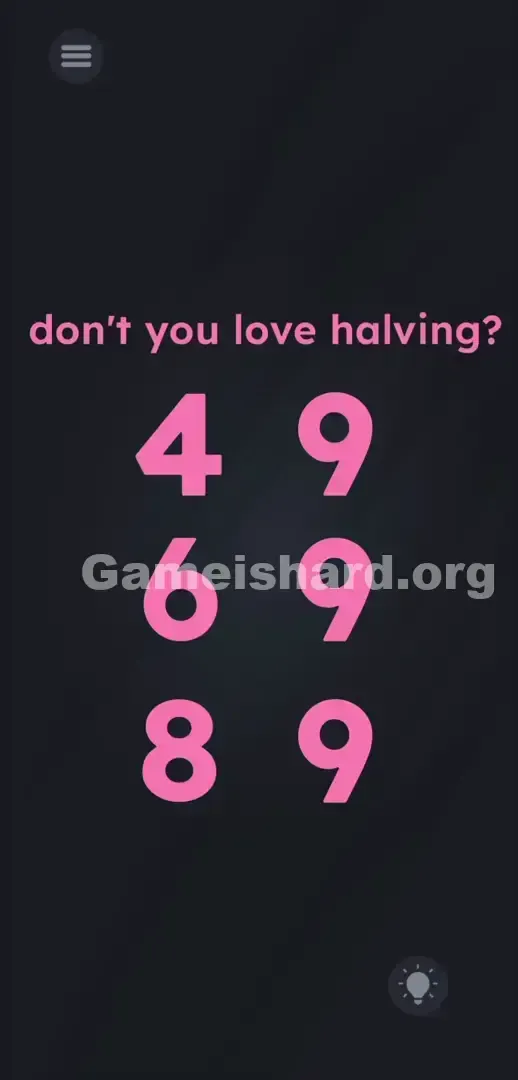
The screen is minimal. A dark grey backdrop fills the view. At the top, bold pink text reads: don't you love halving?
Beneath it, six oversized pink numerals sit in a clean 3×2 grid:
Left column (top to bottom): 4, 6, 8
Right column (top to bottom): 9, 9, 9
A pause icon rests in the top-left corner. A lightbulb hint button sits in the bottom-right. No text fields, no operators, no submit button. Visually, everything looks like fixed artwork—not something you’d expect to tap. The design goes out of its way to make the screen feel inert.
Common Mistakes to Avoid
The Trap
You’re falling victim to UI blindness. Years of mobile gaming have trained you to spot interactive elements—buttons with borders, fields with cursors, draggable items with subtle shadows. Here, the right-column 9s lack all those cues. Your brain treats them as part of the puzzle’s “question,” not its “answer method.”
First Instincts That Fail
Players jump straight into overcomplicated actions. Some try dragging the 4 onto the 9 to combine them. Others attempt to pinch the 8 in half—or shake the device, or shout “half!” into the mic. None of it works. The game rewards simplicity: noticing that tapping does something—even when it looks like it shouldn’t.
Player Reactions
Instant facepalm moment. I spent nearly two minutes trying to drag the word halving down from the header and “cut” the numbers with it. When I accidentally tapped a 9 and watched it flip to 0, I groaned audibly. This isn’t about solving equations—it’s about trusting your finger more than your assumptions.
Step-by-Step Solution
Preparing the Move
Leave the left column untouched. The 4, 6, and 8 are fixed reference points—you can’t move, edit, or interact with them. Focus entirely on the three 9s in the right column. Think of them as dials you rotate to land on the right digit.
Executing the Solution
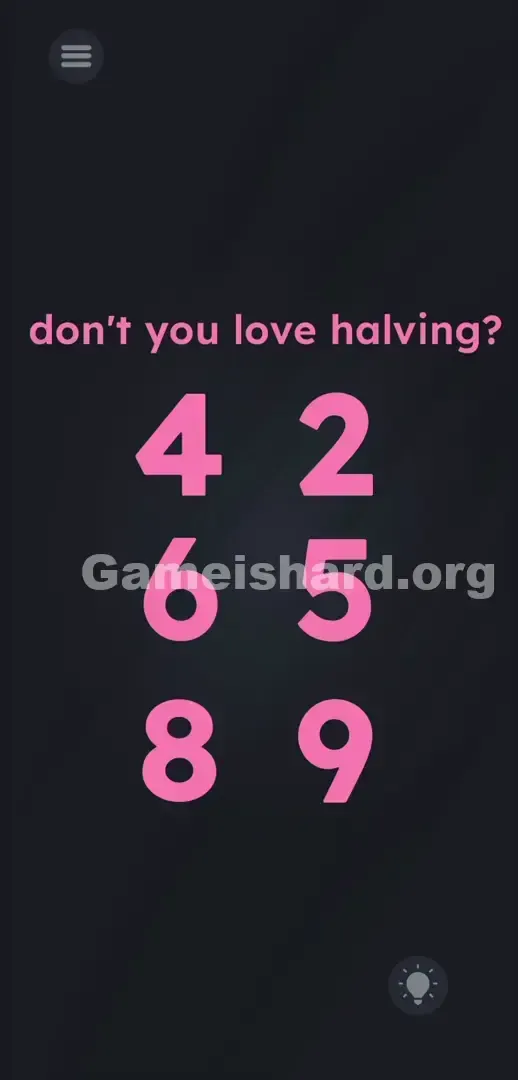
- Solve the first row: Look at the top pair—4 and 9. Half of 4 is 2. Tap the top-right 9. Keep tapping only that spot until the digit cycles and settles on 2. Stop immediately.
- Solve the second row: Move to the middle pair—6 and 9. Half of 6 is 3. Tap the middle-right 9 repeatedly. Watch the digits change. Stop when it becomes 3.
- Solve the third row: Target the bottom pair—8 and 9. Half of 8 is 4. Tap the bottom-right 9 until it cycles to 4.
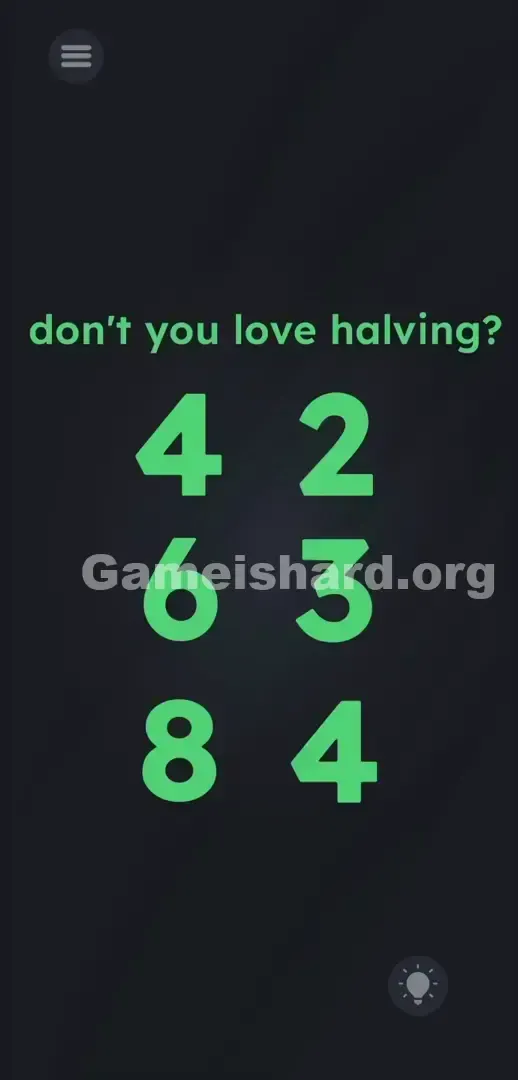
- Verification: Your screen should now show three matched pairs: 4 2, 6 3, and 8 4. The level will auto-complete and flash the win screen.
If It Did Not Work
Tapped too fast and missed your target digit? Don’t restart. These digits loop endlessly (0 → 1 → 2 → … → 9 → 0). If you overshoot 2 and land on 3, just keep tapping—it’ll circle back. Tap slowly and deliberately. While the hitboxes are forgiving, sloppy taps may register as swipes—which the game ignores. Aim for clean, vertical presses.
Why This Solution Works
This level exposes why even seasoned puzzlers get stumped. It treats plain numerals not as symbols—but as physical switches embedded in the screen.
The prompt don't you love halving? tricks your brain into thinking this is a mental challenge. But traditional puzzles separate thinking from input—here, they’re fused. The instruction is camouflage; the real puzzle is the interface itself.
By stripping away familiar UI cues, the developers force you to treat the screen not as a window into a problem—but as a machine with concealed levers. The core trick relies entirely on your automatic assumption that text is untouchable. Break that assumption, and the math is effortless.
Bonus Tip
Skip the theory—just execute:
- Tap the top 9 until it shows 2.
- Tap the middle 9 until it shows 3.
- Tap the bottom 9 until it shows 4.
- Ignore every other element. No dragging, no swiping, no guessing.
Frequently Asked Questions (Short, Useful)
Why won’t pinching split the numbers? Because this level doesn’t use physics-based interactions. Pinch-to-zoom, slicing gestures, and similar mechanics belong to other stages—not here. These 9s only respond to single taps.
I tapped and skipped past my target number. Am I stuck? Nope. Digits loop continuously from 0–9. Just tap again—slower—and wait for it to cycle back.
Do I need to move the word “halving”? No. That pink header text is purely instructional—it tells you the math goal but plays no active role. Leave it be.
Should I tap the left-column numbers? No. The 4, 6, and 8 are locked in place—they exist only to define the target values. Tapping them has zero effect.
Must I solve rows in order? Not at all. Solve bottom-first, middle-second, top-last—it makes no difference. The game validates only the final configuration. As long as all three pairs show correct halved values at once, you win.
More Game Is Hard Solutions
You cracked it. Time to move forward. Our guides cut through confusion and deliver only the precise mechanics you need to beat deceptive design and counterintuitive logic.
If this walkthrough saved you time (or sanity), share the link in your Discord. Bookmark thegameishard.org—it’s your go-to when the next level hides its controls in plain sight. Keep pushing forward.