App updates can occasionally shift puzzle order. If this level 290 walkthrough doesn’t match what you’re seeing, no stress! Use our All Levels page to locate your exact puzzle by image.
You’re engaging with real in-game settings—not decorative props placed on the main screen.
Level Overview
What Makes This Puzzle Tricky
You’re staring at a blank screen. It says “Let’s do a settings check.” You tap the words—nothing. You swipe the big numbers—still nothing. You shake your phone—silence. The game isn’t just challenging—it’s deliberately misdirecting you about where the puzzle lives. This is a textbook fourth-wall break. The answer isn’t hiding on the screen—it’s tucked into the interface you’ve been trained to ignore.
Your Goal
Your mission is to register three precise interactions to bump the central 0/3 counter up to 3/3. Those interactions are disguised as ordinary system controls—not game elements.
- Hidden object: The real puzzle components live entirely inside the pause menu—off-screen until summoned.
- Button trick (volume/mute): You must toggle actual audio and haptic settings—not simulate them with fake UI.
- UI drag / interaction: Most players overlook the pause button during active play. The level exploits that reflexive blind spot.
- Timing / waiting: There’s zero time pressure. The only delay is your realization that you’re being playfully misled. It’s not a mistake—it’s intentional design.
What Appears on Your Screen
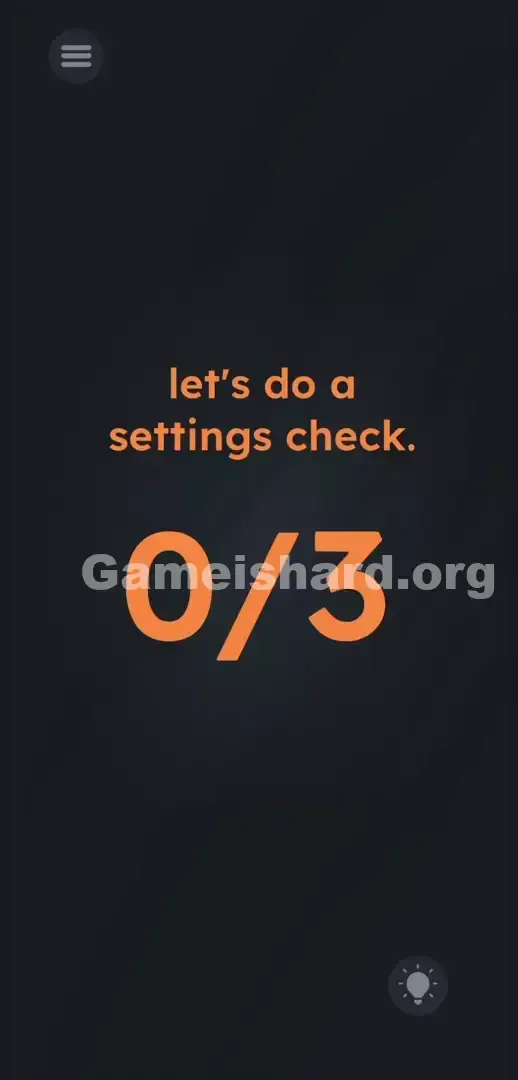
The layout is stark—almost bare. Centered in casual, lowercase orange text: let's do a settings check.
Directly beneath it sits a massive, bold 0/3 fraction—dominating visual space and pulling your focus instantly.
In the top-left corner, a subtle hamburger menu icon (three horizontal lines) rests against the dark grey background—deliberately low-contrast to fade into the periphery. This is the same button you’d tap to quit in frustration. In the bottom-right corner, the lightbulb hint icon waits quietly—ready if you give in.
No hidden glyphs. No distorted letters. Just that giant fraction, silently judging your search.
Common Mistakes to Avoid
The Trap
This level weaponizes UI blindness—a habit drilled into us by years of mobile gaming. Your brain automatically treats the edges of the screen as “non-playable” space: pause buttons, battery icons, status bars—all filtered out as irrelevant. Level 290 shatters that assumption. You fail not because the puzzle is hard—but because you refuse to glance up and left.
First Instincts That Fail
- Tapping the orange phrase settings check directly.
- Pressing your phone’s physical volume rocker buttons.
- Swiping or dragging the “0” hoping to replace it with a “3.”
- Speaking or shouting into your mic (past levels condition this reflex).
- Waiting for an in-game settings panel to appear—no such thing exists here.
Player Reactions
I spent over two minutes swiping the text like it was a slider. I rubbed the screen trying to uncover a hidden dial. At one point, I even grabbed my iPhone’s volume down button, fully convinced it was hardware-based. Then—rage-tapping the top-left menu to escape—I saw the side panel slide out… and instantly recognized the pattern. Total facepalm moment.
Step-by-Step Solution
Preparing the Move
Stop fixating on the center. Shift your gaze upward—to the very top-left corner of your screen. That’s where the real action begins.
Executing the Solution
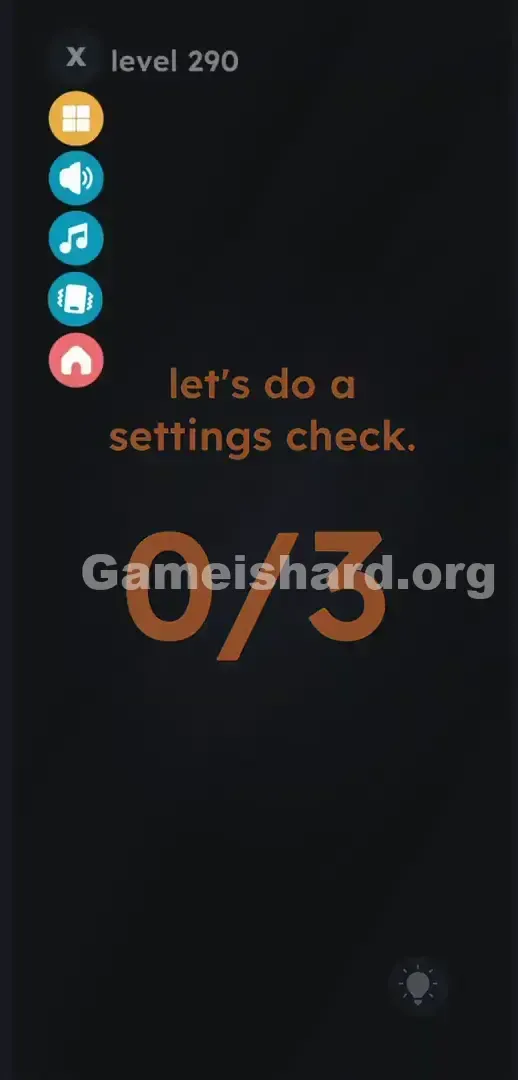
- Tap the hamburger menu icon (the three horizontal lines) in the top-left corner. A vertical column of colored buttons slides in from the left edge.
- Scan the slide-out menu: a dark grey X sits at the top. Below it is a yellow squares icon —ignore both.
- Tap the blue Speaker icon (Sound).
- Tap the teal Music Note icon (Music).
- Tap the green Vibrating Phone icon (Haptics).
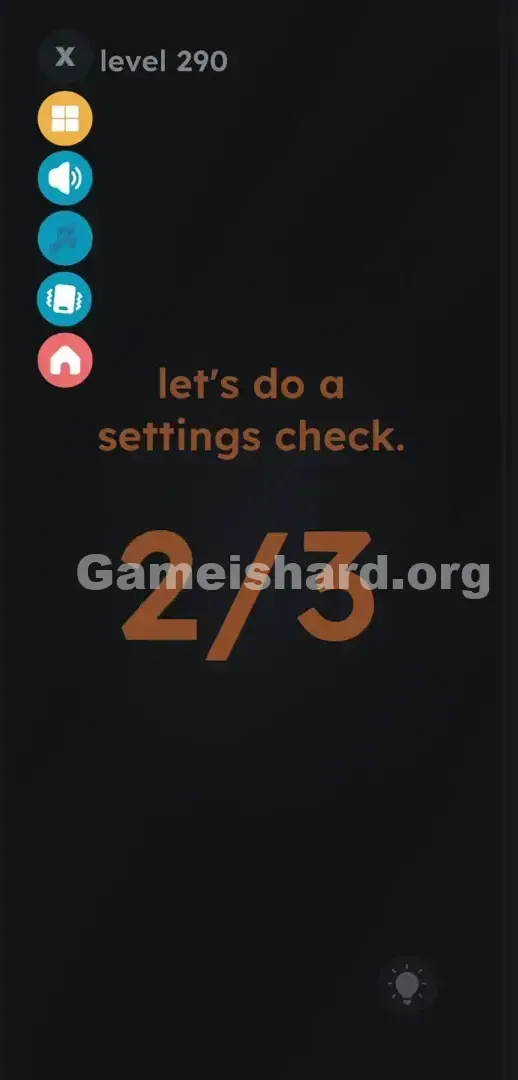
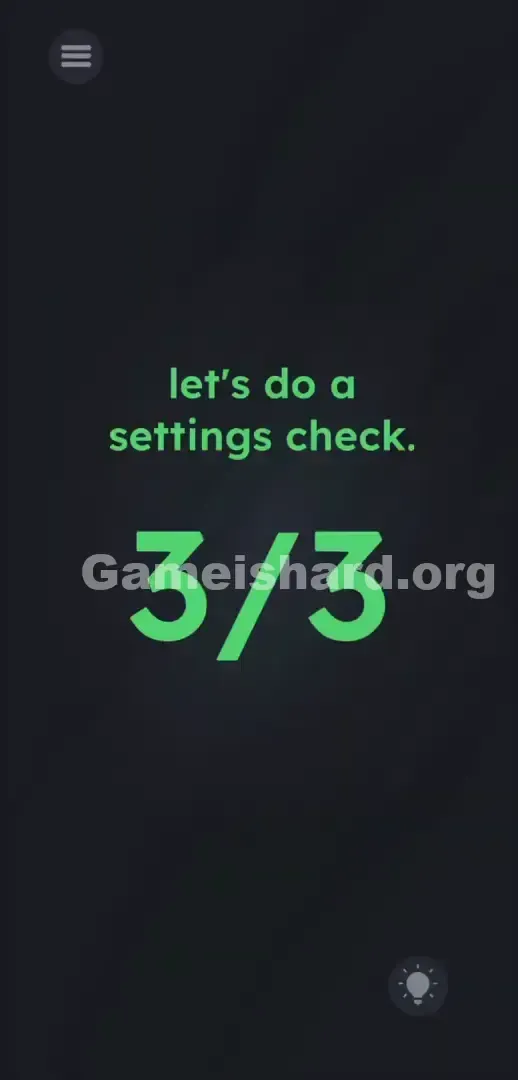
- Watch the giant fraction update in real time. Each tap registers one point. After all three, the display flips to 3/3—and the level completes instantly.
If It Did Not Work
- The counter stalls at 2/3: One toggle was missed. Double-check the side menu—ensure all three audio/haptic icons were tapped. Deactivated toggles usually show a diagonal slash.
- I pressed the red house: That’s the Home icon —it exits straight to the main menu. Relaunch the level and avoid that button.
- Nothing happens after opening the menu: Just opening the panel doesn’t count. The goal requires changing the state of those three specific toggles—not just viewing them.
Why This Solution Works
The rule is simple: no part of the UI is off-limits. The line between “game world” and “system interface” is erased.
The prompt is misdirection—the interface is the puzzle. Developers know how your eyes scan a mobile screen—you instinctively dismiss administrative controls. By tying success to real software toggles, they force you to override muscle memory. System buttons become puzzle pieces. It’s clever meta-design—echoing classics like Psycho Mantis’ controller-port swap, now reimagined for touchscreens.
Bonus Tip
Skip dissecting the orange text. Don’t tap it, drag it, or yell at it. The fix is purely mechanical—and takes under two seconds once you know where to look.
- Tap the top-left menu button immediately.
- Tap the sound , music , and haptic toggles in quick succession.
- Avoid the red home button entirely.
- Move on to the next challenge.
Frequently Asked Questions
Why don’t my phone’s physical volume buttons work here? Level 290 only tracks changes to the game’s internal software toggles—not hardware inputs. You must use the in-app pause menu to adjust audio and vibration states.
Do I have to keep sound and music disabled after beating this level? Not at all. The level only checks that you toggled each setting once. If you prefer audio on, simply tap the Speaker and Music Note icons again to re-enable them after clearing the stage.
I opened the menu but the number still reads 0/3—is the level broken? Opening the menu is just step one. The counter only advances when you actively tap the sound , music , and haptics icons inside that menu—flipping their on/off state.
What if I accidentally hit the red home button in the menu? You’ll exit the level instantly and return to the main stage select screen. Any progress is lost. Keep your taps focused solely on the middle three icons.
More Game Is Hard Solutions
Our guides cut straight to the point—fast, precise, and zero filler. We tell you exactly where to tap—and why the game is nudging your instincts off course. Hit a wall on another brutal stage? Search thegameishard.org for your level number. Share this guide on Discord so your squad stops smashing their phones on fake mechanics. Win the game—don’t let it win you. Keep tapping.