App updates can sometimes shuffle the order of puzzles. If this level 284 walkthrough doesn't match your screen, don't worry! You can browse our All Levels guide to find your exact puzzle by its picture.
Target the dotted grid on the right side of your screen. You are just matching the shape's color directly to the colored dots underneath it.
Level Overview
What Makes This Puzzle Tricky
You jump into the level and immediately see a jumble of bold, colorful shapes. Your brain jumps straight to Tetris mode—expecting you to rotate and slot them together into a tight formation on the blank left side. Hold on. That’s not what’s happening here. The game drops a classic misdirection right at the start: the prompt “Where to put these blocks?” looks like part of the puzzle—but it’s just window dressing.
Your Goal
Your sole task is simple: cover every colored dot on the right-side grid with its matching block. No stacking. No rotation. No hidden mechanics. Just direct visual alignment.
- UI drag
- Visual pattern matching
- Color-coding logic It’s not a typo. It’s ammo.
What Appears on Your Screen
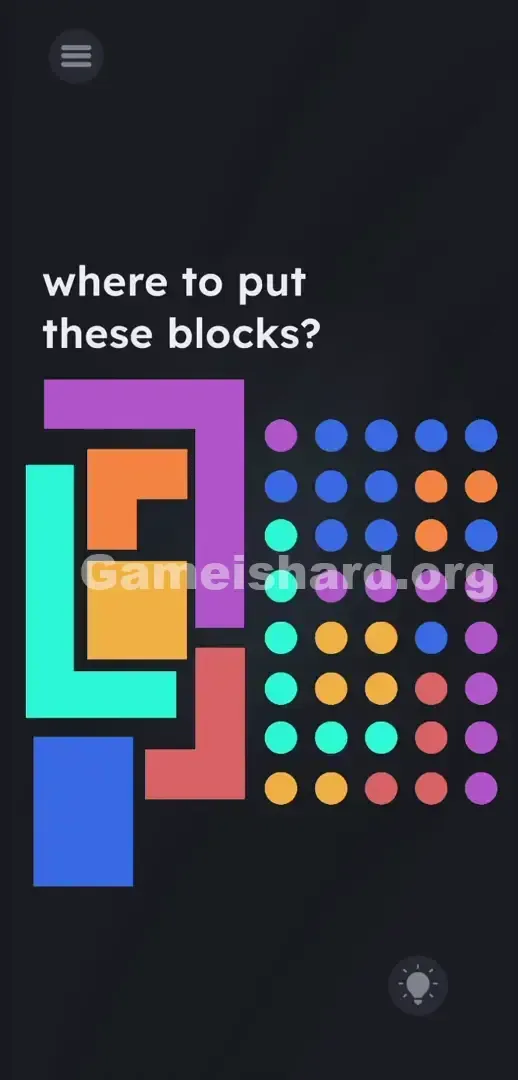
Let’s break down the layout. When Game is hard Level 284 loads, the screen splits cleanly into two zones. At the top, the text “where to put these blocks?” flashes—a playful red herring from the devs.
On the left, a chaotic stack of five colored Blocks sits front and center. The mint green one is a large backward L. The purple piece resembles a curved hook or bracket. A compact orange square rests near the center. Below it, an angular red shape leans slightly. And anchoring the pile is a long blue rectangle—clean, simple, unmistakable.
On the right, a crisp 5x6 grid of vividly colored Dots fills the space. These aren’t decorative—they’re your map. Blue dots cluster at the top right. Orange ones sit mid-right. Mint green dots line the far-left column. And tucked in the bottom-right corner? A faint lightbulb icon—skip it. You won’t need hints here.
Common Mistakes to Avoid
The Trap
UI blindness strikes again. Years of playing tile-matching and falling-block games have wired us to treat scattered shapes as interlocking pieces—and to ignore background elements. So we zero in on that messy left pile and try to assemble it into something meaningful in the empty zone. Meanwhile, the dot grid on the right reads like set dressing—not the actual puzzle board. We’re trained to solve in isolation, not to read meaning into the interface itself.
First Instincts That Fail
- I tried dragging the word “blocks” from the prompt into the pile. Nothing happened.
- I shook my phone hoping to jiggle loose a clue. Nope.
- I stacked blocks vertically, trying to build a tower on the left. Total dead end.
- None of the shapes connect or snap together freely—no matter how hard you try.
Player Reactions
Full facepalm moment. I wasted nearly three minutes wrestling with that mint green L-block, convinced the level was glitched. Then I actually looked at the dots on the right—and realized the answer had been staring me in the face the whole time.
Step-by-Step Solution
Preparing the Move
Tune out the question at the top—it’s irrelevant. Lock your focus on the dot grid to the right. Notice how each dot color lines up precisely with one of the five blocks. That grid is your instruction manual—no translation needed.
Executing the Solution
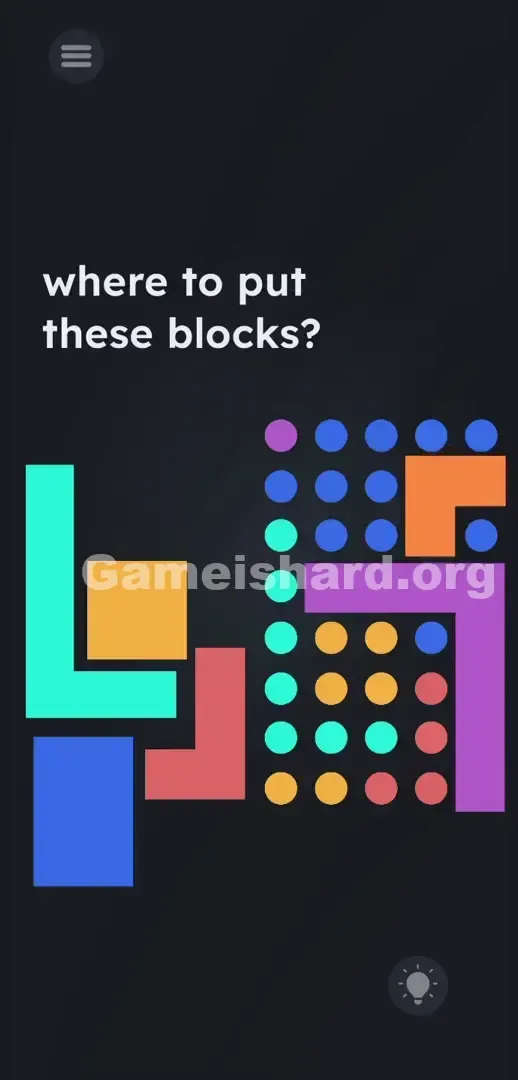
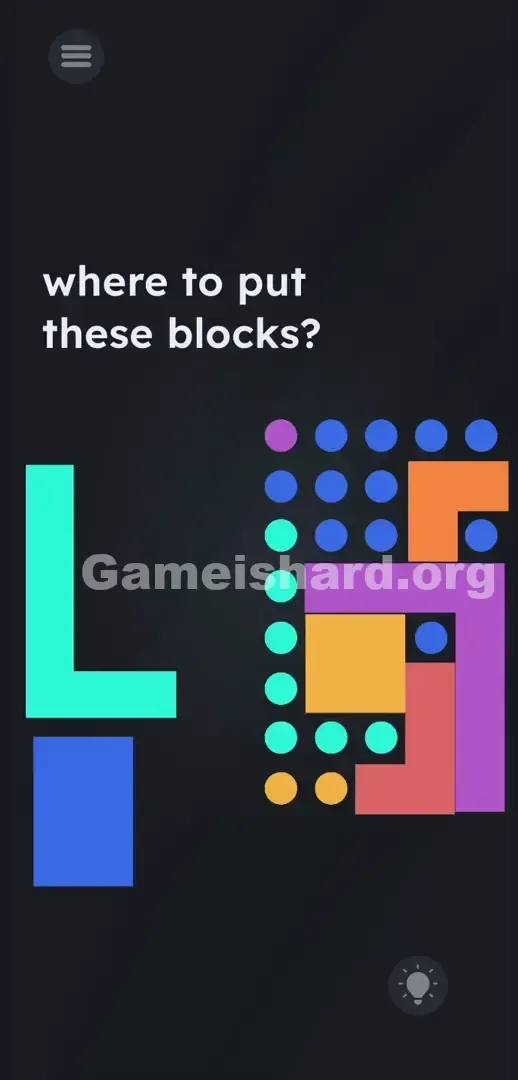
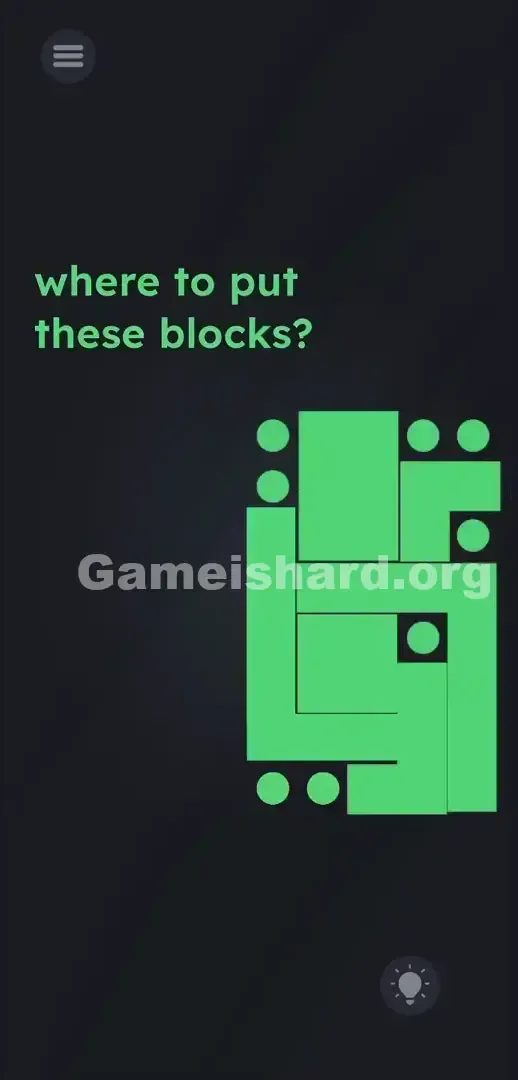
- Tap and hold the big purple Block . Drag it over to the grid. Drop it exactly over the corresponding purple Dots .
- Grab the mint green Block . Move it to the left side of the dot grid. Position it so it covers every single mint green Dot .
- Take the orange square Block . Slide it right into the middle-right section of the grid over the orange dots.
- Pull the red Block into the weird gap near the bottom right. Match it perfectly to the red dots.
- Pick up the blue rectangular Block . Slap it down onto the remaining blue dots at the top right corner.
If It Did Not Work
Touch responsiveness can be finicky here. If a drop doesn’t register, lift the block and reposition it. Align edges carefully—the shape must fully overlay its matching dots without gaps or overhangs. If colors blur together, boost your screen brightness. If blocks freeze or won’t budge, force-close the app and clear its cache—the drag sensor often glitches after rapid tapping.
Why This Solution Works
This level targets players who default to complexity. Instead of hiding the answer behind physics, timing, or device tricks, it hides it in plain sight—using the UI itself as the solution key. We’ve been conditioned by earlier levels to expect wild stunts: flipping phones, dragging invisible words, or decoding cryptic symbols. So when presented with bold shapes and a clean grid, we assume something must be hidden. But here? There’s no twist. It’s pure color-to-dot matching—disguised as a spatial challenge. The prompt isn’t a clue—it’s camouflage.
Bonus Tip
Skip the overthinking. Follow this efficient sequence:
- Start with the largest pieces—the purple and mint green blocks—to lock down major sections of the grid.
- Use the outer borders of the dot grid as your placement guide—keep shapes flush and aligned.
- Don’t rotate anything. Every block arrives pre-oriented and ready to go.
- Save the smaller orange and blue blocks for last—they’ll fit snugly into leftover spaces. Forget the top text entirely. It serves zero functional purpose.
Frequently Asked Questions
Can I rotate the blocks to make them fit? No. You don't need to spin anything. Every single block is already facing the exact direction it needs to be in. Just drag and drop.
Why won't my blocks snap into the grid? Your positioning is sloppy. You need to make sure the colored shape perfectly covers the corresponding colored dots. Try grabbing the piece by the dead center so your finger doesn't block your view of the edges.
Am I supposed to use the text at the top? Absolutely not. The prompt asking where to put the blocks is just flavor text this time. Do not bother dragging the letters.
Is there a missing piece? The grid looks empty. You have all the pieces you need. If the grid looks bare, you placed a block in the wrong spot. Match the colors strictly.
Does phone orientation matter for this stage? No. Keep your device upright. Shaking or tilting the screen won't solve this one. It strictly relies on touch controls.
More Game Is Hard Solutions
We know you hate scrolling through ten pages of useless lore just to find a puzzle solution. Our guides are built to be fast, aggressive, and entirely fluff-free.
Share this guide with your Discord crew so they stop rage-quitting on simple color puzzles. Keep grinding.