App updates occasionally reorder puzzles. If this level 280 walkthrough doesn’t match what you’re seeing, no stress! Flip through our All Levels guide and locate your exact puzzle using its screenshot.
This puzzle only works when you adjust your phone’s real-world brightness settings—not anything inside the app.
Level Overview
What Makes This Puzzle Tricky
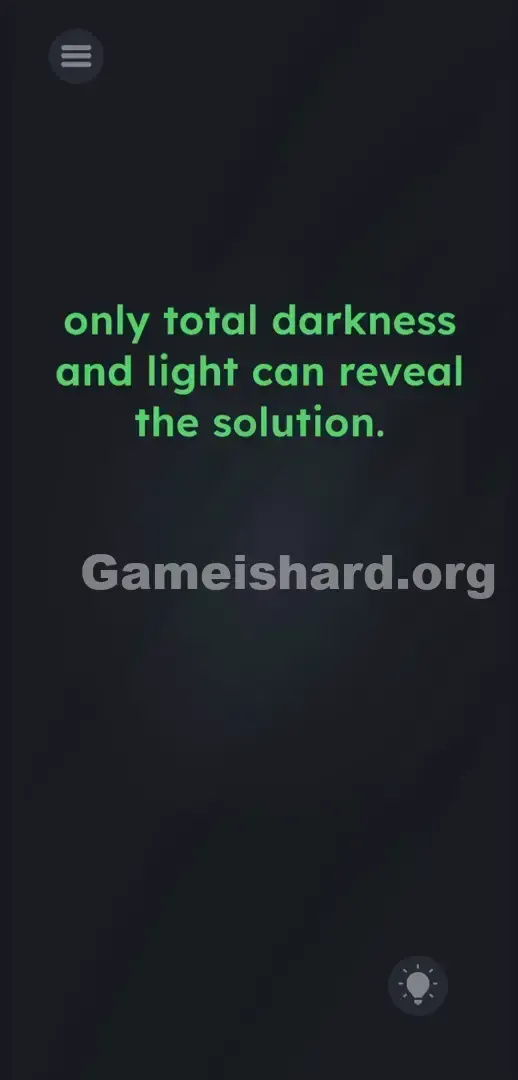
You’re staring at a blank, dim screen. A line of orange text floats in the center: only total darkness and light can reveal the solution. You tap, swipe, drag—nothing responds. The game deliberately blurs the line between app interface and device hardware. You’re trying to solve it like software, but the answer lives in your phone’s physical controls.
Your Goal
Your mission is to place both floating orange balls correctly—but the target zones aren’t visible yet. To unlock them, you must change your device’s actual screen brightness to trigger the game’s hidden logic and render the missing drop areas.
Here are the core mechanics involved in beating Game is hard Level 280:
- Button trick (volume/mute/brightness)
- Hidden object
- UI drag
- System-level sensor checks It’s not a mistake—it’s intentional design.
What Appears on Your Screen
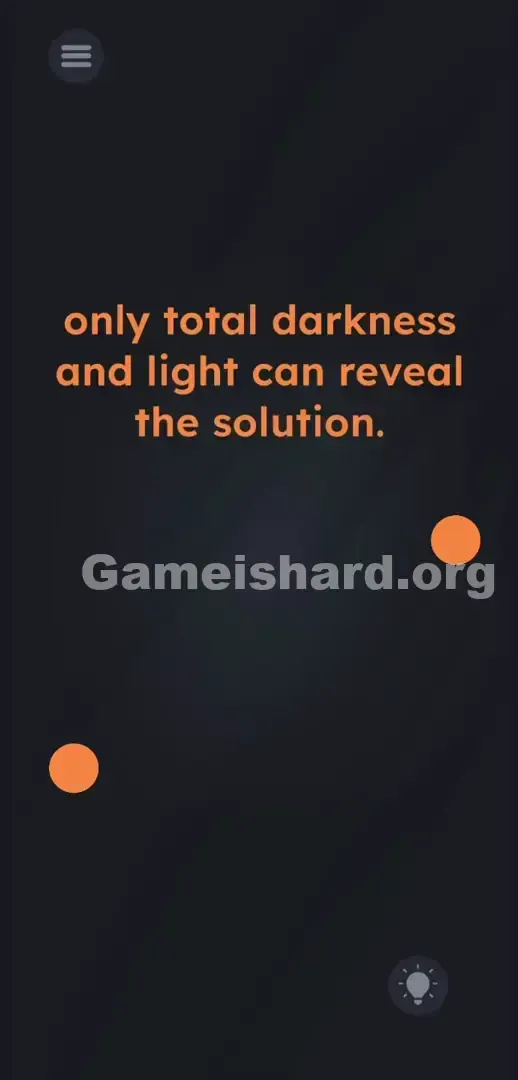
The screen feels eerily minimal. A deep, shadowy gradient fills the background. Centered in lowercase orange text is the phrase: only total darkness and light can reveal the solution. Two plain orange balls hover near the middle-left and middle-right edges. In the bottom-right corner sits a barely visible circular icon—a faint lightbulb inside a ring. Almost the entire display is empty space. No outlines, no buttons, no obvious targets—just silence and ambiguity.
Common Mistakes to Avoid
The Trap
This level exploits “UI Blindness”—our automatic assumption that every puzzle element must live inside the app window. When the clue mentions darkness and light, instinct tells us to hunt for an in-game toggle or button. That subtle lightbulb icon? It’s a red herring placed there to misdirect you.
First Instincts That Fail
Players try everything before touching system settings: covering ambient light sensors, turning off room lights, even dragging the words darkness and light onto the balls. None of it works—the game isn’t reading your environment. It’s reading your OS brightness value.
Player Reactions
I spent over two minutes tapping my phone’s front camera and whispering “light” into the mic. Total frustration—until I accidentally swiped down the control center and saw the screen flash with new elements. It’s a clever, slightly infuriating fourth-wall break.
Step-by-Step Solution
Preparing the Move
Pause all interaction with the game itself. Keep it open and active, but shift focus to your phone’s operating system. You’ll need quick access to your main control panel—where you manage Wi-Fi, Bluetooth, and brightness.
Executing the Solution
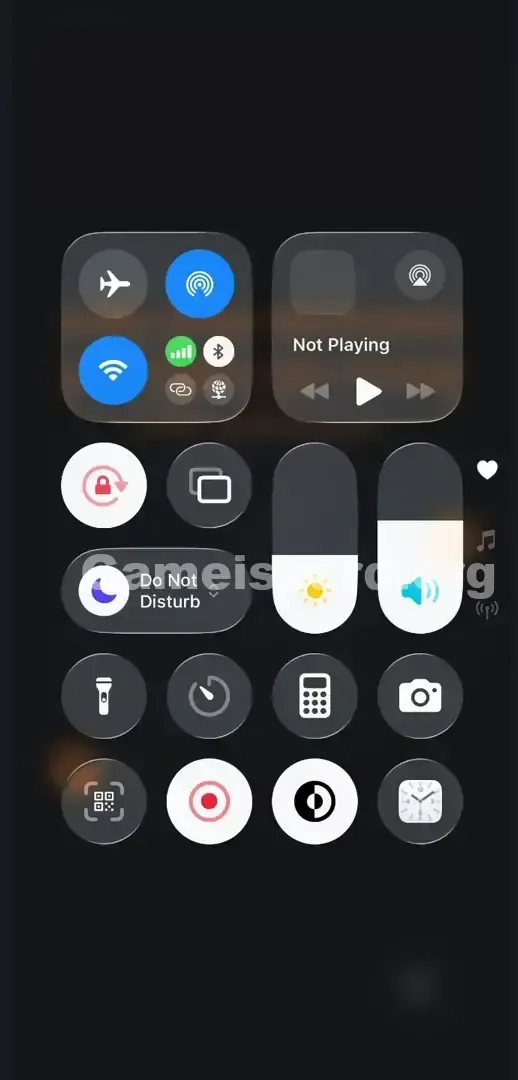
- Swipe down from the top right of your screen (iOS) or swipe down twice from the top (Android) to open your system's Control Center.
- Locate your system's Brightness Slider (usually indicated by a sun icon).
- Drag the slider completely to the bottom to hit 0% brightness.
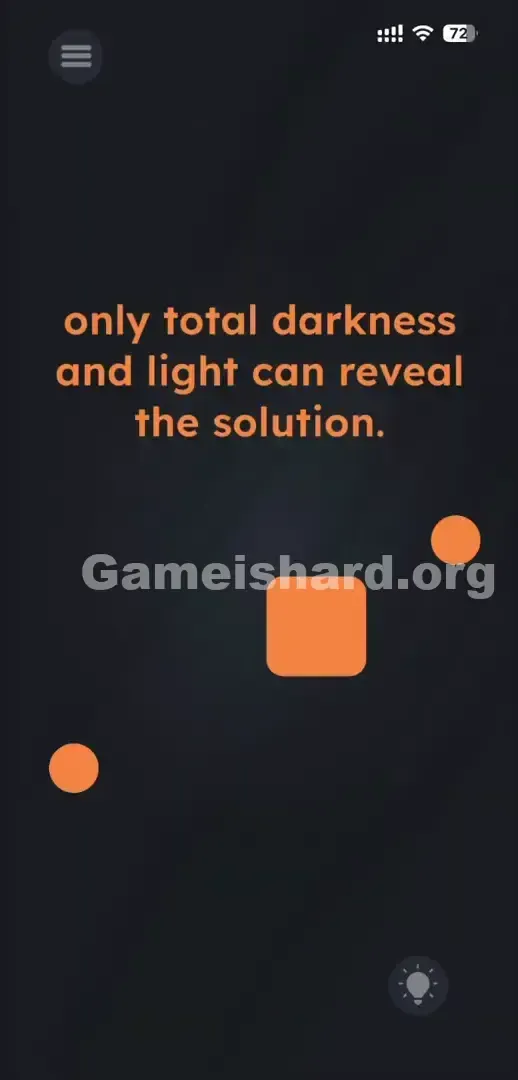
- Swipe the Control Center away to look at the game. A solid orange box will have materialized in the middle of the screen.
- Open your Control Center again.
- Drag the Brightness Slider all the way to the top to hit 100% brightness.
- Return to the game. A second orange box is now visible next to the first one.
- Touch and hold the two orange balls and drag them directly onto the newly revealed boxes.
If It Did Not Work
- Auto-Brightness is fighting you: If your phone auto-adjusts brightness the moment you move the slider, the game won’t register the extremes. Head into your phone’s Settings, turn off Auto-Brightness or True Tone temporarily, then retry.
- Third-party dimmer apps: Android users running screen-dimming overlays should disable them first. The game reads raw system brightness—not overlay opacity.
- You didn't hit the extremes: Precision matters. 1% or 99% won’t cut it. You must land exactly at 0% and 100% on the slider.
Why This Solution Works
This level breaks the illusion of the app as a closed world. It demands you treat your phone not just as a display, but as interactive hardware.
That line—only total darkness and light can reveal the solution—isn’t metaphorical. It’s a direct instruction to manipulate your device’s brightness API. The game continuously checks your OS brightness value; hitting 0 or 100 triggers code that changes the hidden boxes’ opacity from invisible (0%) to fully visible (100%). The clue is literal—and the real puzzle lies outside the app.
Bonus Tip
When sensory-based puzzles go silent, trust your hardware—not your intuition.
- Ignore the lightbulb icon completely.
- Drop your system brightness all the way to zero.
- Watch the screen—your first box appears.
- Crank brightness up to full.
- Drag both orange balls onto the now-visible targets.
Frequently Asked Questions
Why didn't covering my phone's camera work? Game is hard Level 280 doesn’t request microphone or camera access. It can’t sense your surroundings—it only reads internal values like brightness, volume, and battery level.
I dragged the brightness down but only one box appeared. Is my game bugged? Nope. Both extremes are required: 0% reveals the “darkness” box; 100% reveals the “light” box. You must perform both steps in order.
Can I just drag the balls to the center without changing brightness? No. The drop zones remain inactive until brightness hits those exact values. Collision detection only activates after visual confirmation.
Does it matter which ball goes into which box? Not at all. They’re interchangeable—just get both onto the revealed targets to pass.
More Game Is Hard Solutions
Stuck on the next challenge? We skip the filler and deliver precise, actionable steps for every level. Search thegameishard.org for the next puzzle and keep your streak going. Share this guide on Discord if your friends are still yelling at their phones. Stay sharp—you’ve got this.