App updates sometimes rearrange puzzle order. If this level 55 guide doesn’t match what you’re seeing, no stress! Flip through our All Levels directory to spot your exact puzzle by image.
You’ll need to form each shape one at a time until all five words in the list light up green.
Level Overview
What Makes This Puzzle Tricky
You’re shown a list of geometric terms—and a plain wireframe shape. At first glance, it feels like a matching quiz. But tapping the words does nothing. Tapping the shape does nothing. The real clue? The game isn’t asking you to choose—it’s asking you to build.
Your Goal
Your job is to manually reshape the wireframe at the bottom of the screen to match each definition above it. Success means constructing—not selecting—all five correct forms.
Mechanics involved:
- UI Drag: Each corner dot acts as a movable control point.
- Physics/Geometry: The game evaluates angles and side relationships in real time.
- Checklist: All five items must turn green before the level completes. It’s not a mistake—it’s a hands-on geometry challenge.
What Appears on Your Screen
The layout is minimal and focused.
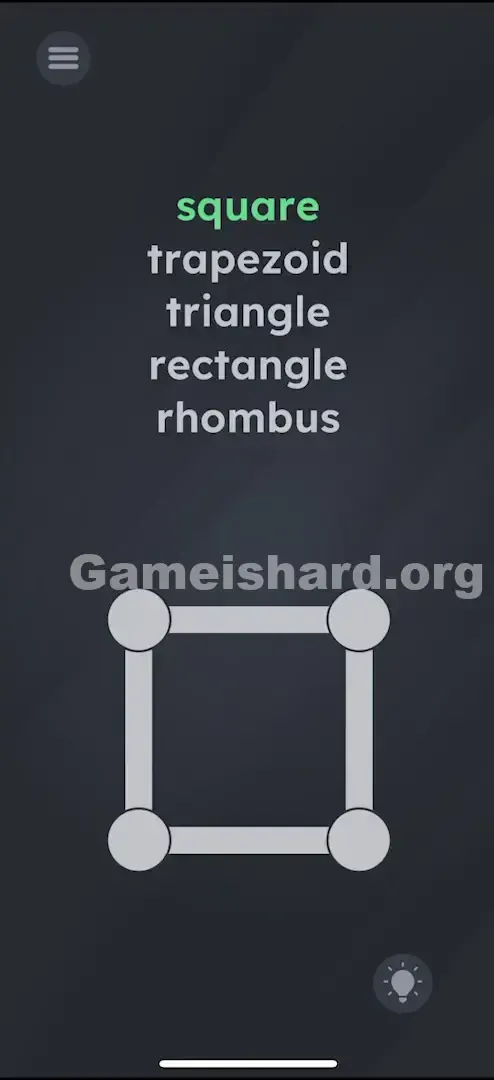
- Top half: A vertical list of five terms—square , trapezoid , triangle , rectangle , rhombus .
- Bottom half: A grey wireframe quadrilateral with four large circular handles at its corners, linked by thick grey lines.
- The Vibe: Like an interactive geometry sketch that’s waiting for your input.
Common Mistakes to Avoid
The Trap
Our instinct is to tap the word “square” when we see something boxy—but that won’t work. The draggable shape looks static, but it’s actually fully interactive. This is classic “UI misdirection”: the tool is right in front of you, disguised as decoration.
First Instincts That Fail
- Rapidly tapping each word hoping something triggers.
- Shaking or tilting the device expecting animation.
- Waiting for the shape to auto-adjust without input.
- Assuming only one shape matters—when the list is actually your to-do checklist.
Player Reactions
I spent nearly 90 seconds convinced it was broken. “Why won’t ‘trapezoid’ highlight?” I grumbled. Then my thumb brushed a corner dot while cleaning the screen—and the whole shape bent instantly. Instant forehead-slap moment.
Step-by-Step Solution
Preparing the Move
Zero in on the four grey corner dots at the bottom of the screen. These aren’t just visual—they’re your only controls. Pause the mental checklist for a sec and just experiment with dragging them around.
Executing the Solution
Turn every word green by reshaping the wireframe. Sequence isn’t locked—but here’s the most intuitive path:
- Square: The shape often begins as a square. If “square” isn’t green yet, nudge the corners slightly to lock in equal sides and right angles.
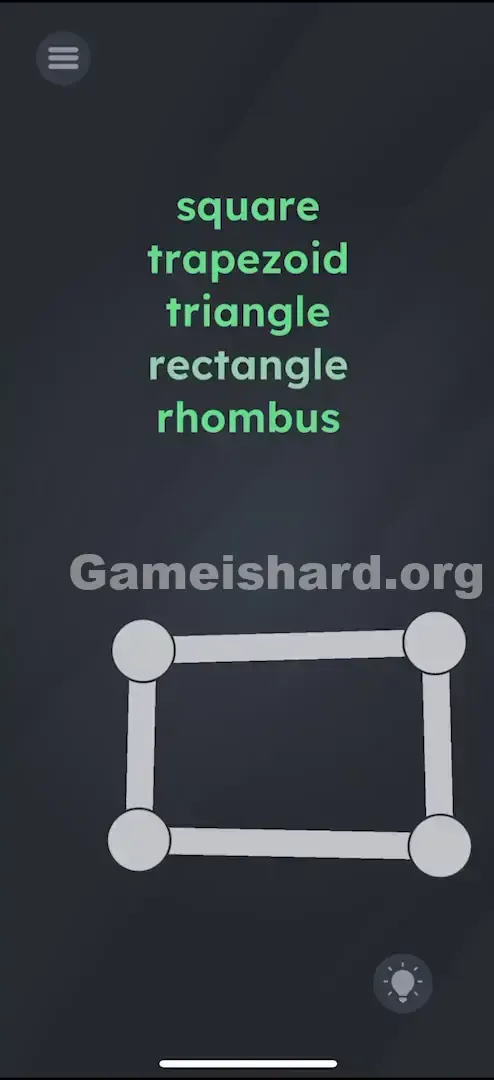
- Rectangle: Pull the top two corners upward (or left/right corners outward) to stretch it—keep all corners at 90°, but make opposite sides unequal. “rectangle” will activate.
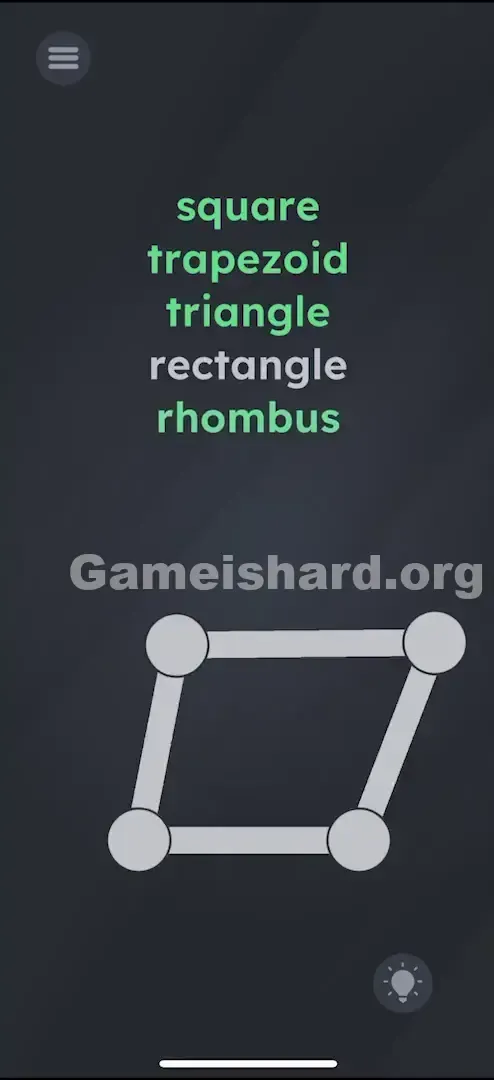
- Rhombus: Start from your square or rectangle and skew it sideways—drag both top dots right while holding the bottom ones steady. Think “tilted diamond.” “rhombus” lights up.
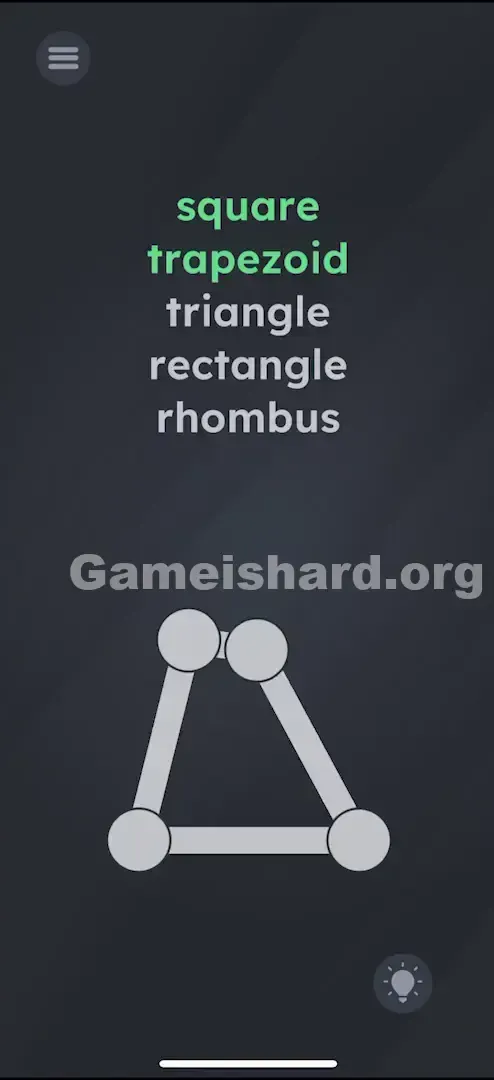
- Trapezoid: Bring the top two dots closer together so the top edge shrinks relative to the bottom. It should resemble a tabletop or truncated pyramid. “trapezoid” registers.
- Triangle: Trickier since there are four points—but simple once you know: drag the top two dots directly onto each other at the center-top. The shape collapses into a clean triangle with a double-pointed tip. “triangle” turns green.
If It Did Not Work
- If a shape won’t confirm: Detection can be sensitive. Try enlarging the “square” if it resists. For “triangle,” ensure the top two dots are fully overlapped—not just close.
- Order: No fixed sequence required. If you accidentally form a trapezoid while aiming for a triangle, it still counts toward completion.
Why This Solution Works
This level rewards exploration over assumption. Instead of hunting for buttons or menus, you prove your understanding by manipulating the shape itself—turning abstract definitions into tangible geometry.
The recurring theme? “The object is yours to mold.” In Game is Hard, visuals rarely sit still—they’re almost always dynamic tools. That word list isn’t a question—it’s your live progress tracker.
Bonus Tip
Precision isn’t mandatory—the game accepts functional approximations.
- Triangle Shortcut: Merge the top two dots completely—no need for perfect symmetry.
- Rhombus Shortcut: Take your square and shove both top corners sharply right.
- Trapezoid Shortcut: Just pinch the top edge inward. Skip textbook-perfect proportions—rough, recognizable shapes get the job done.
Frequently Asked Questions of Game Is Hard Level 55 (Short, Useful)
Q: Do I have to follow the word order in Game is hard Level 55? A: Nope—complete them in any sequence. The level finishes as soon as all five turn green.
Q: How do I make a triangle with four dots in Game is hard Level 55? A: Force the top two dots to occupy the same spot—stack them directly on top of each other to collapse the top edge.
Q: Why won’t “Square” activate? A: Slight imbalances in side length or angle may block detection. Adjust corners evenly—or restart to reset to the default square.
Q: Can I use two fingers? A: Absolutely! Multi-touch lets you reposition two corners at once—great for quick resizing.
More Game Is Hard Solutions
If this walkthrough rescued your streak, explore our full library of Game Is Hard guides. We keep them direct and frustration-free—so you spend less time stuck and more time playing. Pass this along to anyone wrestling with this geometry puzzle!