App updates can sometimes shuffle the order of puzzles. If this level 59 walkthrough doesn't match your screen, don't worry! You can browse our All Levels guide to find your exact puzzle by its picture.
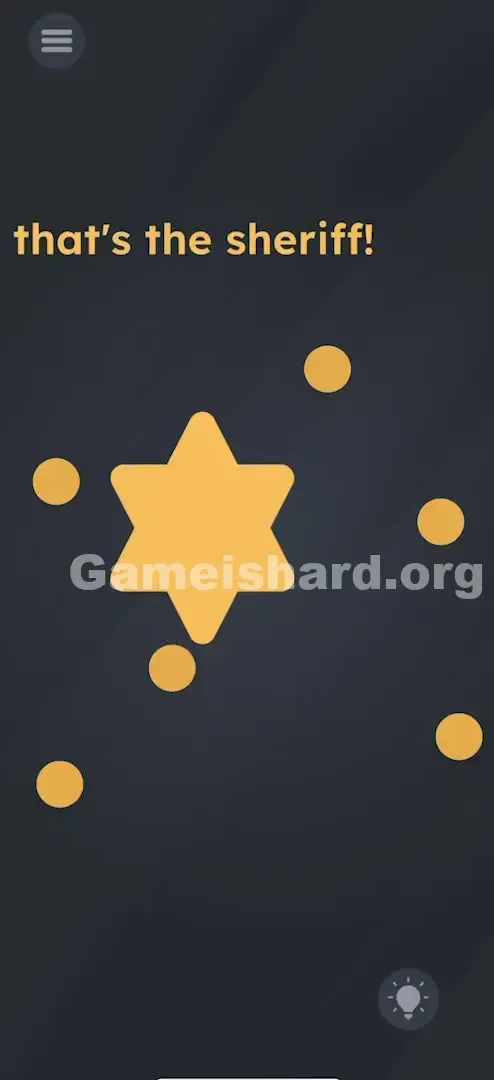
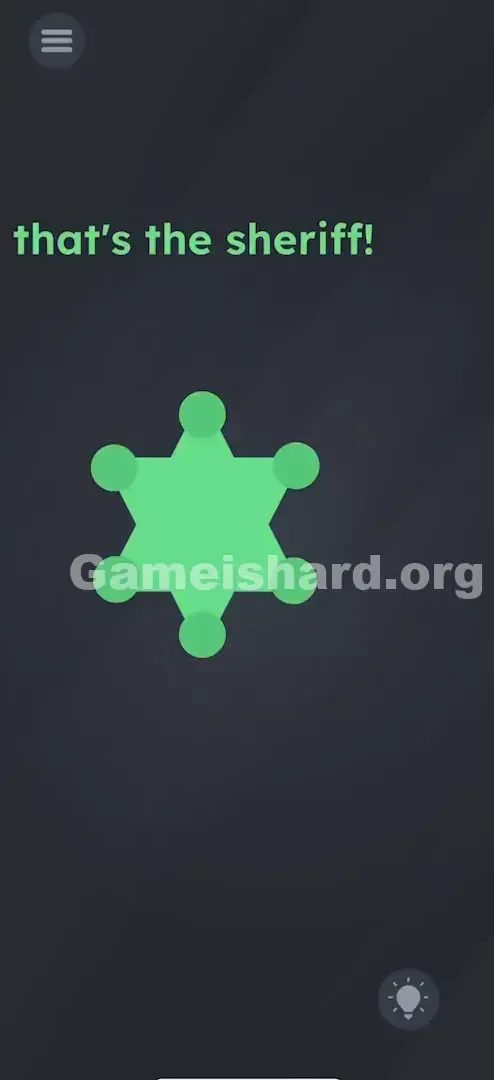
This creates the iconic "sheriff badge" shape needed to clear the level.
Level Overview
What Makes This Puzzle Tricky
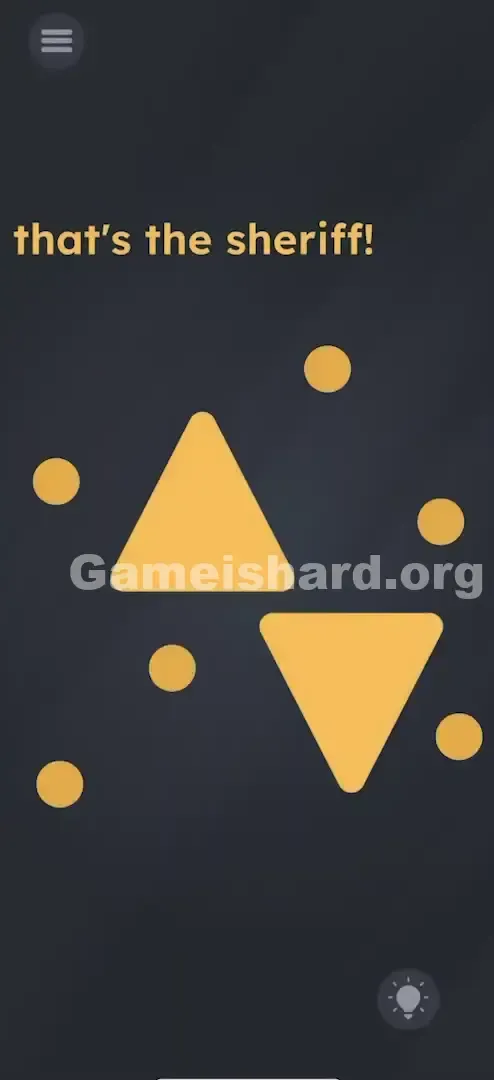
You jump into Game is hard Level 59 and land in a sea of floating gold shapes—no context, no instructions, just geometry and a bold declaration: "that's the sheriff!" There’s no lawman in sight—just two triangles and five circles drifting in empty space. It feels less like a puzzle and more like being handed raw materials with zero assembly manual. The frustration kicks in fast because instead of solving something, you’re expected to build the answer from scratch.
Your Goal
This isn’t about spotting hidden clues or answering trivia—it’s pure hands-on construction. That single phrase “sheriff” is your only compass. Ask yourself: What symbol instantly says “sheriff”? Not a horse or a lasso—it’s the badge. Your job is to craft it using the pieces on screen.
Key Mechanics involved in Game is hard Level 59:
- Object Merging: Overlap shapes to generate new visual forms.
- Drag and Drop: Every gold element responds to touch and can be repositioned freely.
- Visual Construction: You're assembling an image—not calculating numbers or decoding patterns.
- Shape Recognition: Two triangles, when stacked correctly, form a six-pointed star—the classic badge silhouette.
- Snap Points: Circles lock into place only at the outermost tips of the star. It’s not a glitch—it’s intentional design. Think of it as a minimalist crafting interface.
What Appears on Your Screen
The background is deep grey, making the bright gold elements pop sharply.
At the top, in clean, bold type: that's the sheriff!
Below it, the puzzle components sit loosely arranged:
- One large upright triangle (pointing upward).
- One large inverted triangle (pointing downward).
- Five small gold circles scattered nearby. All elements share the same warm metallic tone. No menus, no hints, no extra UI—just text and geometry. That stark minimalism is deliberate: it lulls you into thinking the solution is simple, when really, it demands active creation.
Common Mistakes to Avoid
The Trap
The biggest hurdle is “Abstract Blindness.” Our brains often see triangles as standalone objects—not building blocks. The game counts on you not immediately recognizing that flipping and stacking them yields a star. You need that spark of pattern recognition—seeing meaning where none seems obvious—to break through.
First Instincts That Fail
Most players instinctively try:
- Tapping the word “sheriff” hoping it reacts.
- Shaking the device, expecting physics-based movement.
- Dropping circles inside the triangles, guessing they’re eyes or controls.
- Dragging shapes off-screen, searching for hidden layers. None of these trigger anything. The level waits patiently for one precise action: merging and decorating.
Player Reactions
I stared at it for over two minutes, genuinely stumped. At one point, I tried arranging the circles into a smiley face inside the upright triangle—convinced maybe the “sheriff” was cheerful. Embarrassing, yes—but then I noticed how perfectly the triangles mirrored each other. A quick drag-and-drop revealed the star, and I literally groaned. So obvious—once you see it.
Step-by-Step Solution
Preparing the Move
Pause the text for now. Zero in on the two big triangles—they’re your foundation. Everything else follows from how you combine them.
Executing the Solution
- Grab the Upside-Down Triangle: Tap and hold the downward-pointing triangle.
- Merge the Triangles: Drag it straight over the upright one, centering them precisely.
- Verification: When aligned right, they form a clean six-pointed star (a hexagram).
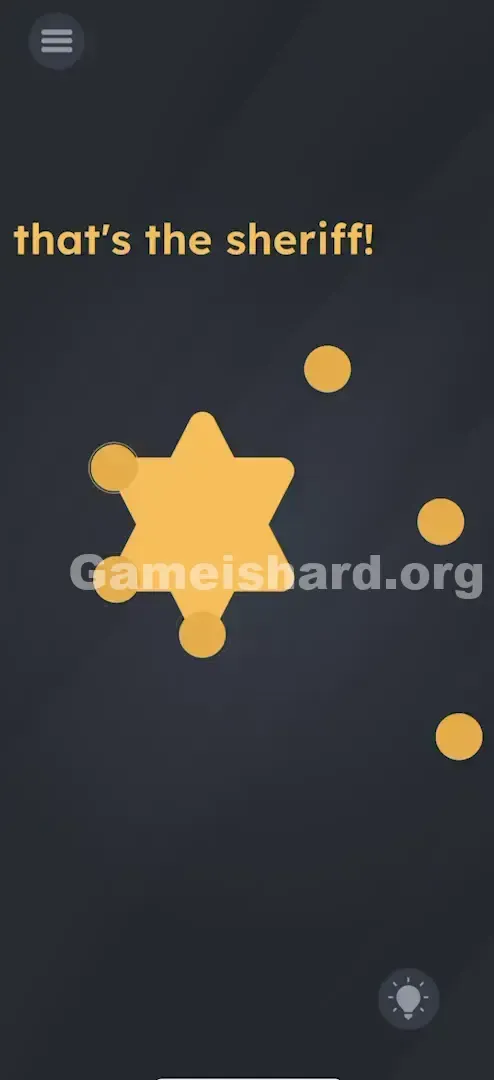
- Grab the Circles: Pick up one of the small gold circles.
- Decorate the Tips: Place it on one sharp tip of the star—like the polished ball on a real badge.
- Repeat for All Points: Add the remaining circles to the other five points. (Note: Five circles are provided—usually enough to complete the recognizable badge shape.)
- Finalize: As soon as all circles settle on the star tips, the level registers the sheriff badge and completes.
If It Did Not Work
- The triangles aren't merging: Perfect alignment isn’t required, but center them closely—if it looks jagged or misshapen, reset and reposition.
- The circles won't stick: Ensure they land on the very tips—not the flat sides or inner intersections. Picture a cartoon badge: shiny dots at each point.
Small Details That Matter
The game gives you some leeway—but subtle precision helps.
- The Star Alignment: You don’t need to “fuse” the triangles—just overlay them cleanly. They stay independent, so avoid nudging the top one while placing circles.
- Circle Placement: That first dot acts like a visual anchor—it makes the badge concept click faster, even if the rest aren’t placed yet.
- Touch Input: Stick to one finger. Multi-touch can interfere with dragging, especially when moving circles near overlapping shapes. I fixed it by: First, I kept dropping circles between the triangles—nothing happened. Then I moved one to the farthest outer tip—and instantly, the logic triggered.
Why This Solution Works
This level tests visual synthesis—not analysis.
While many mobile puzzles ask you to dissect or decode, Game is hard Level 59 asks you to construct. It shifts your mindset from “What am I looking for?” to “What can I build?”
The game evaluates three things:
- Cultural Literacy: Do you associate “sheriff” with a star-shaped badge?
- Spatial Intuition: Can you mentally rotate and layer two triangles into a hexagram?
- Interaction Awareness: Do you recognize that every gold object is meant to be moved and combined? It’s a signature Game is hard move: the answer isn’t hidden—it’s waiting to be assembled. You’re not a detective—you’re the designer.
Bonus Tip
If you're replaying or speed-running:
- Stack the triangles first—no delay, no animation needed.
- Don’t wait for feedback—just start placing circles.
- Skip reading the text beyond the first glance—it sets the theme, but doesn’t control mechanics.
- Ignore shake gestures—they do nothing here.
Alternative Attempts on Game Is Hard Level 59 (What Doesn’t Work, and Why)
Here’s what I tested—and why it failed:
- Dragging “Sheriff” onto shapes: Text is purely decorative, not interactive.
- Building a person: Circles-as-heads and triangles-as-bodies looked creative—but not badge-like.
- Tapping triangle corners: Hoped for hidden triggers—no response.
- Filling the star’s center: Looks neat, but badges shine at the points—not the middle.
- Removing the top triangle: Thought “hat off” might be symbolic—nope. It’s part of the star.
Common Mistakes for Game Is Hard Level 59
- Leaving triangles unmerged: Circles will stick to individual triangle points, but the level won’t end until the star exists.
- Assuming you need six circles: Only five are given—and that’s intentional. Check behind triangles if one seems missing.
- Creating an hourglass instead of a star: Tip-to-tip alignment misses the overlap—push them together until the six points emerge.
- Giving up too soon on drag-and-drop: If shapes don’t snap automatically, keep adjusting. The game rewards persistence, not perfection.
- Skipping the clue: You don’t tap “sheriff,” but you must read it—it tells you what to build, not how.
Pattern Recognition: How to Spot This Trick in Future Game Is Hard Levels
The Tell
Spot identical-color, draggable shapes—especially basic geometry (triangles, circles, squares). If they look like puzzle pieces meant to interlock (e.g., two halves forming a whole), you’re likely in a construction challenge.
The Habit
Touch everything first. Before overthinking, drag each item onto others. Watch for merges, color shifts, or new silhouettes. In Game is hard, roughly one in five levels solves itself through smart layering.
Game Is Hard Level 59 FAQ (Short, Useful)
Q: Do I need to be precise with the triangles on Game is hard Level 59? A: Yes—enough to clearly see the six-pointed star. A messy overlap won’t register as a badge.
Q: What if I run out of circles on Game is hard Level 59? A: You shouldn’t. Five circles are provided—check behind triangles in case one’s obscured.
Q: Why isn't the level ending on Game is hard Level 59? A: Confirm the star is fully formed—not just touching—and that circles sit squarely on the outermost tips.
Q: Can I skip the animation on Game is hard Level 59? A: There is no animation—the level ends the moment the final circle lands correctly.
More Game Is Hard Solutions
If this guide rescued your streak, we’ve got every level covered—no filler, no fluff, just clear answers so you can get back to playing. Browse our full index for the next head-scratcher. More clever traps—and satisfying reveals—await.
Good luck, Sheriff.