App updates can occasionally reorder puzzles. If this level 5 guide doesn’t match what you’re seeing, no stress! Jump over to our All Levels page to spot your exact puzzle by its screenshot.
This level treats the hint system itself as core gameplay—not just optional support.
Level Overview
What Makes This Puzzle Tricky
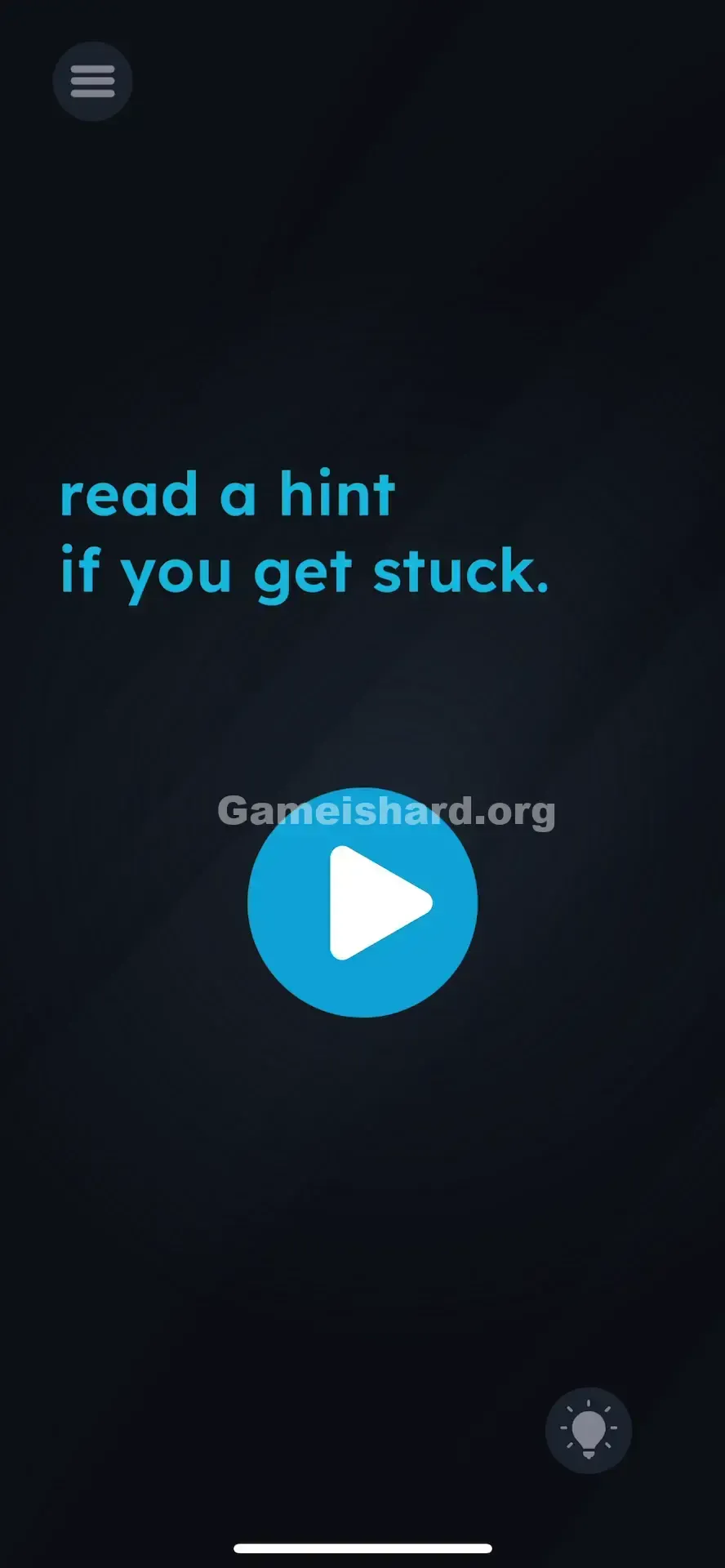
You’re greeted with a bold, prominent Play button front and center. You tap it—nothing happens. Tap again—still silent. Then comes the cheeky line: “read a hint if you get stuck.” Most players instinctively skip hints, treating them as last-resort crutches. Level 5 weaponizes that mindset—it hides the win condition behind your own reluctance to ask for help.
Your Goal
There’s no sliding, rotating, or shaking involved. Your only task is to follow instructions exactly. The text isn’t flavor—it’s the mission. This level tests whether you’ll read—and obey—a clear directive, not how cleverly you can bypass it.
How the Game Responds
- UI Interaction: The hint button isn’t just an aid—it’s an active puzzle element.
- Sequential Logic: The Play button stays inactive until you trigger the hint interface first.
- Misdirection: That large blue button looks like the obvious action point—but it’s locked until you engage the HUD.
- Text-as-Instruction: Every word on screen serves a functional purpose. Nothing is decorative.
It’s not a typo. It’s a command.
What Appears on Your Screen
The layout is intentionally sparse and moody—true to the game’s stripped-down style:
- Top Left: A standard hamburger menu icon.
- Center Text: Crisp, bright blue sans-serif text reading: “read a hint if you get stuck.” It draws immediate focus.
- Center Button: A large, circular blue button with a white play triangle—identical to media player controls or level progression prompts.
- Bottom Right: A subtle, greyed-out lightbulb icon—the universal mobile-game symbol for “Hint.”
- Background: Deep navy-to-black textured void, clean and empty. No draggable items, hidden numbers, or visual tricks—just one unresponsive button and a quiet dare.
Common Mistakes to Avoid
The Trap
It’s ego—not logic—that stalls most players. We’re wired to solve puzzles solo. Tapping “hint” feels like surrender, so we tap, shake, drag, and stare instead—anything but admit we need guidance. The developers leaned hard into that reflex, making the solution feel counterintuitive—even though it’s staring you in the face.
First Instincts That Fail
- Spamming the Play button: It’s the largest, most obvious element—so naturally, everyone taps it first.
- Dragging the text: Past levels may have used text manipulation, prompting attempts to move “hint” or “stuck.”
- Scanning the background: Some assume dark textures hide switches, glyphs, or easter eggs.
- Waiting it out: Unlike timed or idle-based puzzles, this one won’t advance without action.
Player Reactions
I wasted nearly two minutes dragging “stuck” across the screen, convinced I had to “get unstuck” literally. When I finally tapped the lightbulb, it hit me like a joke I’d walked right into—the answer was always visible; I just refused to see it. Pure facepalm energy.
Step-by-Step Solution
Preparing the Move
Stop focusing on the center. Ignore the blue text and the big button. Shift your gaze to the bottom-right corner of your screen—the real puzzle lives there.
Executing the Solution
- Locate the Lightbulb: Find the small lightbulb icon in the bottom-right corner—it’s part of the game’s persistent HUD.
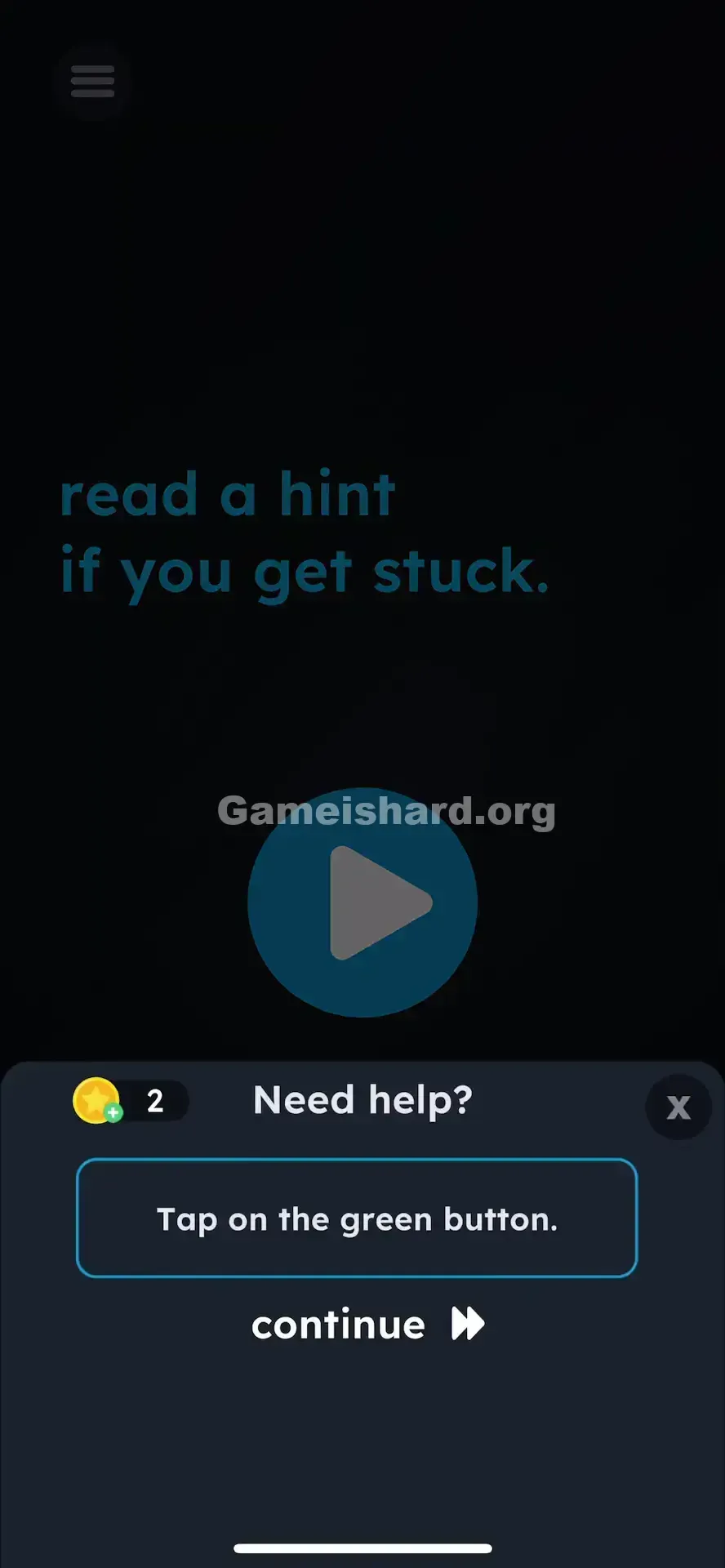
- Tap the Lightbulb: One tap opens the hint interface. You don’t need to watch an ad (in most versions), but the hint window must load.
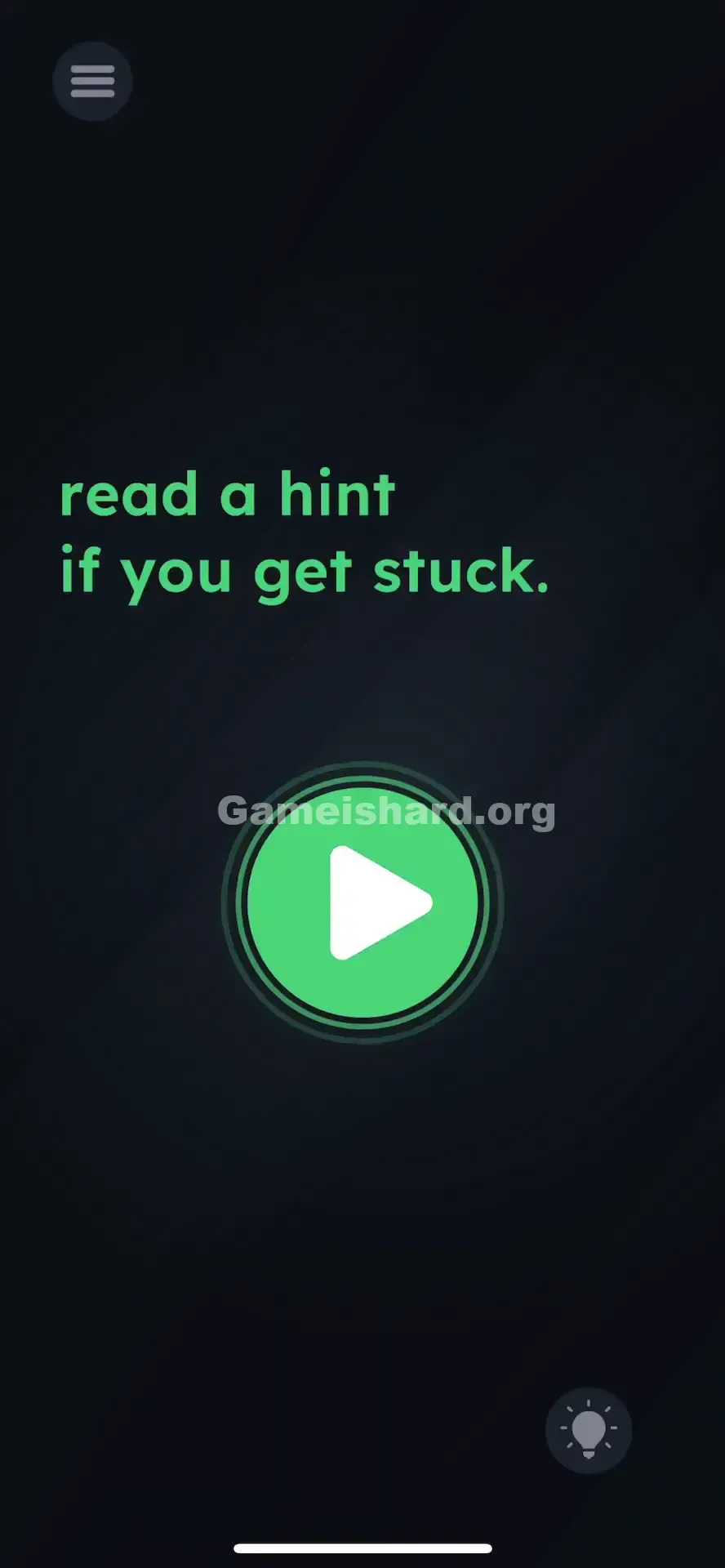
- Tap the Play Button: Once the hint appears—or even just registers—the central Play button activates. Tap it to complete the level.
If It Did Not Work
- If the Play button remains unresponsive: Make sure you fully opened and closed the hint popup—some builds require the interface to render before unlocking.
- Connection Issues: Hints sometimes pull from servers (especially ad-supported ones), so ensure you’re online if the lightbulb feels unresponsive. But the first hint is typically offline-friendly.
- Game Frozen: If tapping the bulb does nothing, force-quit and relaunch. A stuck UI layer can block input.
Small Details That Matter
Accuracy isn’t key—order is.
- The Trigger: Behind the scenes, the game checks for
hasOpenedHint = true. Until that flag flips, the Play button’s click handler does nothing. - Visual Cues: After closing the hint, watch the Play button closely—it may pulse faintly or brighten slightly to signal it’s now active.
- No Dragging Needed: Don’t drag the lightbulb or text. This level responds only to clean, sequential taps.
I cracked it once I accepted that the HUD isn’t just decoration—it’s part of the puzzle world.
Why This Solution Works
This level teaches Meta-Gaming—breaking the illusion of the “game space.”
- Breaking the Fourth Wall: The challenge isn’t inside the scene—it’s in the interface itself. Pause buttons, volume sliders, and hint icons are all fair game.
- Literalism: Game is hard rewards strict interpretation. “Stop” means stop. “Read a hint” means open the hint. Overthinking gets punished; obedience gets rewarded.
- Conditioning: Placed early, level 5 rewires your instincts—future puzzles will embed clues in menus, level counters, or ad banners.
Bonus Tip
For speed or frustration-free progress:
- Tap the lightbulb the second the level loads.
- Close the hint instantly (tap X or outside the popup).
- Tap Play.
Skip the time-wasters on level 5:
- Dragging “read,” “hint,” or “stuck.”
- Shaking or tilting your device.
- Tapping the level number or menu icon.
Alternative Attempts of Game Is Hard Level 5 (What Doesn’t Work, and Why)
- Dragging “Hint” onto the lightbulb: Feels logical, but the text is static—not interactive.
- Tapping the word “Play” inside the button: The whole button is clickable, but disabled until the hint trigger fires.
- Swiping left/right/up/down: No swipe gestures registered here.
- Holding the Play button: Long-press offers no extra function.
- Using volume keys: Hardware shortcuts aren’t active in this level.
- Turning off Wi-Fi: Won’t disable the
hasOpenedHintcheck—it’s client-side logic.
Common Mistakes for Game Is Hard Level 5
- Skipping the text: Assuming it’s tutorial fluff, not a literal instruction.
- Pride-driven hesitation: Resisting the hint tap because “real players don’t need help.”
- Over-engineering: Searching the black backdrop for patterns, glitches, or hidden layers.
- Misreading the icon: Treating the lightbulb as set dressing rather than a functional button.
- Timing errors: Tapping Play while the hint popup is still open—always close it first.
Pattern Recognition: How to Spot This Trick in Future Game Is Hard Levels
The Tell
If a level tells you to perform an action tied to the app’s UI (“Pause the game,” “Check settings,” “Turn up volume”), the answer almost certainly lies outside the main puzzle area. When text references a built-in feature (like “hint”), use it.
The Habit
Scan all four corners at level start—not just the center. Any standard UI element (pause, sound, hint) mentioned in the prompt is likely your next move. Treat the HUD like a toolkit, not just a status bar.
Frequently Asked Questions of Game Is Hard Level 5 (Short, Useful)
Q: Do I have to watch an ad to pass Game is hard Level 5? A: Usually not. The first hint is often ad-free or text-only—you just need to trigger the hint window, not pay for it.
Q: I tapped the hint, but the Play button still won’t respond. A: Make sure you’ve fully dismissed the hint popup first—the Play button stays blocked while it’s visible.
Q: Is there something hidden in the dark background? A: Nope. The void is truly empty. Focus solely on the lightbulb.
Q: Can I skip Game is hard Level 5? A: Only if you’ve earned skips—but since this takes seconds once you know the trick, skipping wastes a valuable resource.
More Game Is Hard Solutions
Stuck on the next challenge? Our guides cut straight to the solution—no filler, no fluff, just clarity. Share this with friends who stubbornly avoid the hint button—they’ll thank you later (or at least laugh at themselves).
Good luck on Game is hard Level 6 !