
App updates can sometimes shuffle the order of puzzles. If this level 1 walkthrough doesn't match your screen, don't worry! You can browse our All Levels guide to find your exact puzzle by its picture.
Level Overview
What Makes This Puzzle Tricky
You launch the game expecting a standard “Press Start” prompt—then tap the screen. Nothing happens. Tap the words “Let’s play!”? Still nothing. Right away, it feels broken because Game is Hard Level 1 breaks the most basic UI rule: buttons should look like buttons. This isn’t about pressing a ready-made button—it’s about building one from scratch.
Your Goal
Your goal in Game is Hard Level 1 is simple: merge two shapes to form the universal “Play” symbol. Most games hand you a finished button. Here, they’ve scattered the pieces across the screen and expect you to assemble them yourself. It’s the first lesson in this game’s philosophy—you earn even the smallest interaction.
How the Game Responds
- Object Drag: The core interaction. Elements that appear static—like shapes or text—are often draggable objects.
- Shape Combination: You must recognize how two separate UI elements combine into a familiar icon.
- UI Deconstruction: Instead of showing a polished button, Game is Hard Level 1 reveals its raw components. It’s not a bug—it’s intentional design.
What Appears on Your Screen
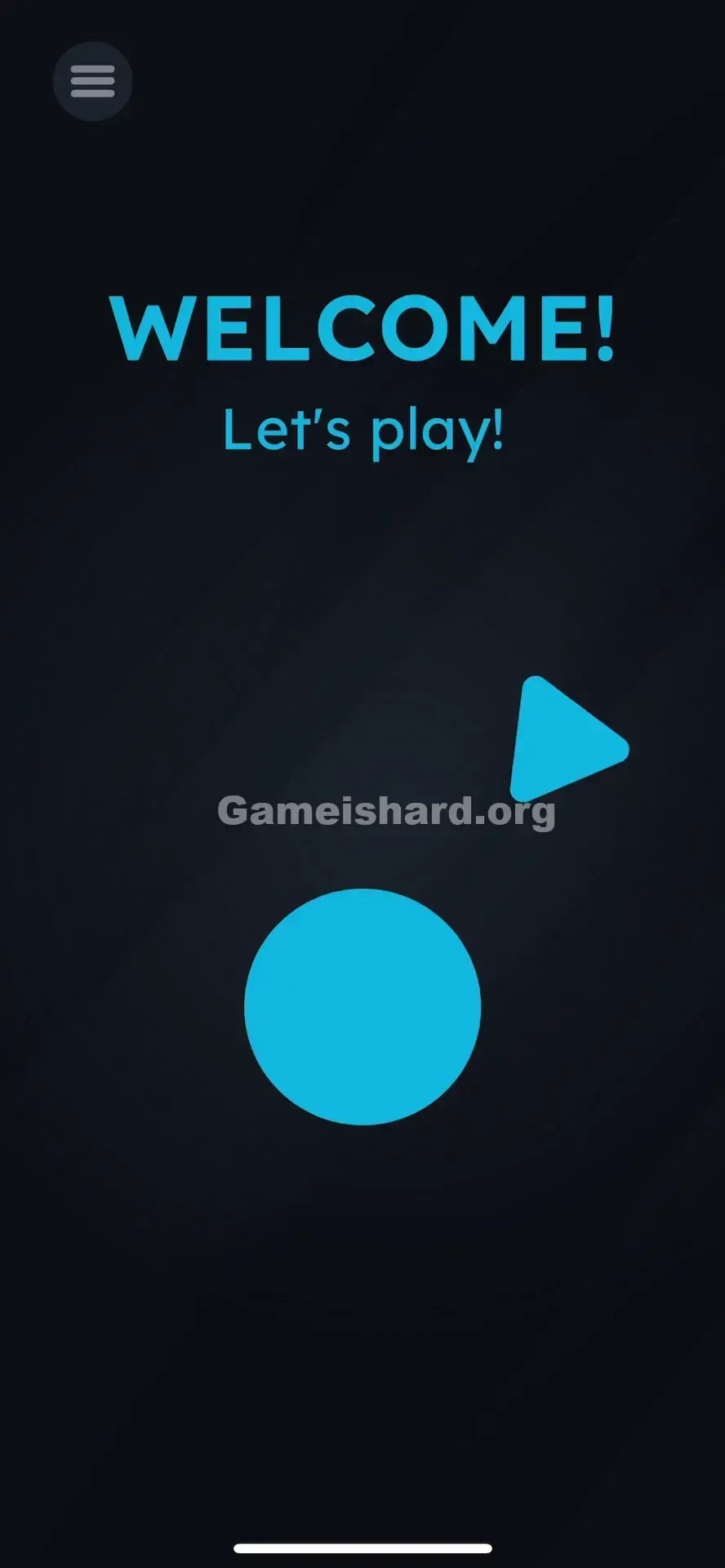
When Game is Hard Level 1 loads, the interface is minimal and deliberate.
- Top Center: Bold blue text reads "WELCOME!"
- Below that: Smaller text says "Let's play!"
- Middle Right: A lone blue triangle points right—identical to the arrow in a play icon.
- Bottom Center: A large blue circle sits centered—empty, label-free, like a blank button.
- Top Left: A hamburger menu icon (three lines). All elements rest against a dark, atmospheric background. The spacing feels off—the triangle floats disconnected from the circle, as if the layout collapsed mid-render.
Common Mistakes to Avoid
The Trap
The trap is “UI Blindness.” Years of app use train us to tap circles or triangles instinctively. In nearly every other app, tapping that circle would trigger something. Here? Tapping does nothing. You might assume the game froze—or your phone malfunctioned. Game is Hard Level 1 exploits that automatic reflex—and makes you pause long enough to rethink what’s clickable.
First Instincts That Fail
- Tapping the text: “Let’s play!” looks like a clickable link or command—but it’s purely visual.
- Tapping the circle over and over: It looks like a big, inviting button. But it’s just an empty container waiting for its missing piece.
- Shaking the phone: Some later levels use motion, but shaking here won’t help—and won’t impress anyone.
Player Reactions
I tapped the circle at least ten times. Then I tried the “WELCOME!” text. Then I checked if the app had crashed. Only when my thumb accidentally brushed the triangle—and it wobbled—did it click: These aren’t images. They’re interactive pieces. That classic “oh!” moment is exactly what Game is Hard wants you to feel.
Step-by-Step Solution
Preparing the Move
Ignore the top text entirely in Game is Hard Level 1. Focus only on the two blue shapes lower down: the triangle and the circle.
Executing the Solution
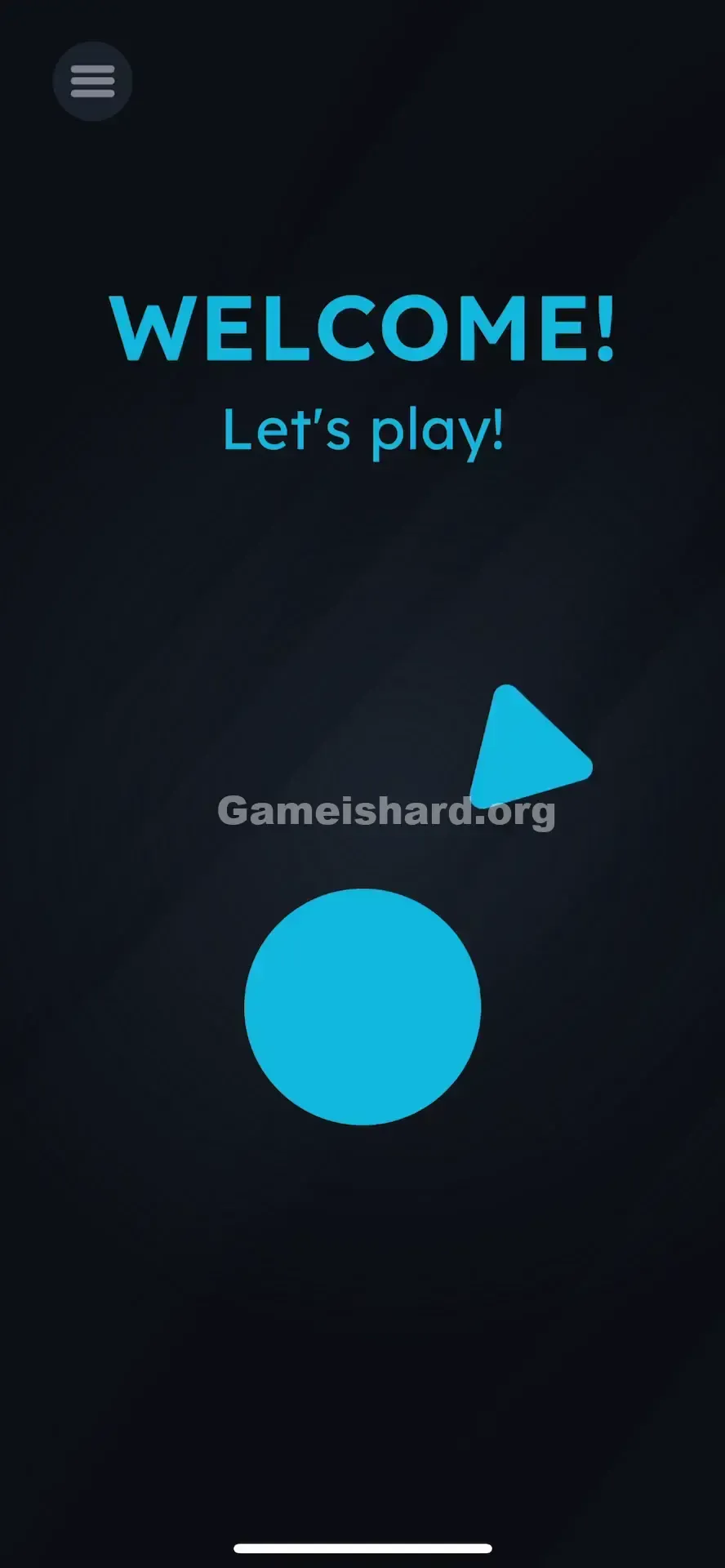
- Touch and Hold the blue triangle on the right side of the screen.
- Drag the triangle to the left and down, aiming for the center of the blue circle .
- Release the triangle once it is inside the circle.
Confirming It Worked
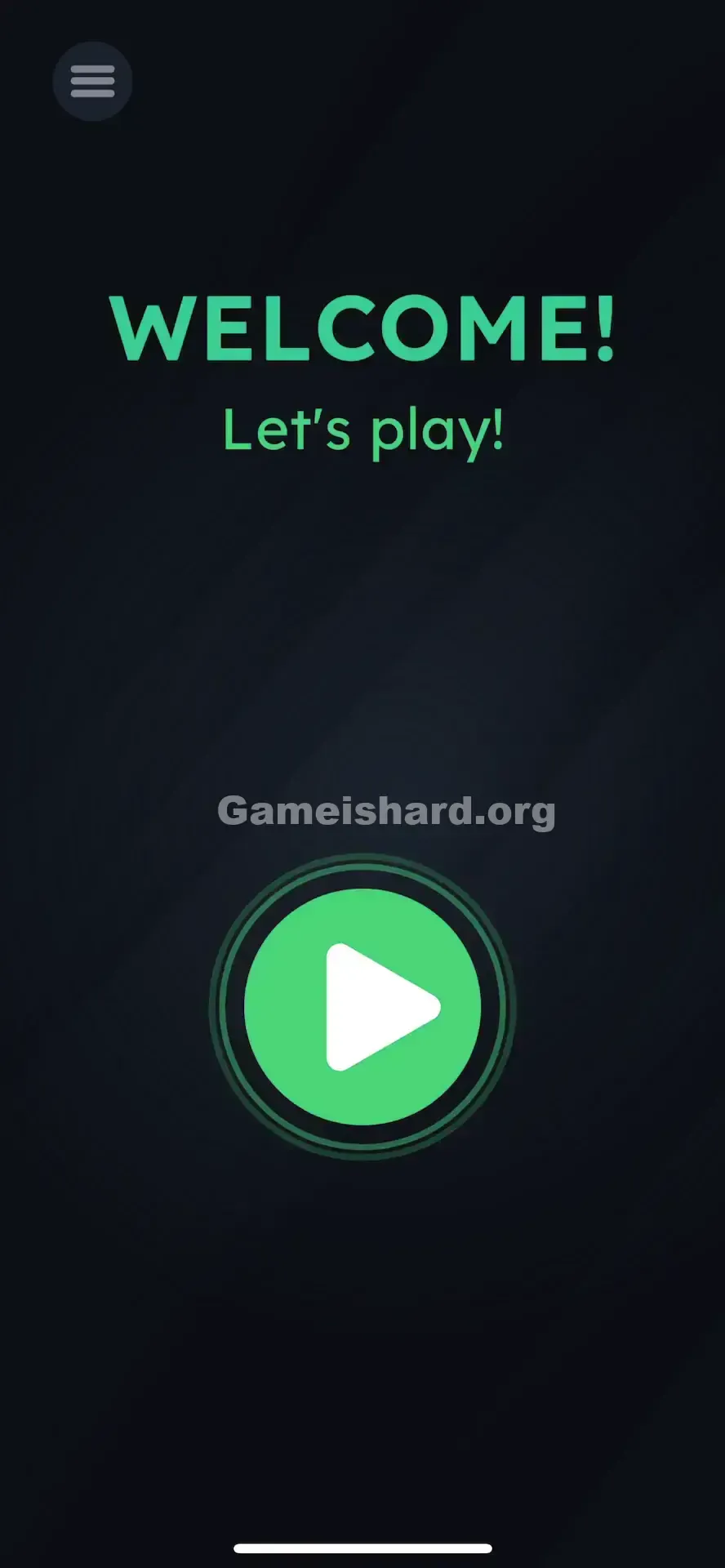
As soon as the triangle lands inside the circle, they’ll snap together into a full “Play” icon. Game is Hard Level 1 clears instantly, and you advance.
If It Did Not Work
If it doesn't work in Game is Hard Level 1:
- Make sure you are dragging the triangle , not the circle. The circle is the target; the triangle is the projectile.
- Ensure your finger doesn't slip off the screen edge.
- Drop the triangle reasonably close to the center. If you drop it on the very edge of the circle, it might not register the "snap" in Game is Hard Level 1.
Small Details That Matter
Precision in Game is Hard Level 1
- Snap Zone: The blue circle has a subtle magnetic zone at its center. You don’t need perfect placement—just enough overlap between triangle and circle for the game to detect it.
- Drag Speed: Drag fast or slow—it doesn’t matter. There’s no momentum or physics lag, so overshooting isn’t possible.
- I fixed it by: Realizing my thumb was covering the triangle, hiding the drop point. Switching to my index finger gave me full visibility of the overlap.
Why This Solution Works
This level introduces the game’s foundational language: Linguistic Deconstruction.
Instead of treating the “Play” button as one image, Game is Hard Level 1 breaks it into its geometric roots—a circle and a triangle. Your job is to rebuild the symbol from those parts.
It also teaches Interaction over Observation. You can’t solve this by staring or guessing—you have to move your finger. Success depends on physical input, not mental deduction alone.
Bonus Tip
If you're speedrunning or replaying:
Place your finger on the triangle the second the level appears.
Swipe diagonally down-left without hesitation.
Lift your finger as soon as the triangle enters the circle’s area. Don’t waste time on Game is Hard Level 1:
Reading the “Welcome” text.
Opening the menu.
Waiting for animations—the objects respond immediately.
Alternative Attempts of Game Is Hard Level 1 (What Doesn’t Work, and Why)
- Tapping the Blue Circle: It’s not a button—it’s a placeholder. It needs the triangle to activate.
- Dragging the Circle to the Triangle: The circle is locked in place in this level. Only the triangle moves.
- Tapping "Let's Play!": Pure decoration—no interactivity built in.
- Swiping the screen: General swipes won’t move anything unless you start the gesture directly on the triangle.
- Pinching the shapes: Zoom gestures aren’t supported for these elements.
- Tilting the phone: Gravity controls aren’t active for these objects in Level 1.
Common Mistakes for Game Is Hard Level 1
- Mistaking it for a loading screen: Some players wait 10–20 seconds hoping the triangle animates into place. It won’t—it waits for you.
- Trying to drag the word “Play”: Creative, but the game only accepts the geometric triangle—not text.
- Near-miss drops: Placing the triangle beside the circle instead of on it leaves it floating uselessly.
- Ghost tapping: Rapidly tapping everywhere hoping to trigger something hidden. Here, it just delays progress.
- Dragging off-screen: Attempting to flick the triangle away won’t skip anything—it’s part of the solution.
Pattern Recognition: How to Spot This Trick in Future Game Is Hard Levels
The Tell
If any UI element looks incomplete, misaligned, or oddly separated—like a dot missing from an “i,” or an arrow hovering far from its circle—that’s your signal: you’re meant to fix it with touch.
The Habit
Touch and wiggle. At the start of any new Game is Hard level, don’t just tap. Tap and hold each object, then nudge it slightly. If it follows your finger, it’s draggable. If it stays put, it’s background. Test everything—text, icons, numbers, and shapes.
Frequently Asked Questions (Short, Useful)
Q: Can I skip Game is Hard Level 1? A: No, Level 1 serves as the essential tutorial for dragging. You must complete it to unlock further stages.
Q: Is the triangle the only movable object in Game is Hard Level 1? A: Yes—in Level 1, only the triangle responds to drag. The text and circle are fixed. Later levels expand interactivity dramatically.
Q: Why won’t the triangle move when I touch it in Game is Hard Level 1? A: Clean your screen and ensure you’re pressing precisely on the blue triangle—not nearby empty space. Ghost touches elsewhere can interfere.
Q: Does it matter where inside the circle I drop it? A: Not much. As long as the triangle overlaps the circle’s area, it’ll auto-center.
More Game Is Hard Solutions
Stuck on the next puzzle? We’ve got clear, no-fluff guides for every stage. I write these so you spend less time frustrated—and more time feeling brilliant. Share this with friends stuck on the title screen—it happens to everyone!
Good luck on Game is Hard Level 2 !