App updates can sometimes shuffle the order of puzzles. If this level 2 walkthrough doesn't match your screen, don't worry! You can browse our All Levels guide to find your exact puzzle by its picture.
Level Overview
What Makes This Puzzle Tricky
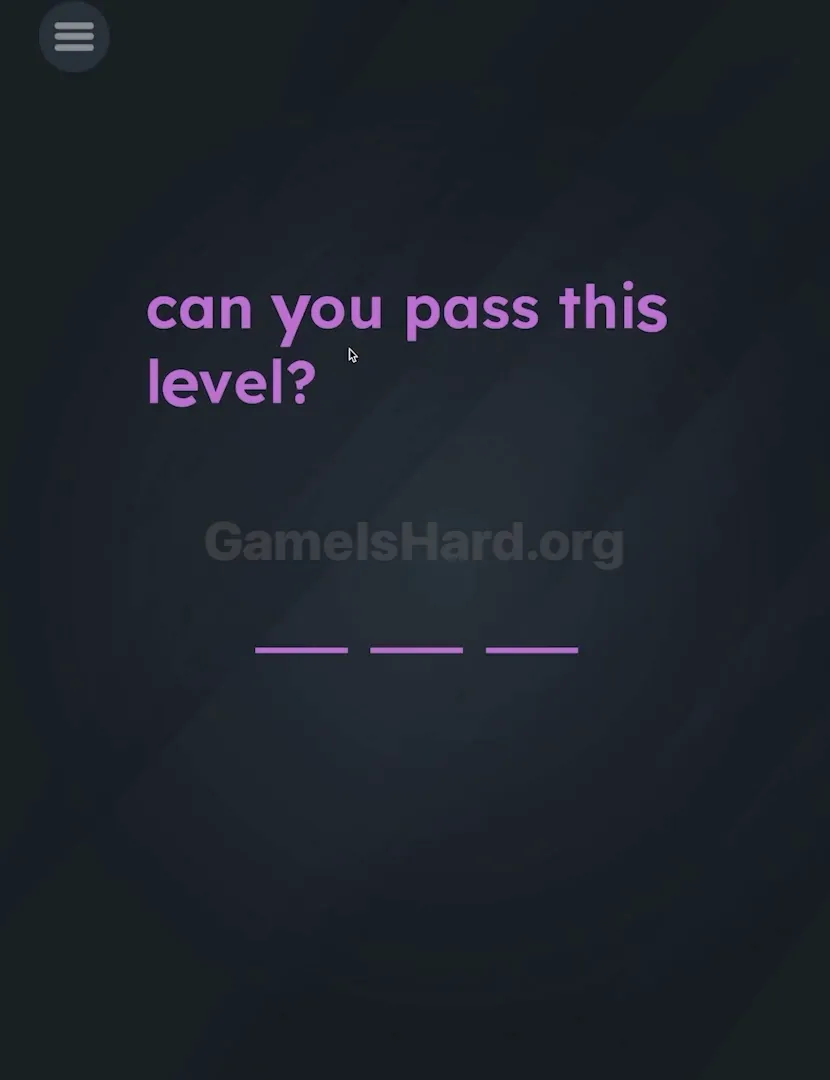
You land on Game is hard Level 2 and see a deceptively simple line: "can you pass this level?". Beneath it sit three empty underscores — waiting, silent, and utterly unresponsive. Your first instinct? Tap the blanks. Tap the screen. Wait for a keyboard. Nothing happens. No feedback. No hints. Just quiet frustration — because the game pretends to be a quiz but actually runs on builder logic.
Your Goal
You’re not answering the question — you’re assembling the answer. There’s no “YES” button to press or keyboard to summon. Instead, you must construct the word "YES" using only the letters already visible in the prompt. They’re your building blocks. Nothing more, nothing less.
Key Mechanics
- Text Drag / UI Drag: Every letter on screen is interactive — not just decoration.
- Hidden Object: The answer isn’t buried; it’s spelled out right in front of you.
- Precision Dropping: Letters must land directly on the underlines — placement matters. It’s not a mistake. It’s your toolkit.
What Appears on Your Screen
Let’s map the layout so you know exactly what’s in play. The background is deep, neutral grey.
- Top Center: Bright purple text reads: "can you pass this level?"
- Bottom Center: Three horizontal purple underlines _ _ _ act as drop targets.
- The Trap: No buttons. No submit icon. No keyboard cue. The emptiness is intentional — designed to make you second-guess whether the app froze.
Common Mistakes to Avoid
The Trap
This level exploits “UI autopilot.” We scroll, read, and skim text daily — never thinking to grab it. Game is hard Level 2 flips that script: the sentence isn’t just information — it’s raw material. Your brain reads “you,” but it doesn’t register “y” as detachable — until you try.
First Instincts That Fail
I watched someone tackle this level. These attempts failed instantly:
- Tapping blanks repeatedly, hoping for a cursor or input field.
- Scrolling or swiping the whole phrase, expecting hidden elements.
- Hunting for a “Yes” button in menus or corners.
- Trying “NO” — a clever guess, but not what the puzzle demands.
Player Reactions
I stared for over a minute, convinced I’d missed something obvious. I even shook my phone — classic “maybe it’s motion-based?” move. Then my finger brushed the “e” in “level,” and it shifted slightly. Lightbulb moment: this isn’t text to read — it’s letters to lift and place.
Step-by-Step Solution
Preparing the Move
Forget grammar. Ignore meaning. Treat "can you pass this level?" like a parts bin. You need three pieces: y, e, and s — and they’re all right there.
Executing the Solution
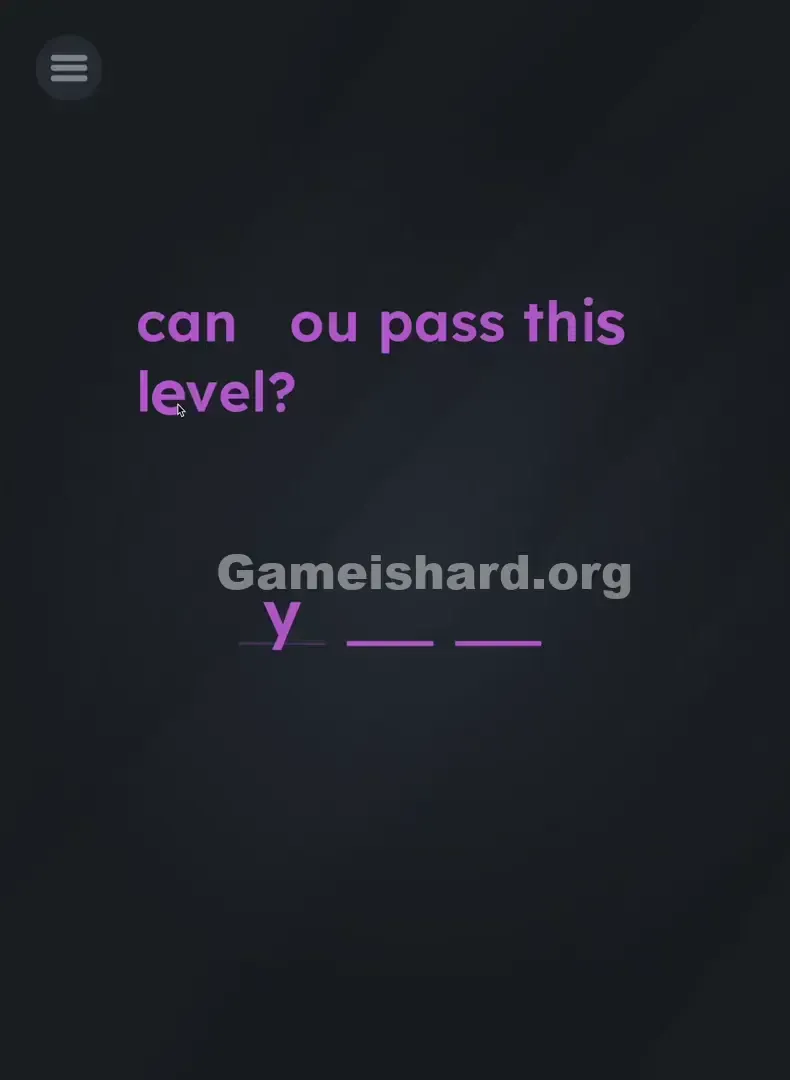
- Step 1: Place your finger directly on the y inside "you". A light tap-and-drag is all it takes.
- Step 2: Drag that y down to the first blank line. Release — it should lock into place.
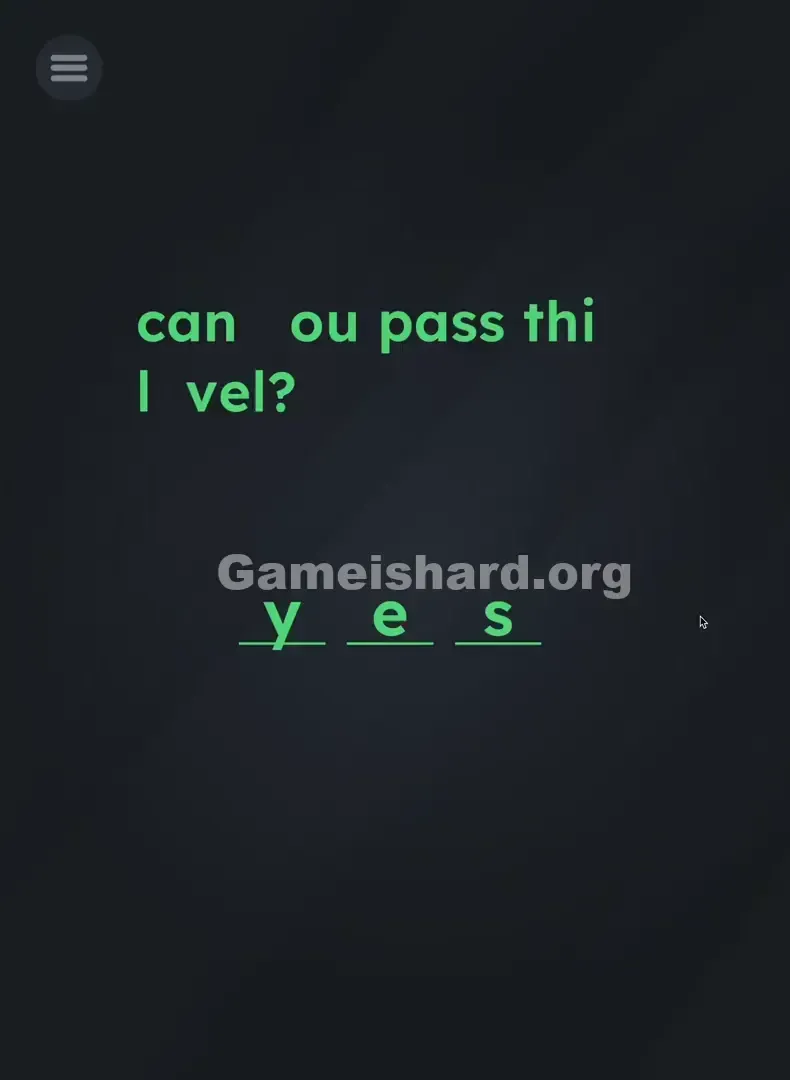
- Step 3: Tap and drag the e from "level" (the "e" in "pass" works too, but "level" is easier to target). Drop it on the second underline.
- Step 4: Grab the s from "this" (or "pass") and drag it onto the third blank line.
Confirming It Worked
The level completes the instant the s lands cleanly on the final underline. If any letter snaps back, you missed the drop zone — aim closer to the line.
If It Did Not Work
- "The letter won't move!" You’re likely tapping between characters — aim dead center on the letter.
- "It snapped back!" You dropped it above or beside the underline. Try lowering it slightly so the base of the letter aligns with the line.
Small Details That Matter
You don’t need surgical precision — just confident, clean placement.
- Grab Point: No long-press needed. A firm, brief touch starts the drag.
- Drop Zone: The underline acts like a magnet — get close, and the letter will snap into alignment.
- Snapping: Watch for subtle visual feedback — the letter centers itself when properly aligned. I found it easiest to drag each letter just below the line — keeps your finger from blocking your view of the target.
Why This Solution Works
This level teaches one core rule: everything on screen is playable. Most games treat text as static UI. Game is hard treats it as part of the world — like a lever, a ball, or a switch. Pulling letters from the question breaks the interface illusion — and sets up future puzzles where punctuation becomes physics objects.
Bonus Tip
For speed or replay:
- Skip animations — they’re optional, not required.
- On supported devices, try dragging two letters at once (e.g., y and e) with two fingers.
- Grab the s from “pass” if it’s physically closer to the bottom blanks on your screen.
Alternative Attempts of Game Is Hard Level 2 (What Doesn’t Work, and Why)
- Tapping blanks: No hidden input triggers here — blanks are passive targets only.
- Shaking the device: A trick used elsewhere, but irrelevant for this level.
- Dragging full words like “pass” or “you”: Too long — only single letters fit the three-slot format.
- Spelling “can” or “sup”: Valid letters, invalid answer — only “YES” satisfies the win condition.
- Waiting or doing nothing: This level requires action — idle time won’t solve it.
- Pressing volume keys: No function assigned — pure red herring.
Common Mistakes for Game Is Hard Level 2
- Dragging entire words instead of isolated letters — focus on single characters.
- Dropping letters too high or too far left/right — they’ll bounce back unless centered on the line.
- Misgrabbing — aiming for the “e” in “level” but catching the “v” instead.
- Experimenting with random 3-letter combos — only “YES” unlocks completion.
- Assuming the app crashed — no keyboard means no keyboard. It’s working as intended.
- Placing letters out of order — “S-E-Y” won’t register. Spelling and sequence both matter.
Pattern Recognition: How to Spot This Trick in Future Game Is Hard Levels
The Tell
If a level asks for input but gives zero tools — no keyboard, no buttons, no icons — your eyes should scan the text itself.
The Habit
Make touching instructions second nature. Run a finger across the prompt. If a character lifts, wiggles, or highlights, you’ve found an interactive element. Always assume text is physical before treating it as information.
Frequently Asked Questions of Game Is Hard Level 2 (Short, Useful)
Q: Can I use the 's' from "pass" instead of "this" in Game is hard Level 2? A: Yes. Any visible instance of the letter 's' will work — the game recognizes letter identity, not origin.
Q: Why isn't the keyboard popping up in Game is hard Level 2? A: There is no keyboard. You build the answer by moving letters from the prompt — that’s the only input method.
Q: Does it have to be in order in Game is hard Level 2? A: Yes — the blanks must spell Y-E-S left to right. Dragging order doesn’t matter, but final arrangement does.
Q: What if I drag the wrong letter in Game is hard Level 2? A: Just release it anywhere off the blanks — it’ll return instantly to its original spot.
More Game Is Hard Solutions
If this walkthrough saved your sanity, you’ll love our no-nonsense guides for upcoming levels. We skip filler and deliver only what you need to advance — fast. Share this with anyone still hunting for that missing keyboard!
Good luck on Game is hard Level 3 !