
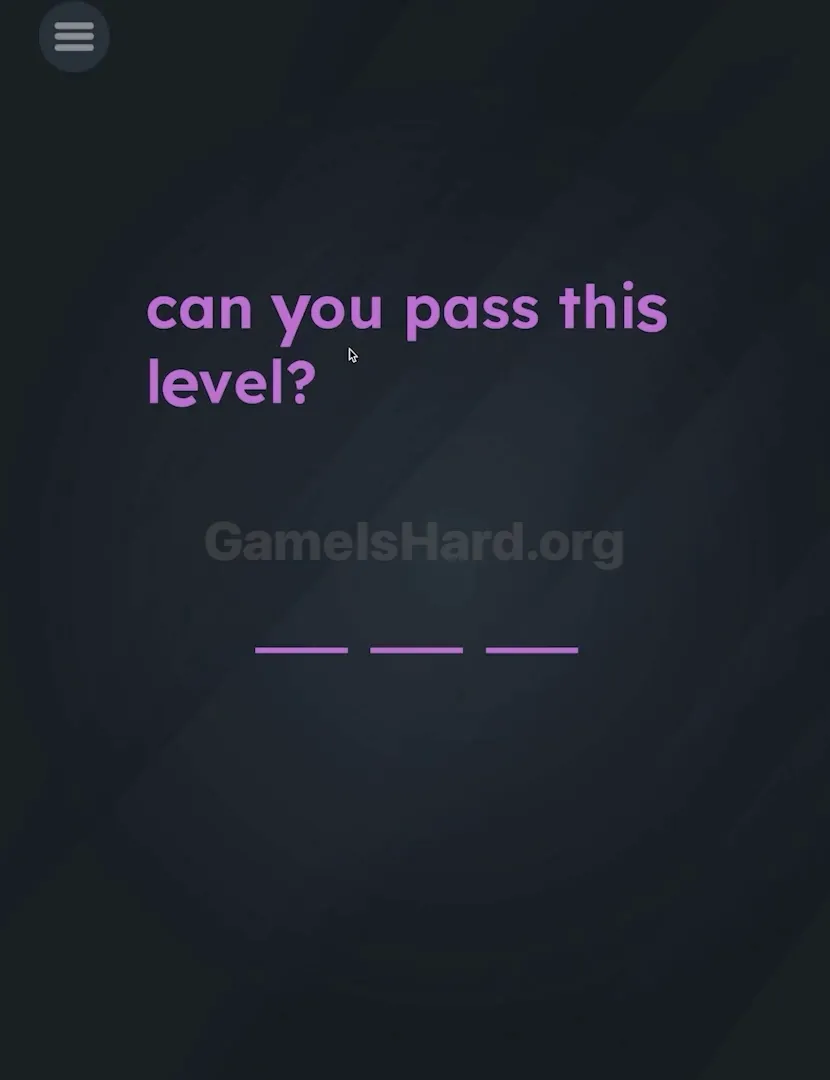
App updates can sometimes shuffle the order of puzzles. If this level 3 walkthrough doesn't match your screen, don't worry! You can browse our All Levels guide to find your exact puzzle by its picture.
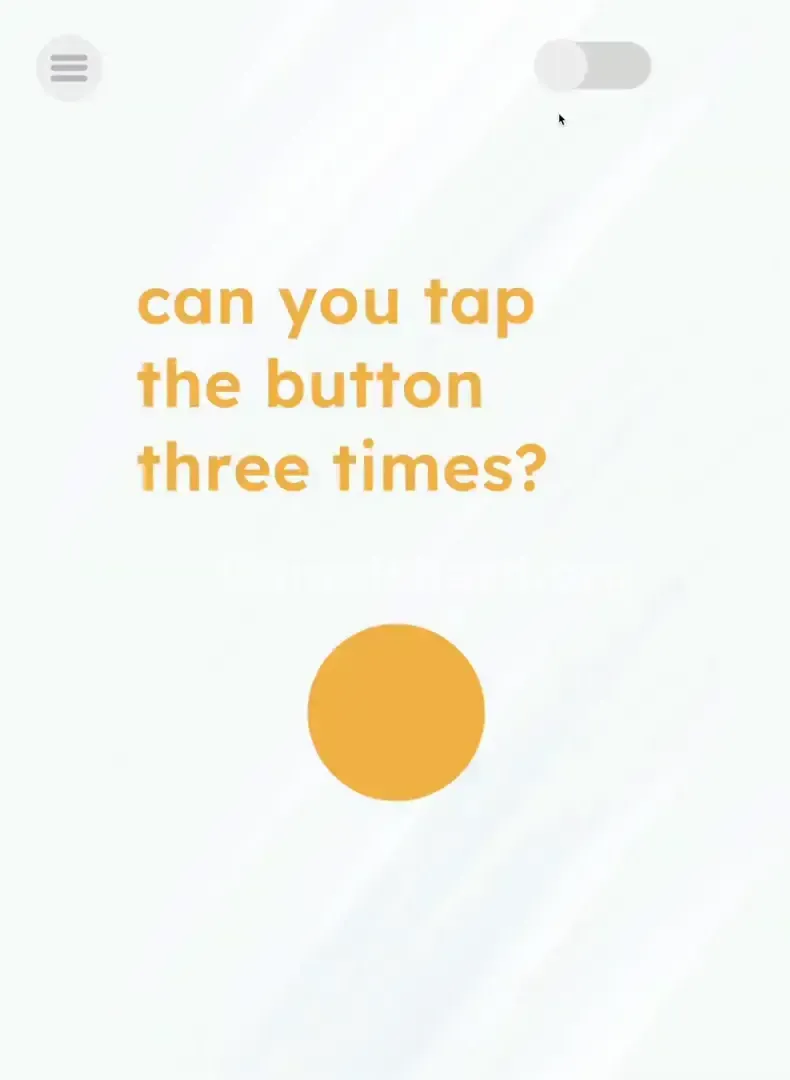
You need to tap the switch first to see what you are doing, otherwise, your taps won't register.
Level Overview
What Makes This Puzzle Tricky
The level loads into total darkness—no animation, no sound, just blackness. It’s easy to assume your device froze or the app crashed. You might spot a faint silhouette, but otherwise, it feels like staring into nothing. That’s by design: the game simulates a pitch-black room, and just like real life, you can’t solve anything without light.
Your Goal
Your task seems straightforward: press a button. But there’s a hidden prerequisite—you must alter the environment before interacting with the main element. This forces you to notice and engage with interface elements outside the focal point, proving you’re observing the full screen—not just where your eyes naturally land.
Here are the mechanics of Game is hard Level 3 you’re dealing with:
- Environmental Toggles: Changing the state of the level (Dark vs. Light).
- Hidden UI: Controls that blend into the background.
- Counting: Basic arithmetic input (tapping X times).
- Sequential Logic: Order of operations matters (A before B). It isn’t a glitch. It’s an ambush.
What Appears on Your Screen
At launch, the screen appears completely black—like a crash or blank render.
With careful observation—or cranking up brightness—you’ll detect subtle gray outlines.
- Top Right: A pill-shaped toggle switch sits in the “off” position, nearly invisible against the dark backdrop.
- Center: A large question mark icon (or button) is present but dimmed and inactive.
- Top Left: The standard menu button remains visible, as always. The visual cues scream “nothing to do here,” yet that top-right switch is the only functional, unlocked element.
Common Mistakes to Avoid
The Trap
It’s called Darkness blindness—the assumption that gameplay starts when visuals appear. Most players wait for something to happen automatically, expecting lights to flicker on. They don’t. You’re not waiting for the game to act—you are the one who flips the switch.
First Instincts That Fail
Players instinctively tap the center, jabbing at the question mark repeatedly. Nothing responds. Others try shaking the phone, swiping blindly, or even force-quitting the app. None of these work because the central button stays disabled until the environment changes.
Player Reactions
I stared at the black screen for nearly half a minute, convinced the ad hadn’t loaded. I rebooted the app twice before spotting the tiny switch in the corner. I wasn’t solving a puzzle—I was finding a light switch.
Step-by-Step Solution
Preparing the Move
Stop tapping the center. Shift your gaze upward—to the top right corner of your screen. Look for a standard toggle switch (the kind you’d use to enable Bluetooth or mute sound).
Executing the Solution
- Tap the Switch: Tap the toggle in the top-right corner once. The background will instantly brighten—the lights “turn on.”
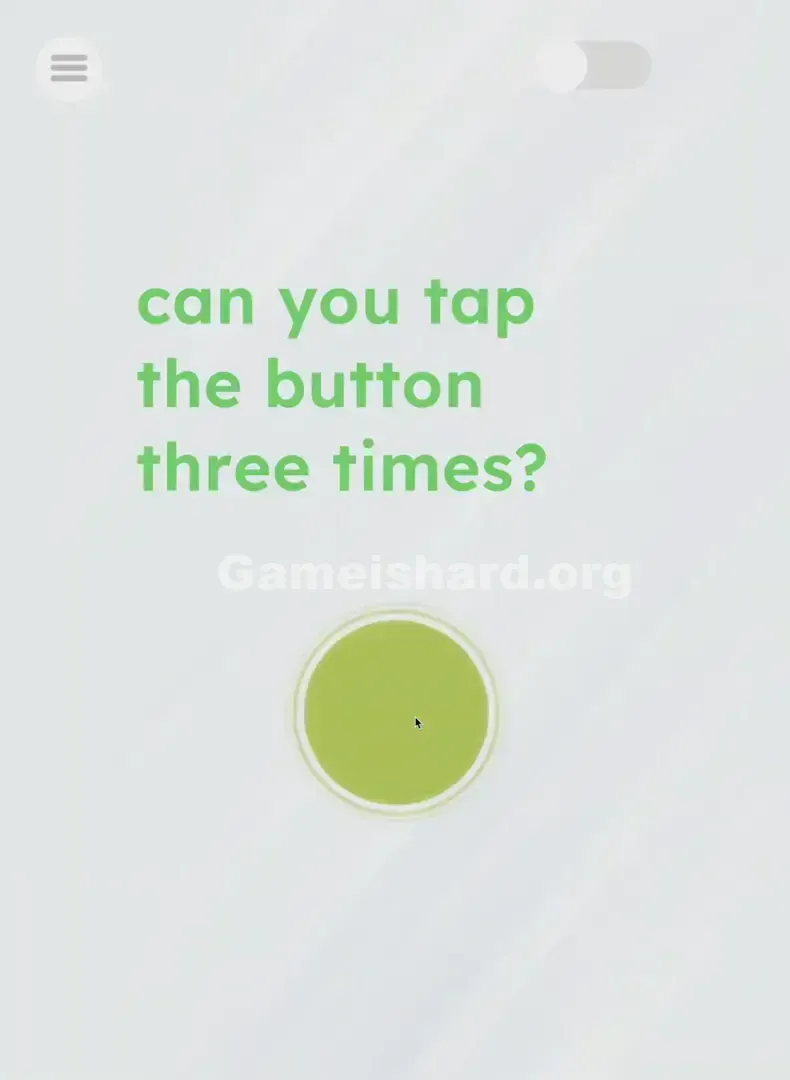
- Locate the Target: Now you’ll clearly see a large yellow button (often marked with a question mark or face) centered on screen.
- Execute the Code: Tap that big yellow button exactly three times .
- Verification: After the third tap, the level Complete animation triggers immediately.
If It Did Not Work
- Lights won't turn on? Your tap may have missed the narrow hitbox. Aim carefully—target the circular end of the switch.
- Nothing happens after tapping? Confirm the lights are on first. Taps on the yellow button in darkness are ignored entirely.
- Tapped too many times? Spam-tapping (e.g., 10 rapid taps) can cause failure or reset. Tap deliberately: One. Two. Three. Then stop.
Small Details That Matter
Timing and sequence are critical—the game likely uses a boolean flag, isLightOn. Only when isLightOn = true does the yellow button accept input.
- The Switch: It’s a tap—not a drag. Don’t swipe or slide; just tap once.
- The Button: “Exactly three times” means exactly. Four taps won’t help—and could reset progress.
- I fixed it by: Cleaning my screen. A fingerprint smudge made the gray switch vanish against black. Wipe your display if key UI elements stay invisible in the dark phase.
Why This Solution Works
This level trains you to treat the entire screen as part of the puzzle—not just the obvious center zone.
Most games train us to ignore corner UI (settings, pause, volume). Here, that “ignored” area is the puzzle. It flips expectations and combats “UI Blindness”—a common cognitive shortcut where players overlook interface elements they associate with menus rather than gameplay. The message is simple: The switch was always there. You just didn’t look.
Bonus Tip
For speed runs or fresh installs:
- Lock in the top-right location in muscle memory.
- Tap that corner the instant the level loads—even before your eyes adjust.
- Tap the center three times with steady rhythm.
- Don’t pause to confirm the lights activated—move straight from corner to center.
Alternative Attempts of Game Is Hard Level 3 (What Doesn’t Work, and Why)
- Turning up phone brightness: Helps visibility, but doesn’t trigger the level—it’s purely for your eyes, not the game engine.
- Tapping the yellow button in the dark: Input is blocked. Like pressing keys on an unplugged keyboard—it registers zero action.
- Shaking the phone: No motion sensors are active in this level.
- Waiting: There’s no timer. The lights won’t activate unless you flip the switch.
- Dragging the switch: It mimics a slider visually, but functions as a tap-only control. Tapping is faster and more reliable.
Common Mistakes for Game Is Hard Level 3
- Skipping the switch: Assuming it’s system UI, not part of the puzzle.
- Over-tapping: Frustrated spam-taps on the yellow button before turning on the lights.
- Miscounting: Hitting the button two or four times instead of precisely three.
- Screen glare: Playing outdoors or under bright light hides the near-invisible switch.
- Hitting the wrong corner: Accidentally tapping the menu button (top left) instead of the light switch (top right).
Pattern Recognition: How to Spot This Trick in Future Game Is Hard Levels
The tell
If a level launches looking broken, empty, or unnaturally dark—assume it’s an environmental puzzle.
The habit
Before tapping center, scan all four corners. Hunt for switches, camouflaged objects, or text matching the background. When core interaction fails, check the periphery first. Change the room’s state before trying to solve the riddle.
Frequently Asked Questions of Game Is Hard Level 3 (Short, Useful)
Q: Is my game bugged? It's just a black screen in Game is hard Level 3. A: No. It's supposed to be dark. Look closely at the top right corner for a light switch.
Q: I tapped the button 3 times but nothing happened in Game is hard Level 3. A: Did you turn the light on first? The taps only count if the light is on.
Q: Can I turn the light back off in Game is hard Level 3? A: Yes, if you tap the switch again, it goes dark. You can't solve the level while it's off, though.
Q: Do I have to tap exactly three times in Game is hard Level 3? A: Generally, yes. The game wants specific input. Don't spam it.
More Game Is Hard Solutions
If this guide saved you from hurling your phone across the room, we’ve got dozens more. We write these guides to be fast, searchable, and free of filler—no ads, no clickbait, no fluff. Bookmark us before Game is hard Level 20 sends you into orbit. Good luck!