

App updates can sometimes shuffle the order of puzzles. If this level 265 walkthrough doesn't match your screen, don't worry! You can browse our All Levels guide to find your exact puzzle by its picture.
You have to manually clear the physical space on the screen before the internal gyroscope sensor allows the shape to expand.
Level Overview
What Makes This Puzzle Tricky
You glance at the screen—the prompt is straightforward. You rotate your device, expecting instant success—but nothing happens. The shape freezes mid-expansion. You shake it. You tilt it harder. Still no response. That’s intentional. Level 265 sets you up with a physical challenge disguised as a simple motion test.
Your Goal
Your task is to make the central shape stretch outward from left to right. The instruction spells it out plainly—but what it doesn’t say is just as important. You’re not just activating a sensor; you’re clearing space. Those decorative elements aren’t just visuals—they’re solid obstacles with real collision boundaries.
Here are the mechanics actively working against you right now:
- UI drag
- Tilt / rotation
- Hidden collision
- Timing / waiting It’s not a mistake. It’s deliberate design.
What Appears on Your Screen
Let’s walk through the layout—especially if you’ve stepped away in frustration.
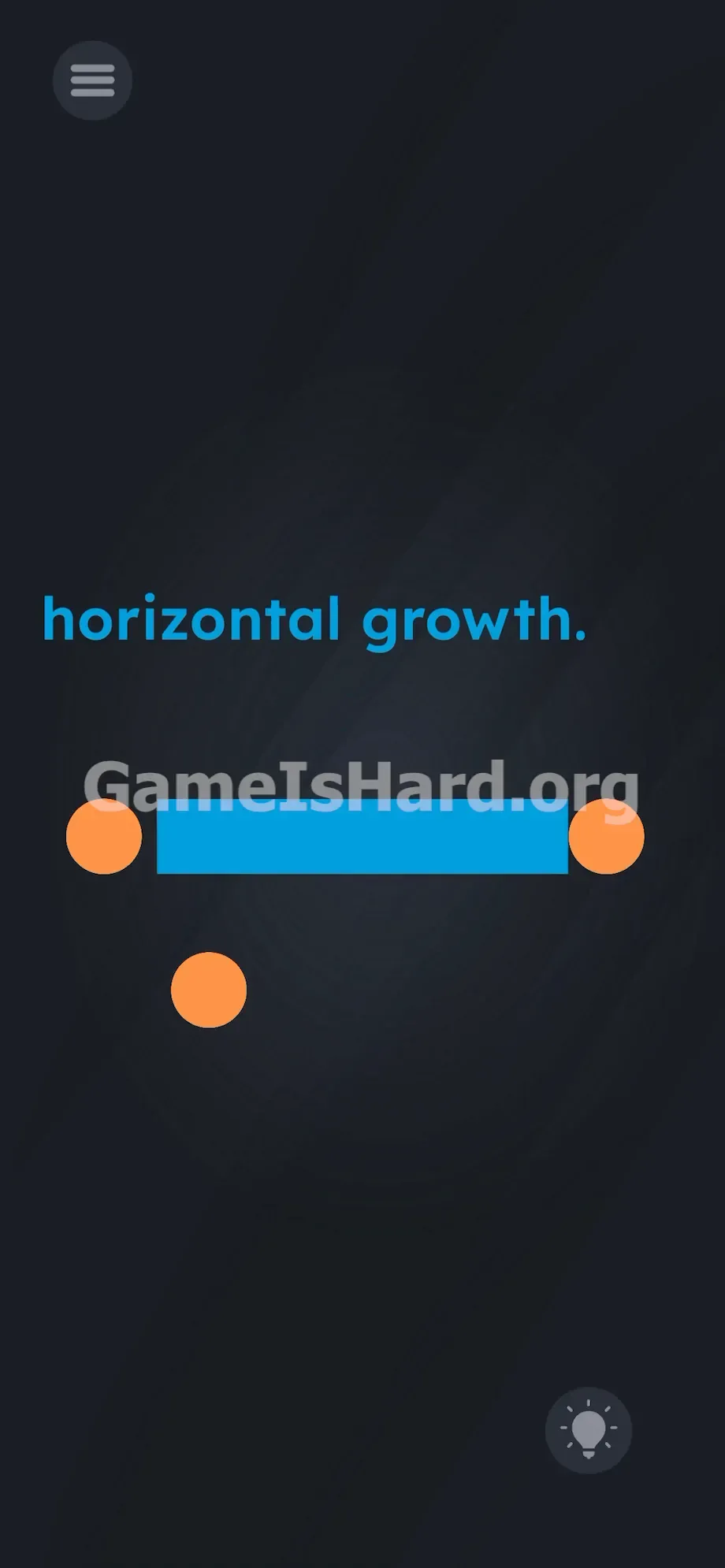
The background is a deep, neutral void. At the top center, bold blue text reads horizontal growth. Directly below sits a wide, horizontal blue box .
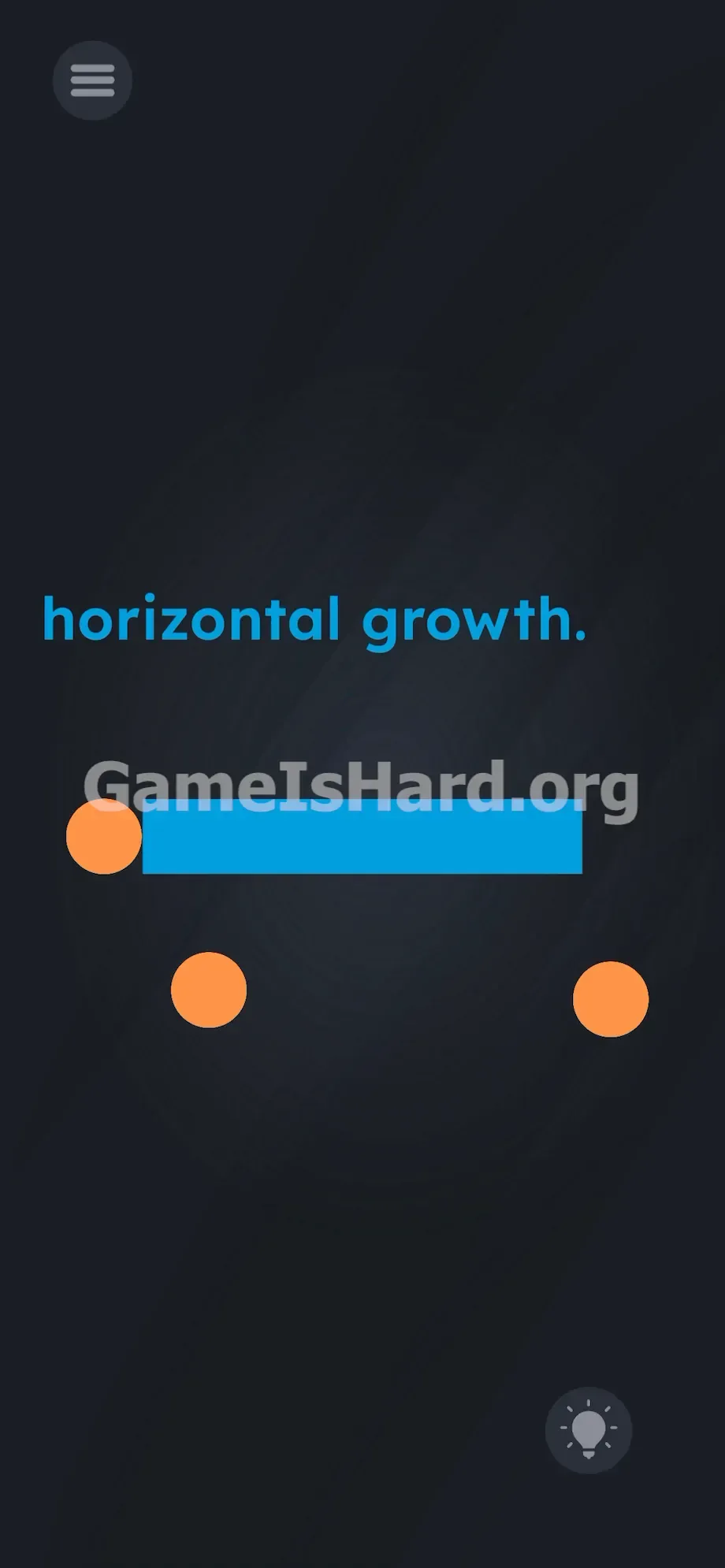
Three solid orange/yellow balls flank the box: two snug against its left edge, one slightly offset on the right. In the bottom-right corner, the standard lightbulb hint icon waits quietly. Up top-left, the hamburger menu sits unobtrusively.
Nothing appears interactive. The balls mimic minimalist design elements—like bullet points or abstract accents—blending seamlessly into the clean aesthetic. That visual camouflage is the entire point.
Common Mistakes to Avoid
The Trap
UI blindness strikes again. Years of mobile gaming have trained us to ignore static shapes unless they animate or glow. Level 265 leans hard into that assumption. The prompt tells you what to do, so your brain zeroes in on the gyroscope—ignoring the fact that those “decorative” dots are immovable walls. You tilt, the box bumps into them, and stalls. Your instinct says “sensor issue”—not “those dots are blocking the path.”
First Instincts That Fail
Players often burn minutes trying tactics that simply don’t apply here.
- Attempting to pinch-to-zoom the blue box outward with two fingers.
- Swiping across the horizontal growth. text to “pull” it wider.
- Shaking the phone aggressively like a digital shaker.
- Tapping the orange/yellow balls repeatedly, hoping they vanish or react. None of these actions register. Taps do nothing. Swipes do nothing. You’re mixing control schemes—using touch gestures on a motion-driven puzzle, and motion inputs on a touch-dependent obstacle course.
Player Reactions
I spent over two minutes spinning my phone like a racecar wheel—flipping it upside down, laying it flat, even checking my device settings. When I accidentally dragged one of the balls and watched it glide across the screen, it hit me: facepalm moment. The game had me exactly where it wanted me.
Step-by-Step Solution
Preparing the Move
Pause the tilting. Hold your phone steady in portrait mode. Look at the three orange/yellow balls beside the blue box—not as icons, but as physical objects resting on a tabletop.
Executing the Solution
- Press and hold your finger on the leftmost orange/yellow ball .
- Drag it straight up or straight down, moving it completely out of the horizontal path of the blue box .
- Repeat this exact drag-and-drop motion for the second ball on the left.
- Grab the final ball on the right side and drag it out of the way.
- Verify the space to the immediate left and right of the blue box is completely empty.
- Physically turn your phone sideways 90 degrees into landscape mode.
- Watch the blue box shoot outward and fill the empty space, triggering the win screen.
If It Did Not Work
Sometimes the physics engine behaves unexpectedly. If things stall, check these common pitfalls.
- The box still isn't moving: You didn't move the balls far enough. Collision boxes (hitboxes) extend slightly beyond the visible shapes. Drag each ball all the way to the very top or bottom edge of your screen.
- The gyro isn't registering: Ensure you’re rotating the phone fully sideways—not at an angle. Snap it cleanly 90 degrees left or right. The game pulls raw sensor data, so software auto-rotate settings usually don’t interfere—but on older devices, toggling auto-rotate on may help.
- UI freezes: If dragging a ball off-screen causes stuttering, force-close the app and relaunch Game is Hard Level 265.
Why This Solution Works
This level blends language-based misdirection with hidden physics. The phrase horizontal growth sounds like a simple directive—yet execution demands more than interpretation. Most puzzles end once you crack the riddle. Not here. This one layers a physical constraint on top: the blue box obeys both gravity and collision rules.
The developers anticipate your first move—reading the text, recognizing the tilt cue, and rotating immediately. That’s why the orange/yellow balls sit there: to catch you mid-rush. The words are the lure; the interface is the real puzzle. You must rearrange the visual field before the underlying mechanics will respond.
Bonus Tip
Skip overthinking the motion controls entirely. For fastest completion—especially during speedruns or frustration-free clears—follow this streamlined sequence:
- Ignore the horizontal growth text the moment the level loads.
- Immediately drag all three orange/yellow balls into a loose cluster at the bottom-left corner of your screen.
- Rotate your phone sharply 90 degrees to the left.
- Keep your fingers off the screen while the box expands. No need to position balls precisely. Just get them out of the X-axis path—the game only checks for clearance, not placement.
Frequently Asked Questions
Why won't the blue box expand when I tilt my phone? Because its path is physically obstructed. The orange/yellow balls each have active collision hitboxes—they function like solid barriers. You must drag them away first to unlock the tilt mechanic.
Do I need to turn on auto-rotate on my phone? Typically, no. Game is Hard Level 265 accesses your device’s gyroscope directly, bypassing OS-level rotation locks. Just rotate the hardware itself.
I moved the balls but the box is still stuck. What gives? They likely weren’t moved far enough. Their invisible hitboxes extend beyond their visible edges. Drag each one all the way to the absolute top or bottom of your screen to guarantee full clearance.
Can I just use my fingers to stretch the blue box? No. Pinch-to-zoom and swipe-to-stretch are disabled on this element. Expansion triggers only when obstacles are cleared and the device enters landscape orientation.
Does it matter which direction I turn the phone? Either left or right 90-degree rotation works. The sensor detects landscape orientation—not directional preference—to activate the expansion effect.
More Game Is Hard Solutions
Stop guessing what the devs meant—and start solving. Our guides cut through the noise: fast, accurate, zero filler. Hit another head-scratcher? Search for the answer here. Share this walkthrough with friends tired of raging in Discord over invisible walls. Keep going.