App updates can sometimes shuffle the order of puzzles. If this level 264 walkthrough doesn't match your screen, don't worry! You can browse our All Levels guide to find your exact puzzle by its picture.
You are toggling the text itself like a switch. Focus directly on the digits printed on the cards, not the cards themselves.
Level Overview
What Makes This Puzzle Tricky
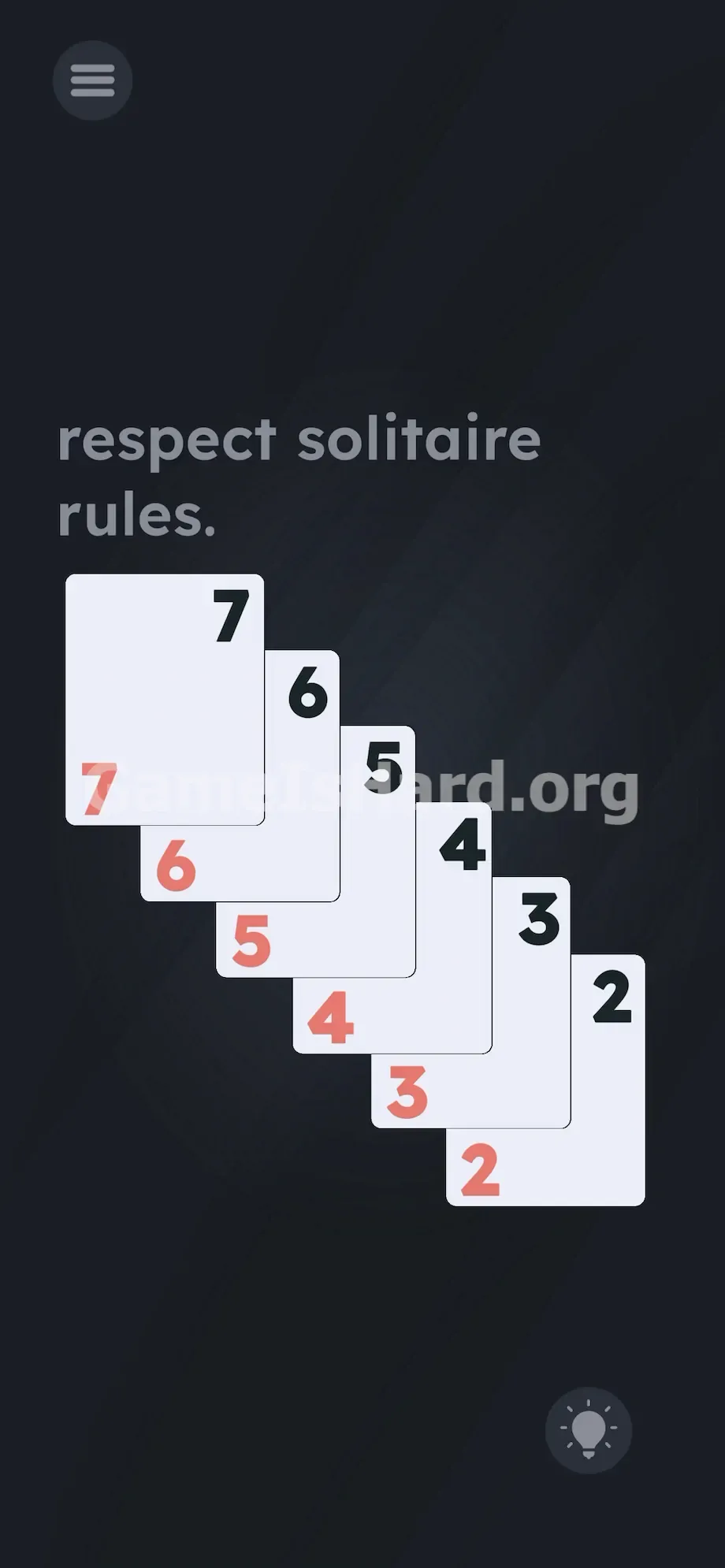
You’re faced with a descending stack of six playing cards. A subtle prompt — “respect solitaire rules” — floats at the top. Instinctively, you try dragging, swiping, or rearranging them. Nothing responds. The interface feels frozen. You’re staring straight at the answer, but the game cleverly disguises its interactivity as static artwork.
Your Goal
This isn’t about moving physical cards — it’s about rewriting the visual language of the deck. Your job is to edit the color of each number until every card obeys classic Solitaire’s alternating-color rule. You’re not playing cards; you’re reprogramming the display.
- UI tapping: The digits aren’t labels — they’re interactive toggles.
- Color-matching mechanics: Both instances of the same number on one card must share a color.
- Pattern recognition: Colors must flip consistently from top to bottom.
- Logic trap: The design tricks you into treating text as inert decoration. It’s not a glitch. It’s intentional.
What Appears on Your Screen
Let’s lock in the layout so there’s zero confusion.
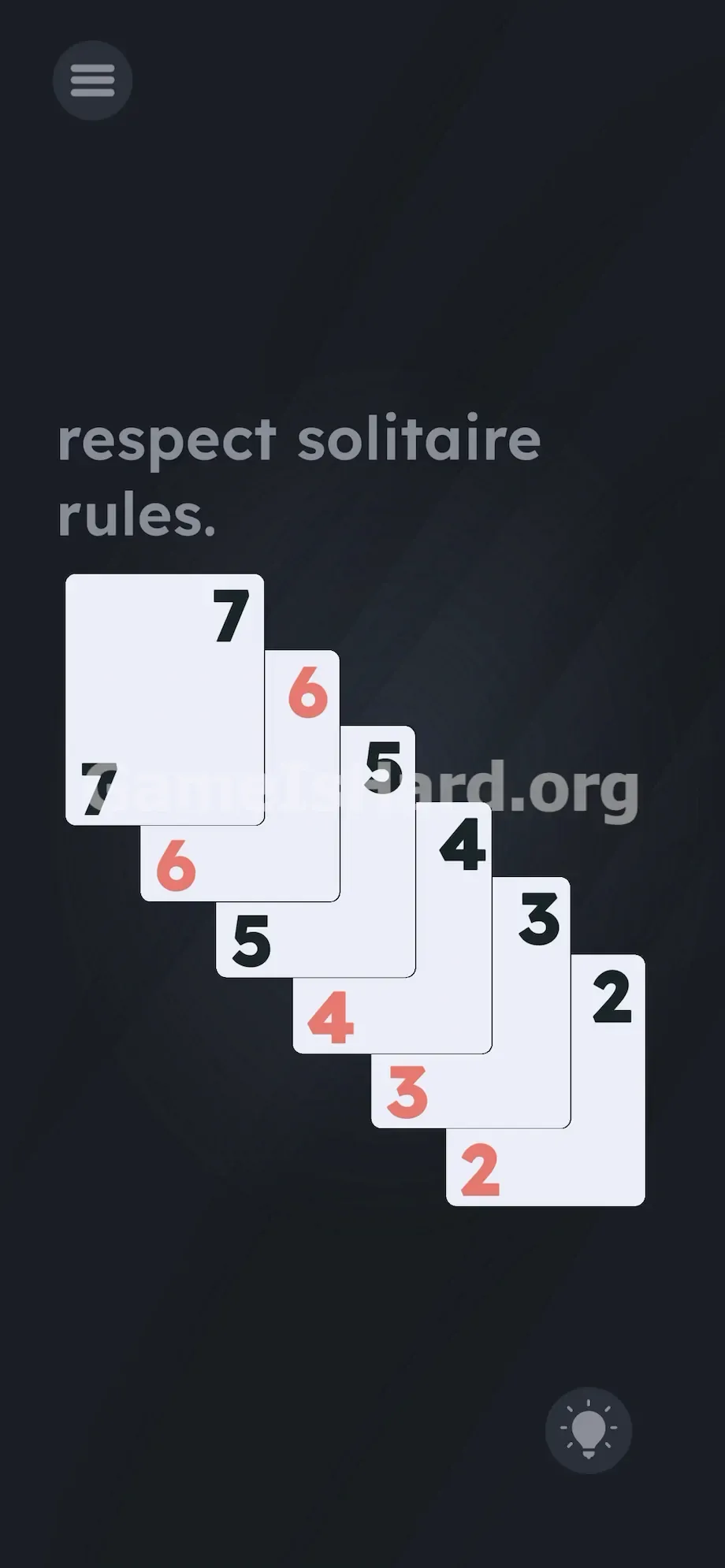
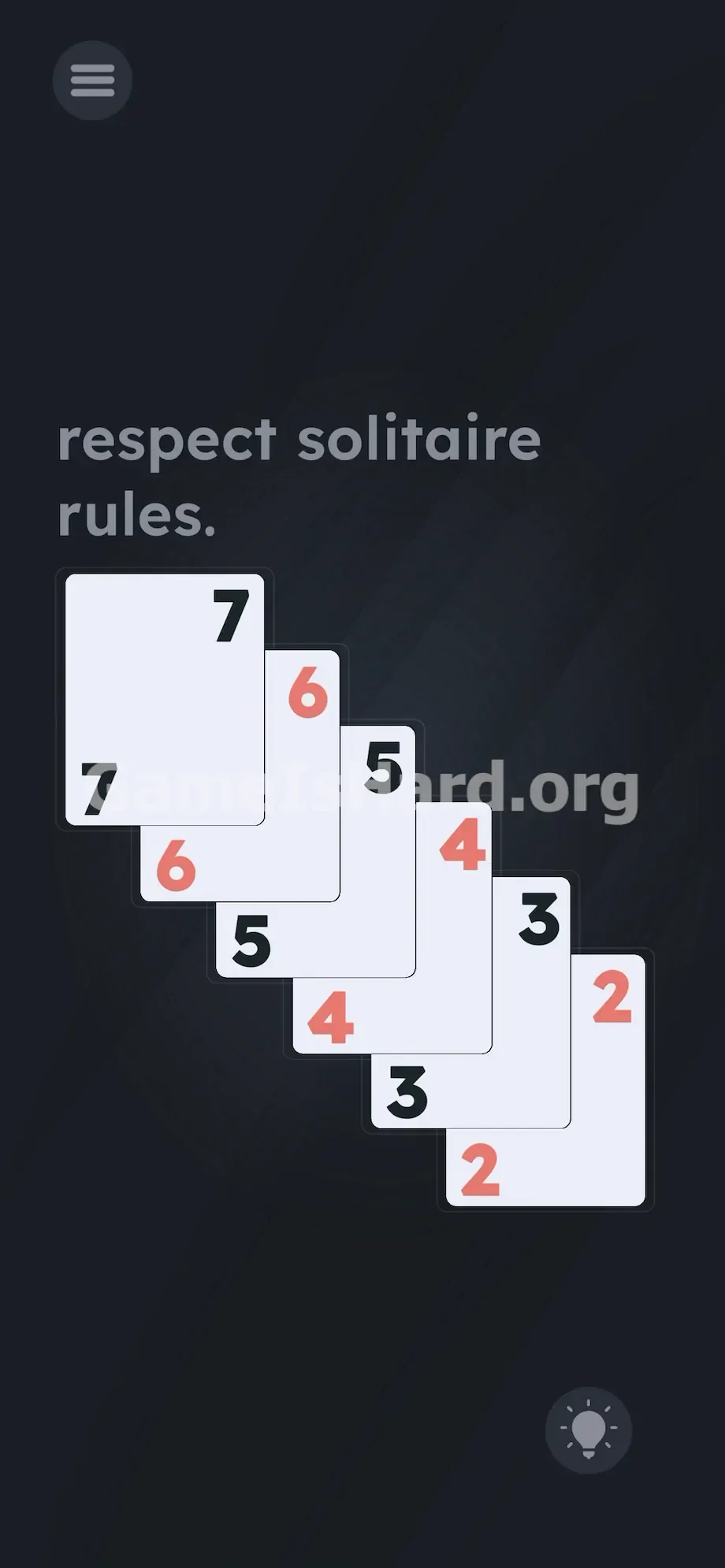
At the top, the instruction “respect solitaire rules” appears in lowercase. Beneath it, six cards cascade diagonally — top-left to bottom-right — numbered 7 down to 2.
Each card shows its value twice: once in the top-left corner and again in the bottom-right. This mimics real playing cards — except here, the ink colors are scrambled. One 7 might be black in the corner but red in the opposite corner. The spacing looks authentic. The overlap suggests depth. But those mismatched digits? That’s your clue — not clutter.
Common Mistakes to Avoid
The Trap
This level exploits “UI blindness” — the automatic assumption that card numbers are fixed visuals, not controls. Years of gaming tell us: if it looks like printed text, it is printed text. So we reach for drag-and-drop, swipe gestures, or shake-to-reset. The game weaponizes that expectation — turning readability into misdirection.
First Instincts That Fail
You probably tried sliding the 2 to the top. Or flicking left/right across the pile. Maybe you held the screen hoping for a hidden menu. Or even tilted your device expecting a new deal. None of it works — because the cards are locked in place as part of the background image.
Player Reactions
I spent nearly five minutes swiping at the top card, convinced I’d missed a gesture. Then my thumb brushed a number — and it flipped color. Instant realization. The answer wasn’t hidden behind the cards — it was on them.
Step-by-Step Solution
Preparing the Move
Stop interacting with the card surfaces. Stop swiping. Zoom in on the numbers — specifically the ones in the corners. Those digits aren’t passive labels. They’re active switches. You’ll rebuild the sequence by recoloring them one by one.
Executing the Solution
- Tap the top-left 7 and the bottom-right 7 on the top card until they are both black. Every card must have matching colors for its two identical digits.
- Move to the next card down. Tap both of the 6 s until they are both red — locking in the alternating rhythm.
- Tap both 5 s on the third card until they are black.
- Tap both 4 s on the fourth card until they are red.
- Tap both 3 s on the fifth card until they are black.
- Tap both 2 s on the final card until they are red.
- Scan top to bottom: your sequence should clearly read Black, Red, Black, Red, Black, Red — with every card showing uniform color across both digits.
If It Did Not Work
- If the level won’t complete, double-check each card. A single mismatch — one red digit and one black on the same card — will break the logic check.
- Ensure strict alternation. Black 7 followed by Black 6 fails instantly.
- Tap precisely over the center of each number. Hitboxes are tight, especially on smaller screens. If a digit doesn’t respond, adjust your tap slightly — even half a millimeter can make the difference.
Why This Solution Works
This puzzle shatters standard UI expectations. The rule — “alternate colors between consecutive cards” — is literal, not metaphorical. Instead of giving you movable cards, the game gives you a broken image and asks you to fix the pixels. Those numbers? They’re functional puzzle elements, not just information. It applies Solitaire’s core principle — red/black alternation — to a digital layer most players ignore. You’re not sorting cards. You’re debugging the display.
Bonus Tip
Keep it simple. No need to overthink suits or ranks — only color matters.
- Choose black for the top card’s 7 — it’s the most intuitive starting point.
- Tap both 7s rapidly until they match.
- As you move down, always pick the opposite color of the card above.
- Ignore everything except the numbers — the card backgrounds, borders, and whitespace play no role. Forget traditional Solitaire logic. Here, only ink color counts.
Frequently Asked Questions (Short, Useful)
Why aren't the cards moving when I drag them? Because dragging is intentionally disabled. The cards serve as a fixed backdrop — your real targets are the colored digits layered on top.
Do I absolutely have to start with black on the 7? No — red works too, as long as you follow the alternating pattern strictly: red 7 → black 6 → red 5 → black 4 → red 3 → black 2.
Why did my color pattern fail to trigger the win? Almost certainly a single mismatched pair — check both corners of every card. Even one red-and-black split on a card invalidates the entire sequence.
What exactly does "respect solitaire rules" mean in this context? In traditional Solitaire, descending stacks require alternating red and black suits. This level mirrors that visual constraint — but implements it by manually adjusting text color instead of suit selection.
More Game Is Hard Solutions
Stuck on another massive brain-breaker? Our guides cut straight to the solution — no filler, no ads, no fluff. Share this with your Discord squad before they waste time swiping at static pixels. Keep climbing.