App updates can sometimes shuffle the order of puzzles. If this level 268 walkthrough doesn't match your screen, don't worry! You can browse our All Levels guide to find your exact puzzle by its picture.
Level Overview
What Makes This Puzzle Tricky
The instruction seems straightforward—just say “HEY.” But no matter how loud or clear you speak, nothing happens. You double-check mic permissions, adjust volume, even hold your phone closer. That’s the point: it’s a clever misdirection. The real challenge isn’t vocal—it’s visual. Level 268 tricks you into overlooking the puzzle hiding in plain sight.
Your Goal
You’re not being asked to speak or record anything. Instead, you’re building a pixel-perfect digital sign. Three blank LED-style grids sit below the word “HEY,” and your job is to replicate that exact blocky typeface—one circle at a time.
- Audio / mic: A red herring. The voice prompt is purely psychological bait.
- Logic Traps: Assuming standard letter shapes instead of copying the on-screen font precisely.
- Hidden UI: Those dark green circles aren’t decoration—they’re interactive toggles.
- Multi-touch: Each circle must be tapped individually to activate it. It’s not a typo—it’s your blueprint.
What Appears on Your Screen
The interface looks minimal—but every detail matters. At the top center, the instruction reads say HEY. While “say” appears in clean, standard lowercase, “HEY” stands out with bold, chunky, retro-digital styling—like an old alarm clock display.
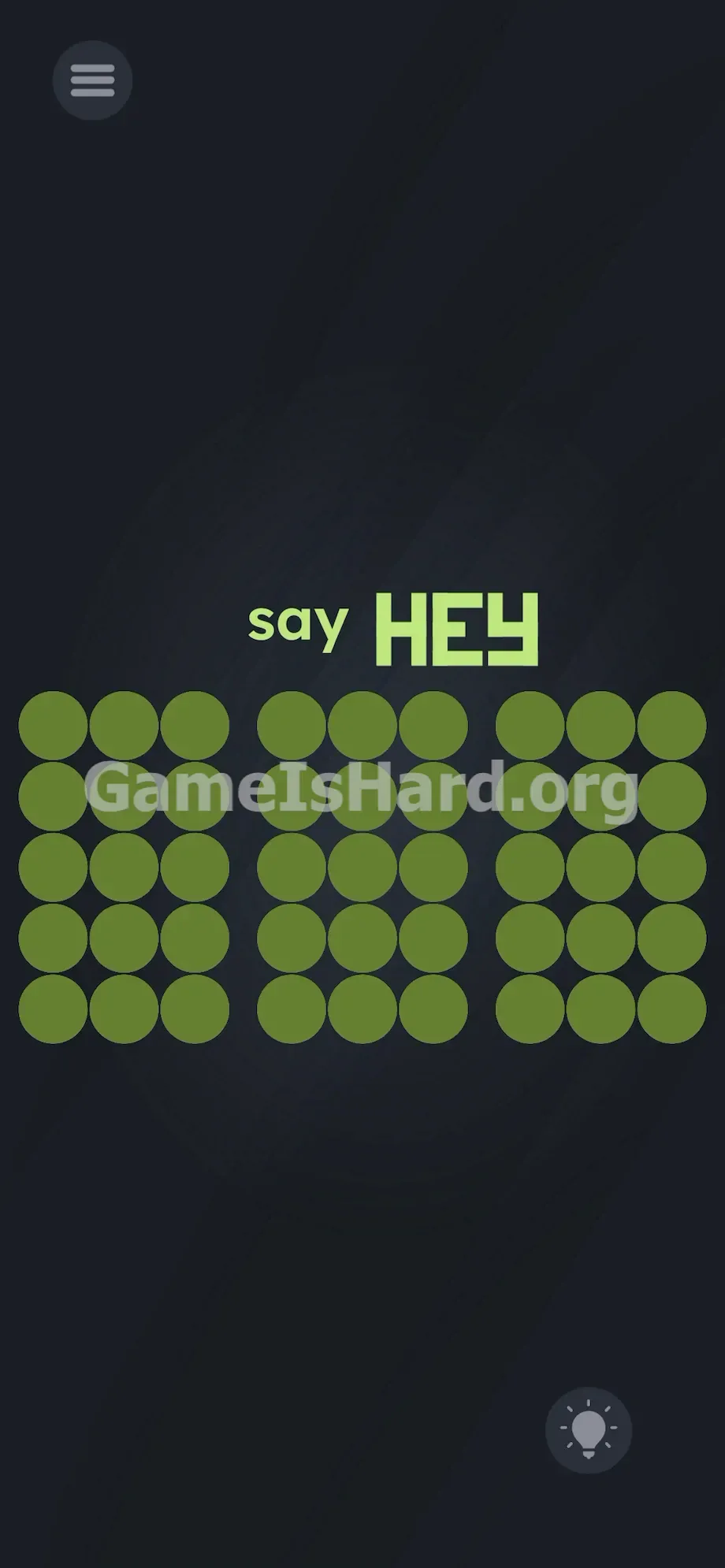
Beneath it lie three identical 3x5 grids of dark green circles against a near-black background. That’s 15 circles per grid, 45 total. In the bottom-right corner sits the familiar lightbulb hint icon. There’s no microphone symbol, no audio controls, no drag handles—just text and grids. And that unusual “HEY” font? It’s not decorative—it’s your reference guide. Notice how the E’s middle segment is deliberately shortened, and how the Y forms a squared-off shape—not a smooth curve.
Common Mistakes to Avoid
The Trap
Most players get stuck because they trust the first word they read. “Say” triggers automatic voice-command mode—and blinds them to everything else. They hunt for hidden mics, tap frantically near the speaker grille, or shout repeatedly. Only after exhausting those options do they notice the grids… and then fall into the second trap: drawing letters from memory instead of mirroring the on-screen design. A textbook E won’t work—you need that E.
First Instincts That Fail
Shouting “HEY” repeatedly is the #1 mistake. Others try dragging the top text down onto the grids—or swiping across circles hoping to “paint” faster. Swiping does nothing. Every lit circle requires a separate, deliberate tap.
Player Reactions
I spent over two minutes saying “Hey!” in increasingly ridiculous voices before accidentally tapping a dark green circle and watching it flash bright green. Instant realization—and instant embarrassment. The voice command was never real.
Step-by-Step Solution
Preparing the Move
Forget the word “say.” Dismiss audio entirely. Zero in on the three 3x5 grids. Study the “HEY” at the top—their shapes are your template. Each dark green circle is a toggle: tap once to light it up, tap again to turn it off.
Executing the Solution
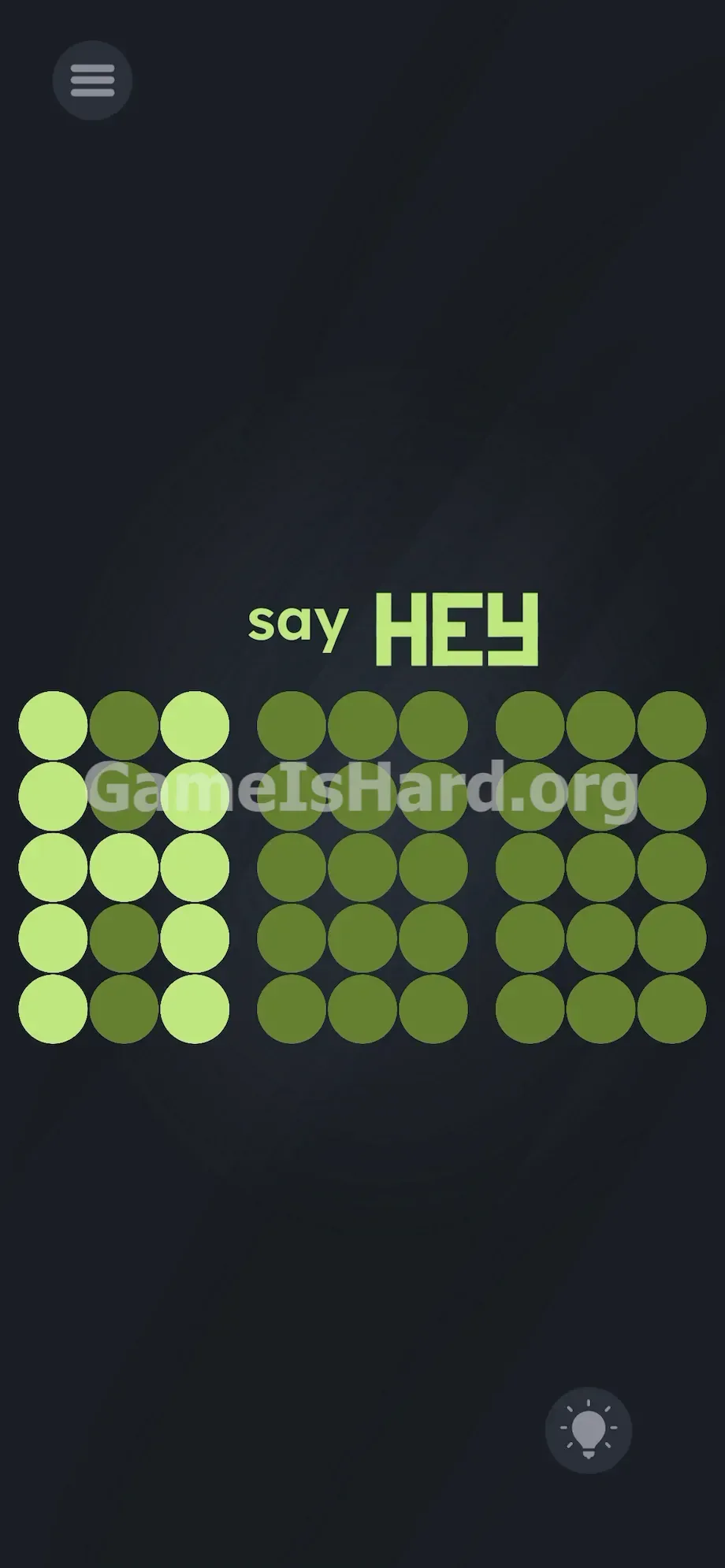
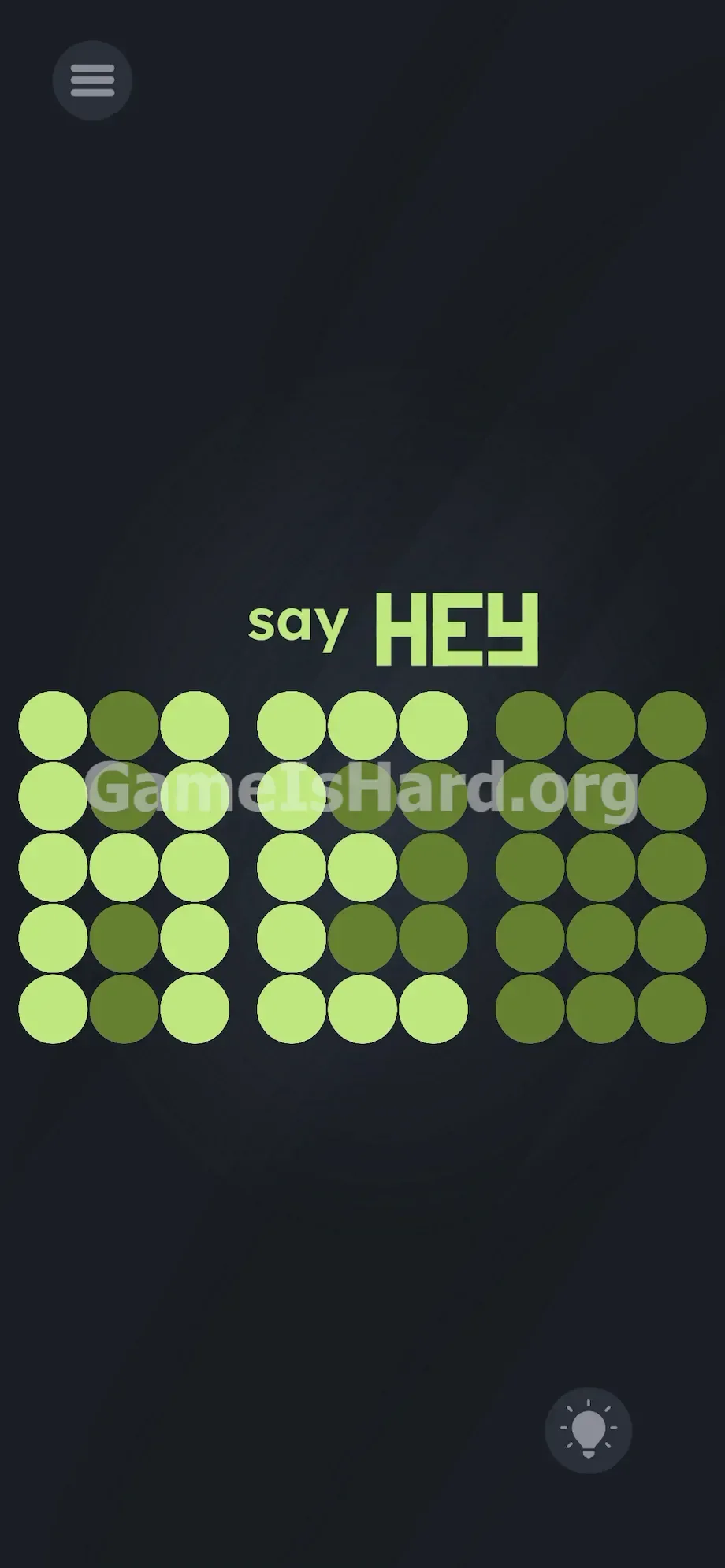
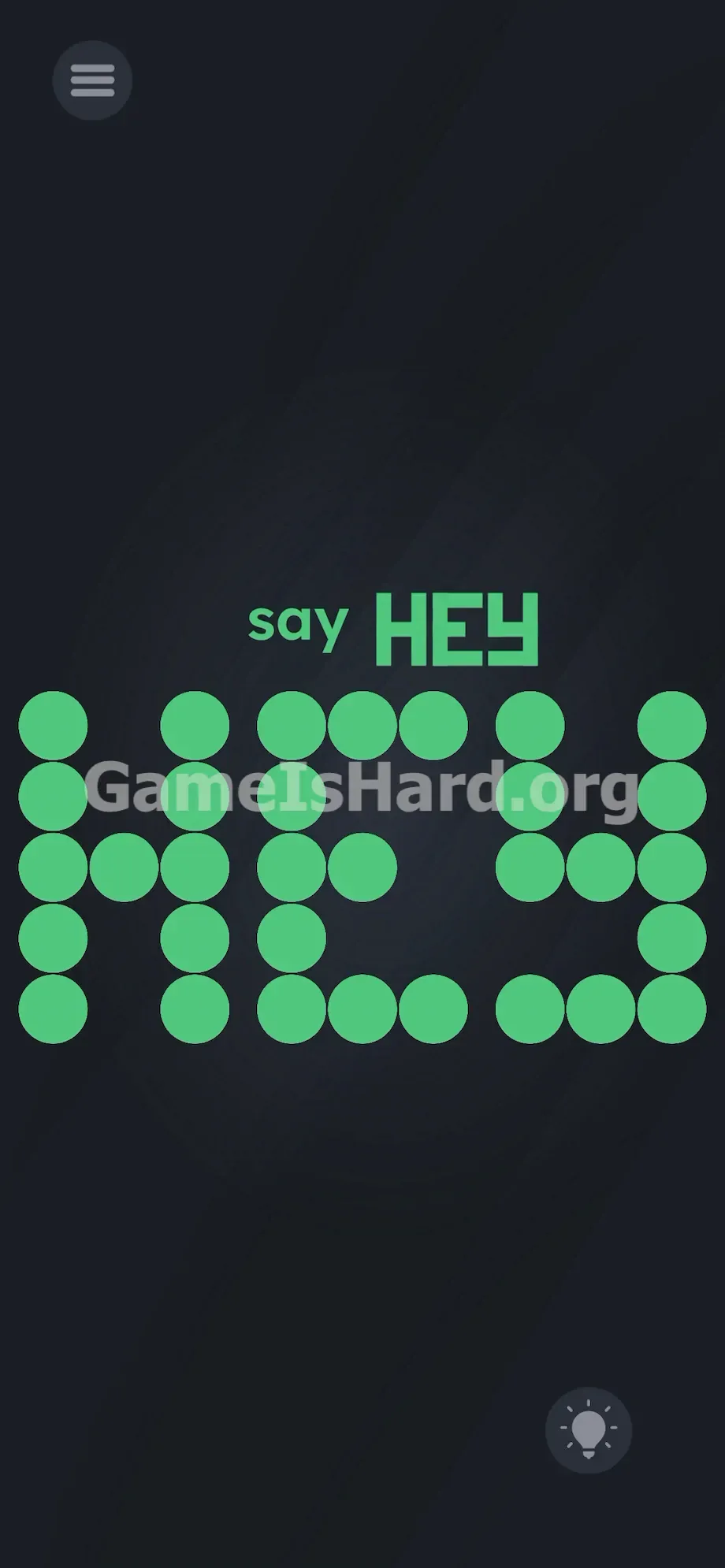
- Draw the H (Left Grid): Tap all 5 circles in the far-left vertical column. Tap all 5 circles in the far-right vertical column. Finally, tap the single circle right in the dead center to connect them. The grid should now look exactly like the H above it.
- Draw the E (Middle Grid): Tap all 5 circles in the far-left column. Tap the top 3 horizontal circles. Tap the bottom 3 horizontal circles. Now, for the trick: tap only the left and middle circles on the center horizontal row. Leave the rightmost circle dark. The middle bar of the E must be shorter.
- Draw the Y (Right Grid): Recreate the blocky Y . Tap the top two circles in the left column. Tap the top two circles in the right column. Tap all three circles in the middle horizontal row to connect them. Finally, tap the bottom two circles in the middle vertical column to form the base.
If It Did Not Work
If the level doesn’t register your solution, a pixel is off. Precision is non-negotiable. Zoom in on your E: did you accidentally light all three center-row circles? Tap the extra one to deactivate it. Check your Y: did you make it pointed like a “V”? Adjust to match the squared-off version above. Every lit circle can be turned off with a second tap.
Why This Solution Works
This level tests visual observation—not vocabulary or voice tech. The instructions are camouflage; the real puzzle lives in layout and typography. “Say HEY” isn’t a command—it’s a schematic disguised as language.
Developers bank on your instinct to obey verbs without scanning the full screen. They reward players who pause, compare proportions, and treat text as physical geometry—not meaning. The 3x5 grids exist because that’s the exact resolution needed to render “H,” “E,” and “Y” in this specific low-res style. Success means abandoning assumptions—and replicating what’s shown, not what you know.
Bonus Tip
Speed helps—if you’re replaying or just want to move on fast. Use this checklist:
- Tap immediately. Talking wastes seconds.
- Treat each circle like a light switch—no swiping, no shortcuts.
- Count the lit dots: the H uses 11, the E uses 11, and the Y uses 9. Mismatched totals mean something’s off.
- Work left to right. Fix errors instantly—tap any lit circle twice to reset it.
Frequently Asked Questions
Why isn't my microphone working? Because the game isn’t listening. “Say” is pure misdirection—it’s there to distract, not instruct.
I drew the letters perfectly, why won't it pass? Chances are your E matches standard handwriting—not the prompt. Recheck the top “HEY”: the middle bar is visibly shorter. Adjust accordingly.
Can I just drag the letters from the top down into the boxes? No. The top text is static and untouchable. You must build each letter manually, grid by grid.
How do I erase a mistake if I tap the wrong circle? Just tap it again. Circles function as simple binary switches—on/off, no exceptions.
Is there a specific order I need to draw the letters in? No. You can start with Y, then H, then E—whatever feels natural. The level validates the final state of all three grids together.
More Game Is Hard Solutions
You shouldn’t need a 10-minute video for a 10-second puzzle. Our guides cut straight to the solution—accurate, ad-free, and built for speed. If these puzzles keep catching you off guard, bookmark us. And share this page with friends still yelling “HEY” into their phones. Keep going—you’ve got this.