App updates can sometimes shuffle the order of puzzles. If this level 255 walkthrough doesn't match your screen, don't worry! You can browse our All Levels guide to find your exact puzzle by its picture.
Level Overview
What Makes This Puzzle Tricky
You’re staring at a still screen, swiping frantically—nothing responds. The puzzle seems frozen or broken. That cryptic line of text feels like a taunt. You tap, drag, and pinch—but the game stays silent. This isn’t a bug—it’s intentional misdirection.
Your Goal
Your mission is to align three colored balls with three matching colored walls—in one rigid, non-negotiable sequence: Blue first, then Yellow, then Red. Any deviation triggers an instant reset.
- Tilt / rotation: Your touchscreen won’t help here. Gravity does all the work.
- Timing / waiting: Rush your tilt, and you’ll send the wrong ball into the wrong wall. Precision requires patience.
- Multi-object physics: Move one ball, and the others react too—you’re steering a synchronized trio.
- Hidden logic: The clue omits the red ball entirely, pushing you to infer the final step logically. It’s not a faulty touch interface—it’s a gravity-based puzzle in disguise.
What Appears on Your Screen
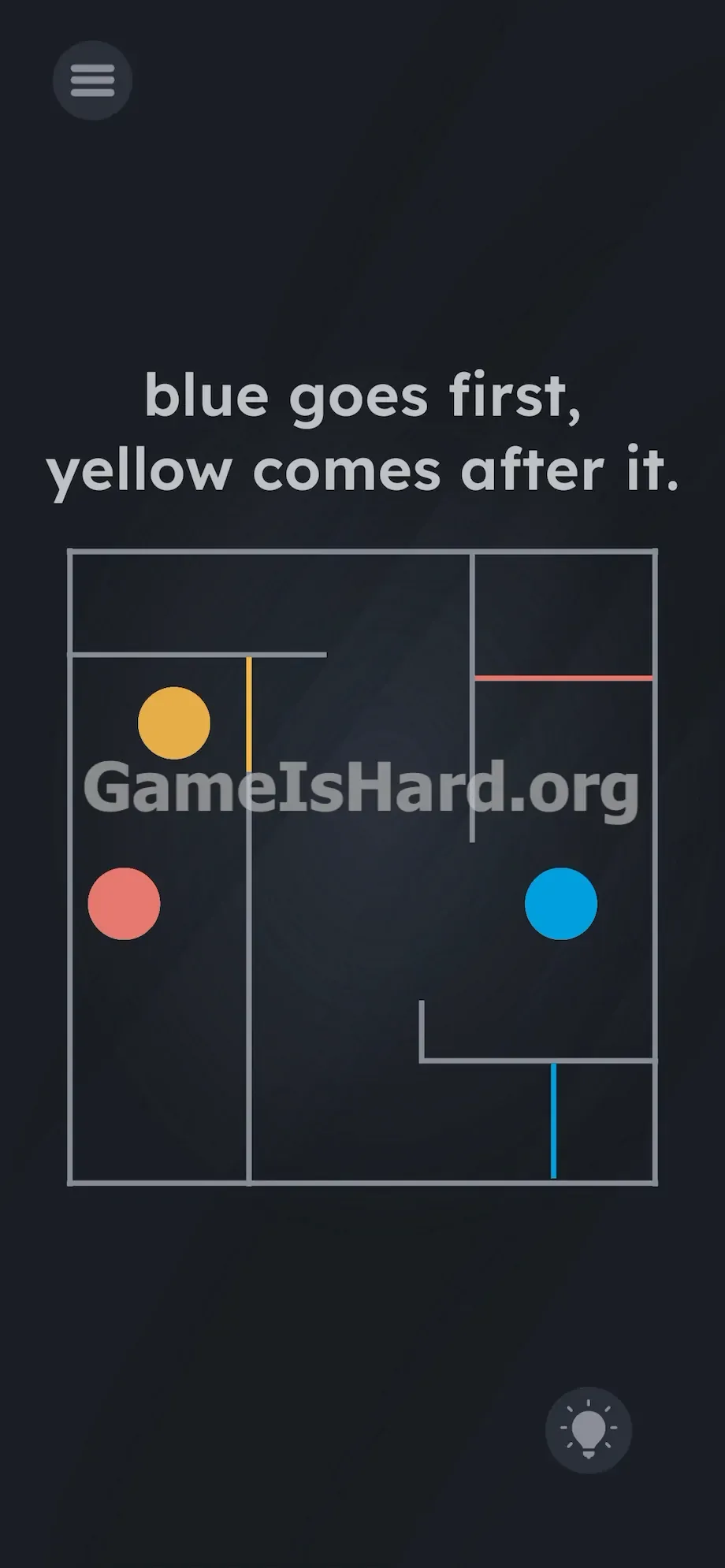
Let’s map the layout. At the top, a bold instruction reads: " blue goes first, yellow comes after it. "
Beneath it lies a clean, square maze. Inside the gray frame sit three distinct, gravity-responsive spheres: a blue ball, a yellow ball, and a red ball.
Three color-coded barriers serve as your targets: a yellow wall blocking a vertical channel on the left, a red wall sealing a horizontal opening near the top right, and a blue wall positioned in the bottom right corner.
The design looks deceptively simple—the corridors are wide, movement paths unobstructed. Standard UI elements like the menu button and hint icon sit quietly in the corners. No arrows. No sliders. Just color, shape, and silence.
Common Mistakes to Avoid
The Trap
This level exploits “UI Blindness”—our reflexive habit of tapping or dragging whenever we see interactive elements on screen. When nothing responds to touch, we assume lag or poor hit detection. But the real control lies in your phone’s hardware—not its glass surface.
First Instincts That Fail
Chances are, you tried dragging the blue ball straight toward its target. Nothing happened. Then maybe you tapped the word “blue” or “yellow,” hoping they were hidden buttons. Or you shook the phone, hoping motion would trigger something. None of it works—because the only input the level accepts is deliberate, physical tilting.
Player Reactions
I spent over two minutes trying to draw paths through the maze walls with my finger. I genuinely thought the app had crashed. Then, shifting position on the couch, my phone tilted—and the yellow ball rolled straight into its wall… out of order. Instant failure. Total forehead-slap moment.
Step-by-Step Solution
Preparing the Move
Stop touching the screen. Hold your phone perfectly flat—parallel to the floor—as if balancing a full drink tray. This neutralizes gravity and locks all balls in place while you plan your next moves.
Executing the Solution
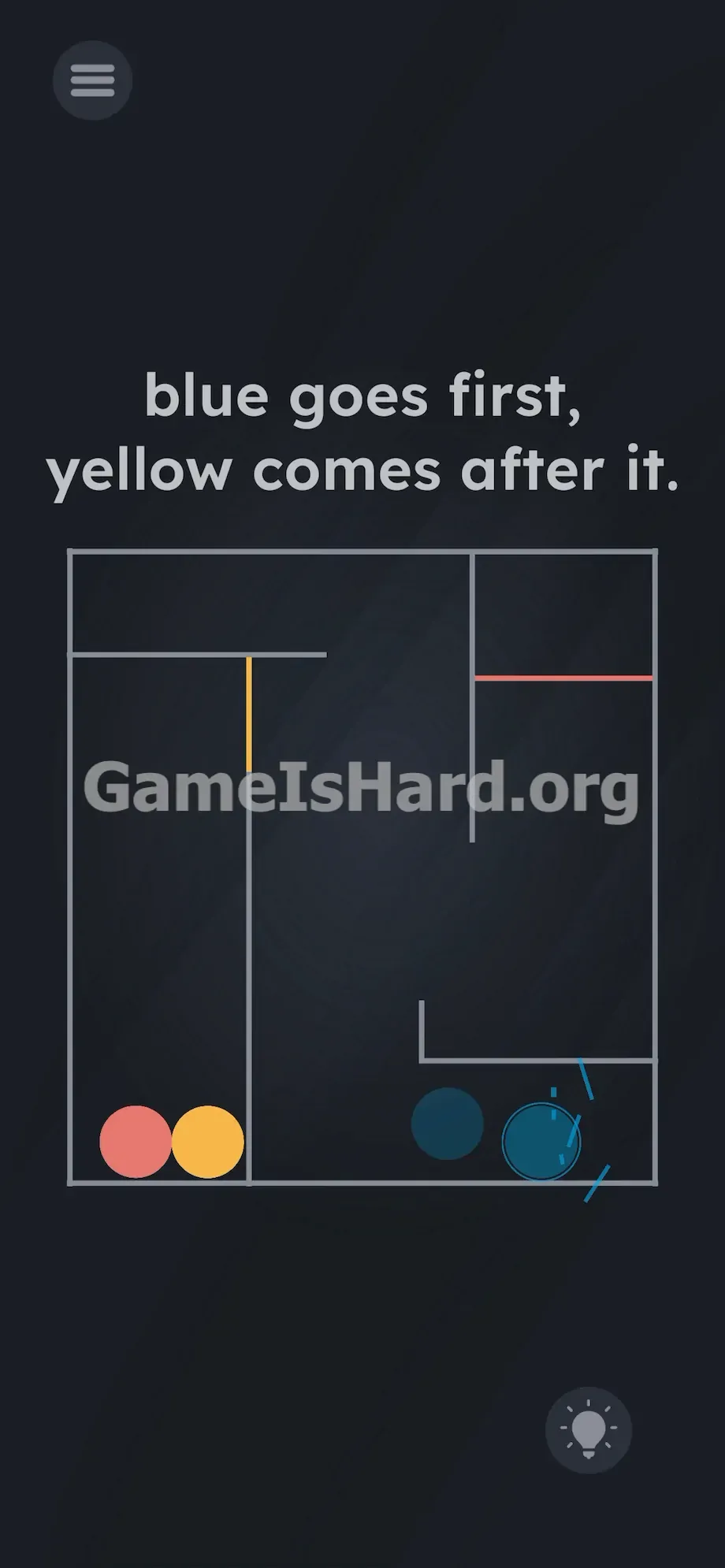
- Tilt the phone slightly down and right. Guide the blue ball toward the bottom right corner so it touches the blue wall . Keep your tilts gentle so the yellow and red balls stay pinned against neutral gray walls—away from their targets.
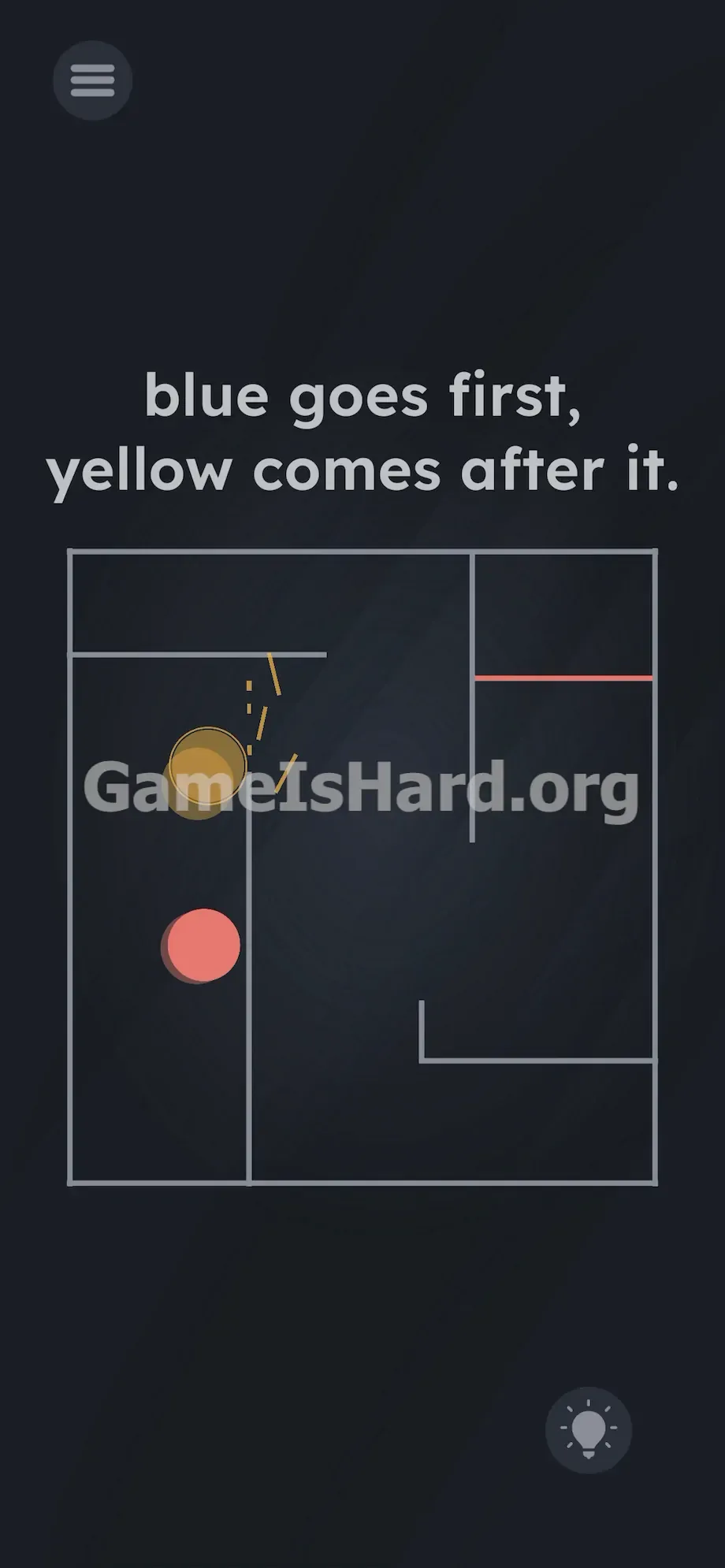
- Tilt the phone left and up. Once blue is secured, shift gravity to roll the yellow ball into the left corridor and gently settle it against the yellow wall .
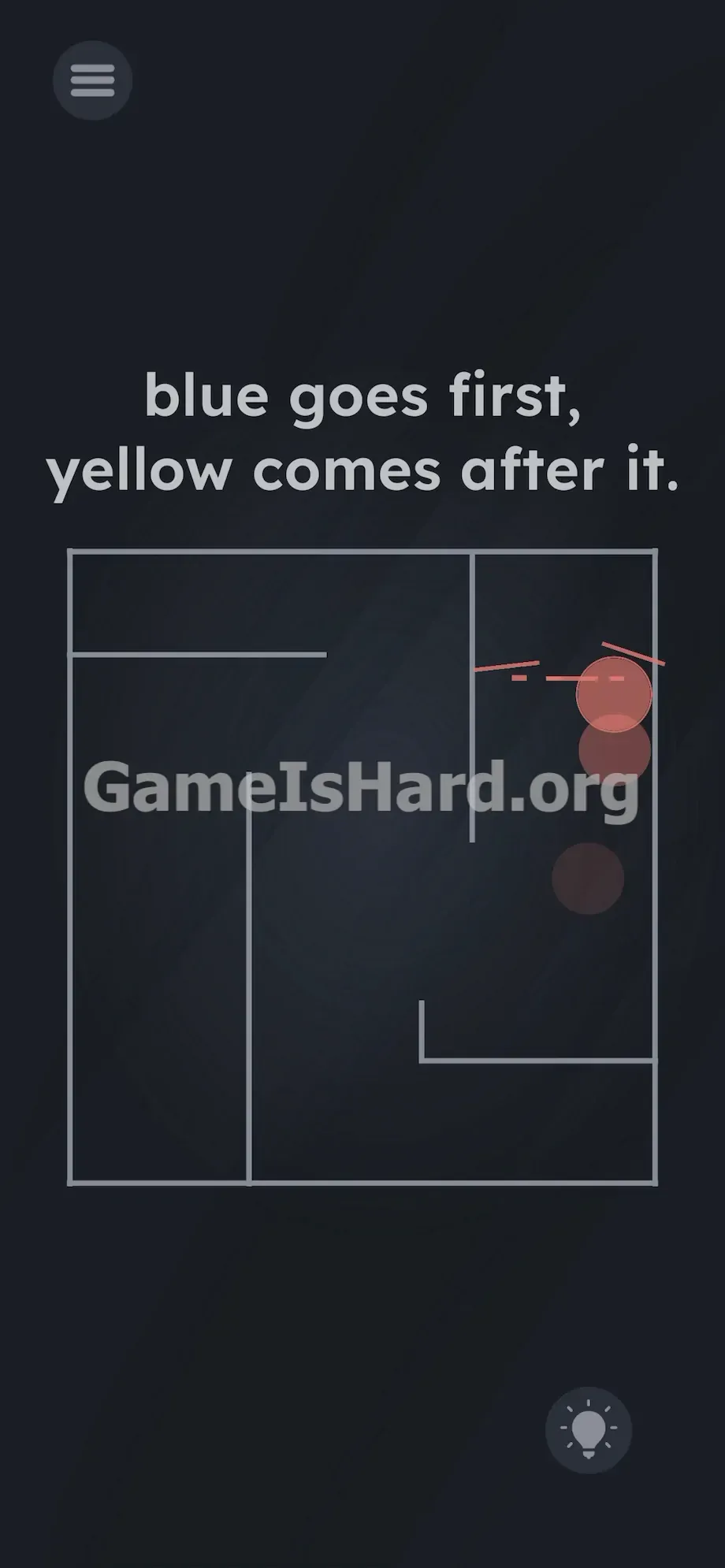
- Tilt the phone up and right. Now isolate the red ball. Tip the device just enough to let it roll smoothly into the top right quadrant and strike the red wall .
- Hold steady. As soon as all three balls hit their correct walls in order, the level clears automatically.
If It Did Not Work
- Instant failure? You broke the sequence. If yellow or red touches its wall before blue completes its task, the level resets silently.
- Unresponsive controls? Confirm you’re tilting the phone freely in midair—not rotating it flat on a table. The gyroscope needs real-world Z-axis movement to register.
- Gyroscope glitches? Older devices may have inaccurate sensors. If balls drift when the phone is level, exaggerate your tilts slightly to compensate. If a ball clips inside a gray wall and freezes, close and relaunch Game is Hard Level 255.
Why This Solution Works
This is a hardware-aware puzzle—it tests whether you’ll look beyond the screen and engage your device as a physical object.
The maze layout is carefully chosen to trigger your “drag-to-solve” instinct—mazes feel like touch puzzles. Meanwhile, the clue “ blue goes first, yellow comes after it. ” gives you half the sequence but hides the third step, nudging you toward logical deduction: three balls, three walls, red must be last.
The clean visuals distract from the absence of touch controls. Here, your phone is the controller—a giant, responsive joystick governed by gravity. It’s a signature trick in this genre: when tapping fails, reach for physics instead.
Bonus Tip
Avoid big, jerky tilts. Speed leads to bounces, collisions, and off-target hits. Treat each move like delicate surgery.
- Flatten your phone immediately after loading to freeze all motion.
- Use subtle angles to pin red and yellow in safe corners while guiding blue.
- Advance the blue ball slowly and steadily to its wall.
- Repeat the isolation method for yellow, then red. Never try to steer multiple balls at once. Isolate. Complete. Proceed.
Frequently Asked Questions (Short, Useful)
Why won't the balls move when I drag them? Touch input is completely disabled for this level. You must physically tilt your device to activate its gyroscope—gravity is the only control mechanism.
What happens if the red ball hits a wall first? The sequence fails instantly. Game is Hard Level 255 demands strict adherence: Blue → Yellow → Red. One misstep forces a silent restart.
The text doesn't mention the red ball. What do I do with it? Apply basic deduction—three balls, three walls, and two steps named. Red is the obvious, necessary third step. Hit the red wall last.
My balls are moving way too fast and bouncing everywhere. How do I fix this? Your tilt is too aggressive. Hold the phone flatter. Often, just a 5-degree angle is enough to nudge balls smoothly—no need for dramatic movements.
Can I hit the gray walls safely? Yes. The gray maze borders are neutral zones. Use them strategically to hold inactive balls in place while you guide your current target to its colored wall.
More Game Is Hard Solutions
Stuck on another gravity puzzle or mind-bending logic challenge? We’ve mapped every solution—fast, accurate, and zero filler.
Share this guide with your friends on Discord if they’re stuck staring at a frozen screen. Keep tilting, keep solving, and conquer the next stage.