App updates can sometimes shuffle the order of puzzles. If this level 251 walkthrough doesn't match your screen, don't worry! You can browse our All Levels guide to find your exact puzzle by its picture.
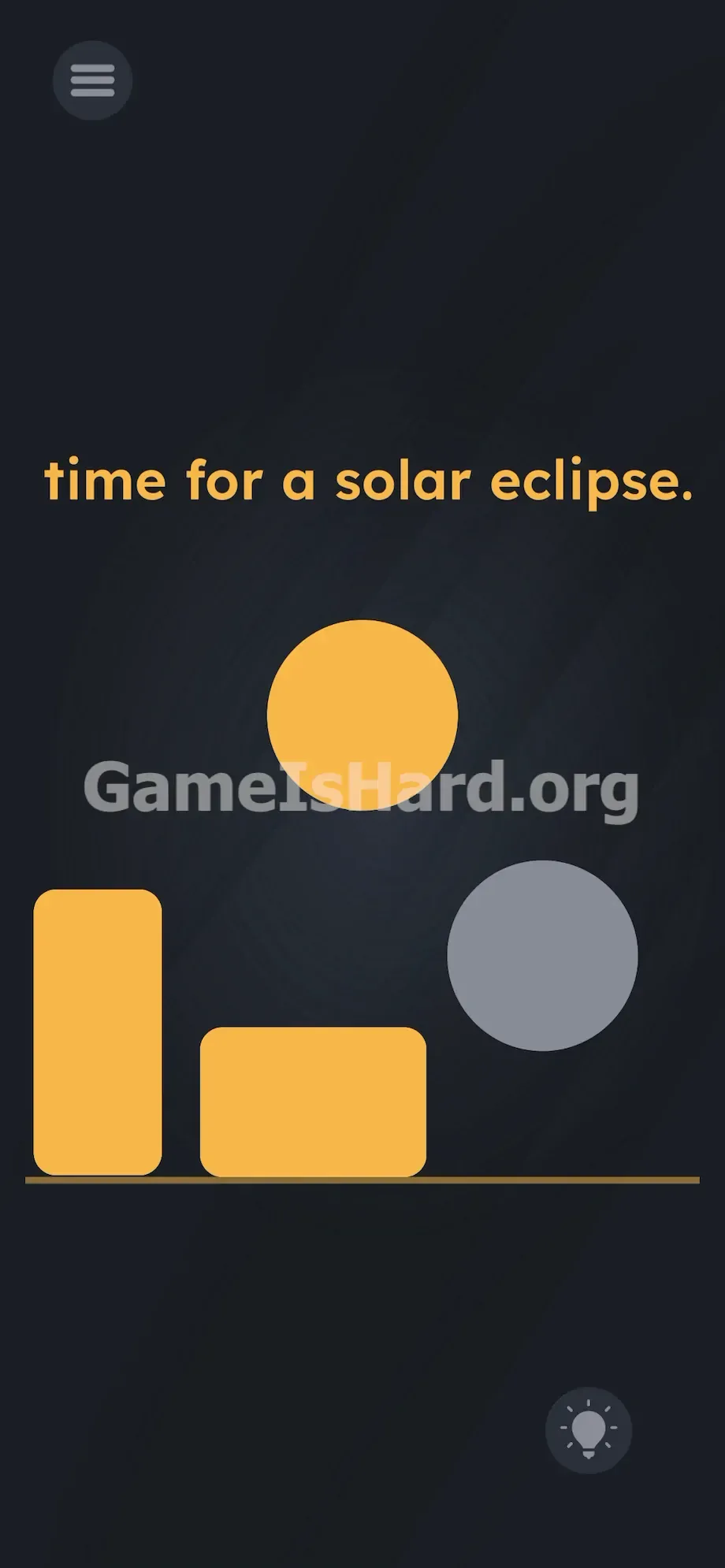
You must physically pull the moon out from beneath the bottom visual boundary line to reveal the full shape.
Level Overview
What Makes This Puzzle Tricky
The clue says “Time for a solar eclipse”—but nothing happens when you just watch. There’s a large yellow circle high up (the sun), some yellow shapes on the ground, and… silence. Most players get stuck because they assume all interactive elements are fully visible—and that the screen’s edge is a hard limit. It’s not. Level 251 deliberately hides its key piece just outside the expected play area.
Your Goal
You’re not solving a riddle—you’re staging a real eclipse using physical UI elements. The grey circle isn’t scenery; it’s your moon, cleverly camouflaged and tucked below the visible floor line. Your job is to drag it into place—no tricks, no taps elsewhere—just pure, precise overlap.
- UI drag
- Hidden object manipulation
- Visual overlap
- Misdirection and camouflage
- Boundary breaking
It’s not background art. It’s your only tool.
What Appears on Your Screen
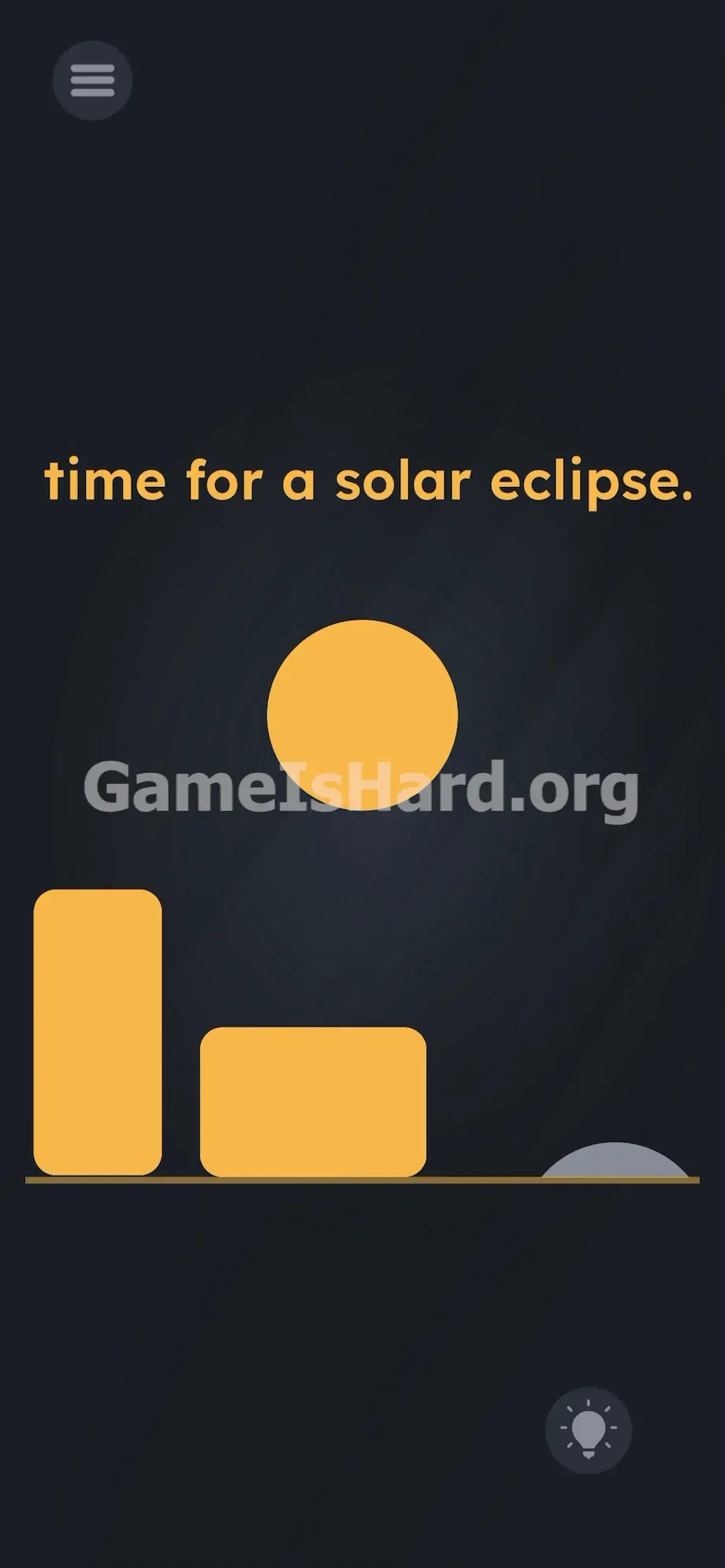
Let’s map the layout precisely. The backdrop is a deep, muted grey-blue void. Near the top center, the instruction “time for a solar eclipse” appears plainly.
Centered above it floats a bold, bright yellow circle—the unmistakable sun.
At the bottom, a clean horizontal line marks the ground. Resting on it are two yellow shapes: a tall vertical rectangle on the left, and a shorter, wider one beside it—like stylized buildings or abstract bars.
Then there’s the telltale detail: in the far bottom-right corner, just barely crossing the ground line, sits a faint grey curved sliver. It blends almost invisibly into the dark background—easy to dismiss as a glitch or leftover pixel. It’s neither. It’s your moon.
Common Mistakes to Avoid
The Trap
This level exploits “UI Blindness”—our ingrained habit of treating screen edges as absolute boundaries. That ground line feels like a wall. We instinctively ignore anything clipped at the border, especially something low-contrast like that grey sliver. Meanwhile, the vivid yellow shapes dominate your attention, acting as perfect visual decoys.
First Instincts That Fail
Most try dragging the word “eclipse,” stacking the yellow blocks, or even tilting the device—none work. The game lures you into overthinking with obvious-but-useless props. The real action happens where you least expect it: off-screen, just waiting to be pulled up.
Player Reactions
I spent minutes trying to combine those yellow rectangles—certain they were puzzle pieces. When my thumb accidentally brushed the bottom-right corner and the full grey circle emerged from underground? Instant “aha!” followed by serious self-reproach. Hiding the core element beneath the floor line is brilliantly ruthless.
Step-by-Step Solution
Preparing the Move
Tune out the text. Ignore the yellow shapes entirely. Zoom in mentally on the bottom-right corner—where the ground line meets your screen’s edge. That tiny grey bump? That’s your moon. Nothing else matters.
Executing the Solution
- Tap and hold the tiny grey sliver sitting on the bottom right of the ground line.
- Drag your finger straight up toward the top of the screen. A massive grey circle will pull out from under the ground line.
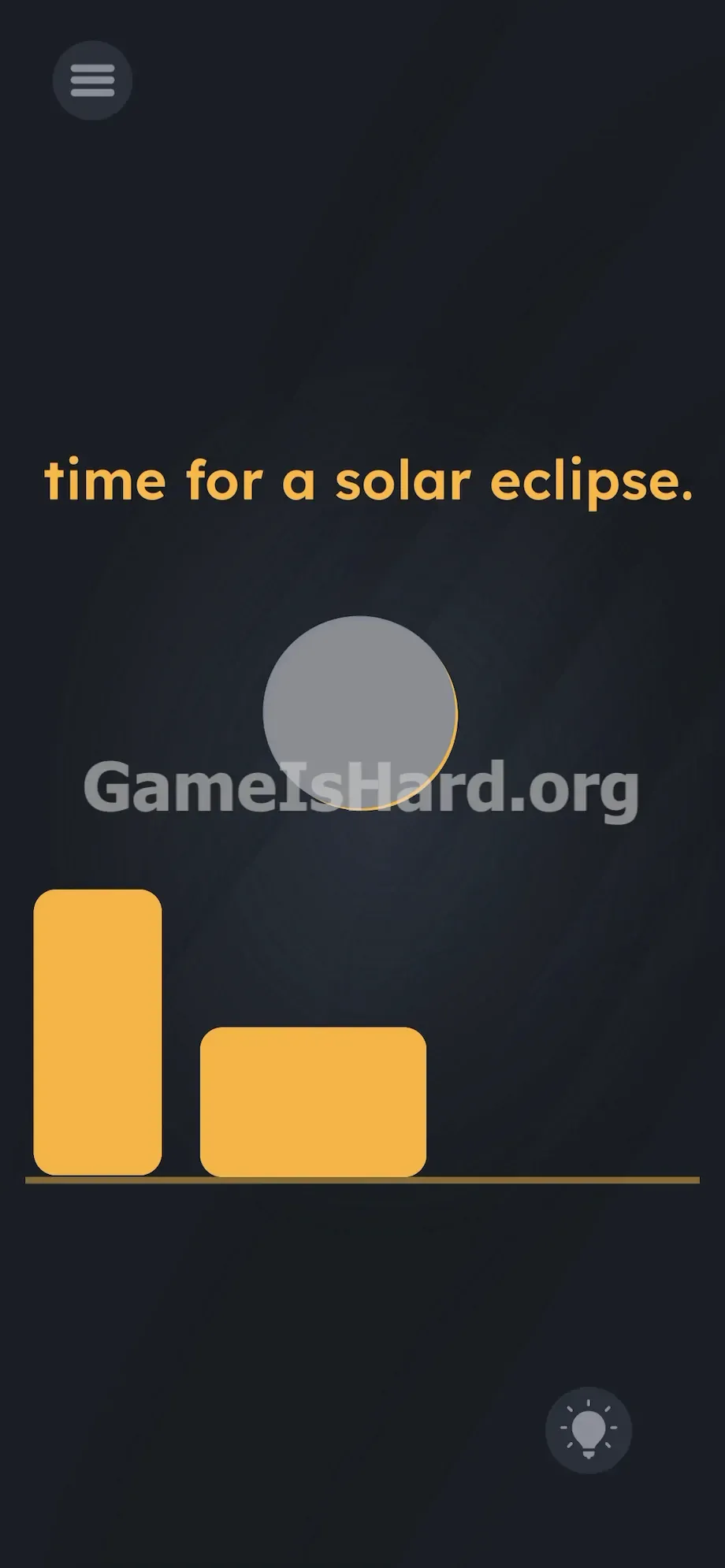
- Keep holding it and drag it perfectly over the center of the yellow circle .
- Release your finger when the grey circle completely covers the sun.
If It Did Not Work
Game Is Hard’s hit detection is strict. If the level doesn’t complete after dropping the moon, re-pick it up—perfect centering is required. Ensure no yellow rim shows around the edges. If the grey circle gets snagged behind a yellow shape mid-drag, close and restart the app. And yes—hitting that sliver cleanly takes precision: tap only on the grey pixels, not the surrounding black space.
Why This Solution Works
This puzzle tests two things: how closely you scan the periphery, and whether you’ll defy interface conventions. Unlike most games, here the “off-screen” zone is active real estate—not dead space. The yellow blocks and text aren’t clues—they’re distractions. The environment itself is the puzzle, forcing you to treat every pixel—even ones hiding just below the frame—as potential interaction.
Bonus Tip
Skip the guesswork. Speedrun it with this tight sequence:
- Go straight to the bottom-right corner.
- Drag the grey sliver upward to expose the full moon.
- Drop it dead-center over the yellow sun.
- Lock alignment—no gaps, no offset.
Don’t touch the yellow rectangles. They exist solely to waste time.
Frequently Asked Questions (Short, Useful)
Why won't the yellow blocks move? They’re fixed set dressing—designed to mimic puzzle pieces but completely non-interactive. Treat them as wallpaper.
I dragged the grey circle but the level didn’t end. Likely misalignment. Even slight offset—left, right, or crooked—breaks the eclipse. Reposition until the yellow circle vanishes completely under grey.
Do I need to drag any of the text? No. The phrase “time for a solar eclipse” is static flavor text—it tells you the goal, not how to achieve it.
Can I use volume buttons or tilt the phone? Nope. This level uses touch-only input. Sensors are disabled. Shaking or rotating does nothing.
More Game Is Hard Solutions
Stuck on another nightmare puzzle? We have you covered. Our guides are written to be fast, accurate, and completely free of filler.
Share this guide with your Discord server or anyone else pulling their hair out over this exact mechanic. Stay sharp, and check out the rest of our walkthroughs on thegameishard.org to crush the next stage. Keep dragging everything.