App updates can sometimes shuffle the order of puzzles. If this level 259 walkthrough doesn't match your screen, don't worry! You can browse our All Levels guide to find your exact puzzle by its picture.
Level Overview
What Makes This Puzzle Tricky
You tap the ball — nothing happens. You swipe at it — still no response. You stare, confused, wondering if your touchscreen’s gone unresponsive or your device froze. It hasn’t. Level 259 is deliberately misleading you about how physics work in this world. You’re approaching it like a typical mobile game where you control the character — and that’s exactly the trap the developers set.
Your Goal
On paper, the goal is simple: help the round avatar reach the exit. But here, you’re not the runner — you’re the stagehand. Your job is to physically reposition the entire maze around a completely fixed, unmoving ball.
- UI drag: The environment is the interactive element.
- Hidden object: What looks like background art is actually fully draggable.
- Timing / waiting: Rushing causes instant failure — patience is non-negotiable.
- Precision control: Collision detection is razor-thin and unforgiving. It’s not scenery. It’s your only tool.
What Appears on Your Screen
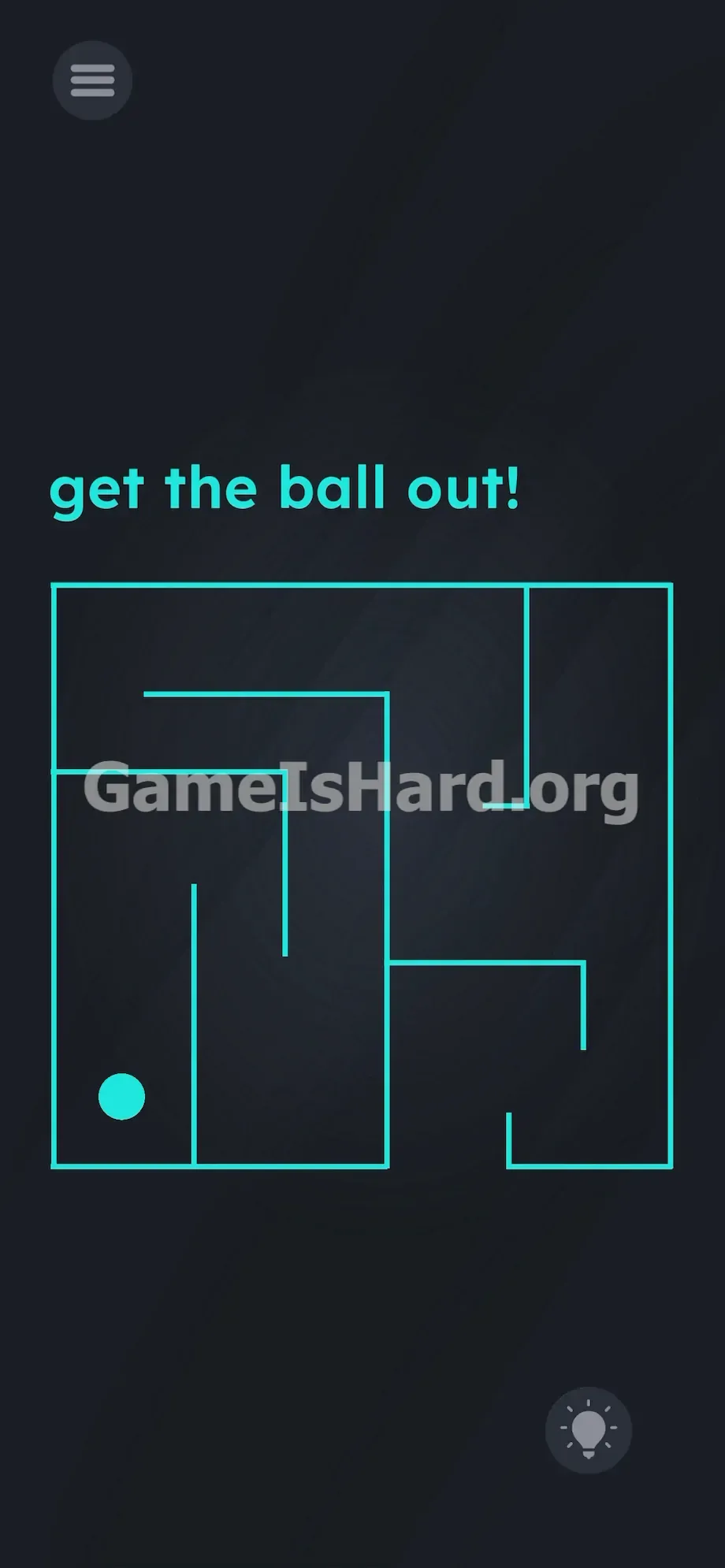
The screen mimics a retro arcade display — clean, minimal, and deceptively static. At the top, plain teal text reads: get the ball out!
Below it sits a bold, geometric maze drawn in thin cyan lines, centered against a dark backdrop. A solid cyan ball rests deep in the bottom-left corner of the structure. The layout features narrow corridors, sharp 90-degree turns, and a clear exit gap on the bottom-right outer edge.
Top-left holds the standard pause button; bottom-right shows the glowing lightbulb hint icon. There are no joysticks, arrows, or highlighted hotspots — just a flat, silent interface that gives zero visual cues about interactivity.
Common Mistakes to Avoid
The Trap
UI Blindness is the core issue. Years of gaming have trained your brain to see the ball as the “figure” (the thing you control) and the maze as the “ground” (just background). So you instinctively try to move the ball — never thinking to grab the walls themselves. The game exploits this universal expectation to hide the real mechanic in plain sight.
First Instincts That Fail
I spent several minutes tilting my phone — since gyroscope controls appear elsewhere in the game, rolling the ball felt like the obvious path. No effect. I tapped the instruction text, hoping for a secret trigger. I dragged the words into the maze. I even pressed volume buttons — all dead ends. That ball is locked down, pixel-perfect, with no movement logic attached.
Player Reactions
Total facepalm moment. While stretching my hand, my thumb brushed the far right edge of the screen — and the whole maze shifted slightly. Lightbulb went off. It felt ridiculous — why would I ever think to drag the background? Yet that’s exactly what works.
Step-by-Step Solution
Preparing the Move
Do not touch the ball. Do not touch the text. Place your index finger firmly on the outermost edge of the maze — ideally near the top or far right side. This keeps your hand out of the frame so you can clearly monitor the ball’s position relative to every wall. Grabbing near the center will obstruct your view and cause collisions.
Executing the Solution
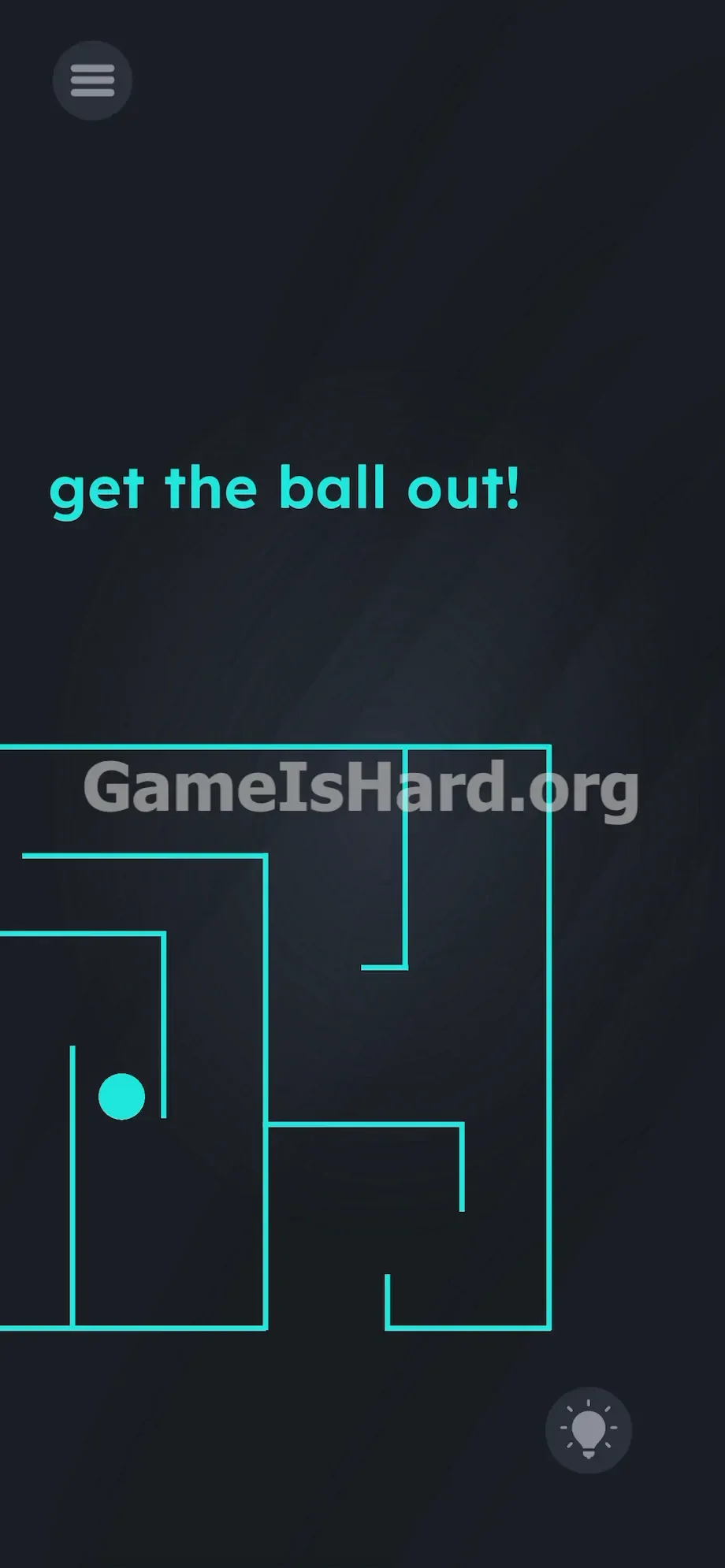
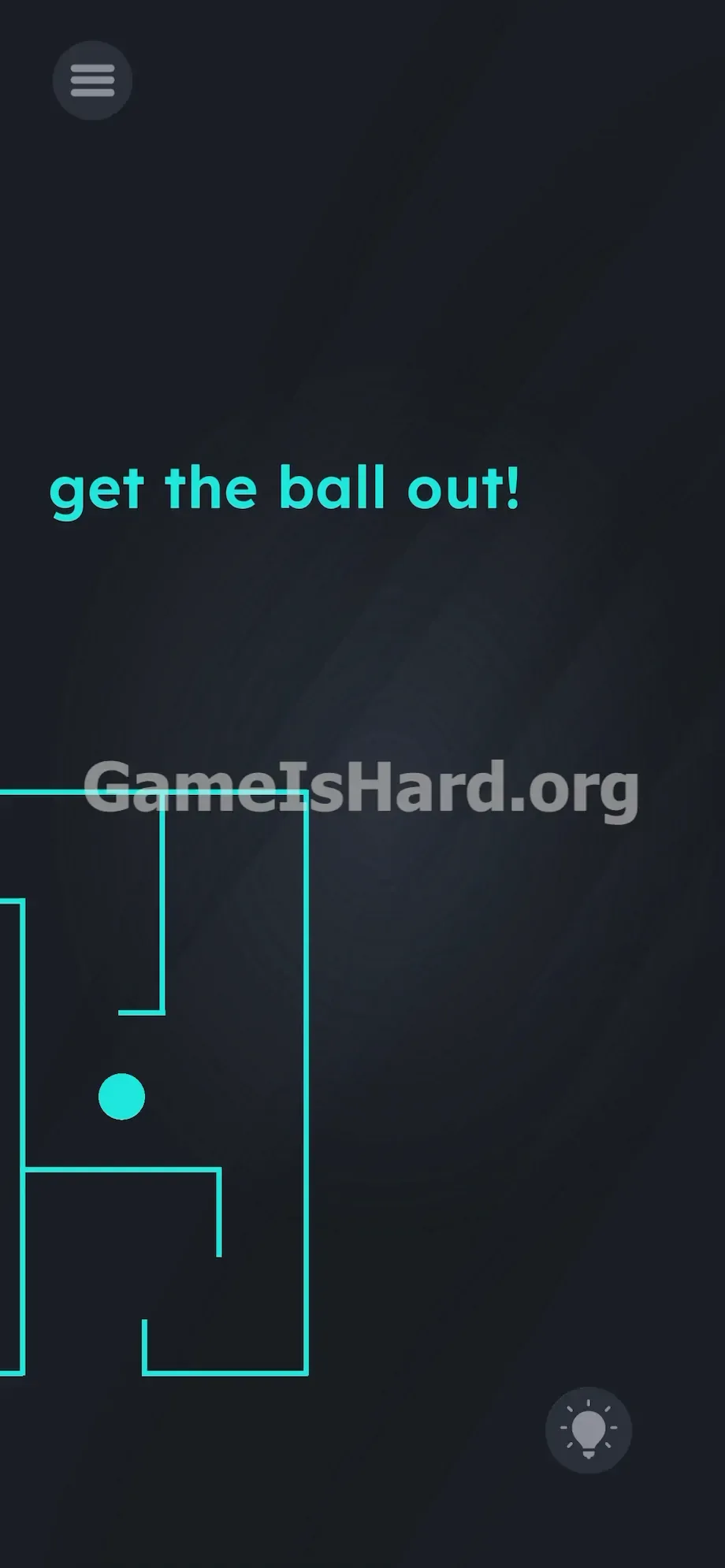
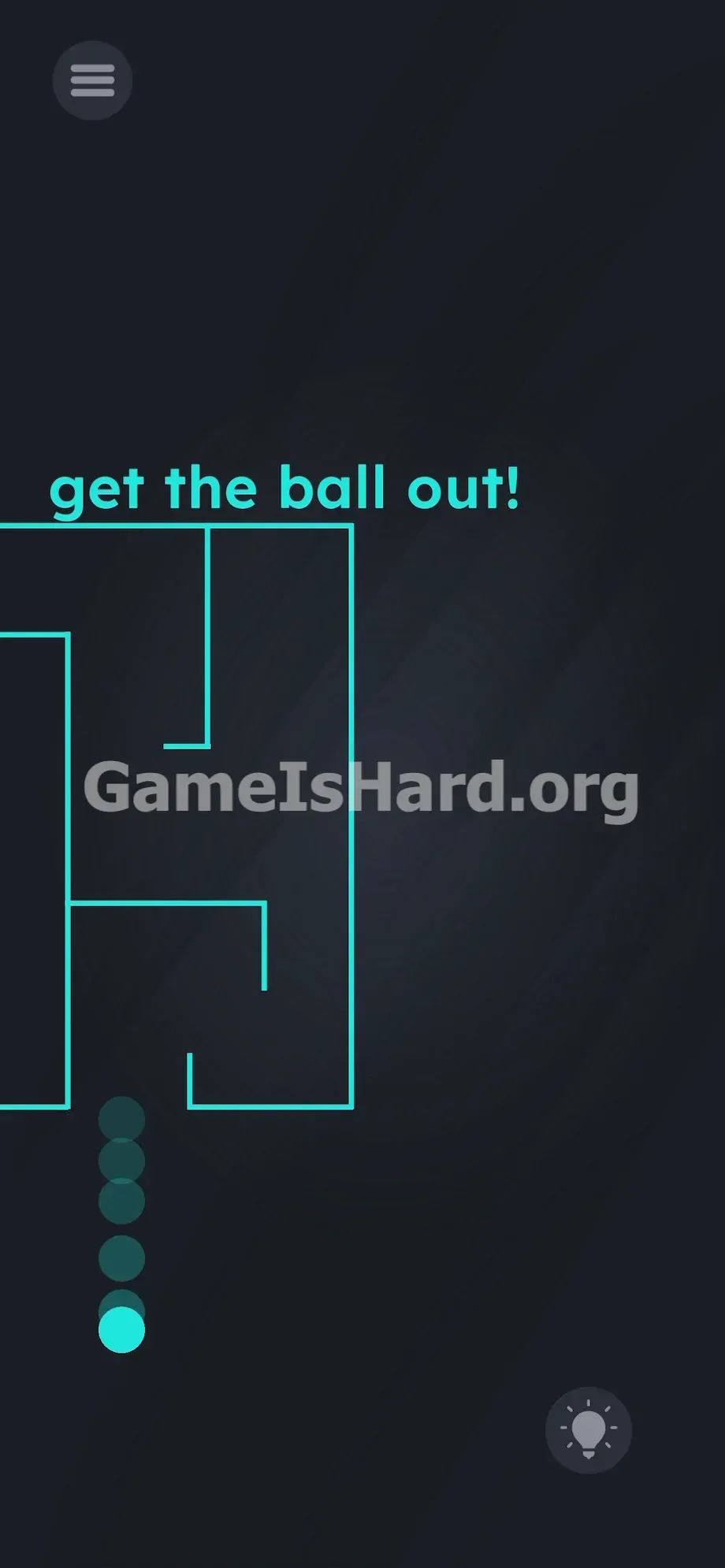
You’re moving the maze around the anchored ball — like guiding a frame over a fixed pin. Follow this precise directional sequence:
- Tap and hold the outer boundary of the maze .
- Drag the maze bottom . (The ball will visually rise up the first corridor).
- Drag the maze left . (The ball shifts right).
- Push the maze top . (The ball moves down).
- Drag the maze left .
- Pull the maze bottom .
- Slide the maze right .
- Pull the structure bottom again.
- Drag the maze left .
- Push the maze top .
- Slide the structure left .
- Push it top .
- Slide it left one last time.
- Push it completely top so the exit gap clears the ball entirely.
If It Did Not Work
One pixel of wall touching the ball = instant reset. Hitboxes are ultra-sensitive. Move slowly, deliberately, and only in straight horizontal or vertical motions. Pause fully at each turn before starting the next drag. Avoid diagonal shortcuts — they’ll scrape the walls. If touch input feels laggy or inconsistent, clean your screen or force-close the app. Smudges or minor delays can send the maze crashing into the ball.
Why This Solution Works
This level challenges how you interpret visual hierarchy. Its design leans heavily on “Linguistic Deconstruction” and “UI Manipulation” — classic tricks used to disrupt player assumptions.
The rule is straightforward: assume nothing is inert unless proven. Here, the maze isn’t scenery — it’s a massive, draggable component. By making the ball bright, bold, and central, your eye fixates on it as the active element. Meanwhile, the maze’s thin, hollow lines read as passive decoration. Solving level 259 means ignoring symbolic meaning and testing raw functionality — what can be moved in-engine, not what looks like it should be.
Bonus Tip
Never take your eyes off the gap between the ball and surrounding walls.
- Grip the thickest outer line of the maze — stay well away from the center.
- Move your finger only in clean, straight horizontal or vertical strokes.
- Come to a full stop before every 90-degree direction change.
- Ignore the top instruction text — it offers no functional value here.
- Keep your finger planted until the ball clears the outer boundary completely.
Frequently Asked Questions
Why does my level keep resetting to the beginning? You’ve triggered the fail state. Even a single-pixel overlap between the cyan wall and the solid cyan ball forces an immediate restart. You must navigate the maze around the ball with surgical precision.
Can I just swipe the ball really fast? No. The ball has zero draggable properties — it’s hardcoded to stay fixed at its exact X/Y coordinates. Movement is impossible.
Does tilting or shaking my phone do anything? No. Though other levels use gyroscope input, this one relies exclusively on touch-and-drag applied to the background layer.
What if I drag the text down to break the walls? The text is purely decorative and instructional here. Swiping get the ball out! won’t affect the maze or ball in any way — leave it untouched.
How do I pause in the middle of dragging? Simply stop moving your finger. As long as contact remains, the maze holds its position. Lifting your finger lets you re-grab — but risks accidental wall contact on re-engagement.
More Game Is Hard Solutions
Stuck on another stage that refuses to make sense? Our guides are built to be fast, highly actionable, and completely no-fluff. We break down the exact hitboxes and logic traps so you can keep your momentum. Share this guide with your friends on Discord to save them the headache. Keep pushing forward and beat the game.