App updates can occasionally reorder puzzles. If this level 256 walkthrough doesn’t match what’s on your screen, no stress! Use our All Levels directory to locate your exact puzzle by image.
Level Overview
What Makes This Puzzle Tricky
You’re staring at a deceptively simple screen. The phrase “always go left, unless you find a third path” hangs above blank, oversized blocks—no hints, no arrows, no obvious interaction. You tap. You fail. Level 256 is designed to provoke frustration through deliberate misdirection. It pretends to be a visual puzzle but is actually a strict logic test in disguise. You’ll waste time swiping or dragging elements that aren’t interactive at all. Stop overthinking. This level wants you to panic—let’s outsmart it instead.
Your Goal
Your job is to press the correct button every single time—no mistakes allowed. Beneath the minimalist design lies a precise rule governing those giant blue rectangles. The text clue is your only guide—but it’s phrased like a riddle, not an instruction manual. Your real task? Translate that vague line into a concrete, repeatable decision rule.
- Timing / waiting
- Logic traps
- Button trick
- UI misdirection
It’s not a typo—it’s intentional design.
What Appears on Your Screen
The visuals are stark and stripped-down. A deep gray background dominates the screen, absorbing light and sharpening contrast. Near the top, in flat blue lowercase letters, sits the prompt: always go left, unless you find a third path. It feels deliberately unassuming—like background noise rather than critical information.
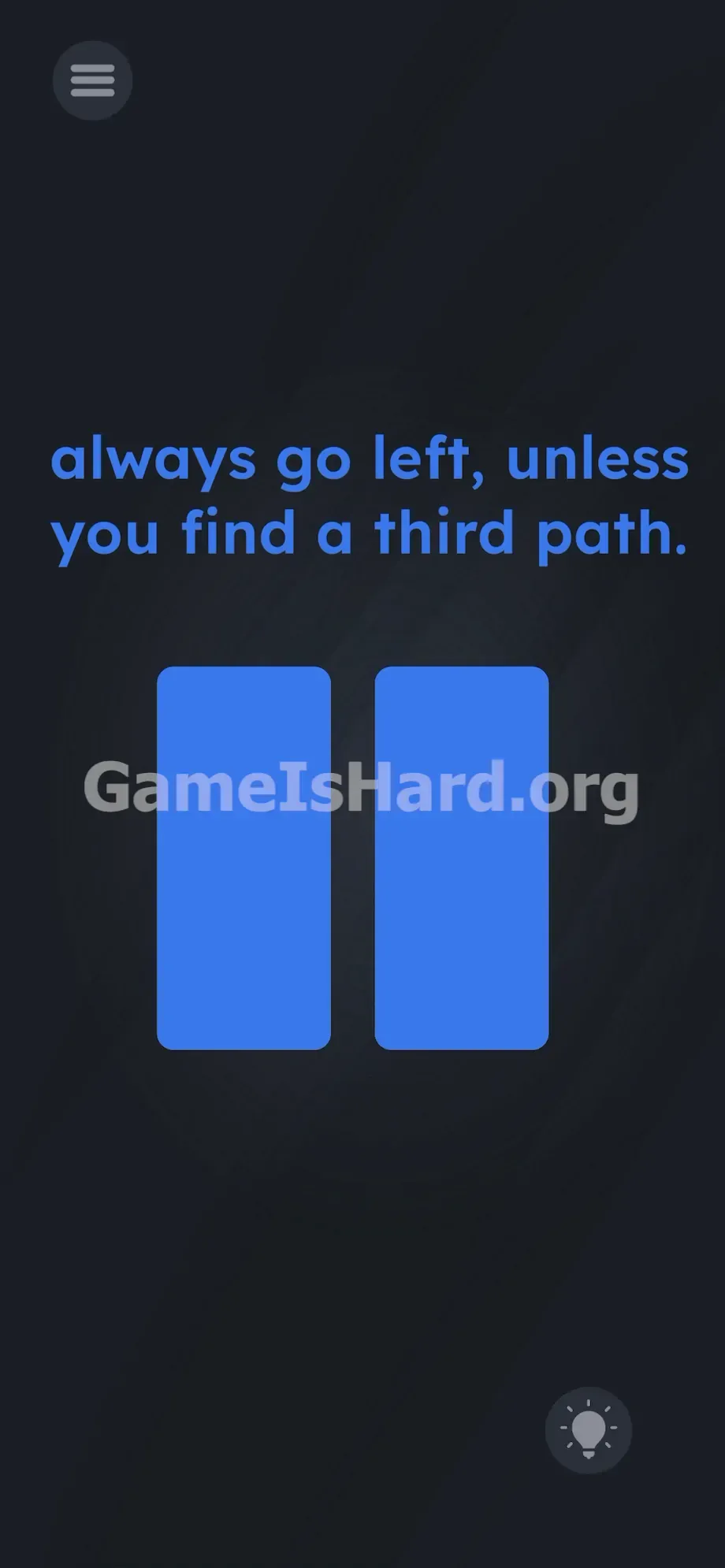
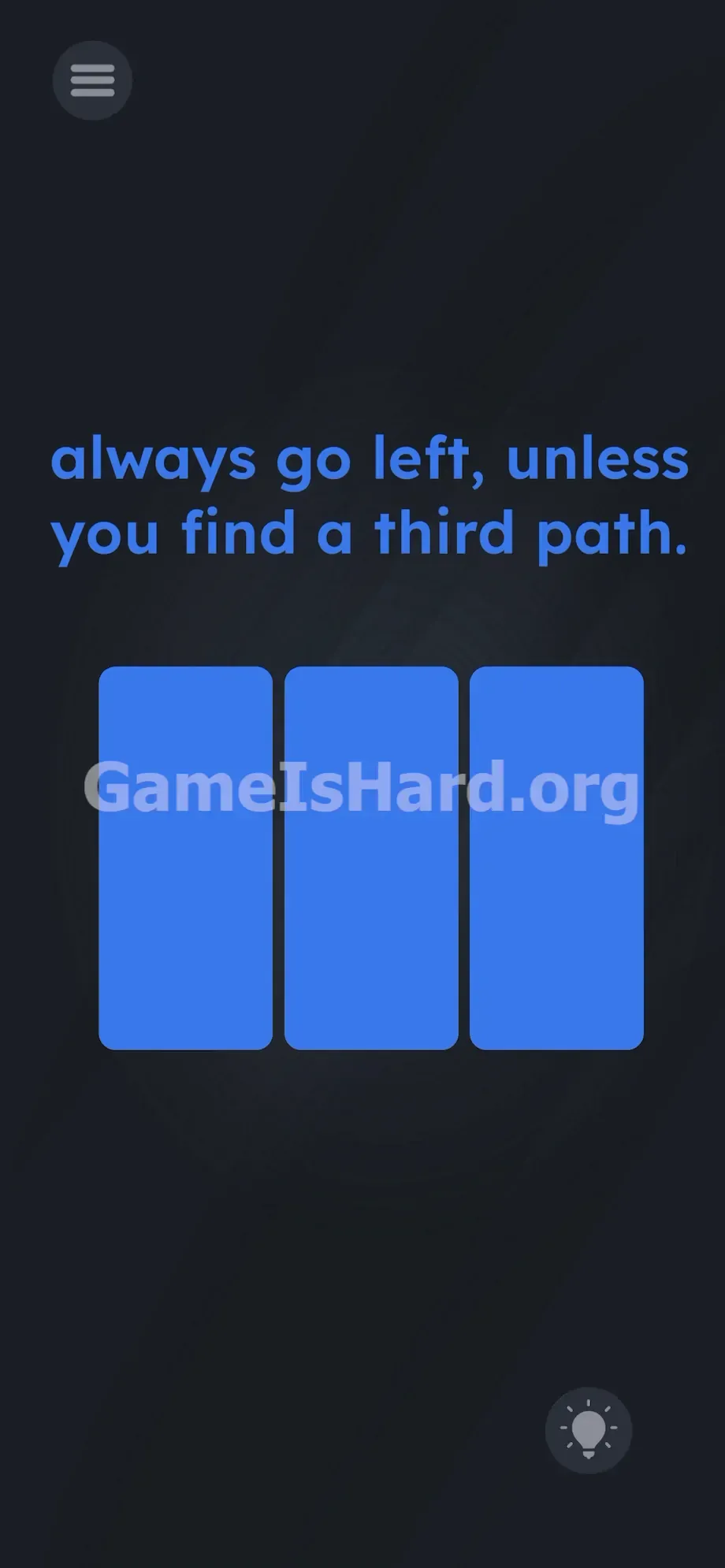
Below it, filling most of the center area, sit massive rectangular blocks—the only interactive elements. Sometimes two identical blue buttons appear side-by-side, separated by a narrow gap. No labels. No icons. Just bold, uniform geometry. In the bottom-right corner, a small lightbulb icon waits for hint purchases. The layout feels unnervingly sparse. The oversized buttons tempt you to press both—or assume size implies function. Resist that instinct. The high-contrast palette forces constant visual scanning between text and shapes.
Common Mistakes to Avoid
The Trap
Most players fail due to automatic UI assumptions. We read text but ignore its meaning—especially when it’s lowercase and unformatted. The word path doesn’t register as referring to those blue rectangles. Instead, we expect arrows, lines, or hidden objects. Level 256 exploits that mental shortcut. You assume symmetry means randomness—so you guess. And guessing fails every time. The trap isn’t visual complexity—it’s linguistic blindness.
First Instincts That Fail
I tried holding both buttons down. Nothing. I dragged the left button across the screen. No response. I even shook my phone and spoke commands aloud—zero effect. The biggest mistake? Treating the on-screen text as something to manipulate. Past levels let you drag words into slots—but here, the text is static instruction, not draggable content.
Player Reactions
I stared at those two blue rectangles for over ten minutes. Tapped the right one—immediate failure. Felt like a total facepalm moment once I realized the game was giving literal, straightforward directions disguised as poetic ambiguity.
Step-by-Step Solution
Preparing the Move
Focus entirely on the center of the screen. Ignore the hint icon. Don’t try to move or interact with the text. Your attention belongs solely to the large blue shapes—count them the instant they appear.
Executing the Solution
- Wait for the buttons to load. Count them immediately upon appearance.
- If exactly two blue buttons appear, tap the left blue button—aim for its center.
- The screen will shift instantly to the next phase.
- If exactly three blue buttons appear, tap the middle blue button—again, hit the center.
- Stick strictly to this count-based rule: two → left; three → middle.
- Repeat until the win screen appears.
If It Did Not Work
- Red flash + failure? You likely tapped near the edge—not dead center on the target button.
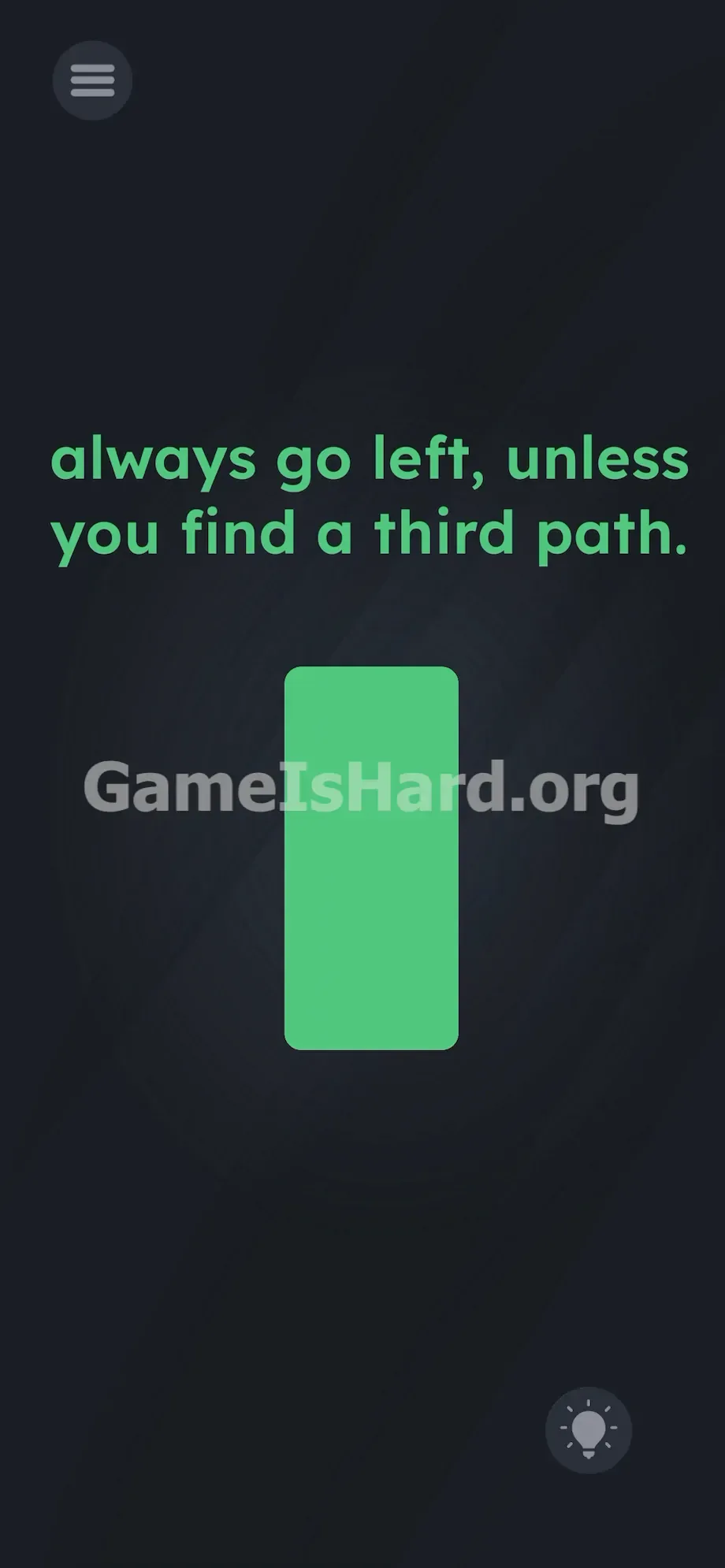
- See a different color (e.g., one giant green button)? Tap it anyway—the left/middle logic applies only to multi-button blue layouts.
- App frozen or unresponsive? Force-close and relaunch. Repeated failures can cause memory lag, making buttons stop registering taps. Restart and apply the same left/middle rule from the start.
Why This Solution Works
This stage bypasses physics and tests pure reading precision. The interface mirrors the language literally—the phrase always go left, unless you find a third path functions like executable code. Two paths? Default to left. Three paths? The unless clause activates—your new option is the middle (i.e., the third) path.
The text is the setup; the UI is the execution. Level 256 hinges on Linguistic Deconstruction—you must parse the sentence into conditional triggers. Unlike most games that spoon-feed solutions, this one demands you act as its interpreter. You’re running an if/then script in real time: If two buttons → tap left. If three buttons → tap middle. Its brilliance lies in wrapping basic programming logic inside what looks like an unsolvable visual puzzle.
Bonus Tip
Speed matters if you're chasing faster clears—the pattern never changes.
- Rest your left thumb just above the left blue button’s zone.
- Rest your right thumb centered over where the middle button appears.
- React using peripheral vision the second shapes render: two blocks → left thumb; three blocks → right thumb.
Skip re-reading the prompt—it’s fixed. Only the button count varies—and that’s all you need to track.
Frequently Asked Questions
Why does tapping the right button always fail? Because the instruction explicitly forbids it—“always go left, unless you find a third path.” Right is neither the default nor the exception. It’s a built-in wrong answer.
What if four buttons appear? They won’t. Level 256 only uses two- or three-button configurations. Four or more indicates a graphical glitch—restart the app.
Can I drag the blue buttons together? No. These are static, tap-only elements. Swiping, dragging, or long-pressing has zero effect.
Do I need to tilt my phone to reveal the third path? No. Motion sensors are disabled here—the third path appears automatically as part of the sequence.
Why is the text all lowercase? It’s a subtle psychological nudge. Lowercase feels informal, making your brain dismiss the instruction as optional—when it’s actually absolute.
More Game Is Hard Solutions
We build these guides to be quick, precise, and zero-bloat. If this walkthrough rescued you from endless retries, share it with friends stuck on the same puzzle. Beat the level—and keep climbing.