App updates can occasionally reorder puzzles. If this level 242 walkthrough doesn’t match what’s on your screen, no problem! Just check our All Levels page to locate your exact puzzle using its screenshot.
You’ll need to treat that dark block like a physical tool—like a scratch-off coin or a flashlight—dragging it across the blank black space beneath the main text to uncover the real instructions.
Level Overview
What Makes This Puzzle Tricky
You’re greeted with a clean 3x3 keypad and a vague instruction. You might start testing shapes, number sequences, or even rotation patterns. Pause right there. The interface is deliberately misleading—the real challenge isn’t visible at all until you interact with the screen itself.
Your Goal
Your task is to enter a four-digit code on the keypad—but not by guessing. Instead, you must uncover a short narrative about a boy named Jake, read it carefully, and pull out the four numbers embedded in the story. The answer isn’t calculated—it’s revealed through discovery.
Here’s what the developers built into this level:
- Hidden object: That black background hides more than meets the eye.
- UI drag interaction: A subtle, interactive element disguised as part of the scenery.
- Text-based extraction: Pulling digits directly from written words in context.
- Strict input order: Tapping keys one-by-one in precise sequence. It’s intentional—not an error. It’s your clue.
What Appears on Your Screen
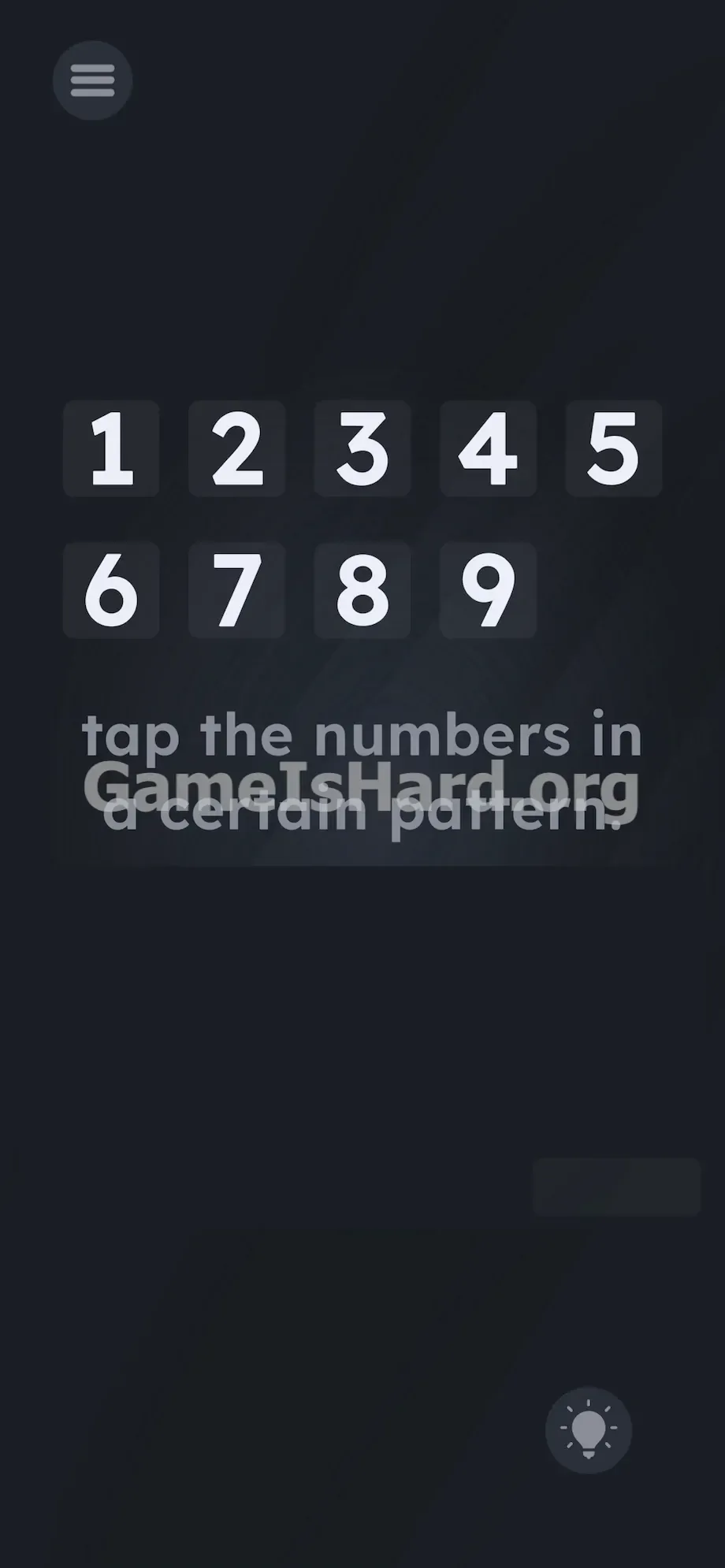
Let’s map the screen layout. At the top sits a bright, prominent keypad: first row shows 1 , 2 , 3 , 4 , 5 ; second row holds 6 , 7 , 8 , 9 .
Just below the keypad appears the prompt: tap the numbers in a certain pattern.
Beneath that line lies a large stretch of solid black space—deceptively empty. But if you boost your device brightness to full and examine the bottom-right corner closely, you’ll spot something unusual: a small, barely perceptible rectangle, slightly less dark than the surrounding void. It looks like a rendering artifact—but it’s your key to progress.
Common Mistakes to Avoid
The Trap
This level leans heavily on “UI Blindness”—a common habit where users ignore dark, untextured areas because apps and games train us to focus only on bright, labeled elements. The designers knew you’d fixate on the glowing keypad and readable prompt—and buried the critical interaction in plain sight, yet invisible without effort.
First Instincts That Fail
Most players jump straight to tracing letters or shapes on the keypad: maybe an “X”, a diagonal line, or a spiral. Others try entering odds-only or evens-only combos. Some even rotate their phone, hoping motion triggers something. None of it works. The phrase “certain pattern” is designed to steer you toward geometry—not storytelling.
Player Reactions
I wasted way too long trying to draw constellations on the keypad. I tapped frantically, hoping brute force would crack it. Frustration peaked—until I accidentally dragged my thumb across the bottom corner and wiped away part of the darkness. Instant facepalm moment.
Step-by-Step Solution
Preparing the Move
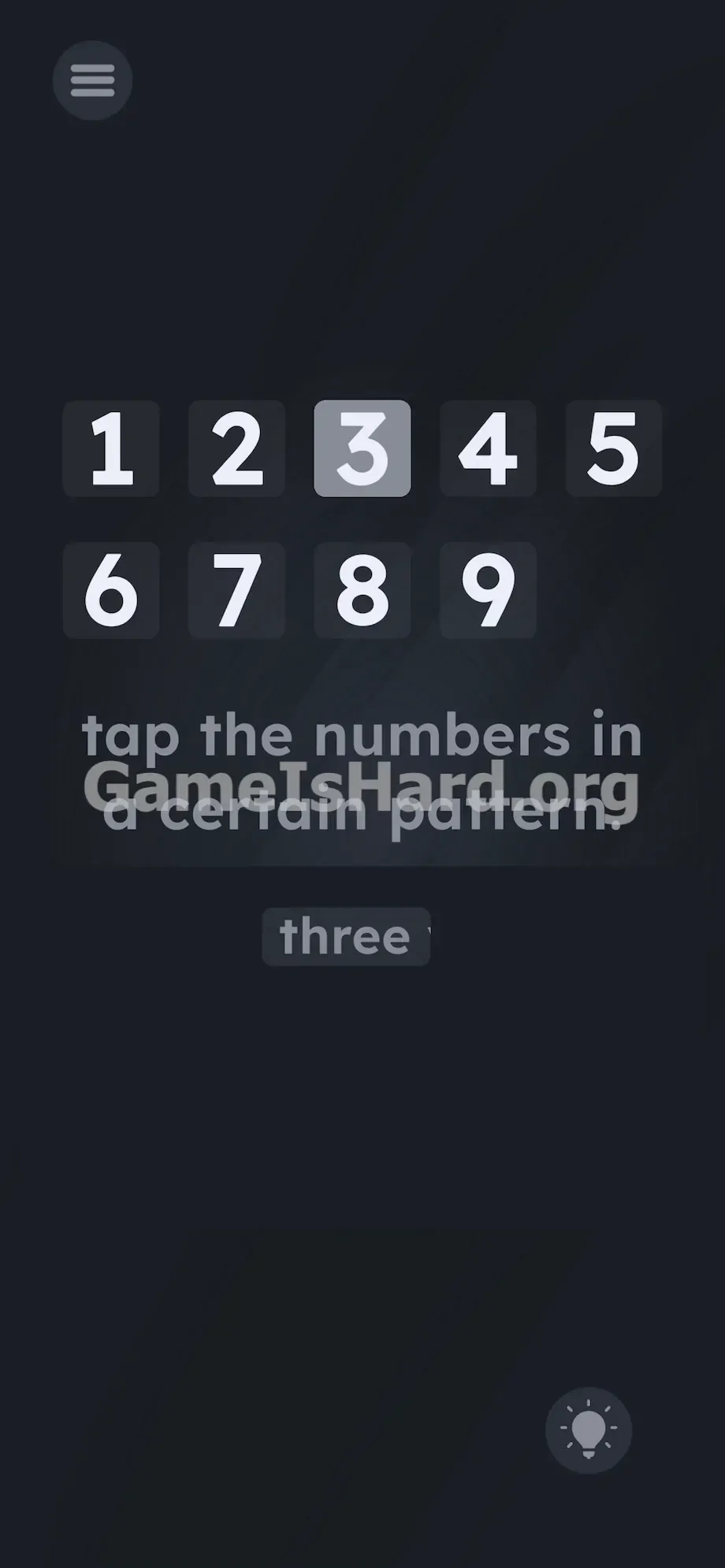
For now, forget the keypad entirely. Shift your full attention to the dark zone at the screen’s base. Hunt for that soft, light-gray rectangle nestled near the bottom right—that’s your only active tool.
Executing the Solution
- Press and hold your finger on that faint, lighter block in the bottom right corner.
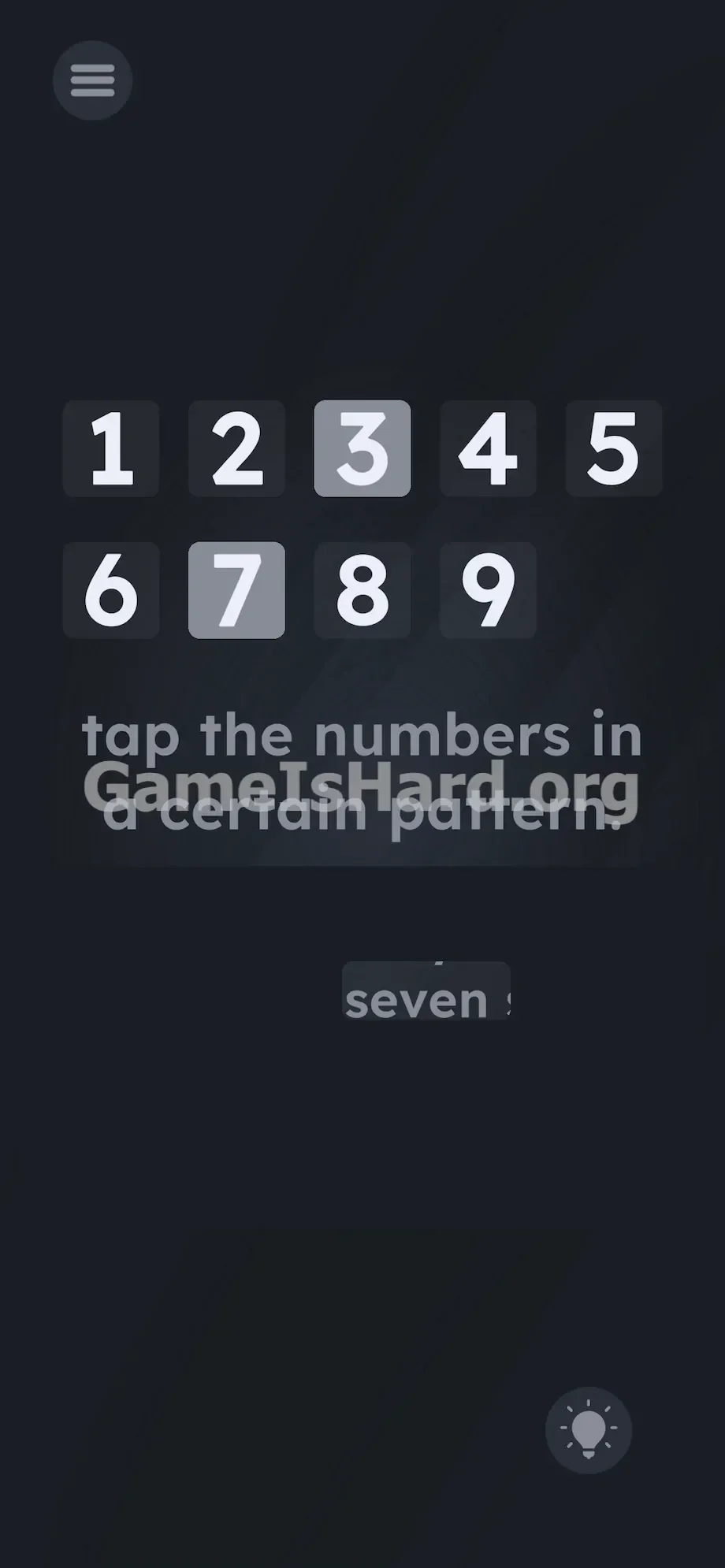
- Drag the block rapidly back and forth across the dark empty space below the prompt. Treat it like you are scratching off a lottery ticket.
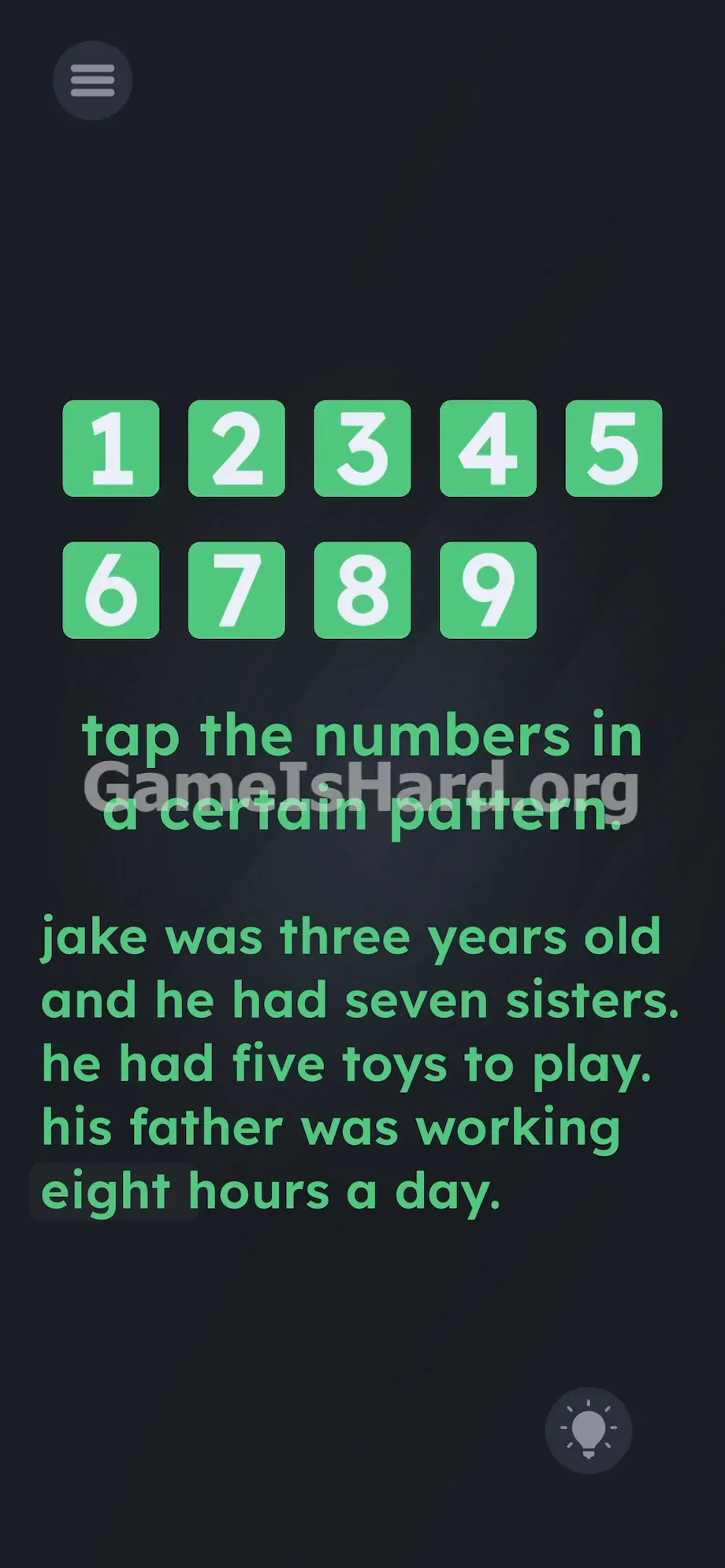
- Keep scrubbing the area until the entire hidden story is revealed. It reads: "jake was three years old and he had seven sisters. he had five toys to play. his father was working eight hours a day."
- Read the text and pick out the spelled-out numbers in the exact order they appear: three, seven, five, eight.
- Go back to the bright keypad at the top.
- Tap the 3 button.
- Tap the 7 button.
- Tap the 5 button.
- Tap the 8 button.
If It Did Not Work
- The code isn't registering: Double-check you haven’t entered any incorrect digits before starting. If the game locks after a wrong attempt, restart the level to reset input tracking.
- I can't find the block: Disable auto-brightness and manually set screen brightness to maximum—the contrast between block and background is extremely subtle.
- The text won't reveal: You must actively drag the block over the center-bottom region beneath the prompt. Simply tapping or hovering won’t trigger the effect.
Why This Solution Works
This puzzle rewards curiosity over convention. Its core principle? Every visual element—even background space—can be functional.
Game is hard Level 242 is a masterclass in misdirection. It presents an obvious puzzle (keypad + pattern prompt) to occupy your mind while hiding the real mechanics in plain sight—but obscured. The prompt is camouflage; the interface itself is the riddle. By requiring you to physically erase darkness to expose a story, the game breaks standard UI expectations—and challenges your assumptions about what’s “interactive.”
Bonus Tip
Skip the scratch-off step entirely—if you already know the code. No need to hunt or drag:
- Ignore the on-screen text prompt completely.
- Don’t touch the hidden block.
- Immediately tap 3 , then 7 , then 5 , then 8 on the keypad. The game accepts the correct sequence whether or not you’ve uncovered the story first.
Frequently Asked Questions
Why isn't my keypad pattern working? Because the prompt isn’t describing a shape—it’s a red herring. The real code comes from a hidden narrative buried in the dark area at the bottom.
Do I have to reveal all the text to beat Game is hard Level 242? No. The level only validates the final keypad input. If you know the answer is 3-7-5-8, typing it directly will advance you.
Where is the hidden block exactly? It sits low in the bottom-right quadrant, well below the main prompt. It’s nearly identical to the black background—so turn up brightness and scan slowly.
What happens if I tap the wrong numbers? Typically, nothing registers. The level waits patiently for the exact four-digit combo (3, 7, 5, 8) in order. If responsiveness feels off, restart the level.
Why did the developers make the block so hard to see? To exploit UI Blindness—luring your attention upward to the keypad and prompt while hiding the solution where most players won’t look.
More Game Is Hard Solutions
Our guides cut straight to victory—no filler, no fluff, just practical steps to get you past the level and moving forward.
If this walkthrough saved you from hurling your phone into orbit, share it with your squad on Discord. Keep solving.