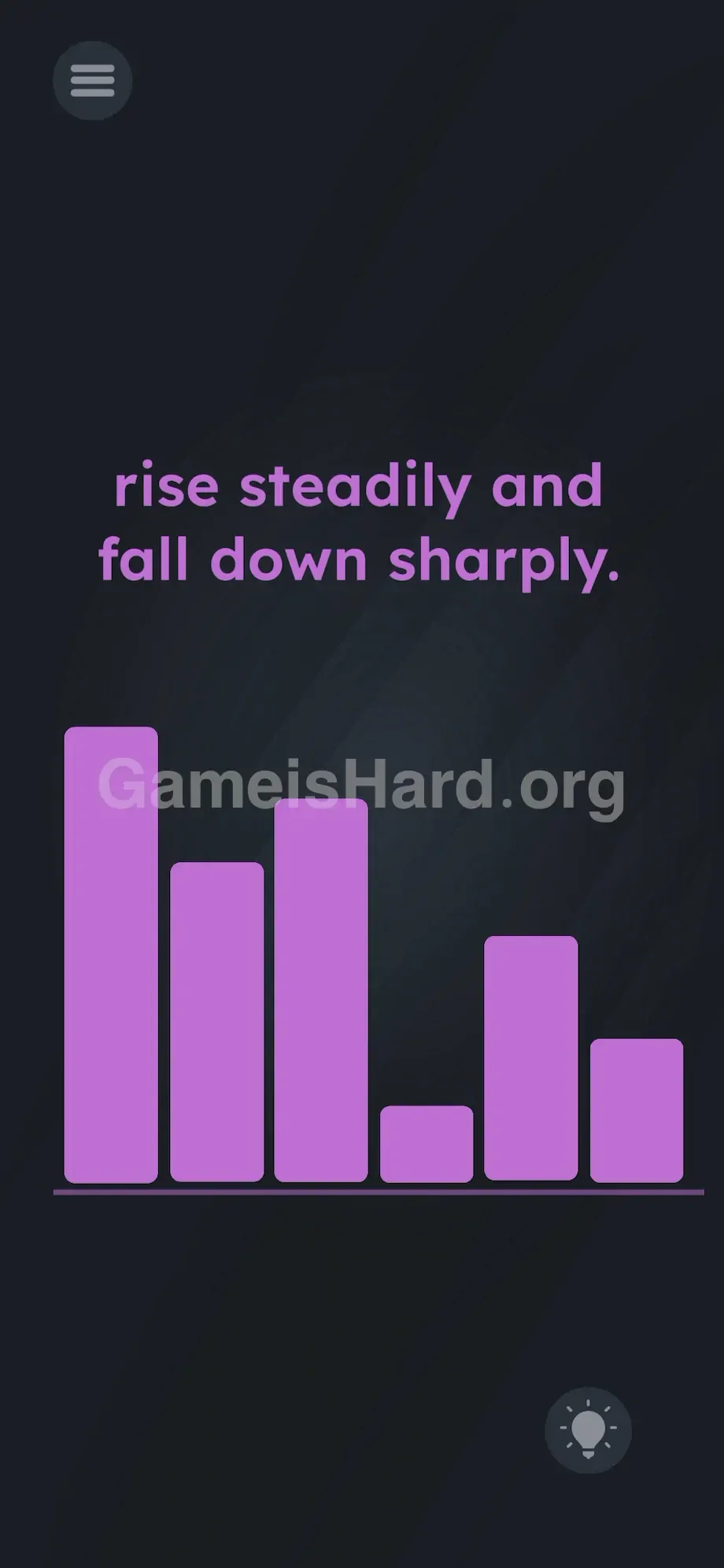
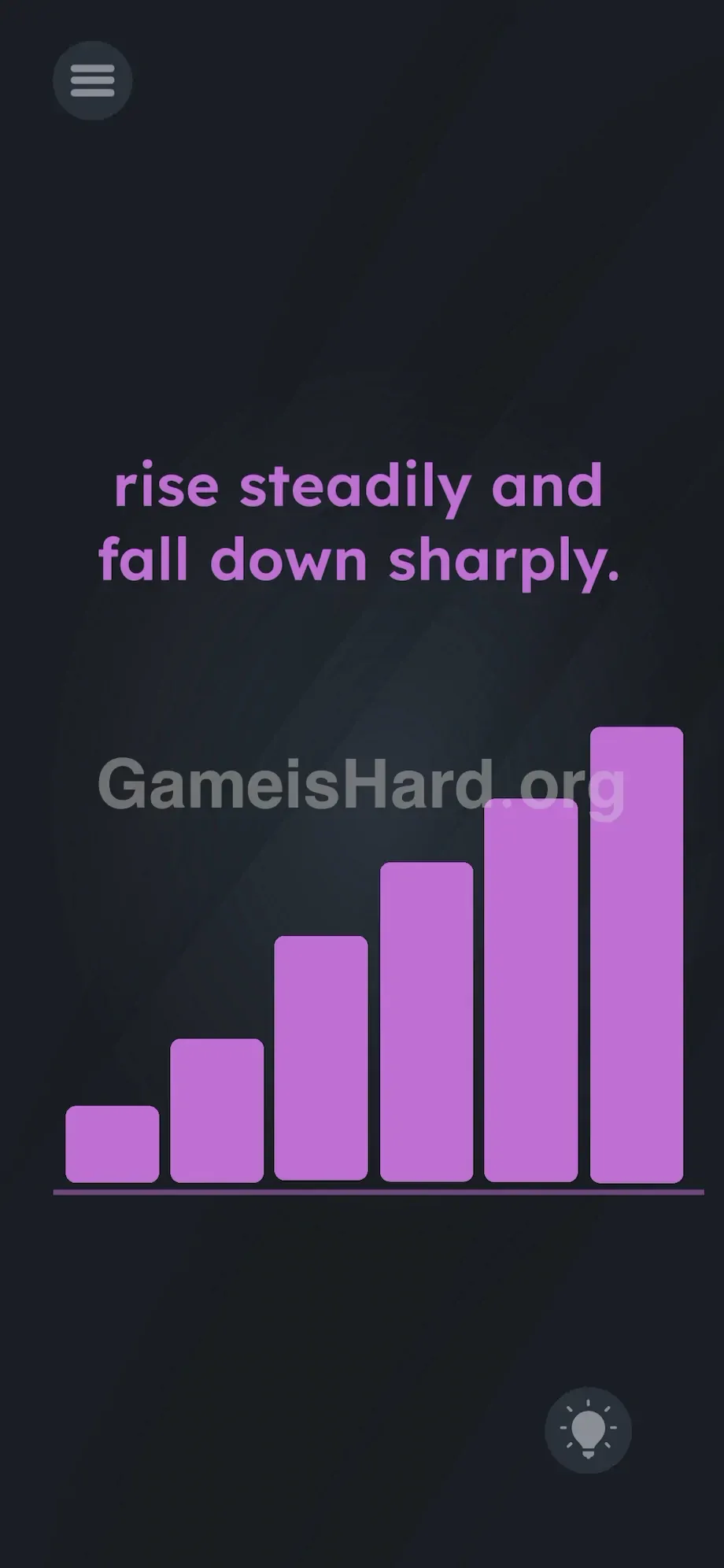
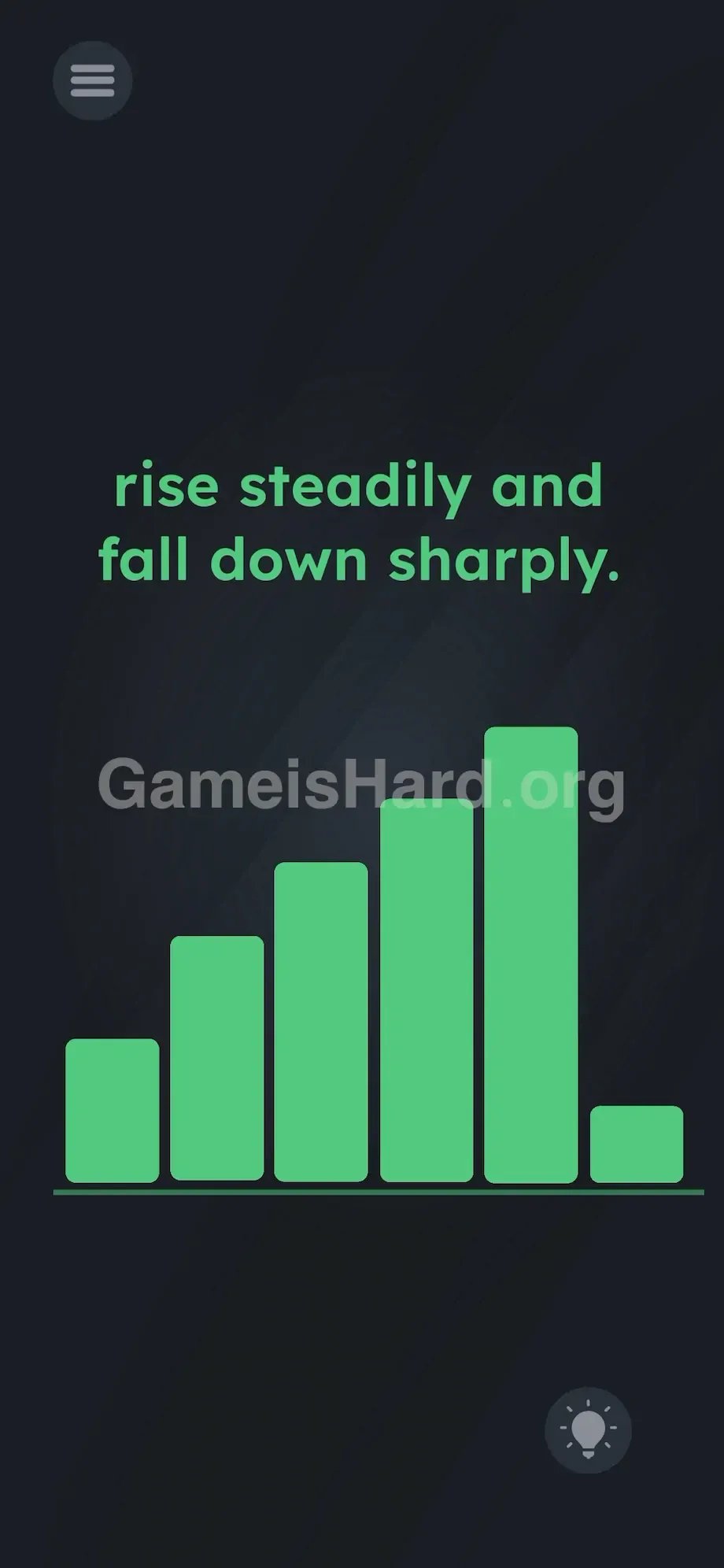
App updates can sometimes shuffle the order of puzzles. If this level 221 walkthrough doesn't match your screen, don't worry! You can browse our All Levels guide to find your exact puzzle by its picture.
Target the bars directly with your finger and slide them left or right on the baseline until the chart turns green.
Level Overview
What Makes This Puzzle Tricky
You enter the level and hit a wall—fast. A jumbled purple bar chart sits beneath a mysterious phrase. No buttons. No sliders. No obvious controls. You tap around, hoping something responds. Nothing does. The instruction is crystal clear—but the way to act on it is completely hidden. They’ve stripped away every familiar UI cue. That’s exactly how this level messes with your expectations.
Your Goal
Your mission in Game is hard Level 221 is to reshape the visual layout so it matches the prompt exactly. “Rise steadily and fall down sharply” isn’t poetic—it’s a literal blueprint. You’re not solving a riddle—you’re constructing that shape using the six purple bars scattered across the screen.
Here are the core mechanics you’ll need:
- UI drag: Those bars aren’t static—they’re draggable physical objects.
- Visual Logic: Turning plain English into precise spatial arrangement.
- Hidden grid: Six invisible slots align perfectly under the baseline.
- Literal interpretation: Skip metaphors. Focus only on height and position. That text isn’t decoration—it’s your only instruction manual.
What Appears on Your Screen
Let’s map the scene. A sleek, dark background. Near the top, centered, the phrase: rise steadily and fall down sharply.
Below it rests a bar chart anchored to a thin horizontal line. Six thick purple bars—each a different height—sit side-by-side in random order. One towers, one barely rises, others sit in between. It’s pure visual noise—like a skyline sketched in haste.
No submit button appears. Just the standard pause icon (top-left) and hint bulb (bottom-right). The spacing between bars is identical, hinting at an underlying six-slot grid. The puzzle wants you to rebuild the chart—but gives zero visual cues about how.
Common Mistakes to Avoid
The Trap
This level exploits “UI blindness”—a real cognitive habit. Years of app use teach us: bar charts = read-only visuals. You see graphs in finance apps, weather forecasts, dashboards—and never try dragging them. So when Game Is Hard drops a bar chart on screen, your brain files it as “art,” not “puzzle piece.” That assumption is the trap.
First Instincts That Fail
I watched someone spend four minutes tapping tall bars, convinced they’d shrink on contact. When that failed, he flipped his phone upside down, hoping gravity would trigger the “fall down sharply” effect. Smart effort—but off-target. I even tried dragging the word fall onto the bars. Nope. The game ignores all of it—except one action.
Player Reactions
Total facepalm moment. While repositioning my grip, my thumb brushed the bottom edge—and one bar slid left, swapping places with its neighbor. Turns out they were movable blocks the whole time. Felt like I’d missed the most obvious thing in the world.
Step-by-Step Solution
Preparing the Move
Start by scanning the six purple bars. Mentally rank them by height. Spot the tiniest one—it looks like a squat purple square, usually near the middle-right. Lock that in your focus. Now examine the other five: they must form a smooth, ascending staircase from left to right.
Executing the Solution
Follow these exact steps to beat the level:
- Tap and hold the smallest, stubbiest purple bar .
- Drag it all the way to the right side of the screen and drop it in the final sixth slot.
- Grab the next shortest bar available. Drag it to the far left side, dropping it into the first slot.
- Repeat this exact sorting process for the remaining four bars. Place them in ascending order from left to right.
- Check your work. The sequence from left to right must be: Height 1, Height 2, Height 3, Height 4, Height 5, and finally, the tiny Height 0 bar. When you slot the final piece into the correct spot, the entire chart will instantly flash green. You win.
If It Did Not Work
Still seeing purple? Two bars are likely swapped—especially among the mid-height ones. If the chart hasn’t turned green, inspect the tops of the first five bars closely. They must form one clean, unbroken upward slope—no dips, no plateaus, no jumps. Swap any pair that breaks the steady climb.
Also, avoid multi-touch. Holding two fingers down can glitch the drag physics in this engine. Use just one finger. Move deliberately. Wait for each bar to fully snap into place before grabbing the next.
Why This Solution Works
This level rewards strict, word-for-word reading. “Rise steadily” means the first five bars must increase in height without interruption—a perfect linear ascent. The game verifies this by checking their relative Y-values across the X-axis.
“Fall down sharply” means one dramatic height drop—so the sixth bar must be the absolute shortest possible. No compromise. No “almost shortest.” Just the tiniest block, placed dead last.
Game Is Hard loves turning language into geometry. Here, instructions become architecture. The UI is the puzzle—not the text, not the theme, but the physical behavior of those bars. You’re not answering a question—you’re building the answer with your hands.
Bonus Tip
Keep it simple. Skip gimmicks—no tilting, no voice commands, no tapping to resize. Just sort. Do it efficiently:
- Grab the tiny square bar first—and drop it straight into the far-right slot.
- Find the tallest remaining bar. Slide it into position #5 (immediately left of the tiny one).
- Find the shortest remaining bar. Drop it into slot #1 (far left).
- Arrange the three middle bars by comparing their top edges. Don’t waste time trying to alter bar size. They only move—they never shrink or grow.
Frequently Asked Questions
Why won't my bars move when I tap them? Tapping alone does nothing. You must tap, hold, then drag horizontally. Think of them as heavy sliding panels—your finger needs to glide across the screen to shift them into new slots.
Do I need to tilt my phone to make the bars fall? No. Gravity features aren’t active here. “Fall down sharply” refers solely to the visual height drop at the end of your sequence—not actual physics. Put the phone down and focus on positioning.
I arranged them but the screen is still purple. What gives? Your first five bars aren’t perfectly ordered. Some medium-height bars look nearly identical—swap them until their tops form a flawless, rising line before the final drop.
Can I drag the text to solve this? Not in this level. While other Game Is Hard stages require manipulating the prompt itself, level 221 only responds to bar movement. Leave the words untouched.
More Game Is Hard Solutions
Stop grinding on levels that hide their rules. Our guides cut straight to what works—fast, precise, zero filler. Share this Game is hard Level 221 walkthrough with your Discord crew so they skip the swipe-and-stare phase. Keep moving forward.