App updates can occasionally shift puzzle numbering. If this level 278 walkthrough doesn’t match what you’re seeing, no stress! Use our All Levels hub to locate your exact puzzle by image.
Take the on-screen instruction — go thinner, then shorter — at face value. You’re physically sorting these elements using two clear, sequential rules.
Level Overview
What Makes This Puzzle Tricky
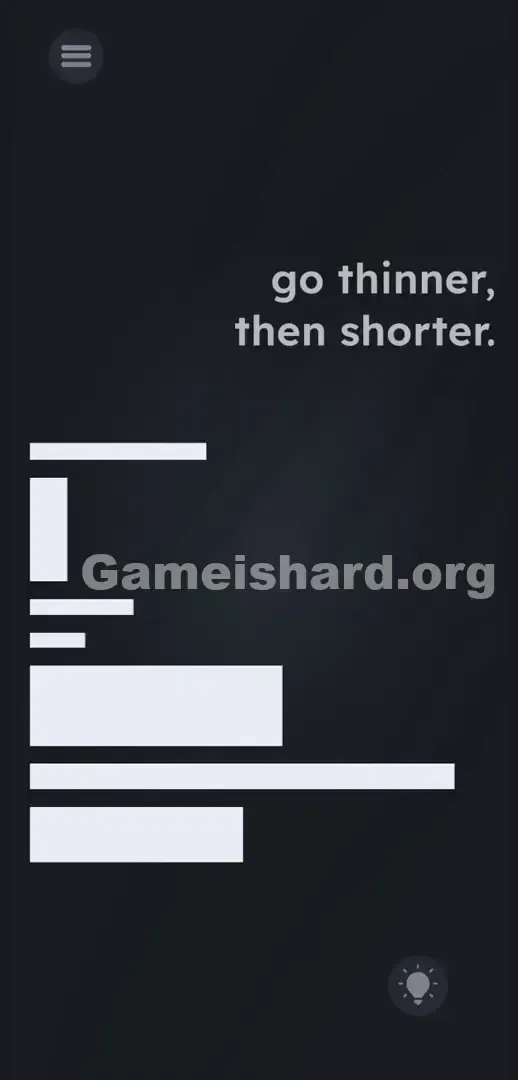
You’re greeted with a chaotic cluster of white blocks against a pitch-black background. No board. No avatar. No interactive buttons. It feels like a broken menu or corrupted UI. That’s intentional deception — every white bar is fully draggable.
Your Goal
Your task isn’t to solve a riddle — it’s to manually organize the UI elements themselves. The text prompt is your sorting instruction set.
Here’s what makes this level deceptively tough:
- Text drag / UI drag
- Logic trap
- Hidden object
- Multi-touch (occasionally required to shift stubborn pieces aside) It’s not a mistake — it’s part of the design.
What Appears on Your Screen
The interface is stark, minimalist, and deliberately disorienting. In the top-right corner floats the phrase go thinner, then shorter. — suspended in darkness.
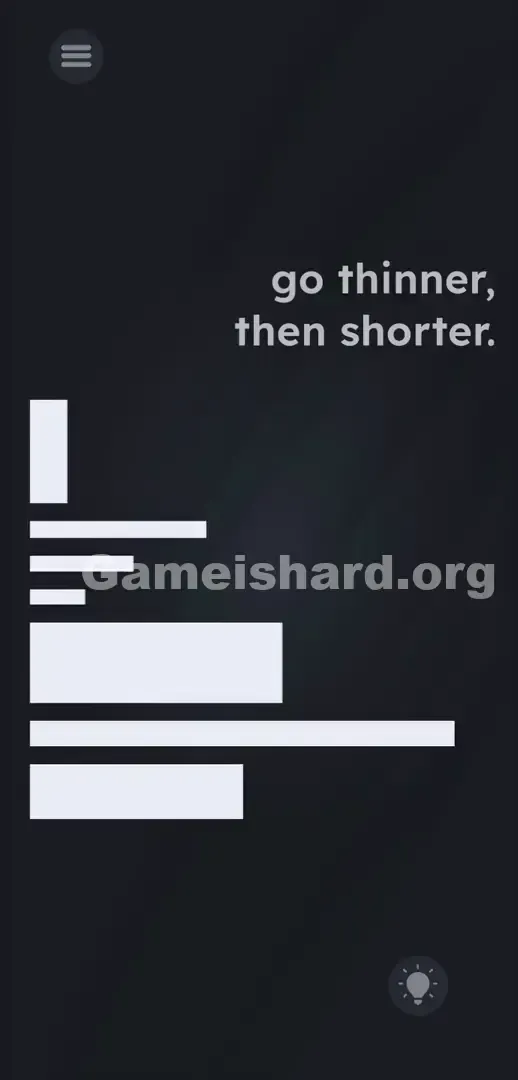
Below it, across the left and center of the screen, lies a jumbled collection of white bars — like a collapsed chart. Some are thick, blocky rectangles; others are mid-sized; and several are nearly invisible thin lines. All vary significantly in length.
A standard hamburger menu icon sits in the top-left corner. In the bottom-right, a faintly glowing lightbulb hint button waits — ready to deduct points. There’s no grid. No alignment guides. Just you and a pile of geometric shapes.
Common Mistakes to Avoid
The Trap
This level exploits “UI Blindness” — a learned habit where we dismiss flat, geometric visuals as non-interactive. When you see bar-like shapes, your brain labels them as static UI elements (like loading indicators), not puzzle pieces. You fail because you hesitate to touch what looks like background.
First Instincts That Fail
Players spend minutes tapping the go thinner, then shorter. text, hoping it transforms. They tap the thin lines expecting expansion. They tilt their device, waiting for gravity to auto-sort. None of those work — gravity is disabled, and the text is locked in place.
Player Reactions
I tapped the lightbulb and blank screen for three full minutes, convinced I needed to draw something. Then, in pure frustration, I swiped hard — and accidentally dragged the thickest bar. The “aha” hit hard: the puzzle isn’t hidden. It’s staring you right in the face.
Step-by-Step Solution
Preparing the Move
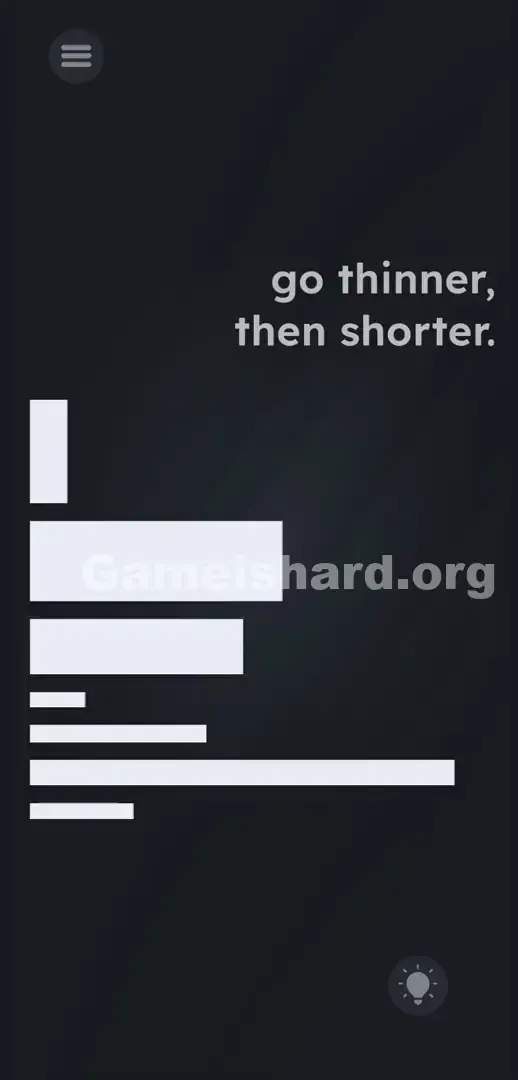
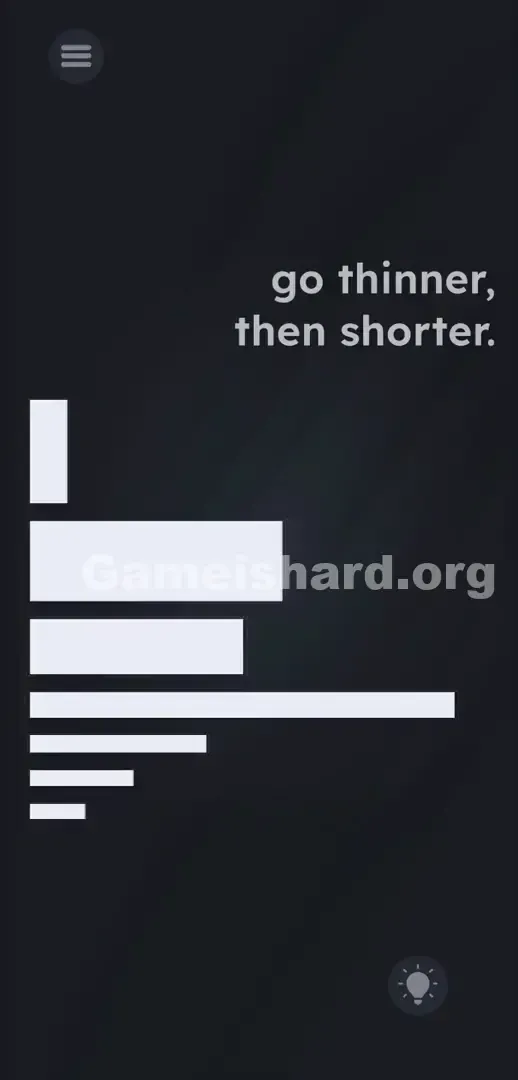
Pause on the text for now. Focus instead on the white bars. Visually sort them into three thickness tiers: thickest, medium, and thinnest. You’ll build a clean vertical column from top to bottom.
Executing the Solution
Follow these precise steps to complete the level.
- Tap and hold the thickest, longest white block. Drag it to the upper-middle area of your screen, just below the text prompt.
- Grab the other thick blocks. Stack them directly underneath the first one. Sort them by length , ensuring the longest thick block is on top and the shortest thick block is on the bottom of this specific group.
- Move on to the medium-thickness bars . Drag them under your thick group.
- Sort these medium bars by length. Longest medium bar goes right below the shortest thick block. Shortest medium bar goes at the bottom of this middle tier.
- Finally, grab the thinnest lines. Drag them to the very bottom of your growing stack.
- Arrange these thin lines from longest to shortest. The absolute shortest, thinnest dash must be the very last object at the bottom of the pile.
If It Did Not Work
Did you sort correctly but still no win screen? Your alignment may be off. The game checks vertical order — not pixel-perfect placement, but consistent stacking. Avoid large horizontal gaps or overlapping bars, as that breaks detection. Pull apart any overlapping pieces. And double-check your secondary rule: within each thickness group, longer bars must always sit above shorter ones.
Why This Solution Works
This level tests how well you execute layered sorting logic using real-world UI manipulation. It’s a two-tier algorithm:
First, sort by thickness (go thinner) — thickest at the top, thinnest at the bottom.
Second, break ties by length (then shorter) — among same-thickness bars, longest goes above shortest.
This mirrors a core theme across Game is Hard: instructions mislead; the interface is the puzzle. Abstract visuals aren’t decoration — they’re physical components. You stop reading the screen and start rearranging it like a tangible workspace.
Bonus Tip
Don’t try to sort inside the messy cluster — overlapping will confuse the game’s detection.
- First, drag all bars to the far left edge to clear space on the right.
- Build your vertical stack from top to bottom on the open side.
- Group by thickness first: thick bars high, medium in the middle, thin at the bottom.
- Once grouped, fine-tune length order (longest to shortest) within each tier. Skip device shaking — motion sensors are inactive here.
Frequently Asked Questions (Short, Useful)
Why aren't my bars snapping into place? They don’t snap. You position them manually in a loose vertical column. The game reads their Y-axis positions — just get them stacked cleanly top-to-bottom.
Does the text move in this level? No. While some Game Is Hard levels let you drag prompts, go thinner, then shorter. is fixed here. Leave it untouched.
I sorted them but nothing happened. What's wrong? Recheck your secondary sort. Within each thickness group, longest must be above shortest. A long thin bar can’t sit above a short thick one — thickness always wins priority.
Which bar goes at the very bottom? The thinnest and shortest dash belongs at the absolute base of your stack. If a long thin bar ends up there, your sequence is reversed.
Can I stack them horizontally? No. The engine only recognizes vertical ordering. Laying them side-by-side won’t trigger completion — stack them like a descending staircase.
More Game Is Hard Solutions
Stuck on the next challenge? Our guides cut straight to the solution — no filler, no ads, just actionable steps.
Share this guide with your Discord squad if they’re stuck on the white bars. Keep grinding — level 279 gets even more unexpected.