


App updates can sometimes shuffle the order of puzzles. If this level 270 walkthrough doesn't match your screen, don't worry! You can browse our All Levels guide to find your exact puzzle by its picture.
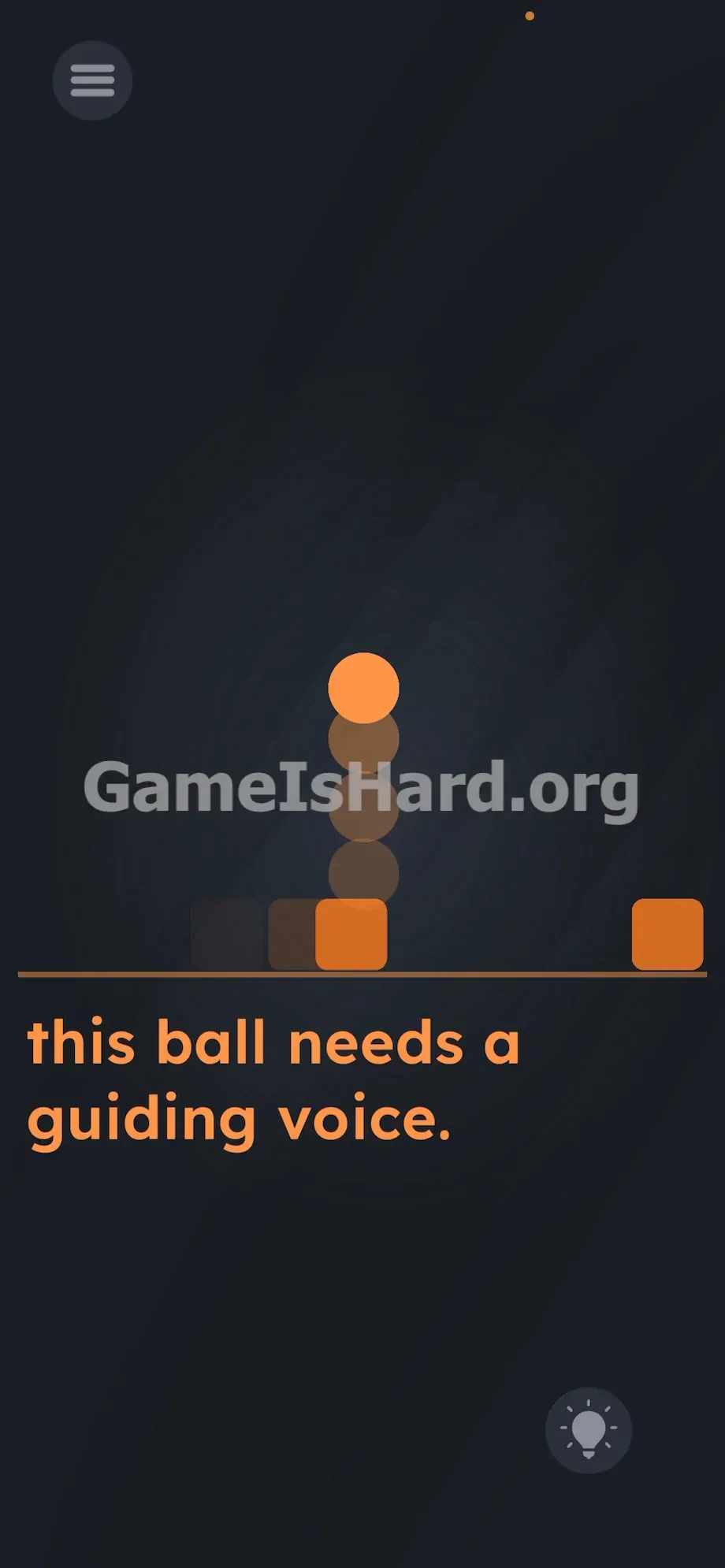
Keep making noise to keep the ball suspended until the hazards completely pass under it from left to right.
Level Overview
What Makes This Puzzle Tricky
You drop into the level mid-action—everything’s already in motion. No buttons appear anywhere. Your usual tap-and-swipe reflexes are useless. Your fingers scramble across the screen while the threat barrels toward you. It feels broken. It’s not. The game isn’t broken—it’s quietly redefining how you’re supposed to play.
Your Goal
Your mission is simple—but deeply unconventional. Protect the orange ball from the approaching squares. You cannot use touch input. Instead, you must bypass the screen entirely and trigger movement using your device’s built-in hardware.
- Audio / mic
- Timing / waiting
- Physics manipulation
- Fourth-wall break
It’s not a typo. It’s your tool.
What Appears on Your Screen
The stage is stripped down to bare essentials. A single thin horizontal line runs across a dark backdrop. Two solid orange boxes sit flush against the far left edge of that line. Another pair waits on the far right.
Centered perfectly on the line is one lone orange ball.
Beneath the line, a quiet line of text appears in the game’s signature lowercase font: this ball needs a guiding voice.
Standard UI elements frame the screen—the hamburger menu lives in the top-left corner, and the glowing hint bulb rests in the bottom-right. There’s no joystick. No jump button. Just empty space.
Common Mistakes to Avoid
The Trap
Mobile players instinctively reach for the screen—tapping, swiping, dragging—because that’s how games usually work. That muscle memory is exactly what Level 270 exploits. When danger appears, your brain defaults to touch—even though the clue is staring you in the face. You read guiding voice, but treat it as poetic flavor instead of literal instruction. You overlook “voice” because mobile puzzles rarely ask you to speak.
First Instincts That Fail
Players frantically tap the ball—nothing happens. They swipe upward—no response. Some try dragging the sliding boxes backward to stall them, but the game ignores every touch. Others even attempt dragging the phrase this ball needs a guiding voice. to build a barrier. Helplessly, the squares advance, collide with the ball, and reset the level.
Player Reactions
I nearly wore a groove into my phone screen mashing my thumb. I swiped up so hard my finger squeaked. On my fourth failed attempt, I let out an audible sigh—and the ball twitched. I froze. I coughed—and it jumped. Felt ridiculous… but the “aha!” moment was pure gold.
Step-by-Step Solution
Preparing the Move
Stop touching the screen—right now. Find your device’s microphone port. It’s almost always at the bottom edge, near the charging port. Position your mouth close to it.
Executing the Solution
- Wait for the two left-side boxes to begin sliding right along the line toward center.
- Watch the gap narrow. Just before the first box reaches the ball, blow a short, sharp burst of air straight into the microphone.
- Watch the ball leap upward.
- Keep blowing steadily—or maintain consistent noise—to hold the ball aloft while both boxes slide cleanly beneath it.
- Once the last box clears the center, stop blowing and let the ball land safely back on the line.
If It Did Not Work
- Check your app permissions. If you blocked microphone access during install, the game won’t hear you. Head to your phone’s main settings, find the app, and enable microphone access.
- Skip words—speech creates uneven audio spikes. A steady exhale delivers clean, predictable input that sustains the jump.
- Play somewhere quiet. Background noise—like bus engines or TV volume—can trigger early jumps. The ball rises, drops too soon, and gets hit.
- Account for mic lag. Phones process audio with a tiny delay. Time your breath a fraction of a second before the box arrives—not when it’s already there.
Why This Solution Works
This level challenges your assumptions about interaction. It treats your device’s sensors—not just its screen—as core puzzle components. The phrase guiding voice isn’t metaphorical. It’s literal. You must use your real voice.
That’s a hallmark of the game: instructions often are the solution. Touch controls here are pure misdirection. By disabling screen input, the game forces you to step outside the interface and engage the physical hardware in your hand. Classic console games used tricks like this decades ago—Level 270 brings that same hardware-aware logic to your pocket. To win, you need to stop playing like a mobile gamer—and start thinking like someone who knows how devices actually work.
Bonus Tip
Don’t waste seconds hunting for hidden buttons or dragging text. Move fast:
- Locate your phone’s mic on the bottom edge.
- Bring the device close to your mouth as soon as the level loads.
- Blow a steady, controlled stream of air into the mic just before impact.
- Keep blowing until the hazard fully passes the center point.
Frequently Asked Questions (Short, Useful)
Why won’t the ball jump when I yell? Your device is likely blocking microphone access. Go to your privacy settings, find the app, and toggle microphone permission ON. Without it, the level can’t be solved.
Can I tap the ball instead of using the mic? No. Touch input is disabled for all core puzzle actions here. The only working input method is the microphone sensor.
My ball drops too soon and hits the second box. How do I fix it? Short bursts—like saying a word—cause quick jumps followed by immediate falls. Switch to a continuous, even exhale. That keeps audio input stable and holds the ball airborne longer.
Does volume matter most? Not really—proximity does. You don’t need to shout. Just place your mouth near the mic and breathe out firmly. Close range ensures strong signal detection.
More Game Is Hard Solutions
Stuck on the next puzzle? We cut past filler and spotlight the exact mental traps—so you solve faster. Share this guide when your friends start yelling at their phones. Keep pushing forward.