
App updates can sometimes reshuffle puzzle order. If this level 237 guide doesn’t match what’s on your screen, no stress! Just head to our All Levels page to locate your exact puzzle by image.
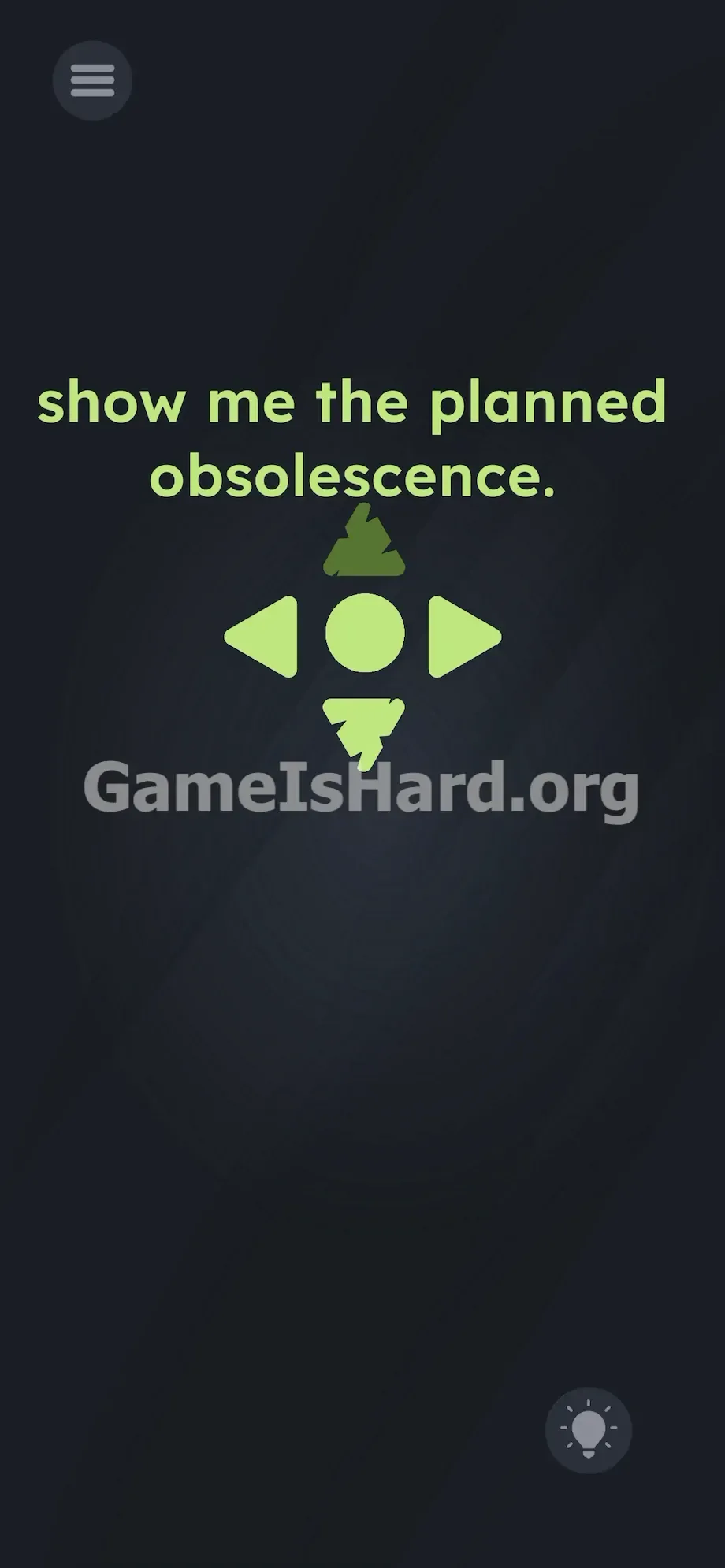
Keep rapidly alternating between those two vertical arrows—this wears down their hidden durability until they fail completely and vanish.
Level Overview
What Makes This Puzzle Tricky
At first glance, nothing responds. You’re greeted with a cryptic phrase and a silent interface. No keyboard appears. No hidden menus unfold. Pressing any directional button yields zero feedback—no movement, no animation, no reaction. It feels broken. But that silence isn’t a bug—it’s the puzzle.
Your Goal
Your mission isn’t to solve a riddle or navigate a character—it’s to destroy the UI itself. You must embody “planned obsolescence” by overusing the on-screen controls until they physically degrade and vanish.
- Rapid UI tapping as core mechanic
- Hidden durability system baked into standard buttons
- Translating abstract concept into physical interaction
- Precise rhythmic alternation required
It’s not a mistake. It’s the only tool you need.
What Appears on Your Screen
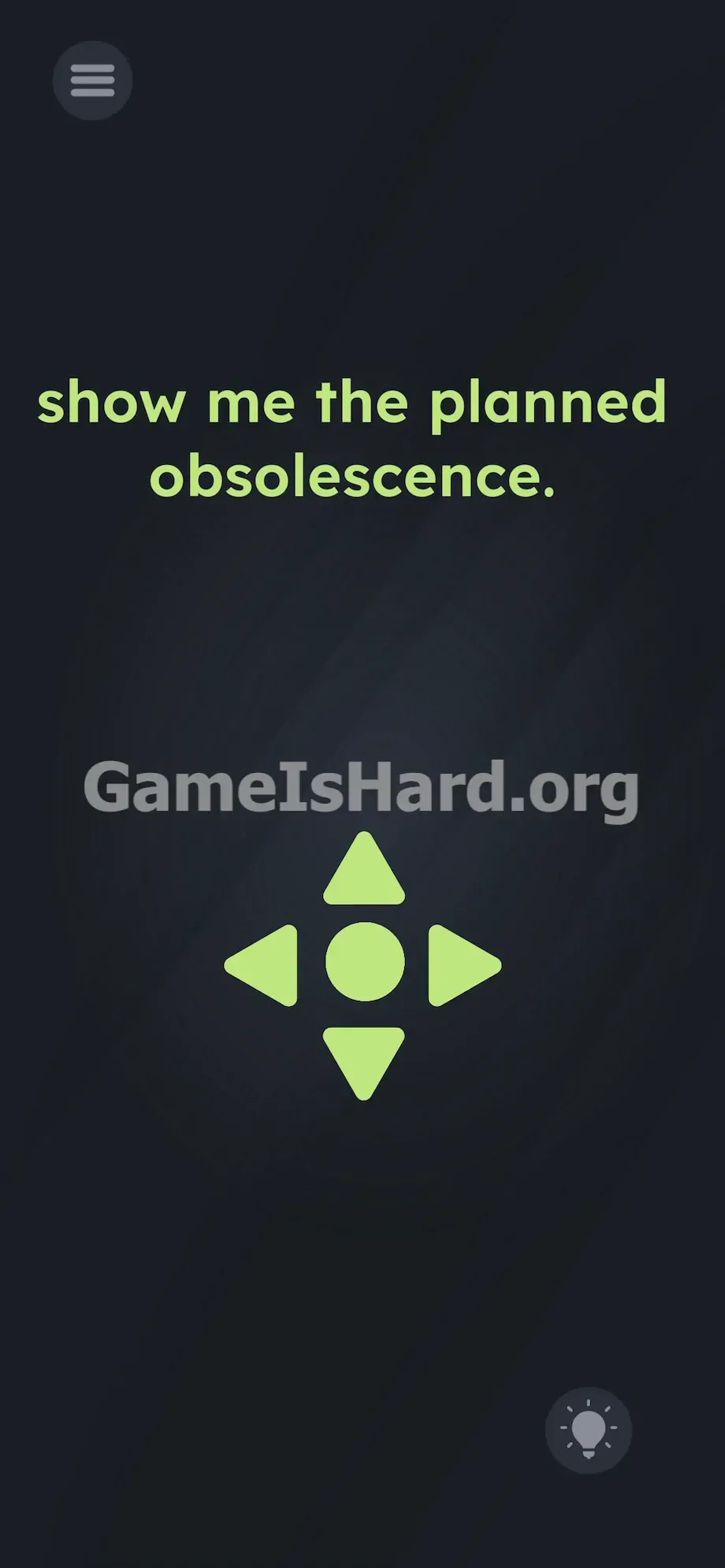
The screen is stark and minimal. At the top, bold green text reads: show me the planned obsolescence. . That trailing period is deliberate—it’s a quiet jab at your frustration.
Beneath it sits a large, solid directional pad made of five clean geometric shapes: a Top Arrow, Bottom Arrow, Left Arrow, Right Arrow, and a centered circular Action Button—all rendered in uniform flat green against a near-black background. A standard Hint Bulb icon rests quietly in the bottom-right corner.
No progress indicators. No health bars. No visual hints that these buttons are anything more than static decoration—until you start tapping.
Common Mistakes to Avoid
The Trap
This level exploits deep-seated gaming instincts. We’ve spent decades treating UI elements as indestructible conduits—not objects that break. When tapping the Left Arrow does nothing, most players instantly dismiss the entire D-pad as fake scenery. They hunt for hidden taps, tilt gestures, or invisible triggers—never considering that the buttons themselves are the target.
First Instincts That Fail
I tried dragging the words onto the D-pad. I swiped wildly hoping time would “age” the interface. I held all five buttons at once. I even spoke commands into the mic. Nothing registered. This level ignores time-based tricks, motion sensors, and text manipulation entirely.
Player Reactions
After ten minutes of fruitless poking, I gave up and just mashed the D-pad like I was comboing in Street Fighter. Then—a hairline crack appeared. Total facepalm moment. The answer wasn’t clever—it was relentless.
Step-by-Step Solution
Preparing the Move
Ignore the top text completely—it’s uninteractive and immovable. Place your phone flat on a stable surface. Zero in on the vertical axis of the D-pad. Your only focus: the Top Arrow and Bottom Arrow.
Executing the Solution
- Tap the Top Arrow once with your index finger.
- Immediately tap the Bottom Arrow with your other index finger.
- Repeat this alternating pattern quickly: Top Arrow , Bottom Arrow , Top Arrow , Bottom Arrow .
- Watch closely—the green arrows will begin developing dark cracks after several rapid cycles.
- Keep alternating without pause. The fractures will widen and spread.
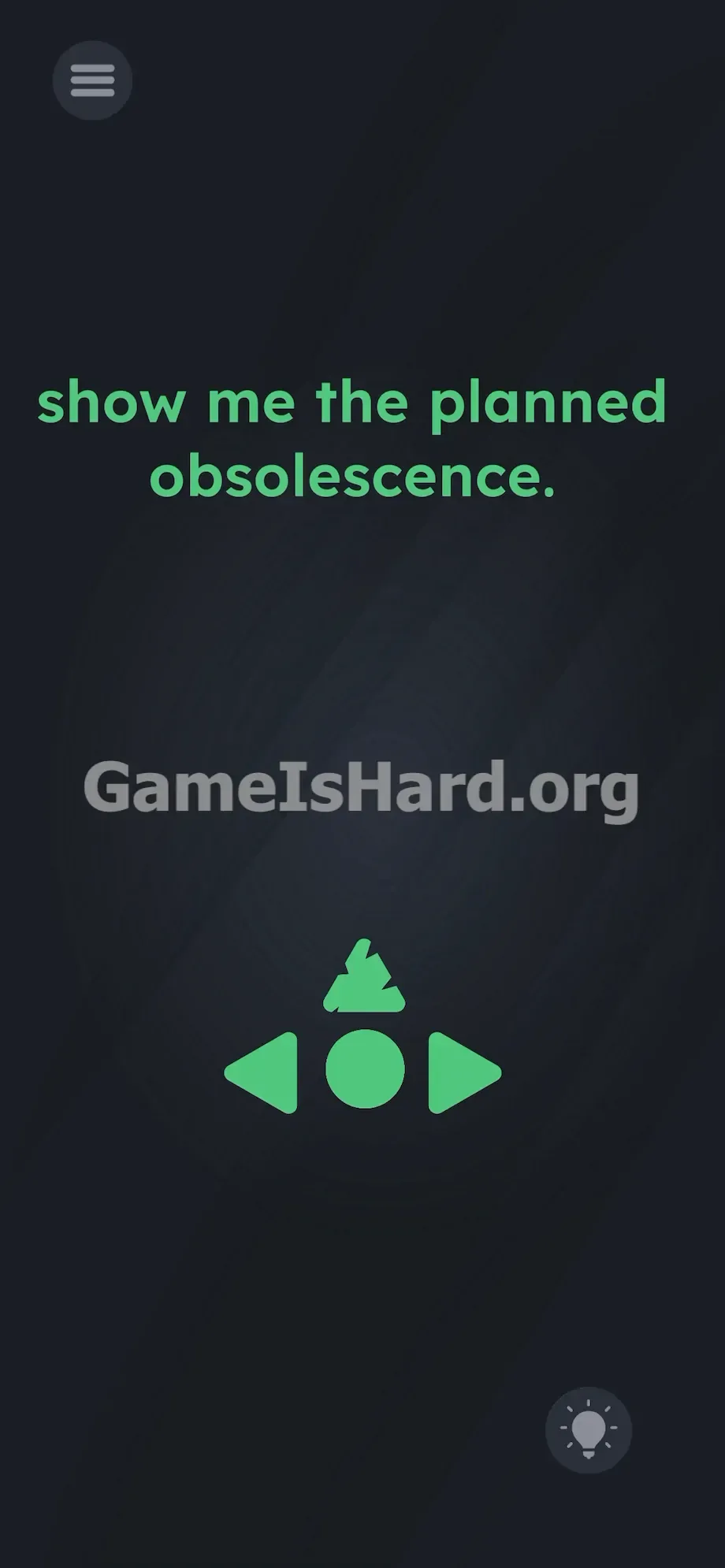
- Continue tapping until one arrow fully shatters and vanishes from the screen.
If It Did Not Work
If tapping yields no cracks, check your timing. The engine requires clean, distinct touches—not blurred multi-touch input. Slow your rhythm slightly: lift your finger fully off the Top Arrow before striking the Bottom Arrow. Stay strictly vertical—avoid brushing the center circle or side arrows. If the screen freezes mid-crack after 30 seconds of perfect tapping, force-close the app, clear its cache, and restart the level.
Why This Solution Works
This puzzle takes the phrase “planned obsolescence” literally. Real-world planned obsolescence means building products to fail after heavy use—think cheap earbuds or drifting analog sticks. Here, you are the consumer wearing out the hardware. Every tap chips away at an invisible durability value assigned to those green buttons. The prompt isn’t a clue—it’s ironic commentary. The real puzzle isn’t in your head—it’s in the UI you’re instructed to break.
Bonus Tip
Clear this level in under five seconds with smart positioning—ditch the grip.
- Lay your phone flat on a table.
- Rest your wrists for stability.
- Hover your left index finger over the Top Arrow.
- Hover your right index finger over the Bottom Arrow.
- Rapid-fire alternate taps as fast as possible.
Skip the Left Arrow, Right Arrow, and center button entirely—they lack the durability flags needed to trigger the effect. Only vertical taps count.
Frequently Asked Questions (Short, Useful)
Why isn’t the button breaking when I press it? You’re probably tapping the same arrow repeatedly—or your fingers are overlapping, causing the device to register a multi-touch instead of discrete presses. Alternate cleanly between top and bottom for the wear mechanic to activate.
Do I need to drag the text into the buttons? No—the “show me the planned obsolescence.” line is purely decorative. It cannot be moved, selected, or interacted with in any way. Focus solely on the green D-pad below.
Can I break the left and right arrows instead? The fracture mechanic is coded exclusively for the vertical axis. Mashing side arrows rarely triggers cracking—and even if it does, it won’t complete the level. Stick to Top and Bottom for guaranteed success.
My screen cracked in the game, but the level didn’t end. What do I do? You stopped too soon. The puzzle demands full destruction—not just damage. Keep alternating taps on the cracked arrows until they explode apart and vanish entirely.
More Game Is Hard Solutions
Our guides cut straight to the solution—no filler, no fluff, no forced storytelling. We know you just want the answer and get back to playing. Share this walkthrough with your Discord squad or anyone currently battling this deceptive UI trap. Visit thegameishard.org for the full archive. Keep breaking the game!