
App updates can sometimes shift puzzle order. If this level 235 walkthrough doesn’t match what’s on your screen, no stress! Flip through our All Levels directory to spot your exact puzzle by its visual layout.
Level Overview
What Makes This Puzzle Tricky
You read the prompt. You reach for the ball — nothing happens. Level 235 masquerades as a physics-based puzzle where you’d normally swipe or drag objects around, but it instantly disables all touch interaction. It pretends to offer control, then pulls the rug out. You expect to aim and launch — instead, you’re handed a passive role with zero steering input.
Your Goal
The mission is straightforward: eliminate the four squares scattered across the screen. The twist lies entirely in how that destruction unfolds. You must time your real-world physical motion precisely with the automatic animation playing out on your device.
- Timing / waiting
- Sensors (Accelerometer / Gyroscope)
- Motion / shake
- Disabled touch UI
Your finger isn’t the tool here. Your phone itself is the controller.
What Appears on Your Screen
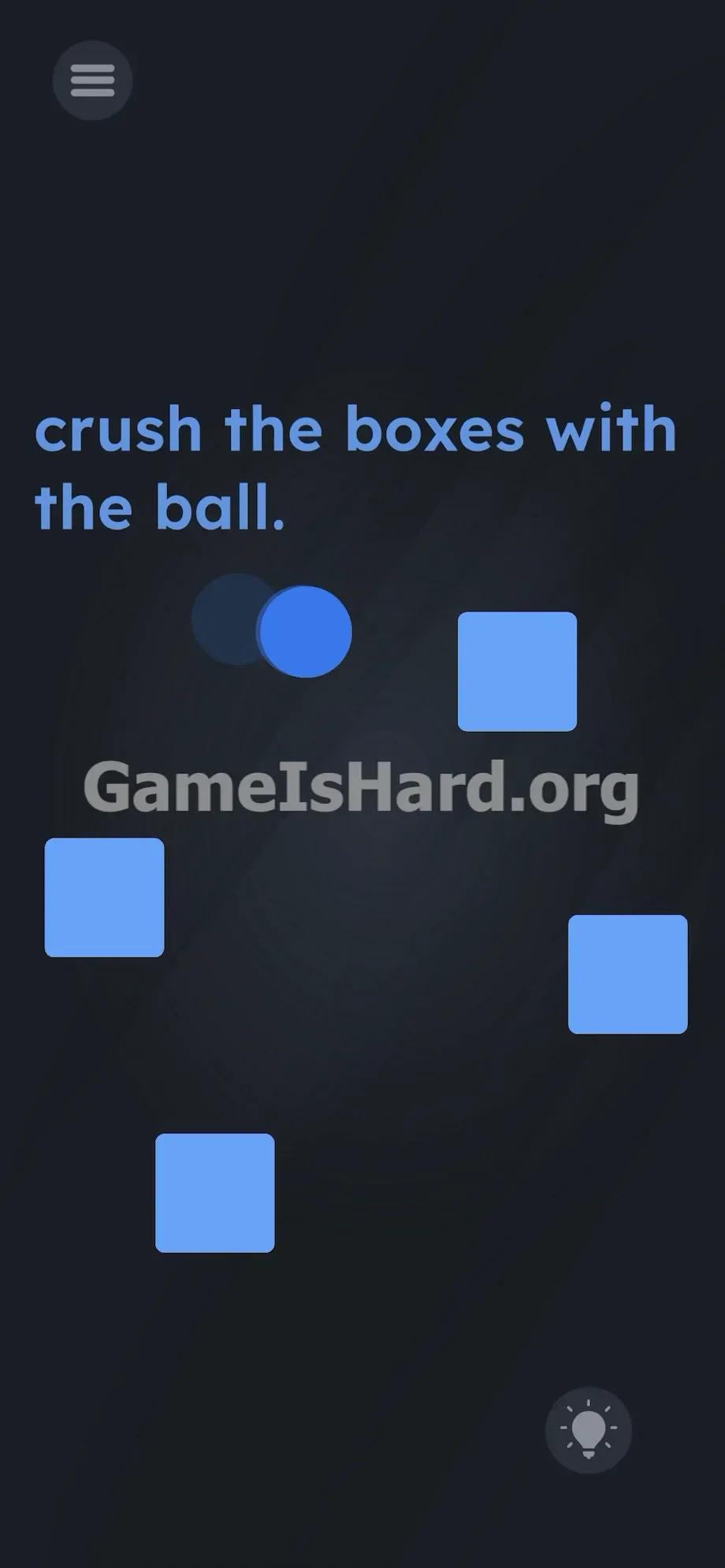
The background is deep black — nearly empty. At the top, the instruction “crush the boxes with the ball” appears in plain, lowercase blue text, quietly challenging you. Below it sit four pale blue boxes — solid, static squares that don’t resemble buttons or interactive elements. They feel weighty, anchored, and unresponsive.
A single dark blue ball floats among them — slightly translucent against the dark backdrop. Its placement and spacing are deliberately random. The interface is stripped bare: no menus, no reset icon, no slingshot, no timer. Just minimalist shapes and text. And the ball moves independently — gliding slowly along a fixed path, ignoring every tap and swipe you attempt.
Common Mistakes to Avoid
The Trap
Your instinct is to touch. Mobile games train us to tap, hold, and drag — it’s second nature. Level 235 weaponizes that reflex. The prompt says “crush,” so your brain assumes your finger does the crushing. You swipe the ball toward a box. You tap each square repeatedly. Silence. Zero response. That’s UI Blindness in action — mistaking visual elements for touch targets while overlooking the physical device you’re holding.
First Instincts That Fail
I jabbed at the screen with my thumb. I tried tracing invisible paths between the ball and boxes. I held my finger down on the ball, hoping for a trajectory line to appear. I even attempted dragging the word “crush” from the top banner into the play area — like dropping a bomb. Nothing worked. The puzzle wants you to feel frustrated — while the real answer pulses right in front of you, literally shaking.
Player Reactions
I stared blankly, stuck. Then the ball drifted into a box — and the box began to vibrate. Annoyed, I sighed and tossed my phone onto the bed. A crunch sounded. The box exploded into shimmering fragments. I just lay there, staring at the ceiling for ten full seconds. Yep — it got me.
Step-by-Step Solution
Preparing the Move
Rest your phone flat in one hand. Stop touching the screen entirely. Right now, you’re not a player — you’re an observer. The ball follows a preset, slow-motion path across the void-like background. It picks one of the four blue boxes at random. You can’t rush it. You can’t redirect it. Patience is your only asset during setup. Just watch as the ball edges closer to the first box.
Executing the Solution
- Let the ball move fully inside the boundary of a blue box. Don’t act too soon — wait until it’s fully enclosed.
- Watch closely for the cue: the box containing the ball will visibly vibrate — a subtle back-and-forth wiggle on screen.
- The instant that vibration begins, grip your phone firmly and give it a sharp side-to-side shake — a quick wrist flick is perfect.
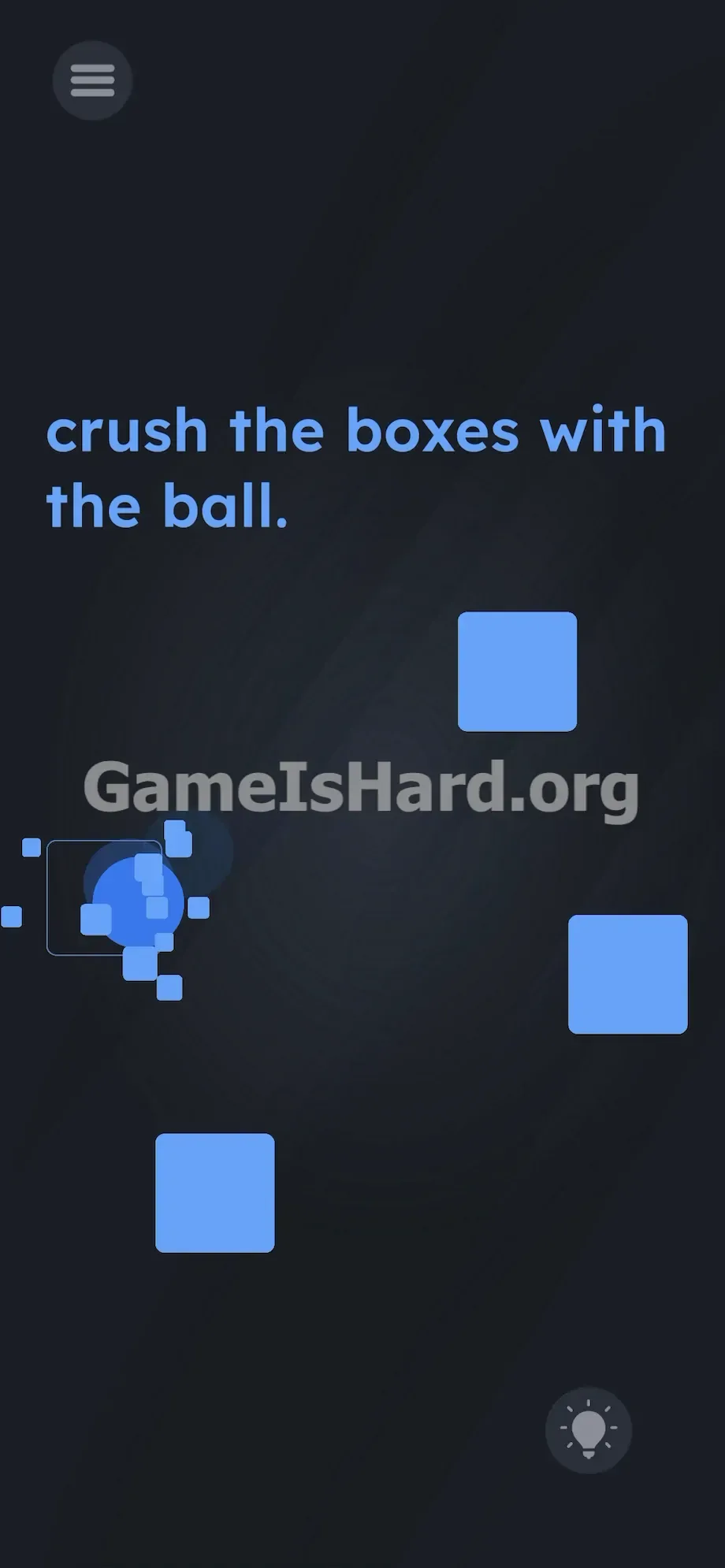
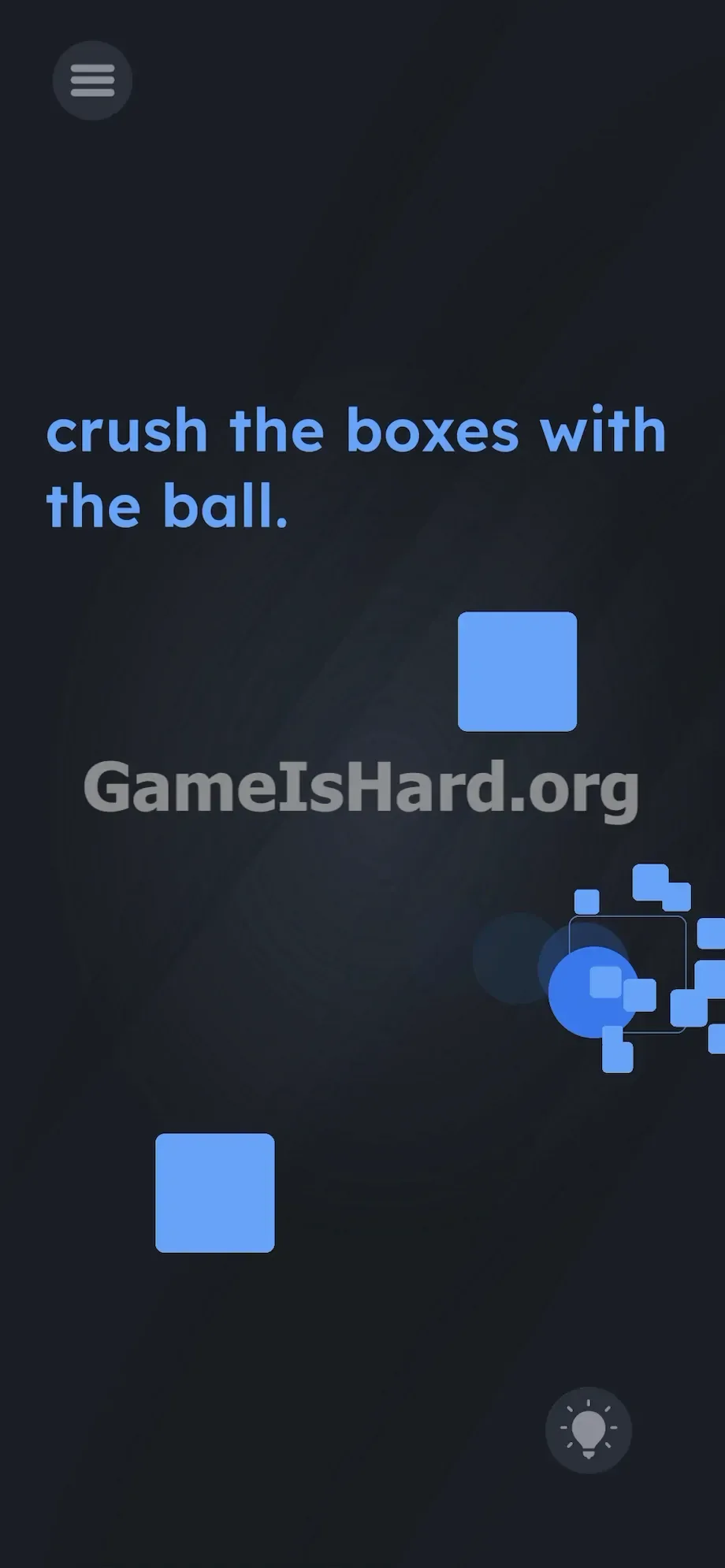
- Confirm success: the vibrating box bursts instantly into tiny blue shards.
- Reset your grip. The ball exits the debris and drifts steadily toward the next unbroken box. Repeat the wait-and-shake process three more times to finish the level.
If It Did Not Work
Timing is the only thing that can trip you up. Shake too early — before the ball is fully inside and the vibration kicks in — and the game won’t register it. Wait too long, and the ball slips out — missing your window entirely. If that happens, just let the ball loop back around naturally.
Also, double-check your device settings. If motion sensors are disabled system-wide (e.g., for battery saving), this level becomes unsolvable. Force-close the app and relaunch it if the ball gets stuck in a corner without triggering the vibration — occasionally the physics engine needs a clean restart.
Why This Solution Works
Level 235 leans hard into your hardware. It challenges you to think beyond the glass — treating your phone and the on-screen world as one connected system. The box shakes digitally; you shake physically. The logic hinges on matching a real-world action to a digital signal.
The prompt is misleading. “Crush the boxes” sounds like an active, screen-based task — but the reality is passive. You wait for the game to position the shot, then respond with motion. Touch is useless here. The accelerometer is the button.
Bonus Tip
Skip searching for hidden controls or swiping the black background — it’s completely inactive.
- Hold your phone securely in one hand. You’ll need enough force to trigger the sensor, but not so much that you fling it across the room.
- Ignore the word “crush” in the prompt. It’s a distraction — designed to keep your fingers busy while the real solution waits for motion.
- Wait for the visual cue. Only shake when the box is actively vibrating on screen — not before, not after.
- Shake horizontally. Vertical motions risk pulling down your notification shade, pausing the game and ruining your rhythm for the next box.
Frequently Asked Questions
Why won’t the ball move when I drag it? Touch input is fully disabled for every object in this level. The ball follows a rigid, pre-programmed path — your taps and drags vanish into digital silence. Just relax, lift your fingers, and watch it glide.
I shook my phone hard but the box didn’t break. Why? Your timing missed the narrow activation window. The accelerometer only responds when the ball is fully inside and the vibration animation is running. If it’s only halfway in — or already drifting out — your shake won’t register.
Can I break all boxes at once? No. The engine processes them one at a time. The ball visits each box sequentially — no shortcuts, no grouping tricks, no speedrun workarounds.
Does shake direction matter? Not technically — the game reads raw accelerometer spikes, not direction. But a crisp horizontal shake is safest: it reliably triggers the sensor without risking drops or accidental app switches.
More Game Is Hard Solutions
Skip the filler. Our guides cut straight to the action — telling you exactly what to do, no fluff. Find fast, accurate solutions for every level at thegameishard.org. Share this guide with friends who’ve been staring helplessly at those same pulsing blue squares. Time to win.