App updates can sometimes shuffle the order of puzzles. If this level 228 walkthrough doesn’t match what you’re seeing, no stress! Browse our All Levels hub to locate your exact puzzle by its visual layout.
The game pretends the on-screen text is just guidance—but it’s actually a functional part of the puzzle. Treat that word as a tool you can interact with directly.
Level Overview
What Makes This Puzzle Tricky
You’re staring at four blue shapes and a demand for two squares. But nothing lines up—no matter how you nudge or stack them. Level 228 isn’t broken; it’s deliberately misleading. That “not rotated!” line isn’t a rule—it’s sarcasm disguised as instruction. Geometry doesn’t apply here. The real trick lies hidden in plain sight.
Your Goal
Your mission is straightforward: assemble exactly two complete squares from the four blue pieces. Since they won’t fit as-is, you’ll need to bypass conventional logic—and interact with the UI itself.
- Text drag / UI drag: The prompt isn’t decorative—it’s draggable.
- Hidden object: The rotation function is embedded in the word rotated.
- Multi-touch: Snap shapes together after rotating to trigger success. It’s not a mistake. It’s your only way forward.
What Appears on Your Screen
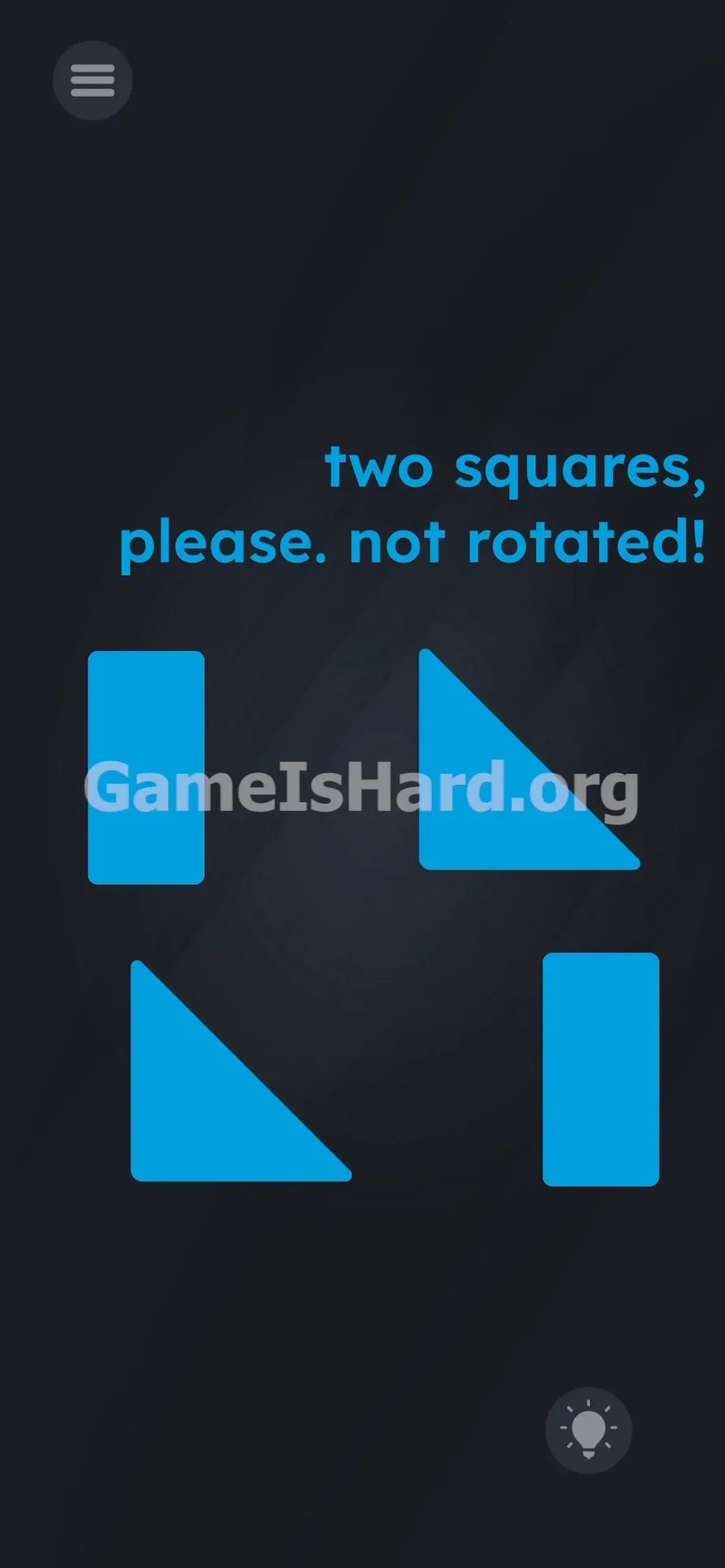
Let’s map the screen. Dark slate background. Top-right corner holds the instruction: two squares, please. not rotated!
Below it sit four bright blue shapes arranged loosely: two vertical rectangles (left and right) and two right-angle triangles (top-right and bottom-left). A standard menu button rests in the top-left corner. In the bottom-right, a greyed-out hint icon stays locked—no help there.
That’s all you get. No rotate buttons. No sliders. No toggles. Just rigid shapes and text that seems to laugh at your attempts.
Common Mistakes to Avoid
The Trap
UI blindness is the culprit. Years of mobile gaming condition us to read instructions then manipulate objects—not the reverse. You assume “not rotated!” is an ironclad restriction. In reality, it’s a literal, interactive component—the word rotated doubles as a rotation switch. Level 228 turns your reading habit into a trap.
First Instincts That Fail
Most players instinctively try pinch-to-rotate, double-tap, or multi-finger swipes. Nothing responds. Some force pieces together into lopsided mismatches. Others shake their phones, hoping physics will bail them out. None of it works—because the control isn’t on the shapes. It’s in the text.
Player Reactions
I wasted five minutes frantically twisting my screen like it was a stubborn jar lid. Then it clicked: the word wasn’t describing the action—it was the action.
Step-by-Step Solution
Preparing the Move
Stop forcing pieces into place. They won’t cooperate until you change one triangle’s orientation. Focus on the top-right instruction text—specifically the word rotated. That’s your lever. Ignore “not”—it’s pure misdirection.
Executing the Solution
- Tap and hold the top-right blue triangle with your finger. Keep pressure steady.
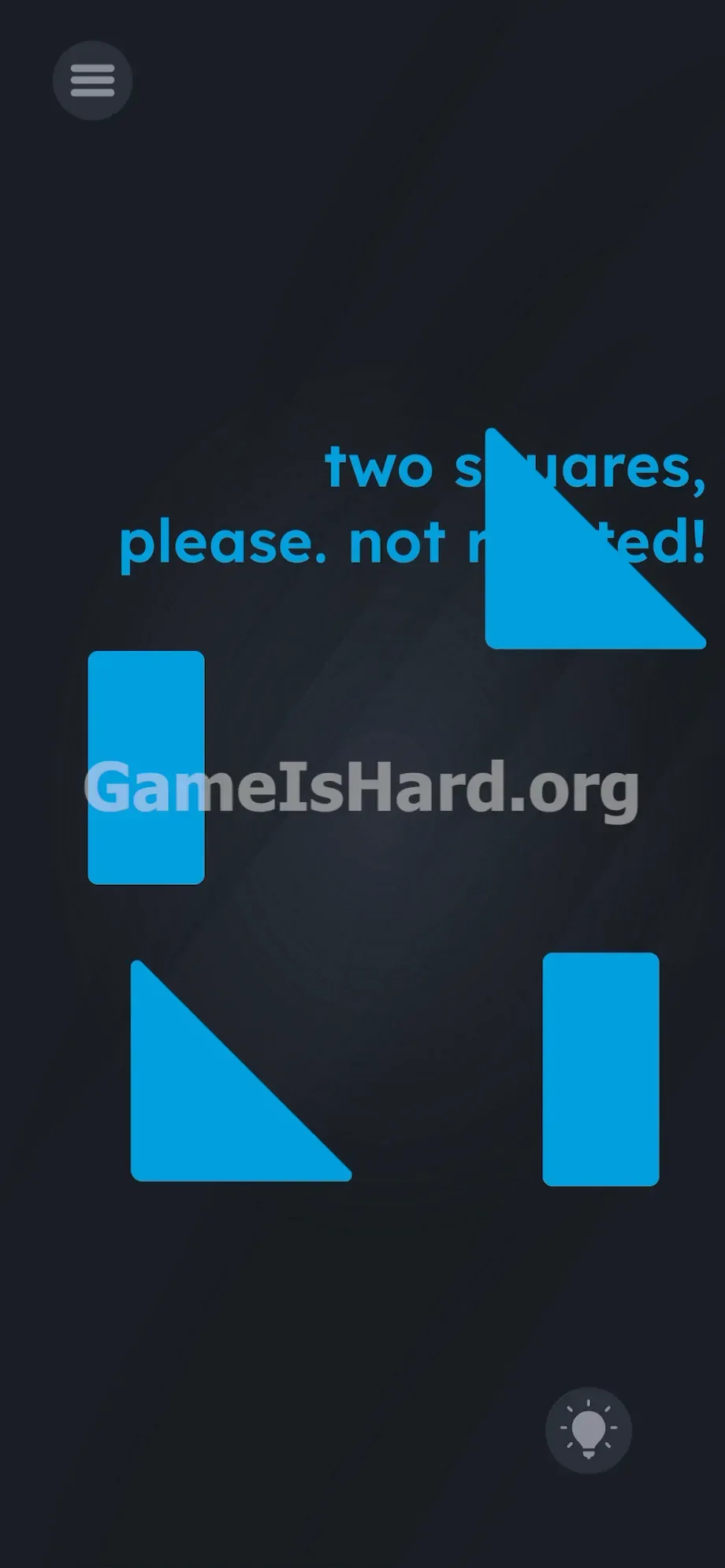
- Drag it straight onto the letters of the word rotated in the prompt.
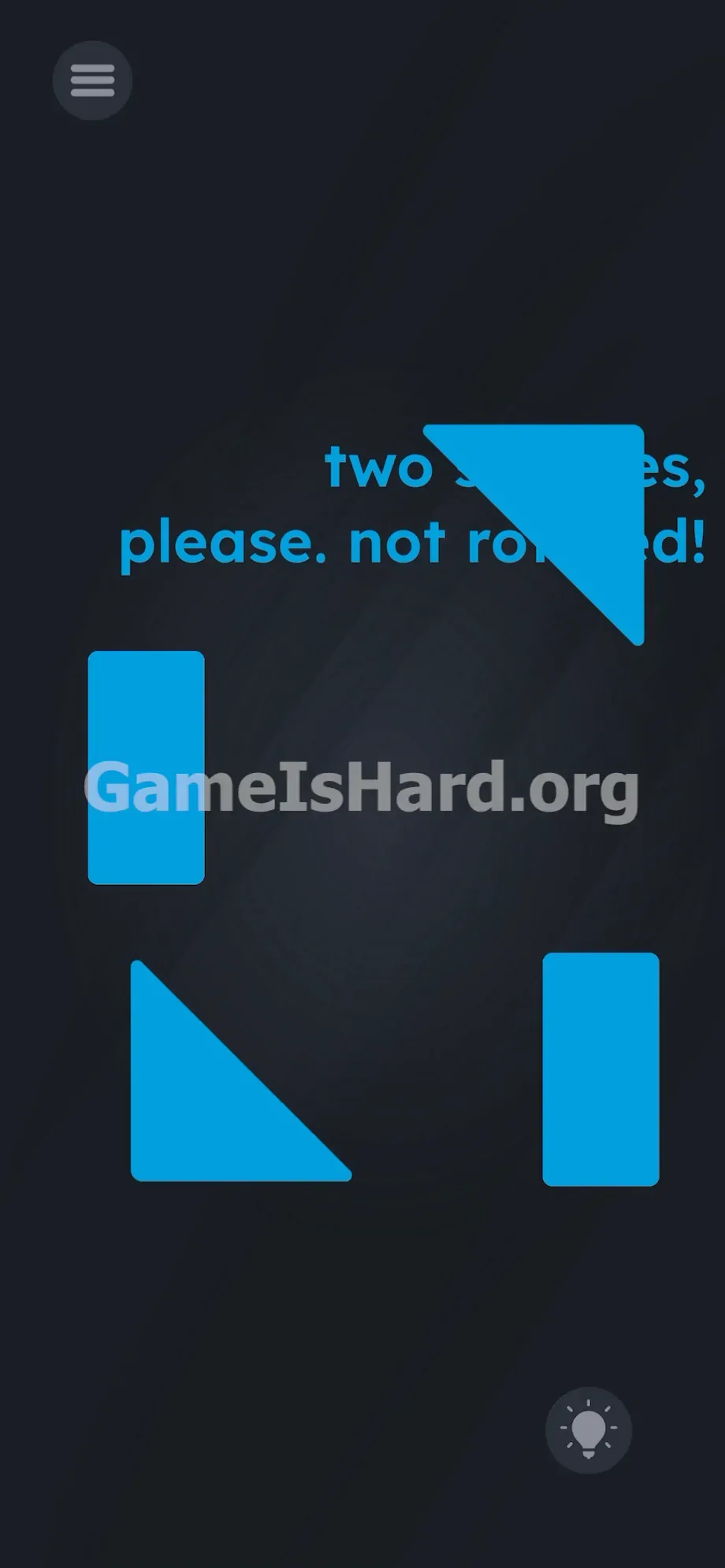
- Watch it spin mid-drag—the moment it touches the word, its angle shifts.
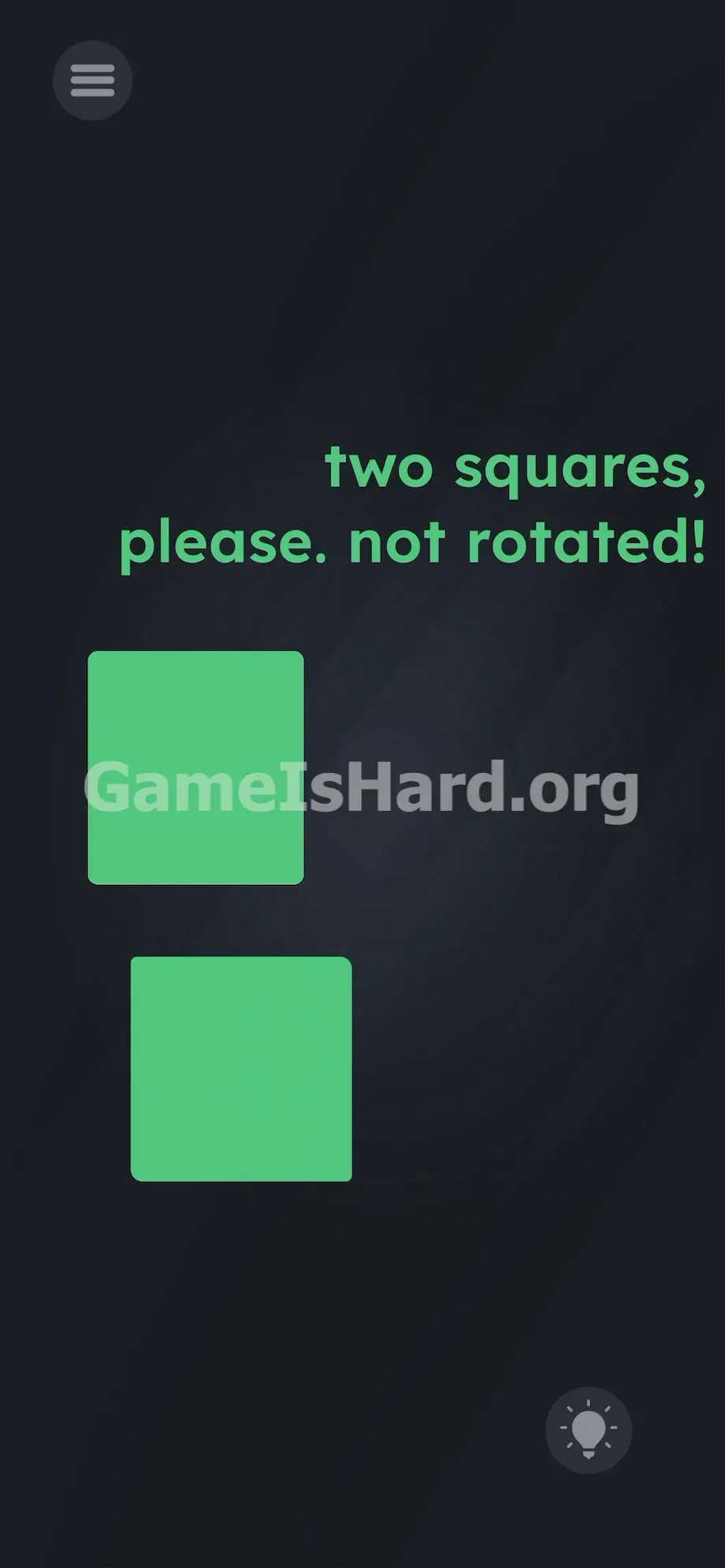
- Now drag that newly rotated triangle down and snap it cleanly against the bottom-left triangle. They’ll merge into one perfect square.
- Finally, drag the two remaining blue rectangles together—edge-to-edge—until they lock into your second square.
If It Did Not Work
- Precision matters: drag the triangle directly over the letters of rotated. Landing even slightly off-target means no rotation.
- If shapes don’t fuse, nudge them closer—snapping requires exact alignment.
- Don’t waste time dragging rectangles to the text—they’re already correctly oriented. Two upright rectangles make a square when joined side-by-side.
- If a shape sticks behind the text layer, close and relaunch the app to reset level 228.
Why This Solution Works
This puzzle hinges on Linguistic Deconstruction—the idea that written language can become physical interface elements.
Game is Hard transforms abstract terms into active tools. Here, rotated isn’t descriptive—it’s a script trigger. Touch it with a shape, and rotation fires. It breaks your mental model of UI design on purpose. Words aren’t labels. They’re levers. And that “not rotated!”? It’s reverse psychology—designed to steer you away from the very word you need to use.
Bonus Tip
For speed or sanity, skip trial-and-error. Lock in this sequence:
- Forget the word “not” completely.
- Drag the top-right triangle onto rotated.
- Connect the two triangles into a square.
- Join the two rectangles into the second square. Do that—clean and fast—and you’ll clear level 228 in under four seconds.
Frequently Asked Questions (Short, Useful)
Why won’t pinch-to-rotate work? Multi-touch rotation is disabled here. The only way to spin a shape is by dragging it onto the word rotated. No gesture shortcuts exist.
I built two squares but the level won’t end? Your pieces likely aren’t fully snapped. Adjust them gently until the game registers a clean, unified square—then victory triggers.
Can I rotate the rectangles too? Technically yes—but it’s pointless. Two upright rectangles already form a perfect square when aligned side-by-side.
What if dragging to rotated does nothing? Press firmly on the triangle and drop it on the letters, not the blank space beside them. Hitbox precision is key.
More Game Is Hard Solutions
We cut the fluff. Our guides exist solely to pull you through the most maddening logic walls—so you stay in the game, not in frustration. Share this page if your friends are stuck endlessly swiping at thin air. Check back at thegameishard.org for the next brain-bending challenge—you’ll want it.