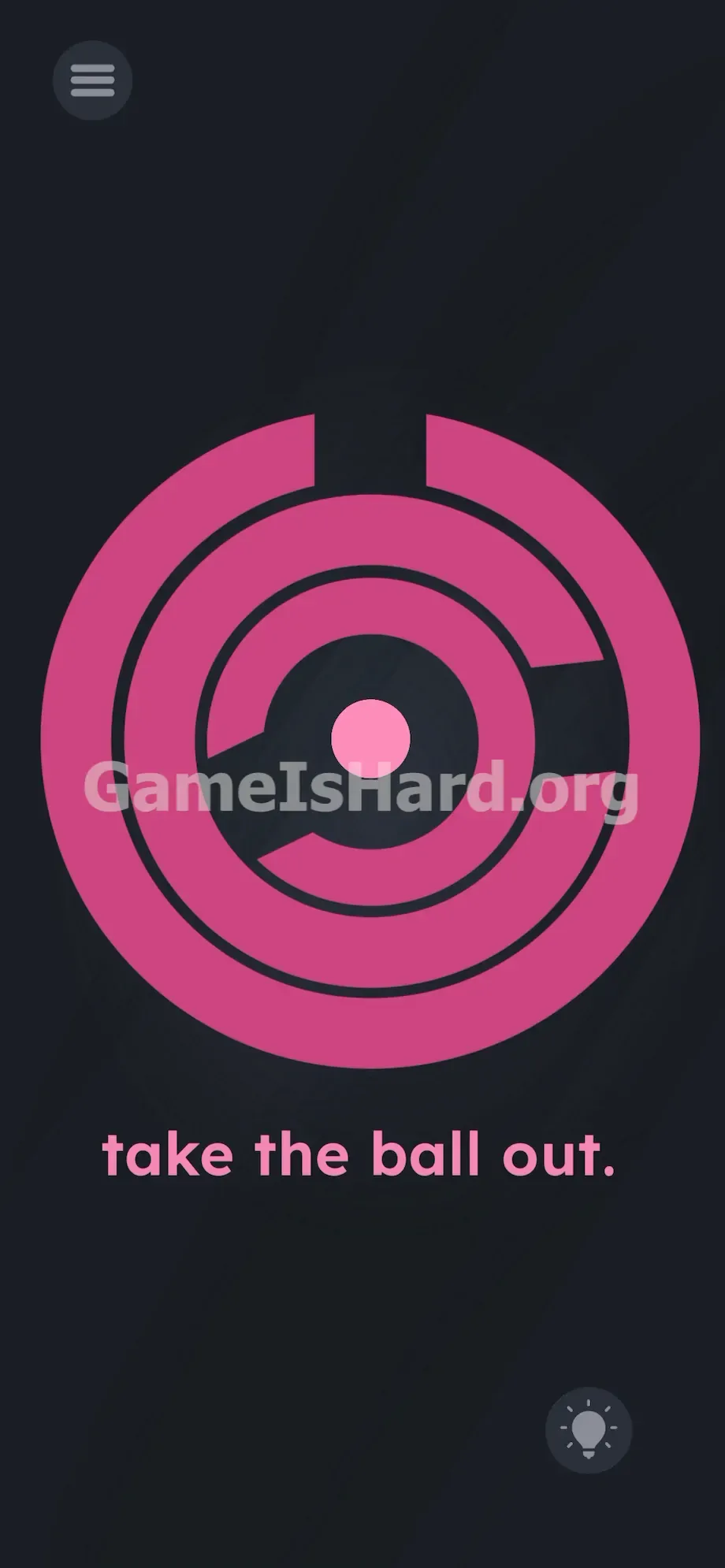
App updates can sometimes shuffle the order of puzzles. If this level 230 walkthrough doesn't match your screen, don't worry! You can browse our All Levels guide to find your exact puzzle by its picture.
Level Overview
What Makes This Puzzle Tricky
You’re staring at a pink bullseye, tapping relentlessly—nothing budges. You swipe. You drag. You get zero feedback. Level 230 delivers a hard reset on expectations: the interface is deceptive. Your fingers can’t move the barriers at all. You’re trying to solve a software puzzle—but the real answer lives in your phone’s hardware.
Your Goal
The goal sounds simple: free the pink dot from the center. To do that, you must align three solid rings into a single vertical escape route—not by touching the screen, but by using your phone itself as a physical controller.
- Gyroscope manipulation: The core mechanic driving movement.
- Physical device rotation: Tilting and turning your phone like a dial.
- Selective UI targeting: Tapping rings to activate them individually.
- Touch-to-motion transition: Knowing when tapping ends and motion begins.
- Hidden interaction design: Luring you into expecting standard swipe behavior. This isn’t just a game on your screen—it’s a mechanical puzzle you hold in your hands.
What Appears on Your Screen
The layout is built to mislead. A deep navy background fills the screen. Dominating the center is a large pink circular maze made of three concentric rings—inner, middle, and outer—each with one segment missing. A tiny pink ball sits motionless in the dead center. At the bottom, plain lowercase text reads “take the ball out.” A subtle menu icon rests in the top-left corner; a faint lightbulb hint icon hides in the bottom-right.
Visually, it mimics a rotary lock—intentionally inviting finger-spinning. It’s a deliberate illusion, designed to consume your time and test your assumptions.
Common Mistakes to Avoid
The Trap
Mobile games condition us to touch and drag. That instinct is weaponized here. The rings look interactive—but touch-based movement is fully disabled. You’re being invited to spin a dial that only responds to motion sensors, not taps or swipes. You’ll rub your thumb raw trying to drag something that refuses to budge.
First Instincts That Fail
I tried everything: dragging the outer ring, swiping the ball toward gaps, even tapping the instruction text hoping it would trigger something. I dragged the lightbulb icon across the screen, convinced it might break through the walls. Nothing registered. The level wants you to question your instincts—and feel momentarily defeated.
Player Reactions
I gave up, slammed my phone down on the desk in frustration—and watched the inner ring shift slightly as the device rotated. Instant realization. The solution was physical all along. I hadn’t been playing a touch game—I’d been holding a motion-controlled puzzle without knowing it.
Step-by-Step Solution
Preparing the Move
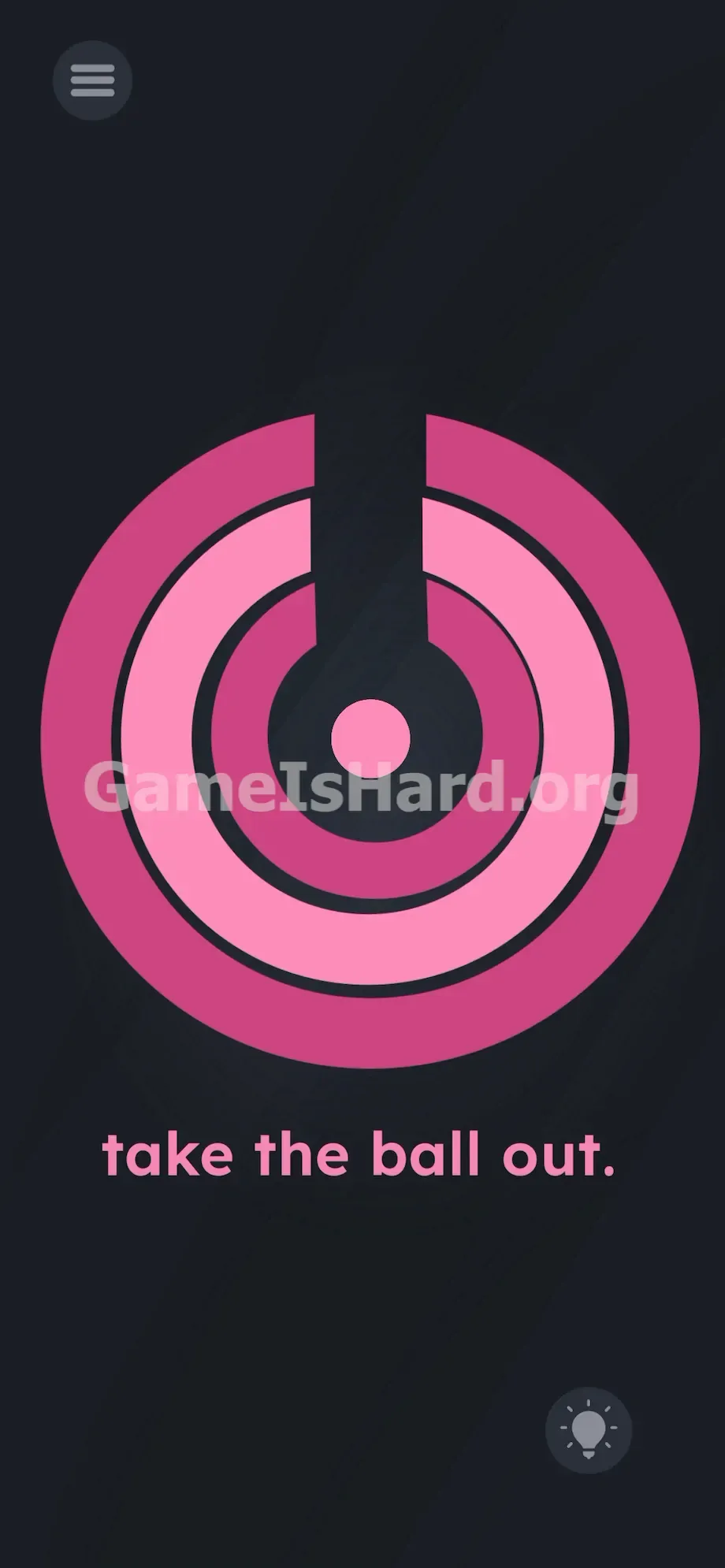
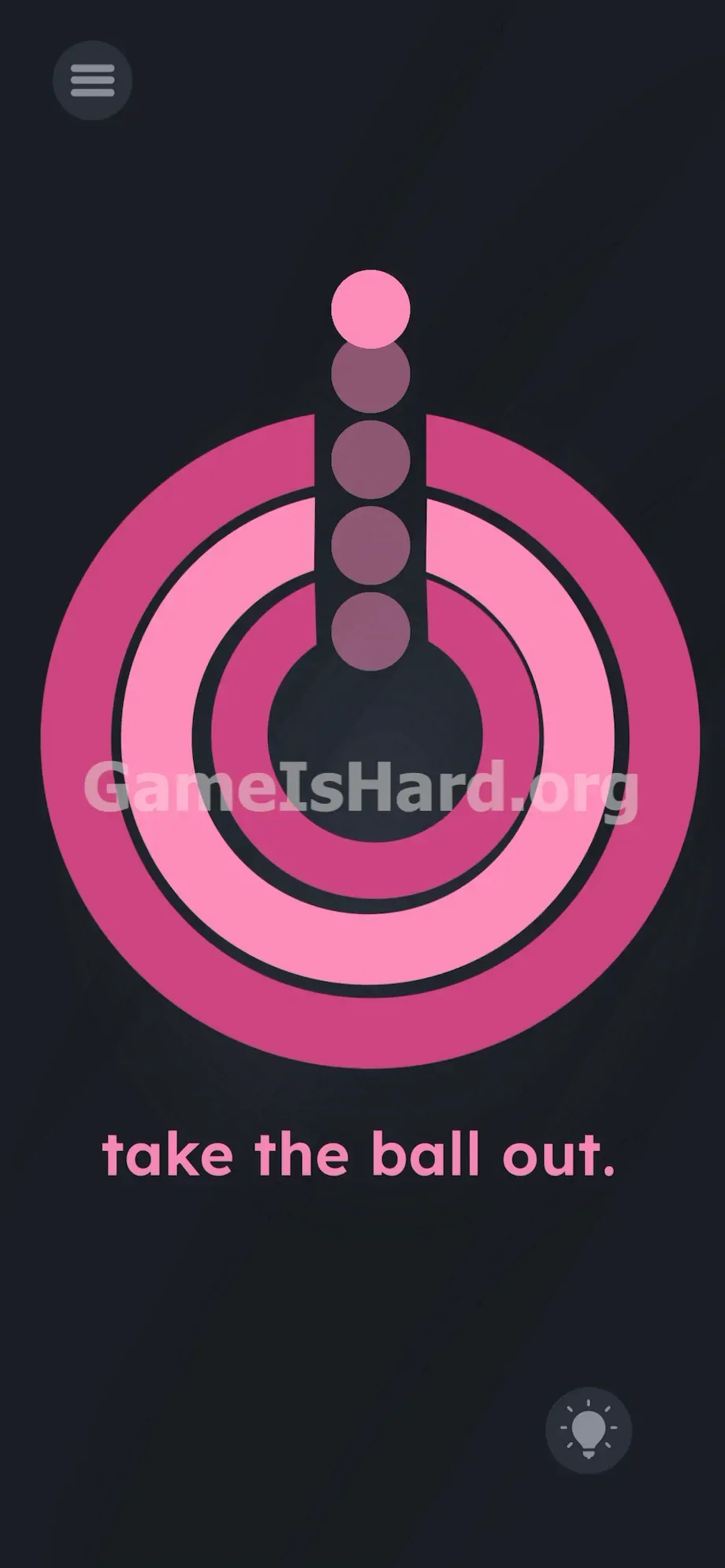
You need a perfectly vertical channel. The ball launches only upward—never sideways or downward. Align every gap precisely at the top (12 o’clock). Think of building a straight chimney for the ball to blast through.
Executing the Solution
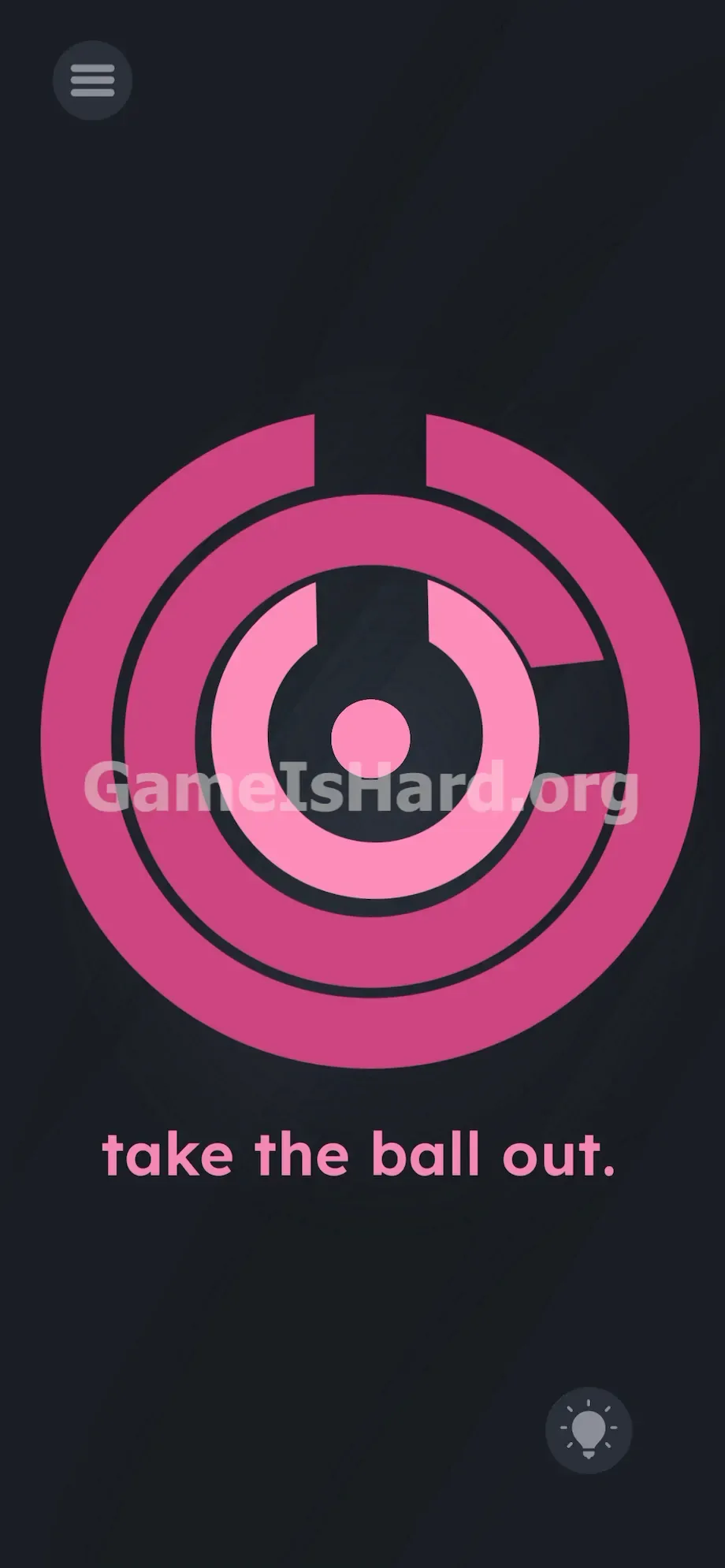
- Tap the innermost pink ring once. Watch for the color change—it brightens slightly. That means it’s selected and ready to move.
- Hold your phone flat in both hands and rotate it slowly, like turning a steering wheel. Watch the highlighted ring follow your motion. Stop when its gap points directly upward.
- Tap the middle ring. The inner ring locks in place and dims. Rotate your phone again until the middle gap lines up exactly with the inner one.
- Tap the outer ring. Rotate your device one final time until all three gaps form an unbroken vertical line reaching straight to the top edge of your screen.
- Tap the pink ball in the center. It fires upward instantly through your aligned tunnel—and clears the level.
If It Did Not Work
- The ball smashes into a wall: Your alignment isn’t precise enough. Gaps must be perfectly vertical. Re-tap any misaligned ring and adjust rotation carefully.
- The rings won’t spin: You skipped the tap step. Look for the lighter pink highlight—that’s your confirmation the ring is active. Darker pink means it’s locked.
- Gyroscope feels sluggish: Auto-rotate settings can interfere. Keep your phone level and flat while rotating—avoid extreme tilts or wrist twists.
- UI freezes or glitches: Close and relaunch the app. Violent shaking or sudden motion can temporarily disrupt sensor input.
Why This Solution Works
This level forces you to see your phone differently—not as a display, but as a physical object housing real-world sensors. Level 230 abandons traditional UI logic entirely. The on-screen text is a red herring; the touchscreen acts only as a selector (like a clutch), while the gyroscope does the work. It breaks the “screen-as-window” illusion and asks you to treat your device like a tangible puzzle box. If you stay focused only on what’s digital, you’ll stay stuck.
Bonus Tip
Stop dragging. Stop swiping. Here’s the fastest way through:
- Tap one ring right away to engage the hardware.
- Rotate your phone until its gap faces 12 o’clock.
- Tap the next ring to lock the first in place.
- Repeat until all three gaps stack vertically toward the top bezel.
- Tap the center ball—once.
Frequently Asked Questions (Short, Useful)
Why won't the rings move when I swipe them? Touch-and-drag is completely disabled here. Only physical rotation—using your phone’s built-in gyroscope—will turn the rings.
Does the ball ever move in another direction? No. It’s programmed to launch straight up only. Any gap alignment other than perfectly vertical will cause failure.
What happens if I tap the ball too early? It hits the nearest wall and rebounds to the center. You won’t fail—you’ll just need to realign the path and try again.
Can I rotate multiple rings at once? No. The system requires layer-by-layer control: tap → rotate → lock → repeat.
My screen rotation is locked in system settings. Does that matter? Usually not—the game reads raw sensor data, bypassing OS-level rotation locks. If issues persist, lay your phone flat on a stable surface.
More Game Is Hard Solutions
Need help with other tough stages? Our guides cut straight to the solution—no fluff, no filler, just what you need to advance. Explore the full site for quick, accurate walkthroughs of every challenging level. Share this page with friends hitting the same wall. You’ve got this—keep going.