App updates can sometimes shuffle the order of puzzles. If this level 213 walkthrough doesn't match your screen, don't worry! You can browse our All Levels guide to find your exact puzzle by its picture.
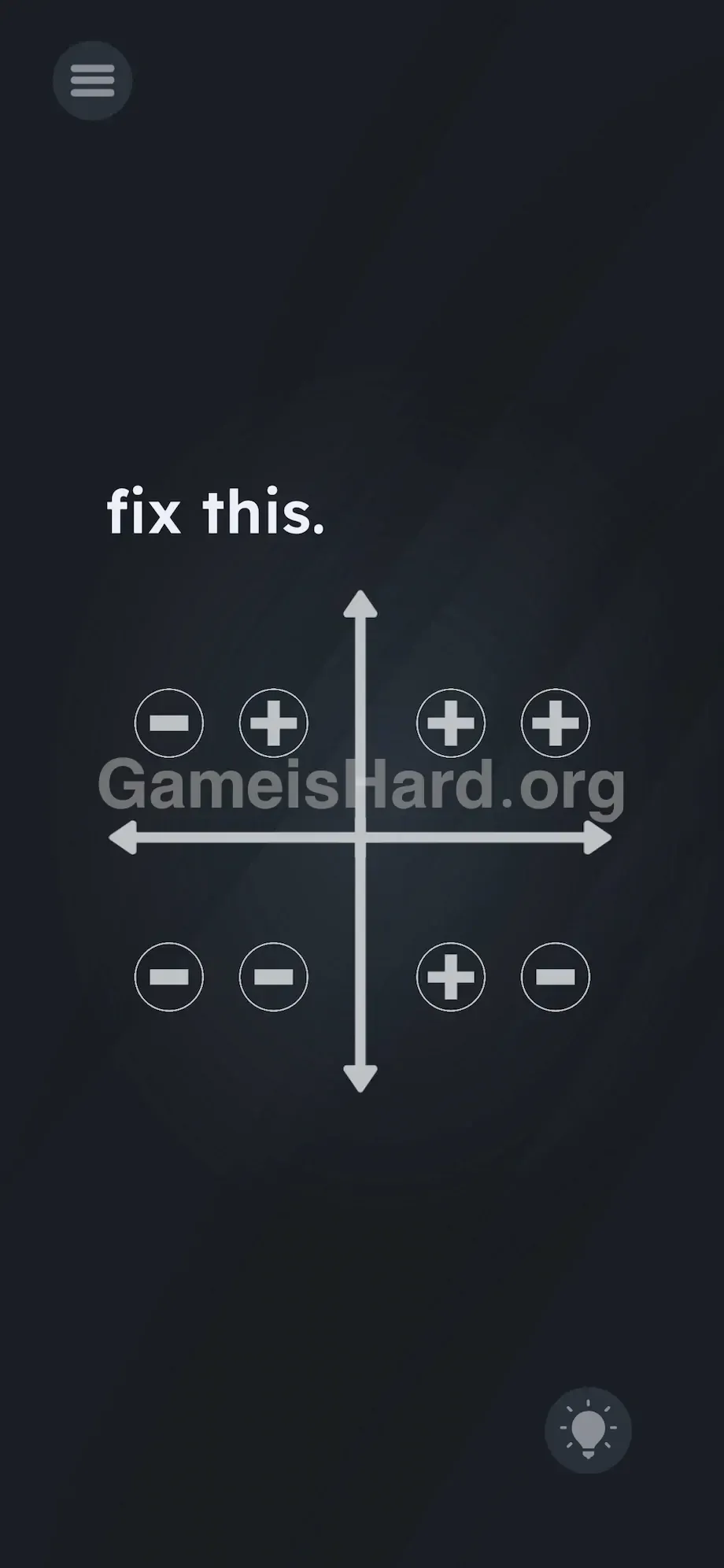
You need to pull out four separate plus signs from the center to fix the graph. Match the standard Cartesian rules: Top Right gets two pluses ( + + ), Top Left gets one on the right ( - + ), Bottom Right gets one on the left ( + - ), and Bottom Left stays untouched ( - - ).
Level Overview
What Makes This Puzzle Tricky
Remember those algebra class moments when coordinate planes felt like cryptic code? This level throws a glitched-out grid at you with zero instructions—and no visible tools. No keyboard. No buttons. Just silent rows of minus signs staring back. The interface is deliberately deceptive.
Your Goal
You’re not solving an equation—you’re rebuilding the math itself. Your job is to restore accuracy to the coordinate plane by transforming the wrong minus signs into proper plus signs—using only what’s already built into the screen. This isn’t a quiz; it’s hands-on UI reconstruction.
Here is the exact mechanic breakdown you need to know:
- UI drag / Text drag
- Hidden object
- Logic puzzle (Basic Math) It’s not a mistake—it’s your ammunition.
What Appears on Your Screen
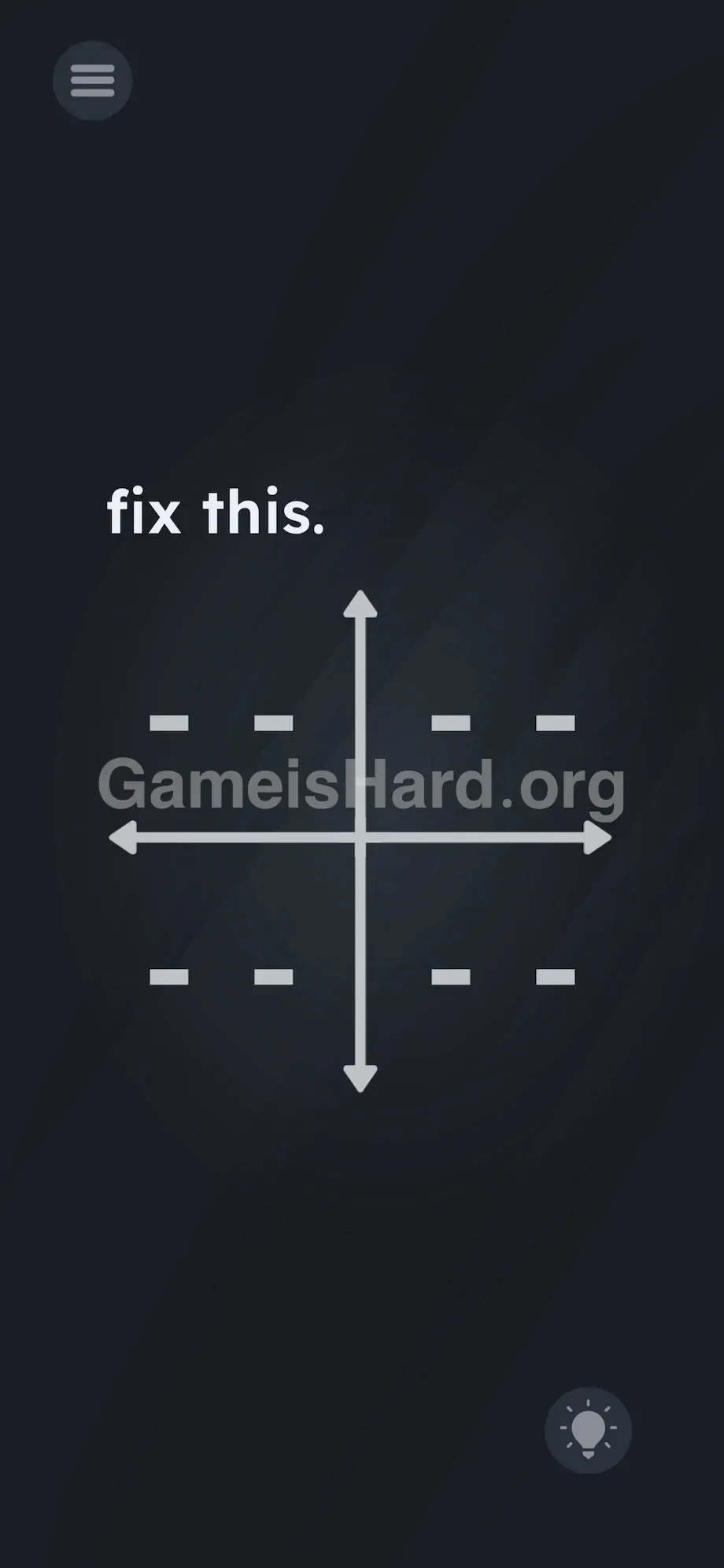
The screen feels stripped bare. A deep black backdrop makes every white element stand out sharply. In the top-left corner, the prompt reads fix this. in unassuming lowercase.
Centered on screen is a bold coordinate crosshair: a vertical y-axis and horizontal x-axis crossing cleanly at the middle, capped with arrows.
These lines divide the screen into four quadrants—each filled with two side-by-side dashes: - - .
In the bottom-right corner sits a subtle hint lightbulb icon . That’s it. No menus. No sliders. No obvious controls—just axes and symbols.
Common Mistakes to Avoid
The Trap
The real hurdle is “UI Blindness.” We’re conditioned to scan for buttons, toggles, or draggable icons—but structural elements like graphs get mentally filed as static scenery. The game banks on that instinct, hiding the solution inside the very lines you’re ignoring.
First Instincts That Fail
Most players tap the - - pairs hoping they’ll flip like switches. They don’t. Others try dragging letters from the prompt or tracing over the axes. Some even pinch, zoom, or press volume keys—anything but interacting with the intersection itself.
Player Reactions
Total forehead-slap moment. I stared at those minuses for nearly three minutes, half-convinced I needed external hardware. Then—by accident—I swiped across the center, and something peeled away. The answer was embedded in the design all along.
Step-by-Step Solution
Preparing the Move
Ignore the text. Ignore the dashes. Zero in on the exact center—the point where the x- and y-axes meet. That crossing forms a literal + shape. It’s not decoration—it’s a grabbable object. Brush up on quadrant rules—or just follow these steps precisely.
Executing the Solution
- Tap and hold the dead center of the graph where the lines intersect.
- Drag your finger away from the center. You will see a + symbol peel off the intersection and follow your finger.
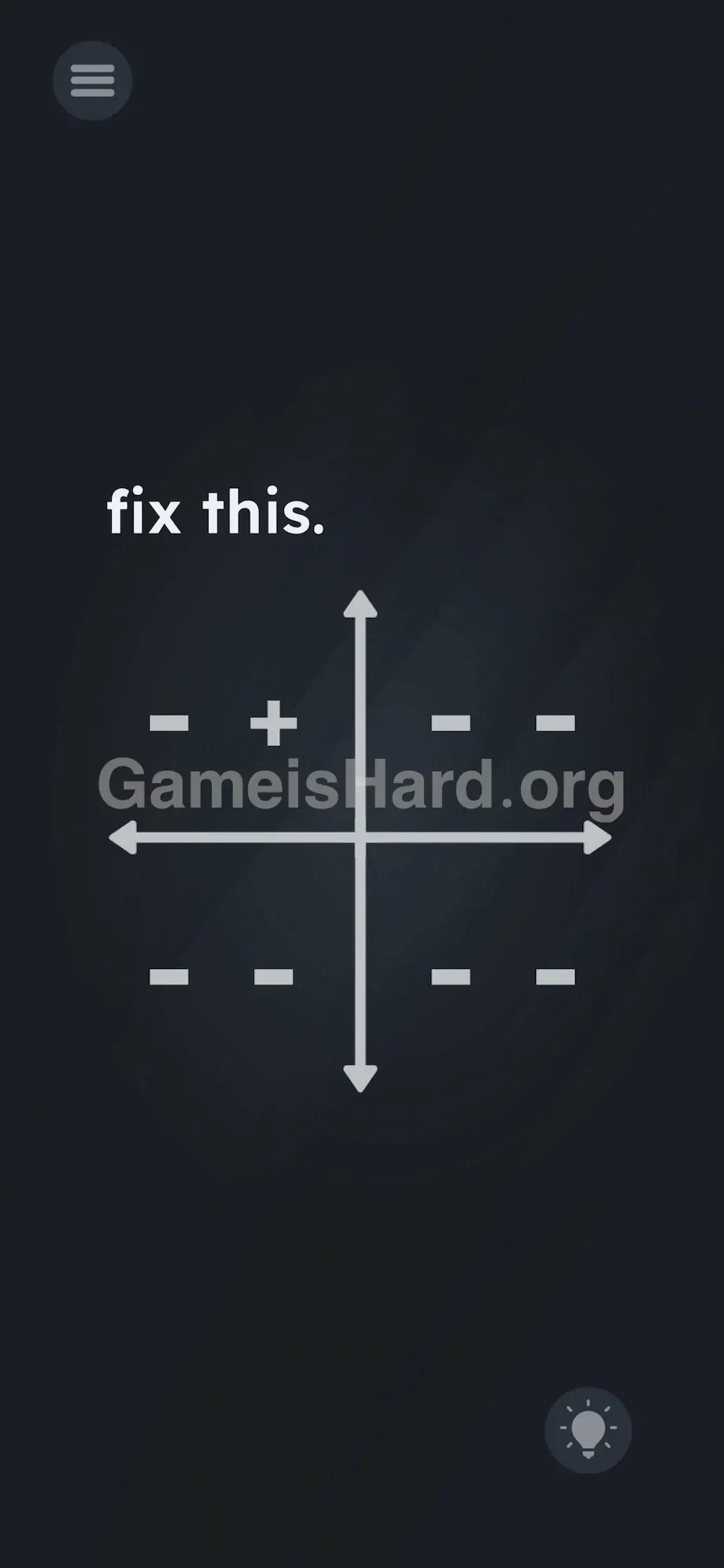
- Drag this + to the Top Left quadrant (Quadrant II). Drop it directly over the right-side - symbol. It should now read - + .
- Go back to the center. Tap and drag a second + symbol.
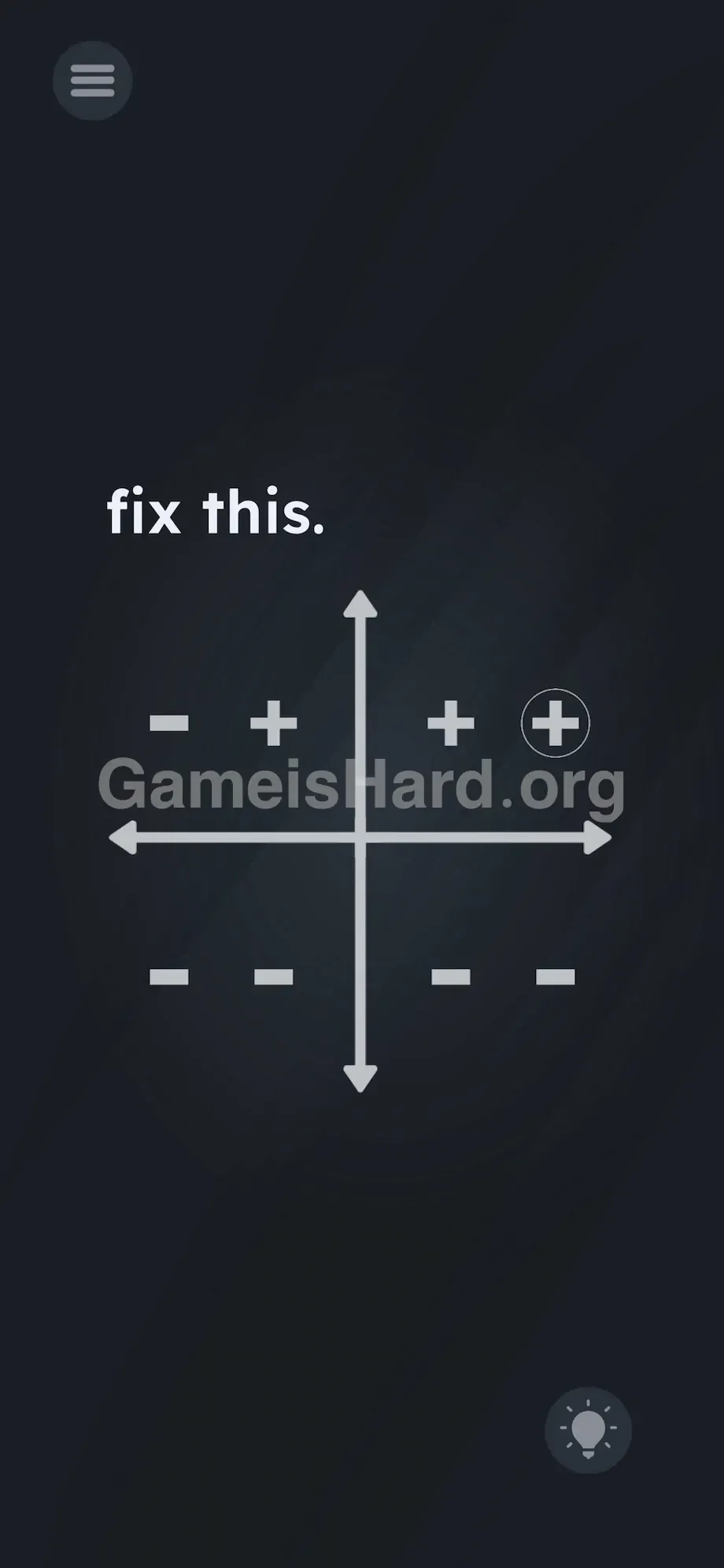
- Drag it to the Top Right quadrant (Quadrant I). Drop it on the left - symbol.
- Grab a third + symbol from the center. Drop it on the remaining right - symbol in the Top Right quadrant. It should now read + + .
- Leave the Bottom Left quadrant (Quadrant III) entirely alone. It is already correct as - - .
- Grab a fourth and final + symbol from the center. Drag it to the Bottom Right quadrant (Quadrant IV). Drop it over the left - symbol. It should now read + - .
If It Did Not Work
- The plus sign isn't dropping: Accuracy matters. You have to drop the + directly on top of the existing - symbol for it to snap into place. If you drop it in the empty space, it will snap back to the center.
- I put it in the wrong spot: Usually, grabbing the placed + and dragging it away resets it, or you can just overwrite the correct spots. If the UI completely bugs out and won't let you move a misplaced plus sign, force close the app and restart the level.
- The level isn't completing: Double-check your math. Top right must be two positive signs. Bottom left must be two negative signs. Even one mistake keeps the level from clearing.
Why This Solution Works
This level nails the “Linguistic Deconstruction” design philosophy—treating every visual element as a tangible, manipulable object. Those axis lines aren’t just guides—they’re physical segments forming a + you can literally extract.
It tests two things: first, your ability to break free from default UI assumptions and interact with the environment unconventionally; second, your grasp of foundational coordinate math. A standard Cartesian coordinate system works like this:
- Quadrant I (Top Right): x is positive, y is positive (+, +)
- Quadrant II (Top Left): x is negative, y is positive (-, +)
- Quadrant III (Bottom Left): x is negative, y is negative (-, -)
- Quadrant IV (Bottom Right): x is positive, y is negative (+, -) The prompt is misdirection—the real puzzle lives in the interface. You’re handed a grid of negatives and told to “fix it.” So you reach into the screen itself and pull out the positives you need.
Bonus Tip
If you're racing through or skipping the math entirely, use this foolproof sequence:
- Yank a + from the center and drop it on the right dash of the top-left area.
- Yank two + signs from the center and cover both dashes in the top-right area.
- Ignore the bottom-left area entirely.
- Yank one last + from the center and drop it on the left dash of the bottom-right area. Don’t bother trying to move the minus signs—they’re locked in place. Only the center intersection responds.
Frequently Asked Questions
Where do I get the plus signs? They’re hidden in plain sight—at the precise center of the screen. Tap the intersection where the x and y axes meet and drag outward. A + will detach and follow your finger.
Do I need to change every minus sign? No. The Bottom Left quadrant (Quadrant III) reflects negative x and negative y values. It’s already correct as - - . Leave it untouched.
Why does the plus sign snap back to the middle? You’re placing it too far from the target. Hover the + directly over the specific - dash you intend to replace before releasing. Sloppy placement gets rejected.
What is the final layout supposed to look like? Top Left: - + Top Right: + + Bottom Left: - - Bottom Right: + -
Can I reset the puzzle without restarting the app? Yes—usually, dragging a misplaced + off the quadrant resets it. If the board locks up with incorrect placements, pause the game and restart level 213.
More Game Is Hard Solutions
Our guides cut straight to the solution—no fluff, no filler. We know how exhausting these UI-based logic traps can be.
Stuck on the next challenge? Keep thegameishard.org bookmarked. Share this walkthrough with your Discord squad raging over that coordinate grid. Keep pulling from the unexpected—and good luck on the next level.